Status
SteamPeaks
ChartsSalesUpcomingPatchesEventsCalculator
New on SteamEvery app, DLC and depot the minute Steam creates itAppsEvery app on Steam, newest change firstPackagesSubs and bundles, and what each containsDepotsDepots, manifests and install sizesTagsSteam's user tags and the games under themDevelopers & publishersCompanies and their cataloguesTechnologiesEngines, SDKs and anti-cheat found in the filesChange historyEvery PICS changelist as it lands
SignalsNineteen readings of the whole catalogueCompareAny games side by sideRecordsAll-time peaks and the days they were setReportsWeekly and monthly write-upsAlerts & newsroomWatch a game, get told when it movesSteam statusIs Steam up, right nowWeb API explorerTry the endpoints in the browser
EventsSteam's own events and the sales calendarCalculatorWhat a Steam account is worth, and its pile of shame
/
Sign in
/
SteamPeaks
The ultimate resource for Steam data.
ExploreChartsSalesSales and festsUpcomingPatchesEventsRecordsTrendingSignals
DatabaseAppsPackagesDepotsTagsDevelopersTechnologiesChange history
ToolsCalculatorCompareSearchAlertsSteam statusAPI
SiteMethodologyFAQDiscordSupportSign in via Steam
Not affiliated with Valve or Steam. Game names and artwork belong to their owners. All times UTC.
PrivacyCookiesFair useStatus
OVR Advanced Settings›Events›5.6.2
Major update

5.6.2

OVR Advanced Settings · published 4 years ago

All eventsPlayers around this dateRead on Steam

5.6.2 Is Out!

Features

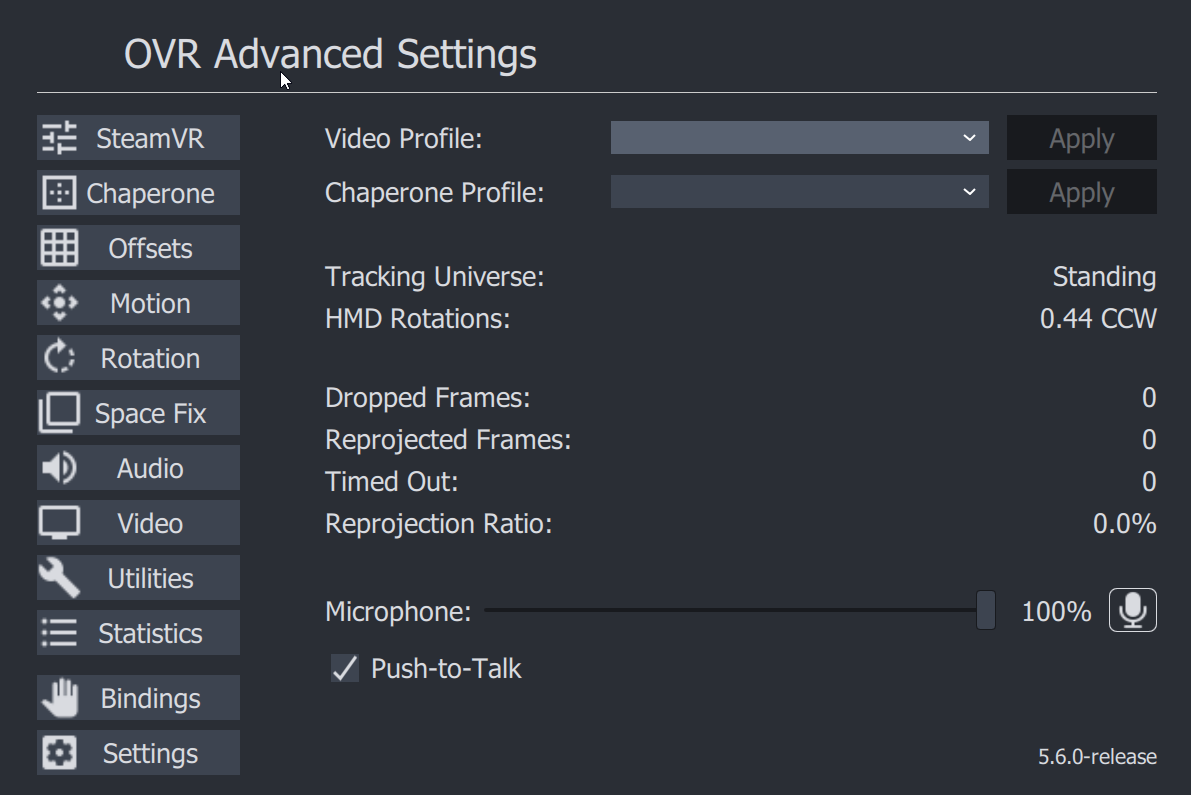
Face Lift


Honestly This has probably been too long since we updated, but updated color pallette to hopefully better blend in and not be as.... blue. Feel free to leave feedback on new looks positive/negative or changes.
Per App Bindings


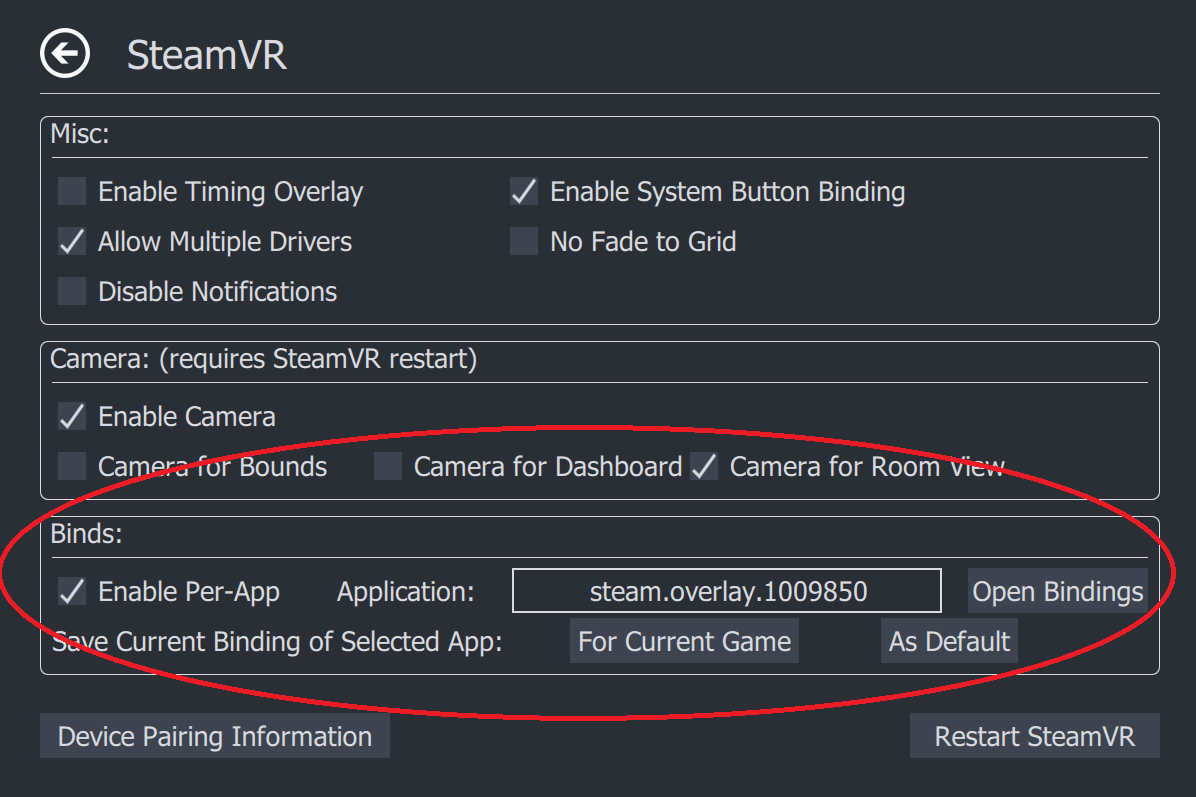
Now Have your Bindings Change Based On what game you are playing.
Usage:

  • Enable Per-App Bindings via Checkbox
  • Select Application you want to select Bindings for:
    • Some Common Overlays and their App ID's (not affiliated, just for reference)
    • (default) OVR Advanced Settings = steam.overlay.1009850
    • OVR Toolkit = steam.overlay.1068820
    • XSOverlay =steam.overlay.1173510
    • Desktop + = steam.overlay.1494460
    • fpsVR = steam.overlay.908520
    • LIV = steam.overlay.755540

  • Start Application You want to set a Binding For
  • Adjust Binding as desired
  • Save Binding for Current Game, or as a Default (applies if no game found)

Your Bindings Will Automatically be saved beside existing settings
(%appdata%\AdvancedSettings-Team\ on Windows)

Possible Fix for Space Drag not working Issues
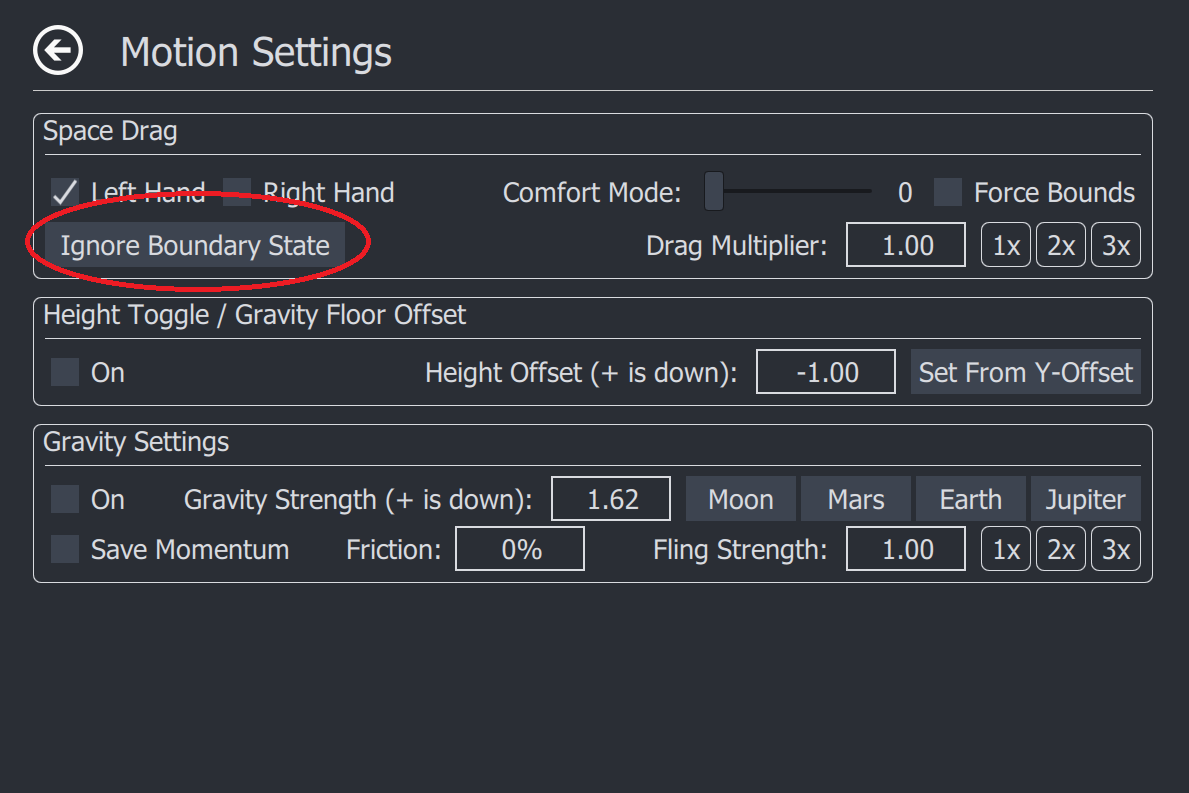
Simply Click the Button and see if you can space drag after that, If not please leave comment, and hopefully can find out the issue.

Patch Notes:

# 5.6.2

## Features

### Per App Bindings
- In the SteamVR tab You are now able to set bindings for overlay applications based on what game you are playing.

- These Binding Files are saved in the Same directory as your settings/logs

### A new Look
- a new Color Scheme to better match OpenVR/SteamVR's theme

### Ignore Boundary State
- This is another attempt at trying to get better support for space drag on third party headsets.
- Simply click this button per session, and it should help you
- If it works well, it will be better integrated if not it may eventually be removed

## Fixes
- Fixed a Collision in Settings, and rotation page for entries

More from OVR Advanced Settings

Other announcements

All events
In-game event27 Aug 20265.8.13Changes - space drag movement expectations with regards to re-centers The new movement expectation is on re-center you should lose your verticality, your play area will be oriented towards current HMD direction, and new "center" set at new location. This should be consistent across all hmd's - Added default bindings for new controllers - Added additional logging Fixes - space fix will now no lo…Community11 Aug 2026Beta UpdateJust a Quick Update: With the soon to be released Frame, There have been a lot of things changing in SteamVR, and as such certain features are effected. Beta is updated to reflect some of these changes, and fix issues. Based on feedback or future changes Valve may make on their end some of these changes may get rolled back or altered further. I know it can be frustrating when things break sudde…Community30 May 20241,000,000Wow. OVR Advanced Settings now has just over 1,000,000 copies on Steam! Quite frankly it’s been an incredible journey, and we are immensely happy to be one of very few VR applications to hit this milestone. So first and foremost thank you to everyone. Quite frankly since the inception we never expected the project to get this big. The support, understanding, and efforts of the community have be…