Road To Version 1
major updateThe Perfect Tower II · published
Hi everyone!
A lot of things have happened during the past three months so let's not use up any more time and dive right into it.
Aside from attending some conferences and taking a few days off for vacation we have finally started refactoring the remaining systems that were still using code originally written back in 2019. This includes all systems that allow the game to communicate with networking services like fetching the server time, handling cloud saves as well as user authentication and communication with the Steam API. This led to massive changes to the codebase in those areas following an extensive amount of testing. We also focused on improving some existing gameplay mechanics and even added a new feature for infinity perks.
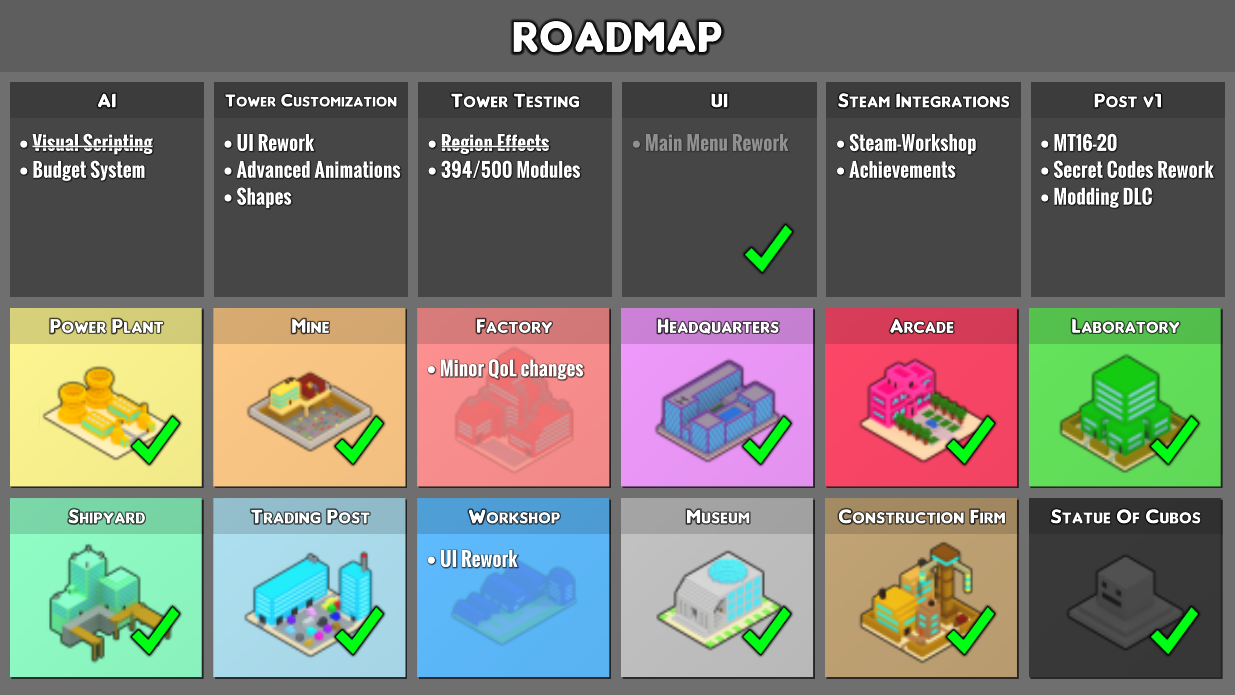
Our plan to release v1 this year remains unchanged, even though we don't have a specific date set yet. There are still a few open tasks that we want to cover before it’s ready:
Workshop UI
The workshop user interface remained largely unchanged since the first implementation and requires some tweaks and additions.
AI Budget System
The AI execution flow will change to use a budget/cost system that allows for a better control over the execution speed.
Nexus Overhaul
The nexus will receive the remaining purchasable cosmetics we have planned and in general a visual overhaul so it fits more to the remaining style of the game.
We would also like to support Steam wallet as a purchase method.
Tower Customization
Tower customization is still missing the keyframe animation system which technically exists inside the format we have created but it is not accessible yet via the tower customization UI.
Localization
There are many labels inside the game that have hardcoded strings or strings that are embedded inside the UI components themselves that need to be replaced in order to become localizable.
Supporter Modules
We still have a few supporter modules in the queue that will have to make it into the game prior to its full release.
Misc.
After everything else we will also be looking at which community suggestions still make sense and implement them. This is also the phase where we plan to change the balance of the game to be more streamlined.
“What happens after v1? Will the game still receive updates?”
As with any game, there is a point in development where you shift the focus to primarily polishing and adding quality-of-life features. At this stage you are basically in a cycle that potentially repeats forever. The Perfect Tower II version 1 serves as a milestone rather than a finish line. Once we've reached it, we'll just keep walking towards whatever comes next. It also makes it easier to add new content because it feels like you're extending something rather than completing it. Just like adding a little shed to the garden instead of finishing the roof of the house.
After version 1, the game will continue to receive updates that include bug fixes, quality-of-life changes, and the occasional new content. Much more will be happening in the background. On the one hand, we aim to finish the mobile version of the game and improve modding capabilities, while also officially preparing MT16-MT20, a large free update containing post-endgame content.
Modding DLC
The paid modding DLC that we have announced at the beginning of development will be released alongside version 1 of the game. It will include a moddable client for the game, as well as a mod editor that allows you to add and edit content without needing coding knowledge. However, creating complex logic may require some understanding of Lua scripting. Our goal is to give mod creators as much freedom as possible while at the same time ensuring a high level of compatibility between individual mods.
Even though the modding capabilities of the game will be ready for version 1, we may need to release the modding tools in an "early access" state. That means modding tools will be quite basic at launch and we intend to expand them based on feedback from the community.
Edit: you can now also wishlist the modding DLC!
https://store.steampowered.com/app/2347140/The_Perfect_Tower_II__Modding/
New version
Since the last public update, we have made many changes to underlying systems that can have a lot of unforeseen effects. That is why we are considering the current development build as unstable, even though our premium supporters have already tested it.
However, we don’t want to let you wait for an update any longer!
That is why we have decided to create a new branch on Steam with an “experimental” version of the game. This branch is accessible to all of you. You can make the choice if you want to see the new changes with the potential for many new bugs or if you want to continue on the stable version. We will keep updating the experimental branch until we consider it stable enough again.
If you want to play version 0.48.0 Experimental, go find The Perfect Tower II in your Steam library and right-click on it. Select properties. A new window will open up. Navigate to betas. Enter “experimental” into the textbox and click on “Check Code”. On the dropdown menu you can now select "experimental” and when you close the window, you should see your game update. To opt out of the experimental version, simply go back to that dropdown and select “none”.
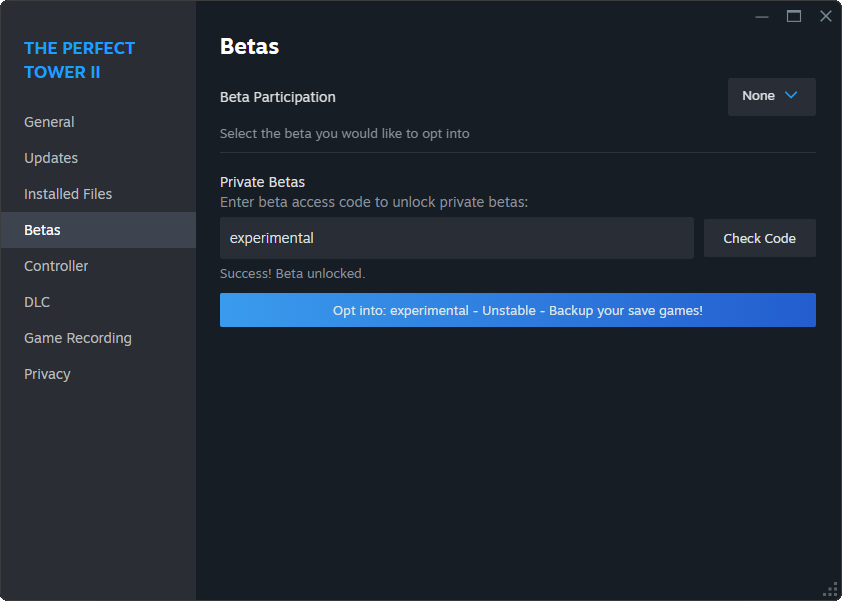
Please remember that this version is considered unstable and might have unforeseen effects on your save game! Additionally, once you have loaded your save in the new version, you cannot use it anymore in any older version of the game as the save format has undergone some drastic migrations, which makes it incompatible with early versions of the game! Please create a backup of your save game folder before you switch to this version!
To backup your save, open an explorer window and navigate to “%userprofile%\appdata\locallow\Fire Sword Studios\The Perfect Tower II\”. Make a copy of the “save” folder and keep it safe somewhere else on your disk.
What's new in v0.48.0 Experimental
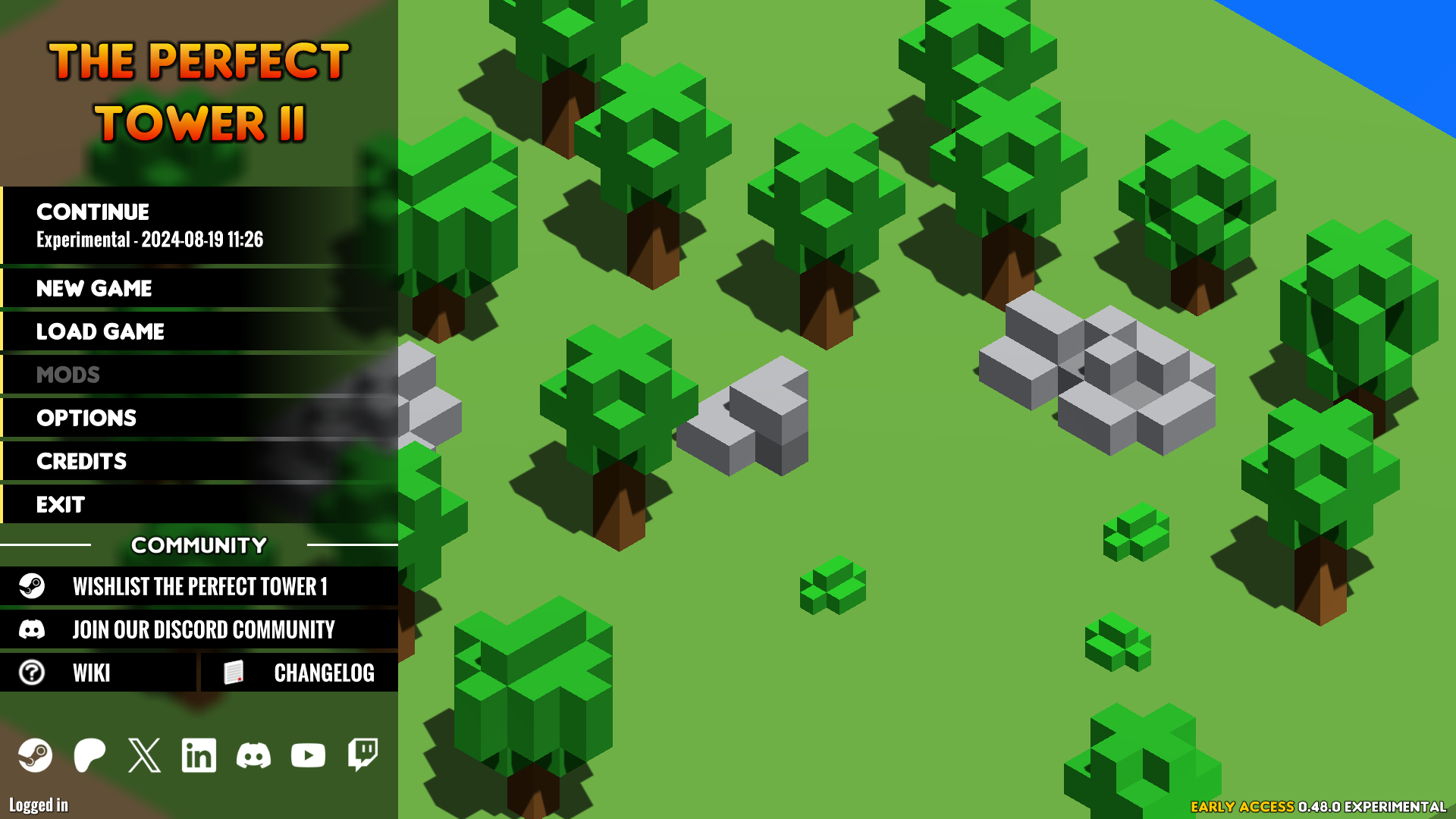
Title Screen Rework
The title screen has been reworked to better match the overall style of the game and a continue button has been added, which takes you directly to your most recently played savegame.
Cloud Changes
Our cloud system has been overhauled to give you complete control over how you use your three available cloud slots. Savegames can now be freely linked to specific cloud slots, as well as downloaded and uploaded individually from the cloud. If a savegame is marked as synced with the cloud, it will automatically upload the current savegame to the cloud whenever you save your local game. In addition, when loading your save, it will check to see if the cloud and local versions are the same, and if not, a dialog will appear asking which save you want to load. To access the new cloud options, navigate to the "Load Game" menu and look for the sidebar on the right side of the screen.
Savegame Limit (PC)
The PC version of the game no longer limits the maximum number of savegames. You are free to make as many savegames as your hard drive can hold.
Global Options
Global options have been added. They are savegame independent and can be set up directly from the main menu, in addition to the standard in-game options menu. Audio, Graphics, and Misc have been moved to global settings. Previous changes to these settings are lost and must be entered again.
Changelog
v0.48.0 Experimental
New Stuff
- overhauled the title screen
- added button to quickly access the last used save game from the title screen
- added a summary of important changes since you last played
- added infinite save game amount (PC only)
- overhauled cloud storage behaviour to allow for more user control
- added global options
- added option to only turn off cloud storage
- added AI function 'Time: Frame'
- added infinity inventory for infinite stacks to Factory (unlocks after getting first infinite stack)
- added 'cycle' option for collecting asteroid rewards to worker task 'Treasure Hunter'
- added tree production boosters to Factory
- added 'Armor Factor (vs. any)' to town stats
- added 'Max. HP factor' to town stats
- added a 'Pause All' button to workers which overrides their current active state without changing it on individual workers
- added module 'Martyrdom'
Changes
- moved audio options to global options
- moved graphics options to global options
- moved misc options to global options
- moved notation to be a global option
- online service state is accessible via options menu
- crafter is able to scan all items
- crafter can craft booster related items and ingredients
- crafter internally predicts steps and requirements with fractions which reduces excess waste products
- improved crafter crafting step prediction
- Factory items have a separate property that defines if they can be crafted via the crafter and/or fabricated
- Factory item 'Rainbow Dust' can be fabricated
- Factory items are removed from the fabricator queue if an infinite stack of them is already present in the inventory
- replaced list shuffle with fisher-yates with in-place swapping, treating lists like arrays
- optimized floating boxes
- floating boxes don't spawn anymore for one frame when their size is at 0%
- changed the save format slightly without breaking compatibility
- save game names are stored inside the save game instead locally
Fixes
- fixed various crafter processing step prediction issues related to existing items
- fixed crafter queue not updating when queue entries change their count
- fixed Cylindro fight not reacting to esc when pressing it for the first time after watching the cutscene without skipping
- fixed Cylindro fight sometimes starting without full health
- fixed last element inside the construction queue UI not being refreshed when construction queue is empty
- fixed shield buff of 'Dice Of Fate' not nullifying incoming damage
- fixed Factory items with durability behaving incorrectly in the crafting grid when approaching infinity
- fixed cauldron bonuses applying when offline
- fixed in-game stats showing the era kills graph when clicking on era hits
- fixed module 'Universal Gift' reducing damage bonus only of the tower element 10 times instead of applying to all elements when using an active module
- fixed AI window text component having a fixed size of 200x50 when not inside a container