0.3.17 is Here: Redrawn Female Template and VTuber Export via Inochi2D!
Mannequin Character Generator · published · build 10478629
Hello! It has been a very long time since we last wrote a development log, and the news we have today is a very big one. We have finally redrawn the female template, and with it comes a lot of additional changes. So, let’s go and review them one by one!
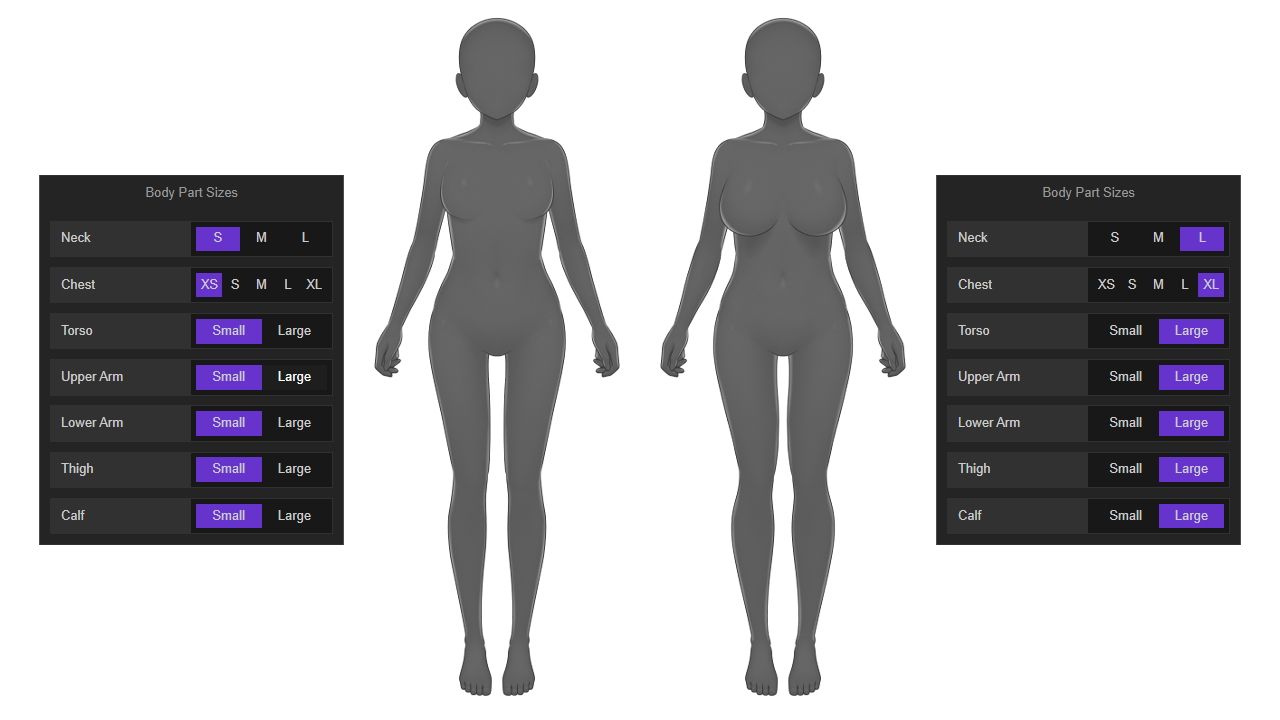
More Body Part Sizes and Variants
Previously, we can only switch between five chest sizes for the female template. Now, we have small and large variants for almost every body part: neck, torso, upper arm, lower arm, thigh, and calf. Below is a comparison:
More Poses
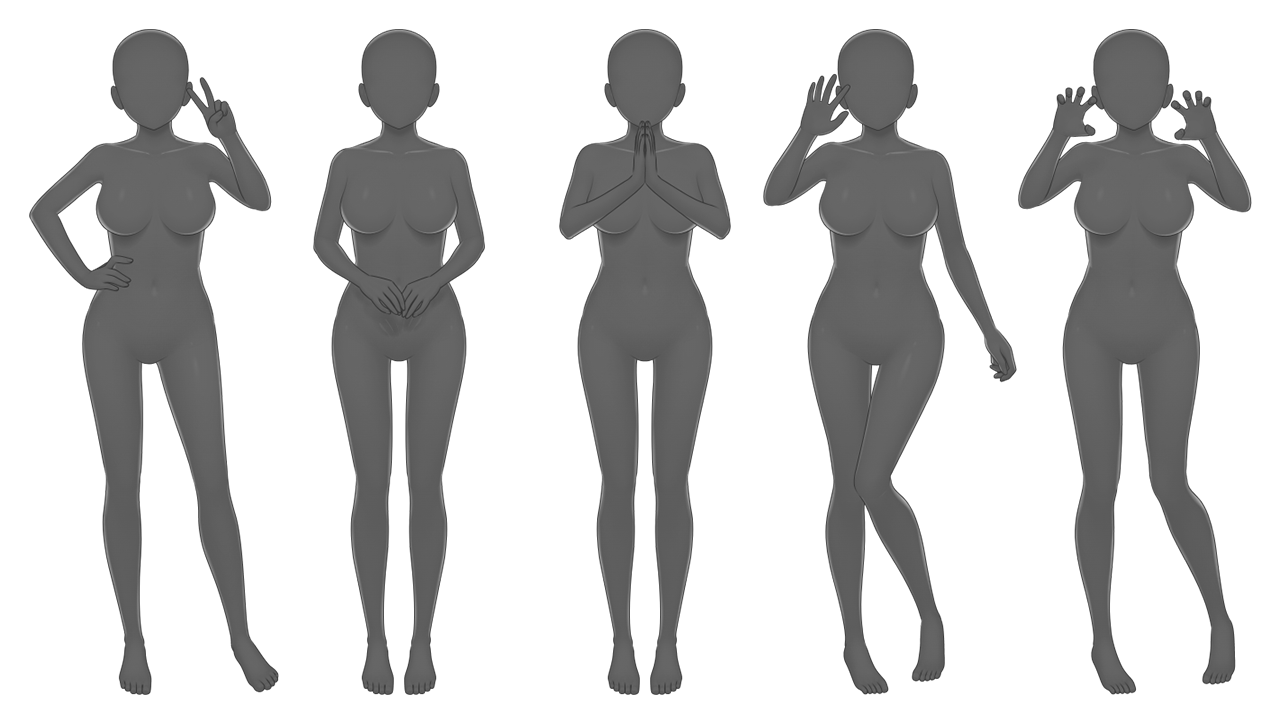
We now have more poses with new hand gestures! In the previous version, we have 36 poses for the female template. In the current version, we have 86 (+50, more than twice) poses available. Below are some of these new poses:
More Clothing Templates
Compared to the previous version, we now have a lot of new templates in store! Here are the stats for the female template:
- Tops: from 139 items to 244 items (+105, 75% more)
- Skirts/Pants: from 58 items to 110 items (+52, 89% more)
- Outerwear: from 16 items to 30 items (+14, 87% more)
- Footwear: 11 items (no change)
- Accessories: from 82 items to 137 items (+55, 67% increase)
Due to the new body parts, new poses, and new clothing templates, the current number of components we have is around 13900 files. Compared to the previous version (around 4900), that is almost three times the amount!
Inochi2D Export
Another big thing that comes with this update is a (somewhat) mature version of Inochi2D export. Inochi2D is a free and open-source alternative to Live2D, which is often used for VTuber models and animation in gacha games. The project is still in beta, but already usable for VTuber livestreaming via their official app, Inochi Session. A port written in Rust is in the works by the community so we might soon be able to use it in Rust-based game engine such as Bevy. Additionally, the developer of Ren’py has already expressed interest in implementing Inochi2D once it reached 1.0.
If you’re interested in VTuber livestreaming, you can gain maximum benefit from this feature right now and start making custom VTuber avatar for yourself by following our guide in the online documentation. Alternatively, you can watch this video for a quick overview of the workflow:
If you’re only interested in game development, you can still get additional benefit from this feature by using Inochi2D’s official editor app, Inochi Creator. Fully rigged characters generated using the Inochi2D export feature has parameters such as head and body turn (roll/pitch/yaw) and Inochi Creator itself has an image export feature. That means you can export to Inochi2D, open it in Inochi Creator, adjust the pose, and export again as a PNG file for use in your project. Below we can see some example results from using this method:
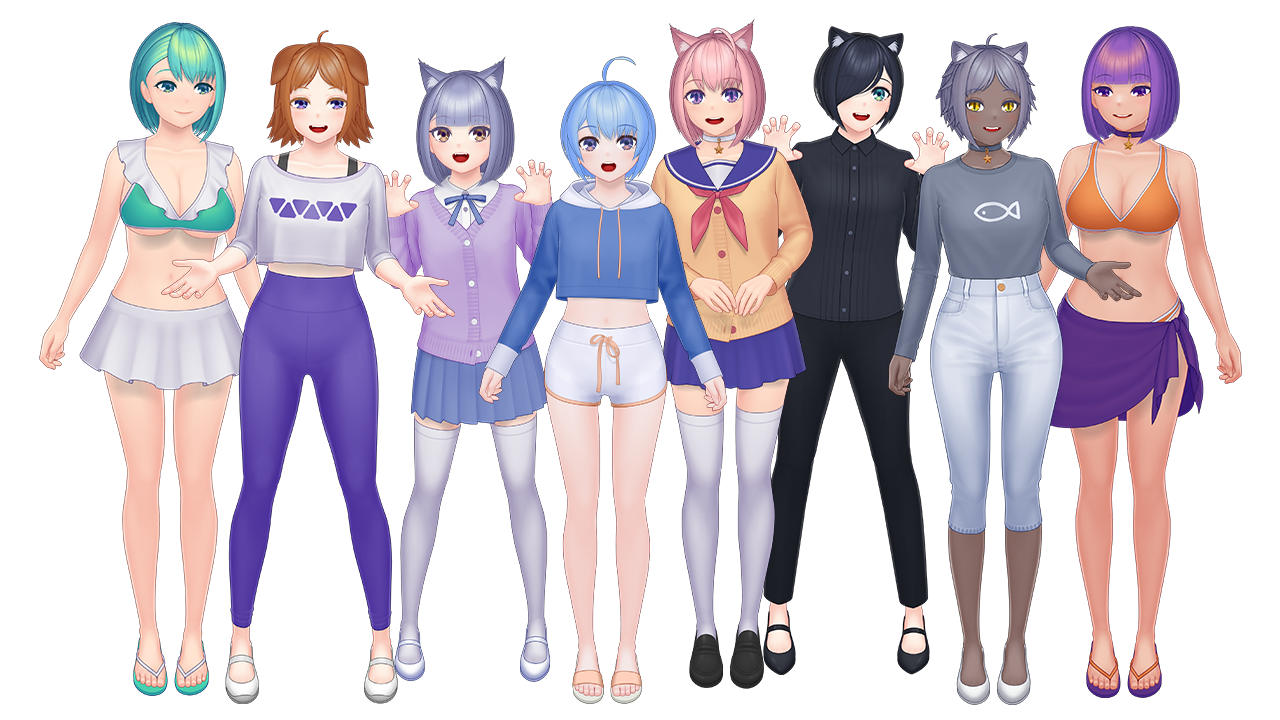
You can also see these characters as VTuber avatars in our YouTube playlist (newer videos are more representative of the animation quality result that we can get).
Recap of Other Changes
Across 2022 we have made multiple small updates, so here is the recap of those:
- When browsing for templates, color legends no longer shown in the thumbnail by default. These will only appear on hover, or when shown in the sidebar.
- Stroke thickness will now increase alongside zoom, which means consistent results between preview image in app and exported image.
- Translations are now available. Open the Preferences sidebar and at the top of User Interface panel, you’ll be able to find a language selection switch. Special thanks to Sárga Pulcsis for the Hungarian translation!
- Fine-tuning value limits have been increased to +/-99.
- Implemented better handling for corrupted/invalid user preferences file (automatically fall back to default configuration).
- Added XFL export format (Adobe Animate).
- Improved shadow colors on PSD export.
- Added Refresh keyboard shortcut (Ctrl+R).
- Crop now working with all export formats except Inochi2D. However, ‘Crop to Fit’ remains exclusive to PNG.
- Added 'Back Hair' layer mode export option. With separate front and back hair, you can combine them in-engine and then apply color effects (for example, hue shift) to implement customizable hair color.
Outside of the app, we have also made various progress:
- An all-new website! Our website is now built using Docusaurus, which is better suited for documentation.
- Mannequin now has its own Twitter account: @mannequinCG
- We now have a YouTube channel! In this platform we will upload various showcases, trailers, and tutorials.
Bugfixes Recap
Here are various fixes that we’ve made across 2022 until this release:
- Fix for graphical glitch that shows when using some bangs templates (thanks to Shampoocat at Steam Community forums for the report).
- Fix for hair color sync issue (thanks to Sky Komaeda for the report).
- Fix for error messages that shows up when switching files and/or resizing application window in larger screen resolution sizes (thanks to illuminatispy23 on Steam Community forums for the report).
- Fix for app freezing when exporting to Adobe Character Animator PSD (thanks to Sixkilla at Steam Community forums for the report).
- Fixed app freezing when batch exporting (thanks to Sixkilla at Steam Community forums for the report).
- Fixed a bug that causes the UI to become blank when using fractional OS UI Scaling exporting (thanks to PathosVision at Discord for the report).
- Fixed the SVG export structure so it can be viewed correctly in Firefox and its derivatives.
- PSD export now also properly includes hair accessories and additional hair parts (such as animal ears).
- Hair accessories and additional hair parts now included in 'Front Hair' and 'Back Hair' export layer mode.
- Fix for search text in the library window that is not visible due to very low contrast.
What’s Next?
Now that the female template redraw is done, obviously the next step will be focusing on redrawing the male template. We’ll also gradually add more Inochi2D rigging data for all of the available clothing templates. Once the male template redraw is complete, we will declare Mannequin out of early access and release it as version 1.0.
That’s it for now! We’re getting back to a more frequent update cadence so expect another devlog soon. As always, stay safe, stay creative, and thank you very much for your continued support!