Grid Breach Unleashed - Controller Support & Performance Improved
Snake: Gridbreaker Demo · published · build 24339666
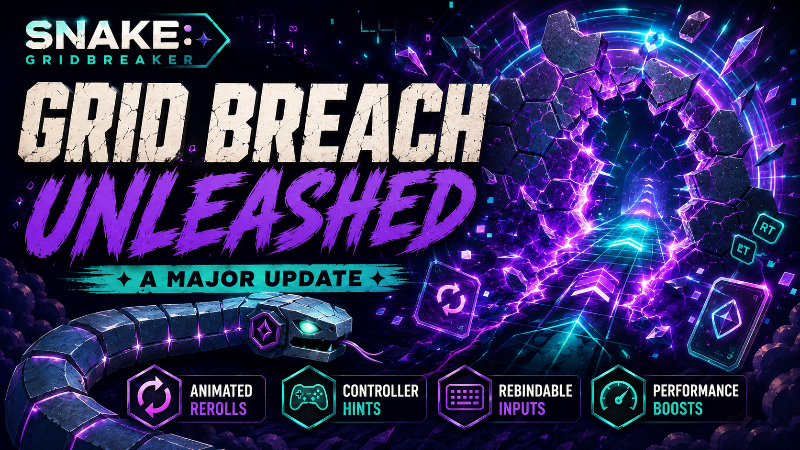
Grid Breach, Animated Rerolls & Better Controller Support
Hey Gridbreakers!This update introduces a brand-new run upgrade that can permanently reshape the board, gives reward rerolls a complete visual overhaul, and greatly expands controller support throughout the game.A large part of this update also focuses on performance, memory usage, level transitions, menu navigation, and removing small interruptions that could appear during longer runs.
Oh I also reduced the size of the game from 800MB to 350MB
Update Highlights
Added the new Grid Breach run upgrade.
Reward rerolls now have a complete shuffle animation.
Added contextual controller action hints across the game.
Introduced animated Xbox and PlayStation button glyphs.
Fixed analog menu navigation skipping or repeating options.
Expanded controller rebinding options.
Changed the default Class Ability controller binding to X / Square.
Optimized runtime textures, atlases, shaders, caching, and board synchronization.
Improved several visual transitions and controller focus flows.
New Run Upgrade: Grid Breach
Grid Breach is a new uncommon Combat and Mobility upgrade that allows you to create permanent shortcuts through selected walls.
The first qualifying enemy kill on each level can reveal a reachable breach in a nearby wall.
The breach remains available for a limited time.
Enter the breach with the Snake’s head before it closes.
Successfully claiming it permanently opens that section of the wall for the rest of the current board.
The system searches for a shortcut that is both reachable and genuinely useful.
If no suitable shortcut exists, the activation is not consumed.
Grid Breach can be upgraded to two stacks:
Stack 1: One breach activation per level, lasting 4 seconds.
Stack 2: Up to two breach activations per level, each lasting 6 seconds.
Only normal enemies defeated by the player can trigger Grid Breach. Bosses, environmental damage, enemy-on-enemy kills, and disappearing enemies do not count.Important terrain is protected. Grid Breach cannot destroy:
Outer board boundaries.
Objectives and exit structures.
Locks and arena walls.
Secret Room structures.
Memory Gates and interactions.
Temporary system-generated walls.
Only the Snake’s head can claim a breach, and entering one does not consume Ghost Phase.Grid Breach also includes:
New forming, active, warning, opening, and sealing animations.
Dedicated sound effects and captions.
A visible countdown and HUD status.
Codex descriptions and fully localized text.
A new opening wave effect that travels through the front of the Snake.
Animated Reward Rerolls
Rerolling rewards now feels like an actual reshuffle rather than an instant replacement.
Existing reward cards now collapse into a staggered shuffle animation.
A digital scan line passes through the reward area.
New cards are revealed with a dedicated entrance sequence.
Three-card selections reveal the center card first, followed by the outer cards.
Inputs are temporarily locked during the transition to prevent accidental selections.
Repeated reroll requests can no longer trigger overlapping rerolls.
Failed or unaffordable rerolls correctly restore focus and display feedback.
Players using a controller can now activate a reroll directly with Y / Triangle without first moving focus to the reroll button.When Reduced Motion is enabled, the reshuffle uses short fades instead of large card movements.
New Controller Action Bar
A new contextual action bar now explains the most important controller shortcuts available on the current screen.Depending on the situation, it can display actions such as:
Select.
Back.
Resume.
Open.
Toggle.
Adjust.
Change Tab.
Reroll.
Refund.
Classes / Mastery.
Skip.
The hints automatically update when focus changes and disappear when keyboard or mouse input becomes active.Controller hints have been added throughout major interfaces, including:
Main Menu.
Pause Menu.
Options.
Class Selection.
Class Mastery.
Reward Selection.
Permanent Upgrade Tree.
Codex.
Achievements.
Leaderboards.
Run Shop.
Upgrade screens.
Victory and Game Over screens.
Workshop and modding screens.
Confirmation dialogs and other modal windows.
Animated Controller Glyphs
Controller prompts have received a major visual upgrade.
Added animated button glyphs for Xbox controllers.
Added animated button glyphs for PlayStation controllers.
Added glyphs for face buttons, shoulder buttons, triggers, sticks, D-pad directions, menu buttons, and additional controller inputs.
Controller prompts now resolve the player’s configured binding instead of relying only on a hardcoded button.
Steam Input glyphs are used when available.
Local Xbox or PlayStation glyphs are used as a fallback.
Keyboard prompts can now use matching keycap visuals.
Controller glyph textures are cached to reduce repeated loading.
Controller Binding Improvements
The Controls screen now includes more actions and provides clearer binding information.
Class Ability can now be rebound directly from the Controls menu.
Reroll / Refund can now be rebound directly from the Controls menu.
Controller bindings display their matching glyph beside the binding name.
Binding rows are larger and easier to read.
Focus is preserved after rebinding or resetting an individual action.
Controller navigation is temporarily suppressed while the game waits for a new controller input.
Binding conflicts now restore the interface correctly.
The default Class Ability binding has changed:
Xbox: X.
PlayStation: Square.
Keyboard: E.
Existing players using the previous default shoulder-button binding will be migrated to the new default. Custom bindings are preserved.
More Reliable Controller Menu Navigation
Controller menu navigation has been rebuilt around a dedicated navigation system.This fixes situations where the analog stick could:
Move through two options from a single input.
Continue moving after returning to a menu.
Become stuck between two directions.
Trigger both gameplay movement and menu navigation.
Carry a held direction into a newly opened screen.
The new system includes:
Separate handling for gameplay movement and menu movement.
One clear menu step per initial direction press.
Controlled repeat when a direction is held.
Separate press and release thresholds to prevent stick jitter.
Dominant-axis locking to avoid diagonal menu jumps.
Neutral-input checks when entering a menu.
Unified handling for D-pad, analog stick, native controllers, and Steam Input.
Class Selection Controller Flow
Class Selection has received additional controller shortcuts and focus improvements.
The controller action bar now explains the Classes / Mastery shortcut.
The right bumper can jump from the selected class to its available Class Mastery purchase.
The left bumper returns focus to the selected class.
Vertical navigation now moves reliably between Class Mastery and the Gridbreak selector.
Controller focus is more visible throughout the screen.
Permanent Upgrade Controller Flow
Refundable permanent upgrades now display a contextual Refund shortcut.
The refund action is only shown when the currently focused upgrade can actually be refunded.
Selection and refund prompts update automatically as focus moves through the upgrade tree.
Focus handling has been improved after upgrading or refunding nodes.
Options and Settings Fixes
Resetting all settings now waits for the confirmation dialog to close before rebuilding the Options screen.
The Options menu remains open after settings are reset.
The currently selected tab is preserved.
Focus returns to the active tab after the reset.
All visible setting rows refresh correctly.
Resetting settings does not reset player progress.
Cancelling the confirmation dialog leaves settings unchanged.
Controller focus highlights have been strengthened throughout the Options menu.
Long Options pages can now be scrolled more comfortably with a controller.
Performance and Memory Improvements
This update contains a large optimization pass covering graphics, loading, rendering, and longer play sessions.
Added pre-generated runtime texture atlases for enemies, food, items, hazards, power-ups, exits, and Protocol Cores.
Reduced runtime atlas rebuilding during level initialization.
Added safe dynamic atlas fallback handling for modded or unexpected textures.
Optimized many large textures to resolutions closer to their actual in-game display size.
Added mipmaps to downscaled assets where appropriate.
Added lightweight background variants for the Performance quality profile.
Added smaller Grid Prison frame variants for lower rendering resolutions.
Added smaller class portraits specifically for the HUD.
Combined the Fire death animation into one optimized texture atlas.
Removed several duplicate runtime textures.
Large shop character graphics are now loaded only when needed.
Texture caching has also been reorganized:
Textures are now separated into shared, level, run, Codex, and mod scopes.
Temporary textures can be released when changing levels or ending a run.
Cache sizes are limited to prevent unused graphics from remaining in memory indefinitely.
Missing texture lookups are also bounded and cleaned up.
Smoother Level Starts and Board Updates
Level transitions now coordinate audio and runtime-atlas preparation before revealing the board.
Several enemy ability shaders are prepared before they are first needed.
This includes effects used by the Splitter, Hunter, and Ice Shard.
Unchanged themes no longer unnecessarily rebuild parallax state.
The Snake renderer keeps previously allocated capacity instead of repeatedly shrinking and rebuilding.
Interaction-free boards no longer create Secret Room renderers unnecessarily.
Unchanged Secret Room interactions reuse their existing visual nodes.
Only interactions whose state actually changed are rebuilt.
Several frequently used scenes and shared UI resources are now preloaded.
Optional performance diagnostics no longer add normal runtime overhead unless explicitly enabled.
Enemy and Visual Synchronization Improvements
Animated enemies can now reuse their existing visual nodes while moving.
Hunter alert materials remain attached correctly during movement.
Frozen and possessed enemy overlays follow enemies more reliably.
Transient Snake combat effects are hidden and restored correctly during portal transfers.
This prevents attack, damage, fire, phase, and other temporary effects from appearing in the wrong board space.
Improved the timing between pause transitions and the continue countdown.
Accessibility and Localization
Added localized controller-action labels across all currently supported languages.
Added complete localization for Grid Breach, including upgrade descriptions, stacking information, status text, feedback messages, Codex behavior, and captions.
Added Reduced Motion support for reward rerolls.
Improved prompt accuracy when switching between keyboard, Xbox-style, PlayStation-style, and Steam Input glyphs.
Improved focus visibility across controller-heavy screens.
Additional Fixes and Polish
Improved focus restoration after failed reward rerolls.
Improved controller behavior inside confirmation dialogs.
Improved tab navigation across Options, Codex, Leaderboards, and related screens.
Improved controller input detection after connecting or disconnecting a device.
Improved Steam Input action-set switching when a visible menu has focus.
Steam Input now remembers when it has successfully taken ownership of an active controller.
Improved glyph selection when multiple controllers are connected.
Improved controller prompt caching and fallback behavior.
Improved visual scaling and readability of Grid Breach across different board and UI scales.
Thank You
Thank you for playing, testing, and sharing your feedback.This update touches a lot of systems beneath the surface, especially controller navigation and runtime performance. Reports about unusual controller behavior, visual glitches, or sudden frame drops are especially helpful while these systems continue to evolve.Keep breaking the Grid!