This update improves the Steam Deck experience, adds support for click-dragging, adds some extra help for beginner Japanese learners, and comes with the usual bunch of quality of life improvements and bug fixes.
As always, all applicable changes are also in the demo.
Steam Deck Improvements
The game now has an official Steam Deck control scheme. It is still cursor-based, but now all game features are available without custom configuration, and common shortcuts are mapped to what I think are intuitive inputs:
- The right pad is the usual mouse cursor, but with higher sensitivity and disabled haptics.
- The left pad is for zooming the maps and scrolling text.
- The left stick is for panning.
- A and B can be used for confirming and canceling, respectively.
- The triggers are for left and right click (drag and cast).
- The bumpers are for expanding tooltips and hover zoom.
- X is for viewing the draw stack.
- Y is for ending the turn.
- R4 is for quests.
- L4 is for glyph info during stages.
All of these appear as hints in the tooltips instead of the keyboard/mouse controls.
Other improvements include:
- Text fields like the search boxes now automatically bring up the virtual keyboard.
- Fixed an issue where having multiple Steam profiles on the same Deck would attempt and fail to share savegames.
- Better default settings.
- Better, more consistent text scaling throughout the game (on all platforms).
Supporting Beginner Learners
The Japanese practice in the game wasn't really meant for beginner learners originally, but I've gotten numerous requests for better support here, so I'm adding several improvements that might help folks along:
- Added expandable Hiragana and Katakana charts to the kanji practice minigame.
- Added support for replacing furigana with romaji.
- Added support for displaying both kana and romaji in dictionary tooltips.
- Added support for displaying glyph names in romaji.
- Added a brief hint about kunyomi/onyomi before level 10 of the minigame.
- Furigana is no longer marked experimental, as I have seen it working well on streams and have received no bug reports related to it.
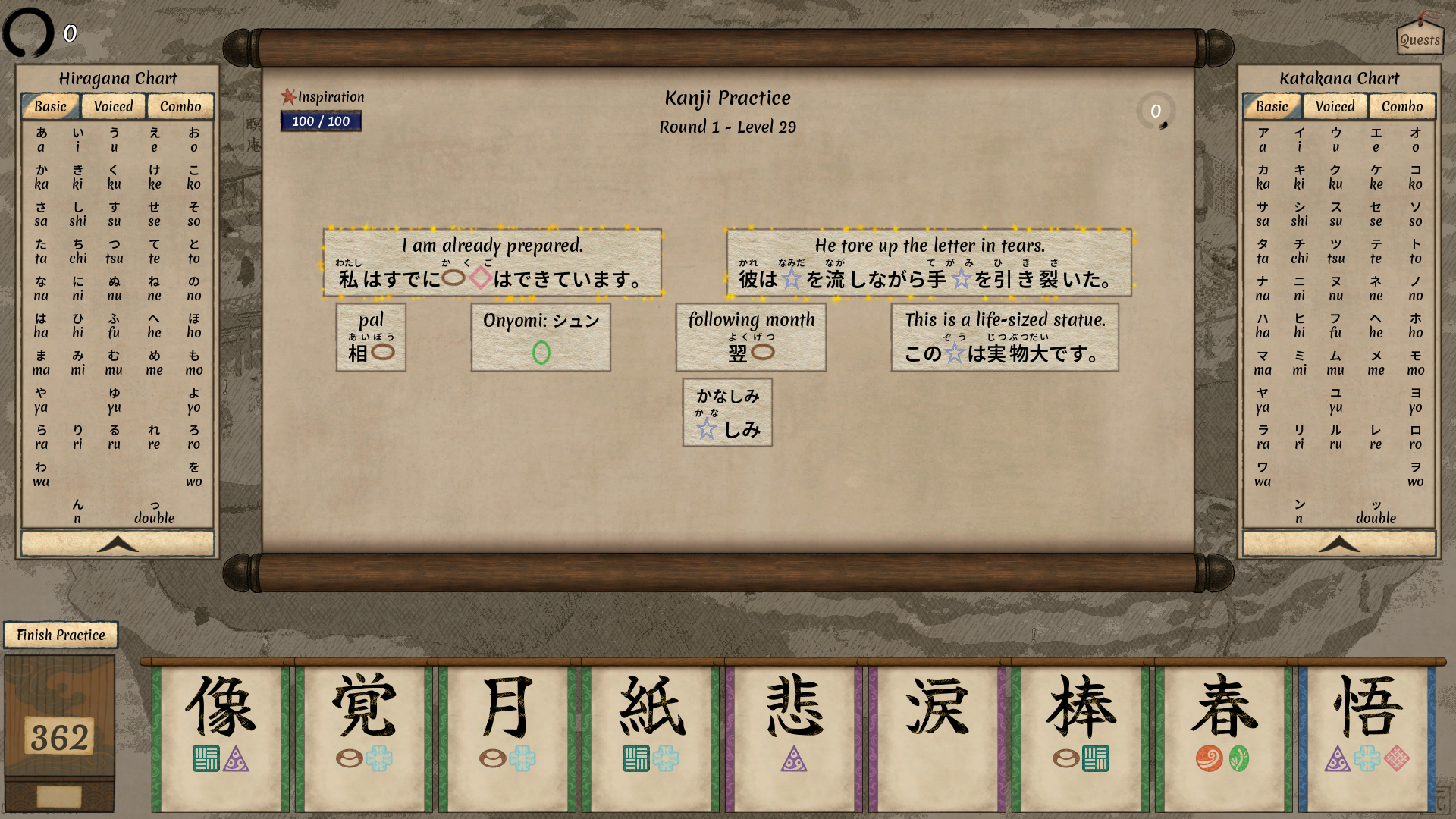
Click-drag
Now in addition to dragging glyphs, you can click them then click the destination, which can be more comfortable. This is a minor addition, but it has been requested by many players since before the full release.
Quality of Life Improvements
- Improved essence slot clarity when accessible essence icons are selected.
- Improved event search in the museum to also search the event text.
- Clarified wording in several events and invocations.
- Speech bubble text animation now scales with the animation speed in the settings.
- Settlement and capital names on the map will now use the calligraphic font when set to use Japanese labels.
- Switched the Forgotten Pouch event to use different art, for a less plain background.
- Slightly improved the Leaving Hive event background.
- The Carp and Dragon companion events will now be displayed as main story events, since they are required to advance the main quest.
Bug Fixes
- Fixed the bonus insights displayed in the Finish Expedition prompt being underestimated. This does not change actual insights granted.
- Fixed the bonus insights note not being displayed in the Finish Expedition prompt when accessed through the pause menu.
- Fixed Replan adding a copy of the initial hand glyphs to the discards.
- Fixed the Waterfall Cave survey encounter appearing before hauntings are unlocked.
- Fixed speech bubbles flickering when Ctrl is held.
- Fixed the kanji practice maximum level slider wiggling about.
- Fixed minor rendering artifacts in buttons on some screen resolutions.
- Fixed minor visual bugs in the kanji practice minigame.
- Fixed several typos.