https://www.youtube.com/watch?v=lE-vTXyTKU0
DITHERING is now an option for paletted and true colour images loaded in to Swanky Paint. Paletted images will be converted to a new 24-bit image (technically 32-bit since the alpha is retained).
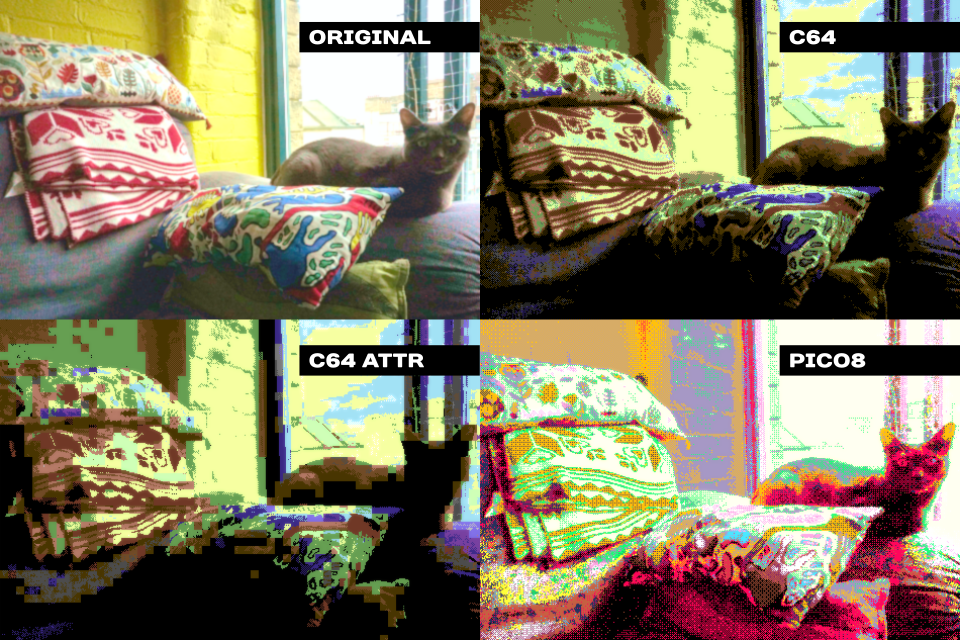
A cat in 4 flavours, with and without attribute clash
There are 15 base palette choices for dithering, with RGB, HSVC adjustments and an option to build your own base palette. We might add in Gamma for the next stable version (or sooner in the experimental build).
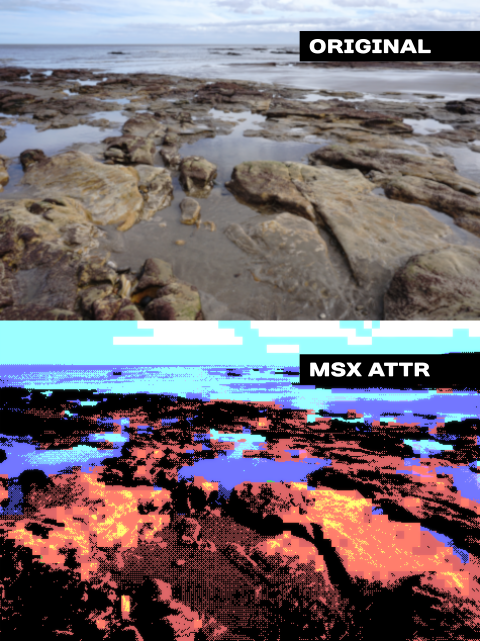
Scarborough in MSX, attribute clash
The Attribute Clash button (flash icon) toggles a preview for before and after dither effects. Hover over the icon and choose the Image Processing window - this window sets the option to enable attribute clash to achieve the effects above.
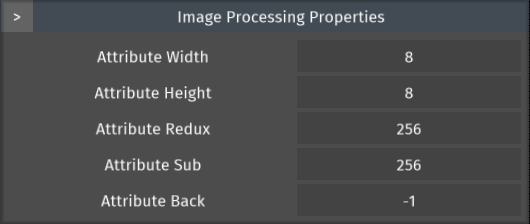
Image Processing window
Attribute width and height - Size of each character / tile
Attribute Redux - Size of reduction (2 colours is traditional for ZXSpectrum)
Attribute Sub - Size of sub-palette (Groupings of colours)
Attribute Back - The colour that is allowed to be in each tile (Background colour - defaults to none)
And yes! This can be applied to any base palette so you'll be able to create really unique flavours of glitch art.
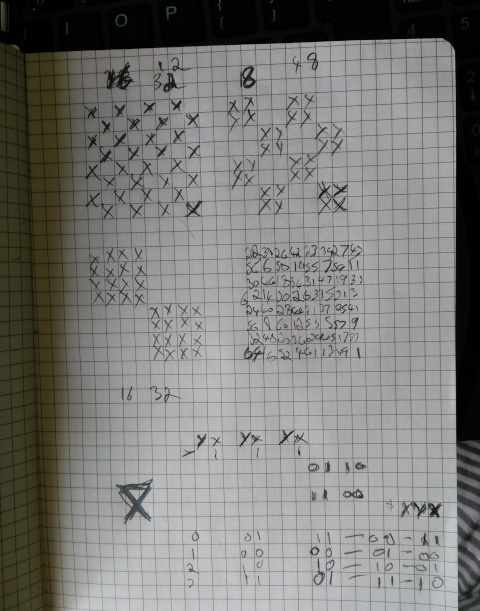
Our dither pattern algorithm
The default dither pattern in Swanky Paint is an ordered dither, based on an 8x8 tile. This is essentially a Bayer pattern with 65 levels.
We're posting videos of the new features you'll be seeing in the next version of Swanky Paint leading up to the official release party on the 4th of August, 2018 so see you next time!