Hey everyone!
It’s time for another progress devlog! Last month we’ve been hard at work nailing down the details of the upcoming Shapez 2 demo. To get into the upcoming Steam Next Fest, we have to submit the demo early January. With the holidays coming up, that means there’s a lot to do!
We would like to humbly request you to add Shapez 2 to your Steam wishlist. It helps you, it helps us, and it’s completely free. Sounds like a fair deal! Just press the blue button below, or click this bit of text.
https://store.steampowered.com/app/2162800/shapez_2/
News
Alpha 13
Alpha 13 went live last week and includes all the changes mentioned in this blog and more. It’s available to our Patreon supporters!
Steam Next Fest Demo
Our current focus is set on the Shapez 2 demo that will be available to play for everyone in the upcoming Steam Next Fest in February. Patreon supporters were given early access to this demo version and will help us find issues and leave feedback on the demo version. This way we can make sure the demo is the best it possibly can be when the time is nigh and it becomes available right here on Steam.
You can expect a dedicated devlog all about the Steam Next Fest demo soon™.
Looking for testers
We're looking for new testers, preferably ones who haven't really played shapez before. If you’re interested in the game but haven't actually had the chance to play, make sure to sign up through the Alpha Playtesting form!
Devlog 014
As we hinted at earlier, this month we are focussing on refining the content we already have instead of working on brand-new content. We already have all the content you will find in the demo after all! So think bug fixing, perfecting key game mechanics and more optimization. However, let’s start with a couple of things that are new-ish to the current build.
New content
We added a brand-new overview mode that will show islands, trains, shapes, rails, tunnels and more when zoomed out very far – farther than the Overview mode you’ve used so far. You can now zoom out four times further than before! Maybe space isn’t big enough to house the factory you’re going to be building after all…

One of the highlights of our past month is the Operation Preview feature. This feature will calculate and preview the resulting shape in real-time while you’re placing buildings. With this new tool in your hands, it should be a lot easier to spot an error and snuff it out before your belts are filled with a shape you didn’t want to make.
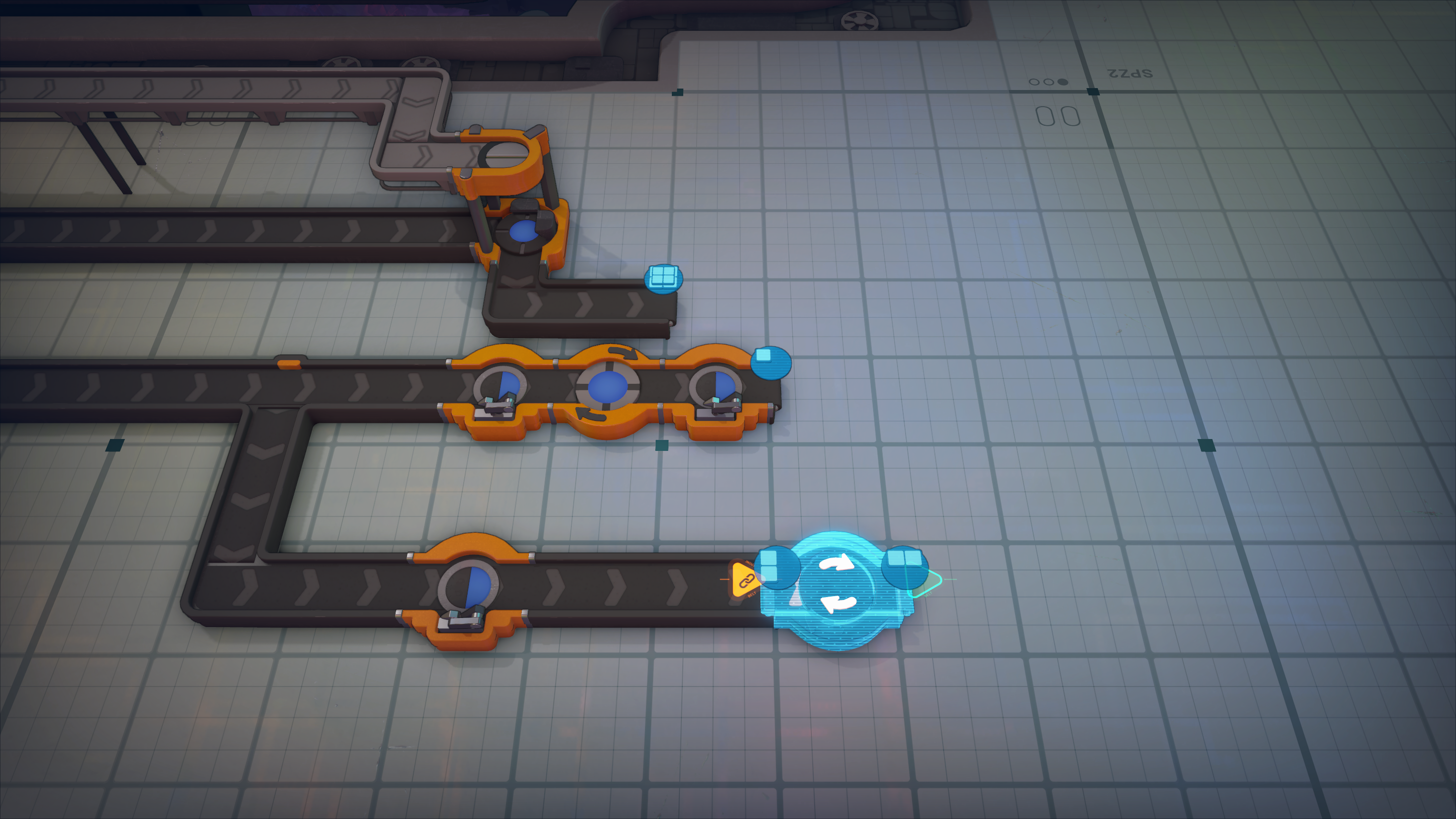
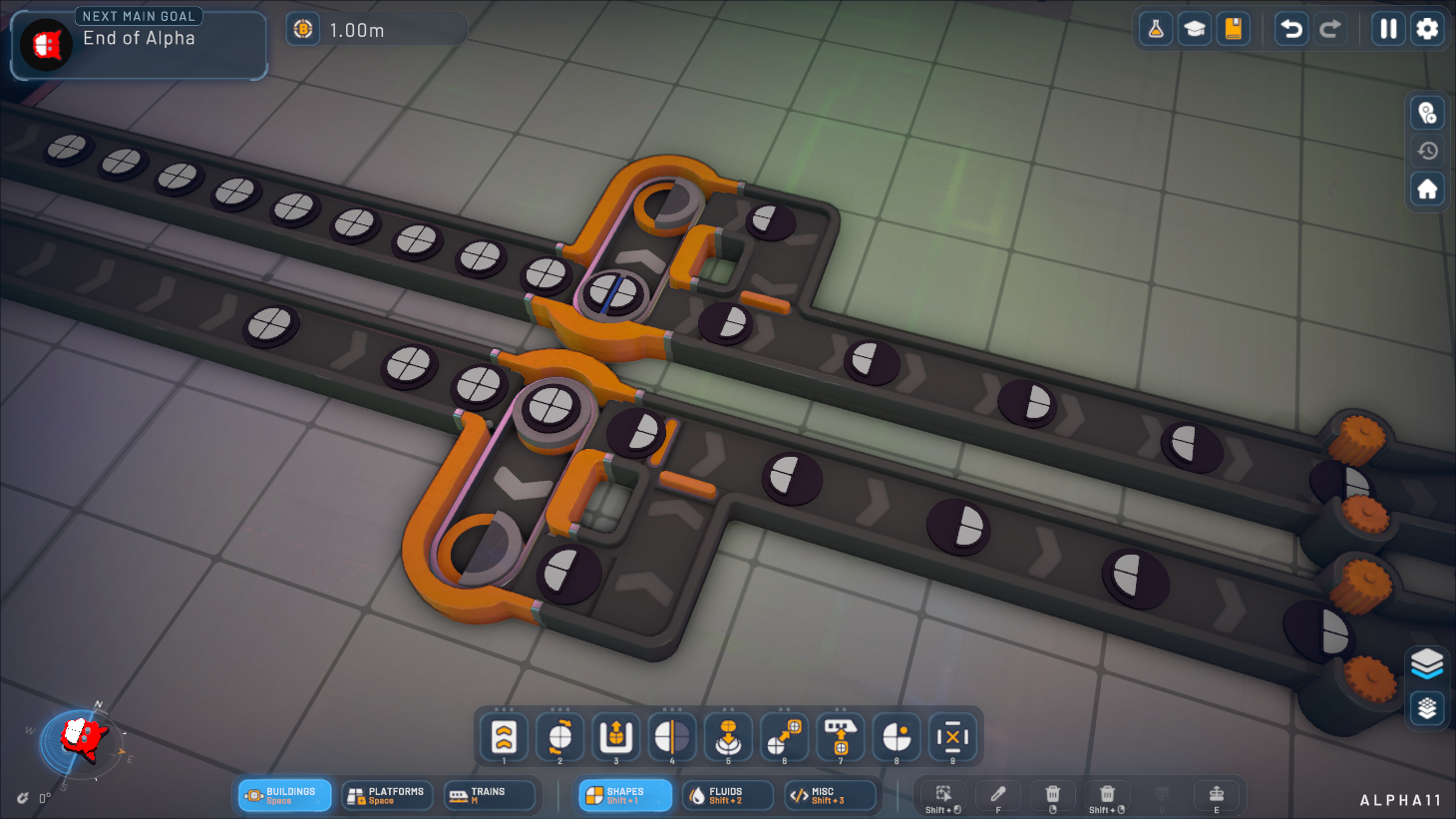
The Full Cutter now has a mirrored variant, which can easily be swapped to by pressing F (by default).
The map generation has been reworked entirely. You can now configure the generation when creating a new game, but for now only the seed can be changed. This does mean you can share the map seed with others now! Additionally, more resources will spawn in the starting area to make long-distance transportation less of a necessity in the early game.
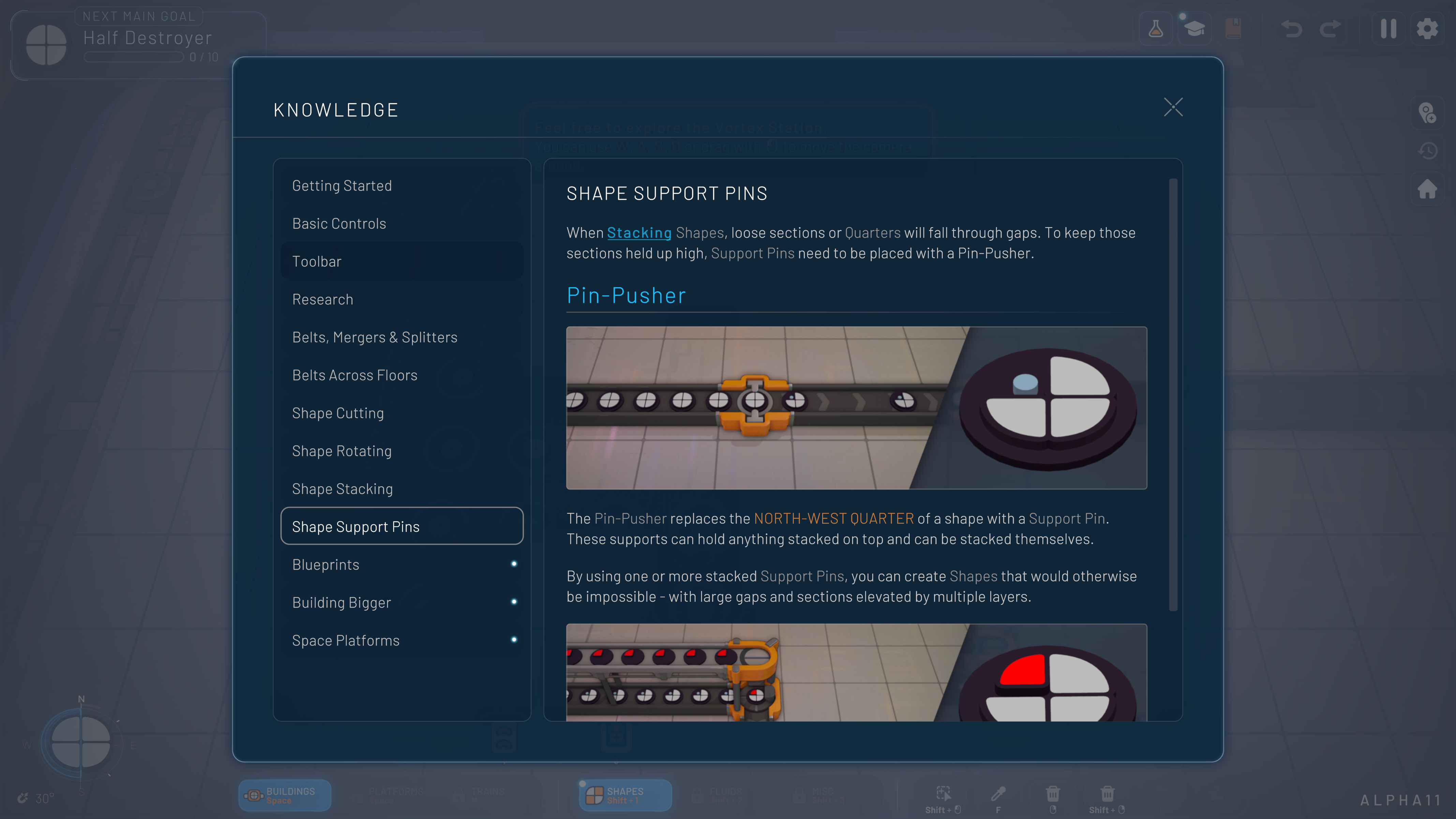
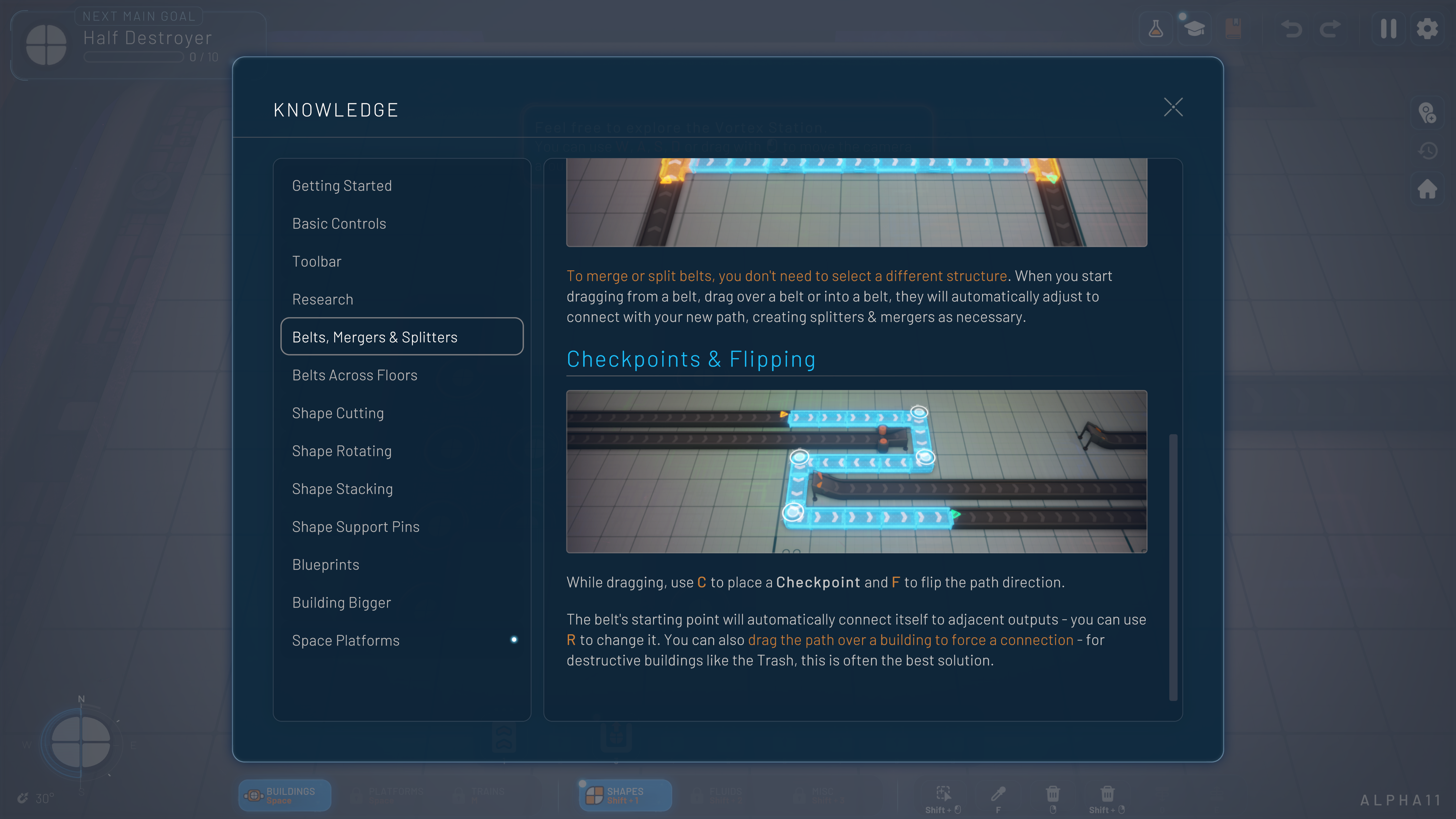
We added more knowledge panel entries for most mechanics, as well as an introduction when starting a new game. This introduction will tell you about your goals, how you progress and how you can pull up the knowledge panel when you’re stuck. The panels will only show up when they’re relevant.
Game Design & Balancing
Major changes were made to the progression system in the demo. Tunnels are now unlocked alongside islands, which in turn are unlocked right after platform buildings. Splitters and mergers are now unlocked at the start, so belt placing should feel a lot better in the early game. Additionally, the demo now includes asteroids with colored shapes.
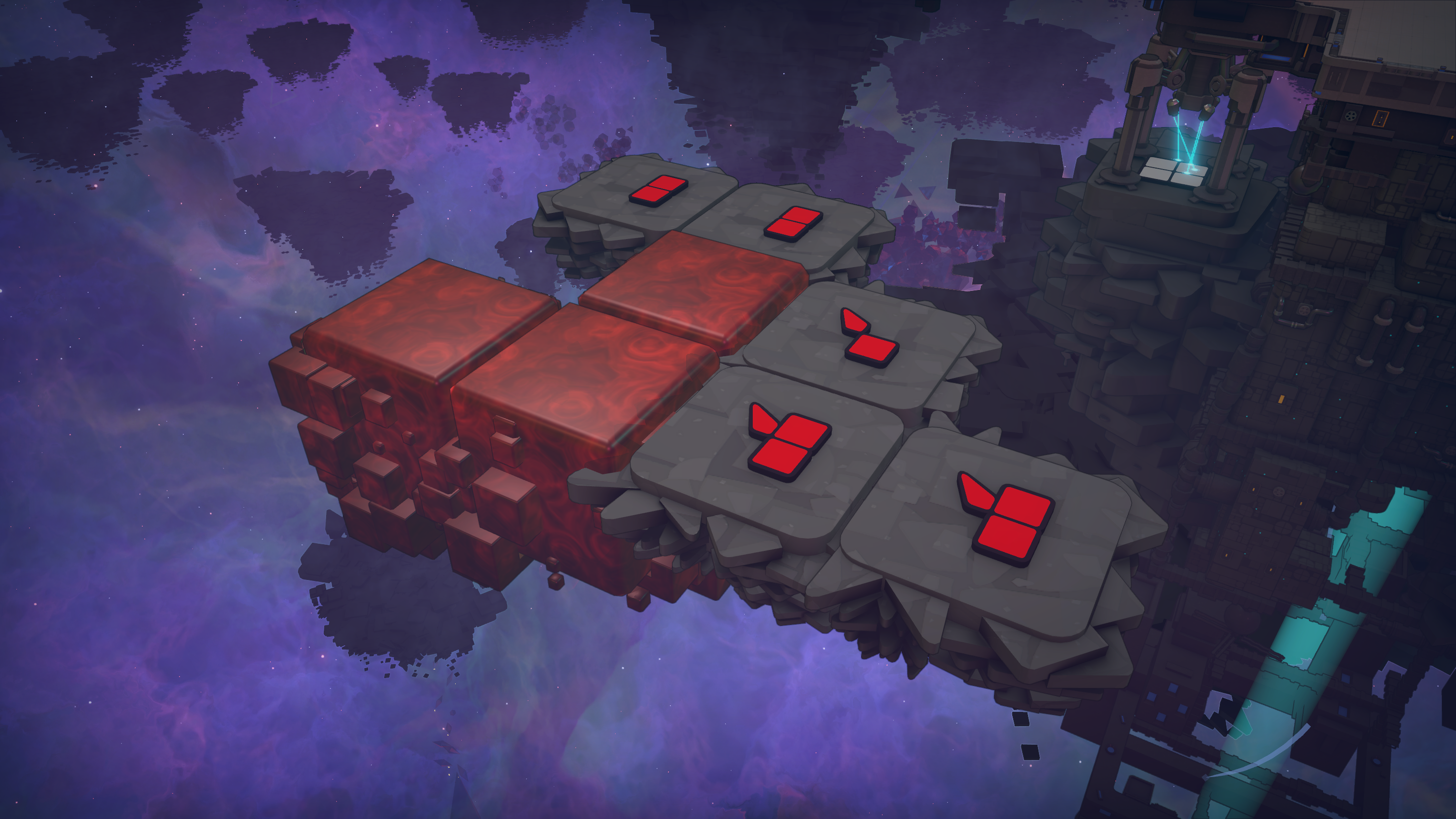
You can expect to spend around 2 hours on progression in the demo. You’re free to continue playing as much as you like after everything is unlocked, but you won’t unlock anything new.
The tutorial has been reworked to be much more expansive and complete. Every step in the tutorial is accompanied by a video that helps visualize the step. We hope the tutorial is now clear enough to teach the ropes to someone who has never played a factory game or anything similar before.
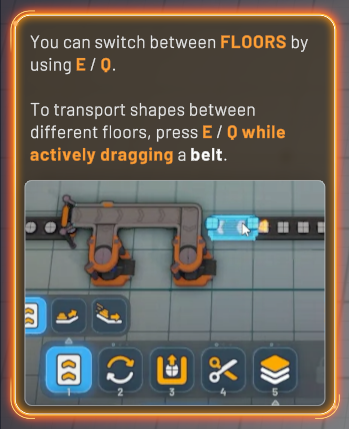
The Rotator building’s rotating speed is now directly linked to the belt speed instead of the cutting speed. This should make it easier to keep your belts running smoothly!
We’ve reworked the way you place buildings and grow your factory. It’s now much easier to replace buildings as pressing the Shift key will now always override whatever building is currently placed. We’ve done a lot of finetuning and made various fixes for blueprint placement.

Visuals
New shape resource node visuals have been introduced that are dynamically generated based on the contained shape. You’ll see the change just below the upper plate: all the shapes you see will be the same as the shape you get when extracting from that node. Shapes with squares will clearly be more square compared to the pointy star shapes. It’s a minor change but it will add some more flair and detail to the game!
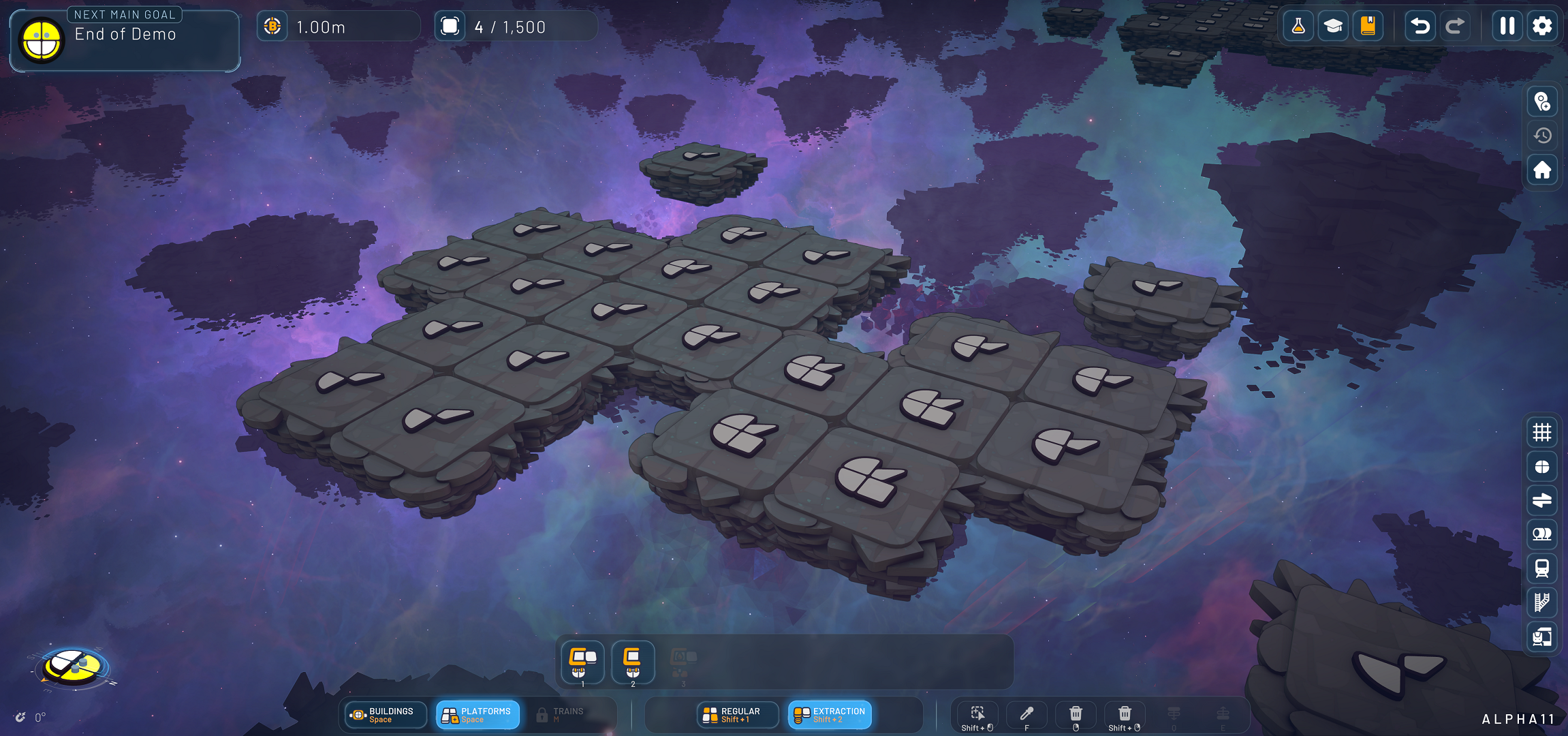
We’ve made various improvements to the shaders for buildings, island hover effects, blueprints & blueprint placement, the selection of buildings as well as the island grid visualization.
We added new visuals to belt launchers (‘yeeters’) and catchers and updated the visuals for notches, shape patches and playing fields.
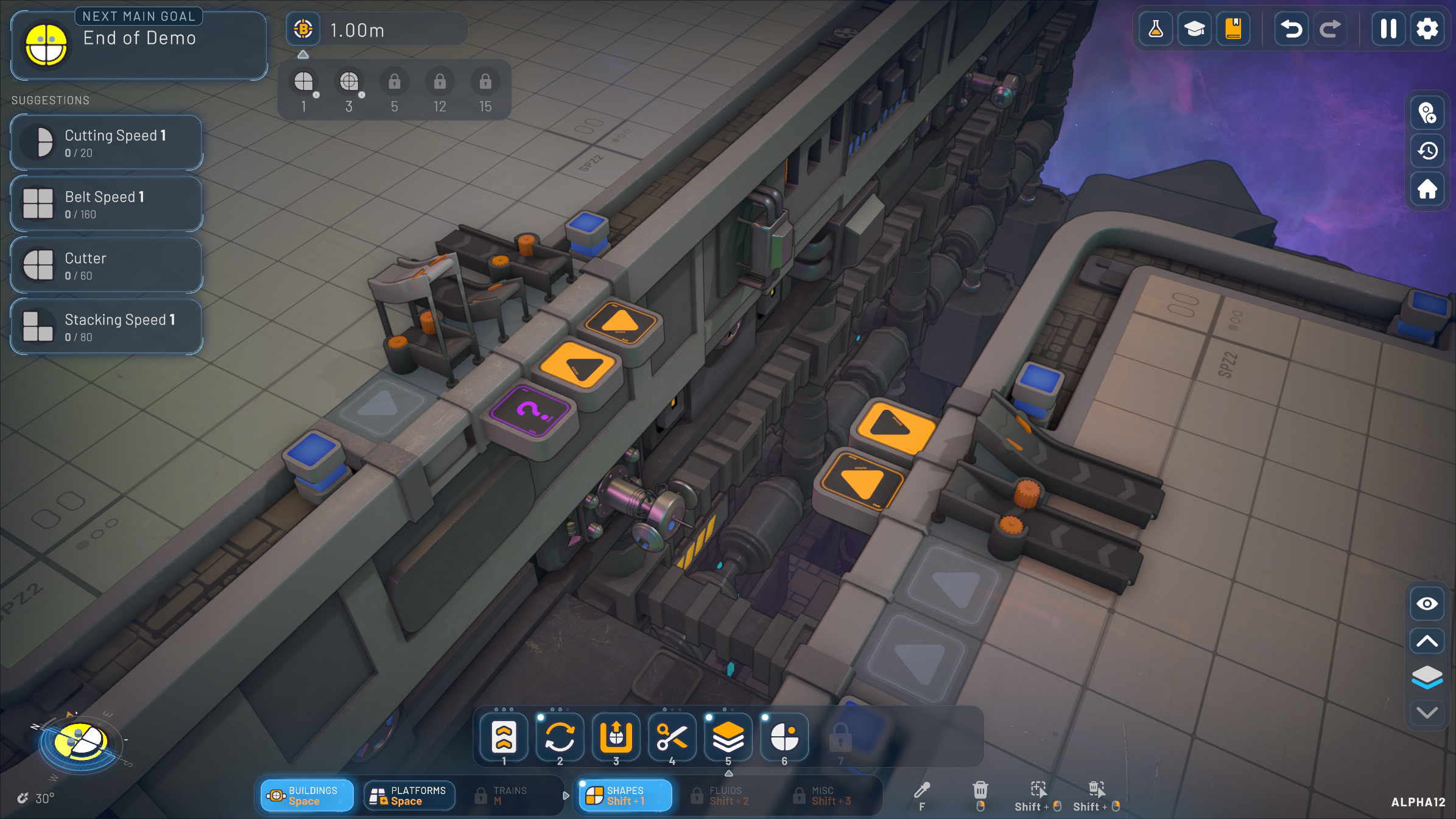
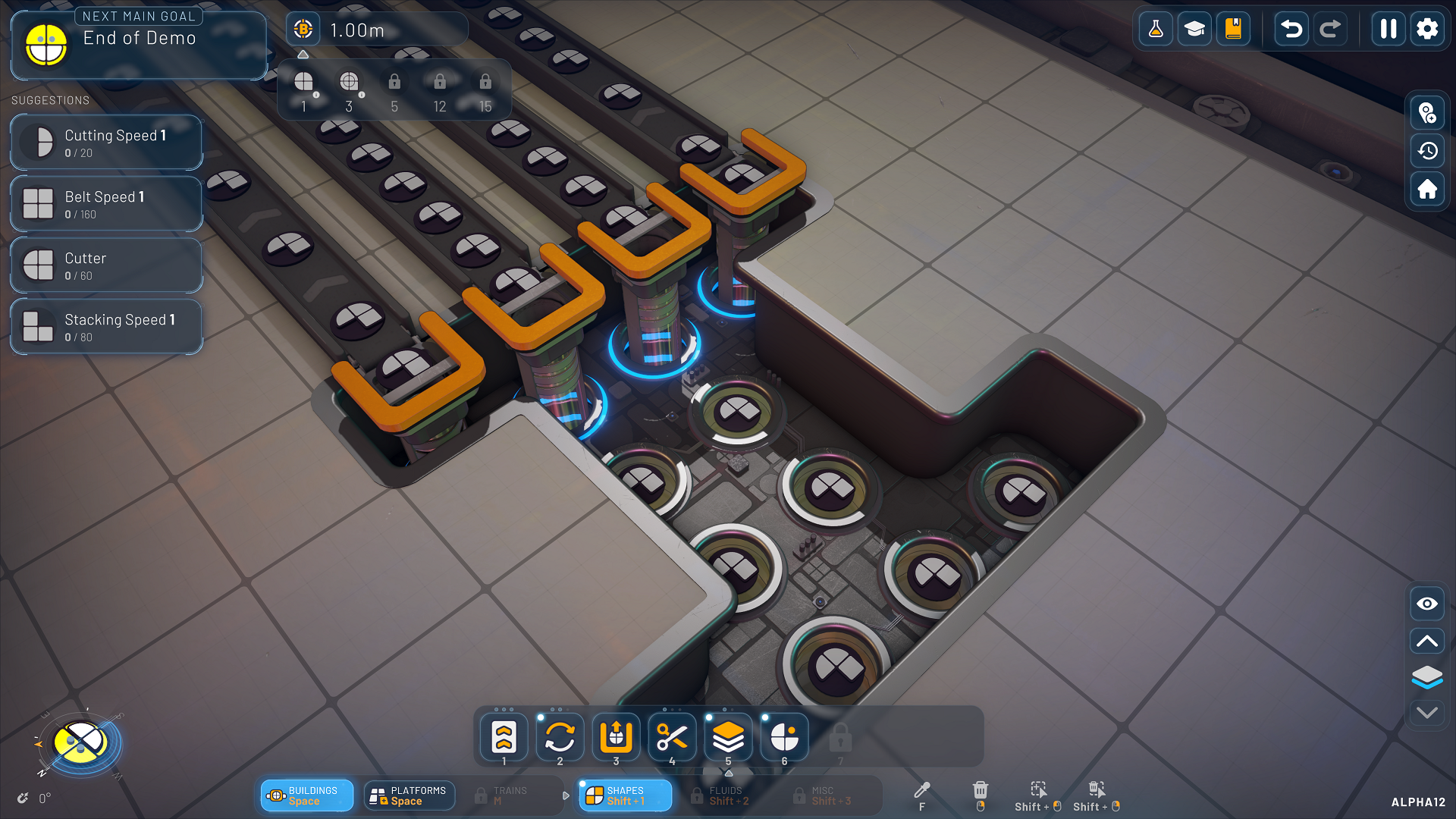
Various improvements have been made to shadows. They now render from farther away, space stations now have shadows on both high and extreme settings and asteroids and miners have shadows on extreme settings. In general, shadow quality should be much better than before. On the topic of quality settings, fluid deposits now have reduced visuals on lower quality settings.
All LODs (level of detail, read this devlog for more information) for all remaining buildings that will be available in the demo are done, which will help with performance a lot for all quality settings. These buildings are the full cutter, halves swapper and rotator. Miners, shape patchers and fluid asteroids now also have their LOD.
Development
Two things in this section. First up, we’ve made further improvements to rendering performance. This, as always, is an ongoing process, so there’s plenty more to come! Second, we introduced the Building Details graphics settings that should vastly improve the performance when set to low. This setting will make the game run a lot better on low-end systems.
UI/UX
We made a lot – and I do mean A LOT – of changes to the UI and UX in the past month in preparation for the demo next year. Let’s start off with a couple highlights.
The entire toolbar has seen a lot of updates with a new look and feel. The button icons are now more distinct from the buttons themselves, and the functionality clearly stands out in bright ‘shapez 2’ orange. The lock indicators of locked buttons have their opacity decreased to look less clickable than before because, well, they’re not. Additionally, the buttons have been reorganized.

We reworked the pre-load splash screen and improved the game’s startup time. There will be a brief loading screen to pre-load shaders and other visuals so the game will run a lot smoother during gameplay.
The last selected variant of a building is now stored and re-selected when you select the same building. For example, if the last variant of the Full Cutter is the mirrored variant, said mirrored variant will be selected by default the next time you select the Full Cutter.
Steep camera angles are now somewhat being restricted the more you zoom out. This is required to guarantee the game will continue running smoothly. We'll keep a close eye on player feedback for this change.
Interface settings & features were added for the following:
- Zoom sensitivity
- Invert zoom
- Mouse panning
- Mouse panning speed
- Invert vertical angle
- Lock cursor to window
- Move camera with floors
Now, we have a lot more changes to list, but this devlog would become too long if we were to write them all out. So below, you can find a collapsable list of all the changes we made the past month or so, if you’re interested. Enjoy!
Sprint 19
- Entire Toolbar has been reworked & reorganized
- Selection is no longer undo/redoable and also less permanent
- First polishing pass on english translation
- Default keybinding rework:
- Knowledge panel is now 'G'
- 'Space' now toggles between buildings / islands mode
- New: Switch between toolbars ('' and 'Shift + ')
- Toggle layers: 'L' -> 'V'
- Delete: Can now also use 'X'
- Pipette / Clone: 'G' -> 'F'
- Center on HUB: 'Space' -> 'H'
- Create waypoint: 'M' -> 'L' - Allow replacing catapults with belts
- Mirror inverse (SHIFT + F) now works again
- Reworked all translations
- Tooltips for research nodes now show the actual speed changes
- Less suggestions are now shown when you have lots of pins
- Contextual keybinding hints have been moved next to the toolbar, also show some "standard" keybindings when nothing is selected
- Removed icons for keybindings since they were confusing -> Now text is always shown (i.e. "SHIFT" instead of arrow icon)
- Show future milestones in research tree for demo builds
- UI adjustments, cleanup & polishing, for example moved buttons into panels
- Cleaned up layer manager, consolidated UP/DOWN buttons into keybinding hints
- Compass now shows a west half indicator together with the current milestone shape
- Fixed hover animations being dependent on simulation speed and not disappearing when game is paused
- Added toggles instead of dropdowns for on/off settings
- Moved research button to the top right of the screen
- Fixed research nodes not being clickable and thus not unlockable
- Removed screenshot-without-ui feature since you can press F2 and then F4
- Reworked tooltip & cursor info
- Improved island grid visuals & add indicator around cursor while placing an island
- Removed unused "focus on selection" / "convert path to blueprint" feature
- Fixed tutorial videos not loading on Linux / Steam Deck
- Allow replacing extractors with an extractor that is differently rotated
- Shape packers/unpackers now show shapes per crate in details
- Fluid packers/unpackers now show liters per crate in details
- Rework camera indicator (lower left), now also show zoom level & zoom stages in camera indicator
- (Re-) Aligned HUD elements and reduced padding to the screen borders
- Reworked layer display & moved to right lower side of screen
- Reworked hotkey display on right side screen panels
- Reworked visualizations panel and moved to lower right as well
- Updated research tree UI, now showing the names of upcoming milestones
- Fixed completed research nodes not having tooltips, also show tooltips in suggestions & pinned research
- Hover effects for buildings now fades in / out
- Increased speed of main menu animations
- Input / output indicators when placing now have different sizes depending on the layer> i.e. Stacker input on layer 2 has a smaller arrow while placing
- Streamlined panels -> Clickable panels now have the border, "background" panels are just a flat panel (i.e. blueprint currency)
- Updated style of icon buttons to be more holo
- Allow saving selection with Ctrl + S already (to avoid having to press Ctrl + C and then Ctrl + S)
- Decreased UI blur amount
- Research unlock notification now has a short 5 second timer on the continue button to avoid accidentally skipping it
- Fixed jump to hub not actually jumping to the hub & also it now resets the zoom level (but not the rotation anymore)
- Show CPU & GPU info in settings menu to make it easier to see if the game is running on an integrated GPU
- Decreased opacity of toolbar "locked" indicators to avoid looking like they could be clicked
- Fixed "pending" selection looking like it would be above buildings
- Fluid resources visualization has been removed
- Fixed island grid visualization being "below" the islands making it a bit confusing
- Fixed train station visualizations being too big
- Fixed stacker output preview being shown at wrong location
Sprint 20
- Moved layer switch buttons to layer manager again
- Moved skill academy above toolbar to be more noticeable
- Show cost while placing space belts, and better show when running out of platform blocks
- Added continue button to main menu
- Show platform limit increase in research tooltips
- Allow deselecting building/island selection with right click
- Show warning on first game start when playing with integrated / low end GPU
- Swapped hotkeys for delete - default is now “X” with “Del” being the secondary key
- Improved delete-area icon
- Show space belts also on extractor tab now
- Improved clarity/sharpness of mouse icons
- Reworked preload / splash screen, improved game startup time
- Last selected variant (i.e. rotator) is now stored and re-selected
- Do not show train visualizations when trains are not yet unlocked
- Hide main button panel when none are visible
- Show incompatible savegames in menu (i.e. outdated version, or Demo vs Full edition)
- Updated credits
- Updated game mode selection
- Added header for pinned shapes (”Active Sidegoals”)
- Added hint on blueprint library when there are no entries on how to save a blueprint to the library
- Flipped halves destroyer icon to align with the building functionality
- Disallow binding windows key
- Improved sharpness & Clarity of icons on lower resolutions
- Added hint in research unlock notification that you can find more information in the knowledge panel
- Made toggle buttons look less like they have been disabled
- Fixed invalid mouse sprites
- Added popup when changing language to require restart
Now you’re caught up! Share your thoughts in the comments below, or join the discussions on the Shapez 2 Discord server.
https://store.steampowered.com/app/2162800/shapez_2/
We hope you enjoyed this devlog, and we’d love to have you back for devlog 015!
~ Tobias & the shapez 2 team
Join the community:
Twitter / X YouTube TikTok Discord Reddit Patreon