Status
SteamPeaks
ChartsSalesUpcomingPatchesEventsCalculator
New on SteamEvery app, DLC and depot the minute Steam creates itAppsEvery app on Steam, newest change firstPackagesSubs and bundles, and what each containsDepotsDepots, manifests and install sizesTagsSteam's user tags and the games under themDevelopers & publishersCompanies and their cataloguesTechnologiesEngines, SDKs and anti-cheat found in the filesChange historyEvery PICS changelist as it lands
SignalsNineteen readings of the whole catalogueCompareAny games side by sideRecordsAll-time peaks and the days they were setReportsWeekly and monthly write-upsAlerts & newsroomWatch a game, get told when it movesSteam statusIs Steam up, right nowWeb API explorerTry the endpoints in the browser
EventsSteam's own events and the sales calendarCalculatorWhat a Steam account is worth, and its pile of shame
/
Sign in
/
SteamPeaks
The ultimate resource for Steam data.
ExploreChartsSalesSales and festsUpcomingPatchesEventsRecordsTrendingSignals
DatabaseAppsPackagesDepotsTagsDevelopersTechnologiesChange history
ToolsCalculatorCompareSearchAlertsSteam statusAPI
SiteMethodologyFAQDiscordSupportSign in via Steam
Not affiliated with Valve or Steam. Game names and artwork belong to their owners. All times UTC.
PrivacyCookiesFair useStatus
AreaZ Demo›Events›New Interactions Icons
In-game event

New Interactions Icons

AreaZ Demo · published 5 years ago · build 7961817

All eventsPlayers around this dateRead on Steam

Hi, done some important change to loot interaction, so please read the following text carefully.

I have played the game for long hours on various developer/publisher events lately and noticed, it is still difficult to spot and highlight desired loot, especially in jungle long grass. So made following changes:

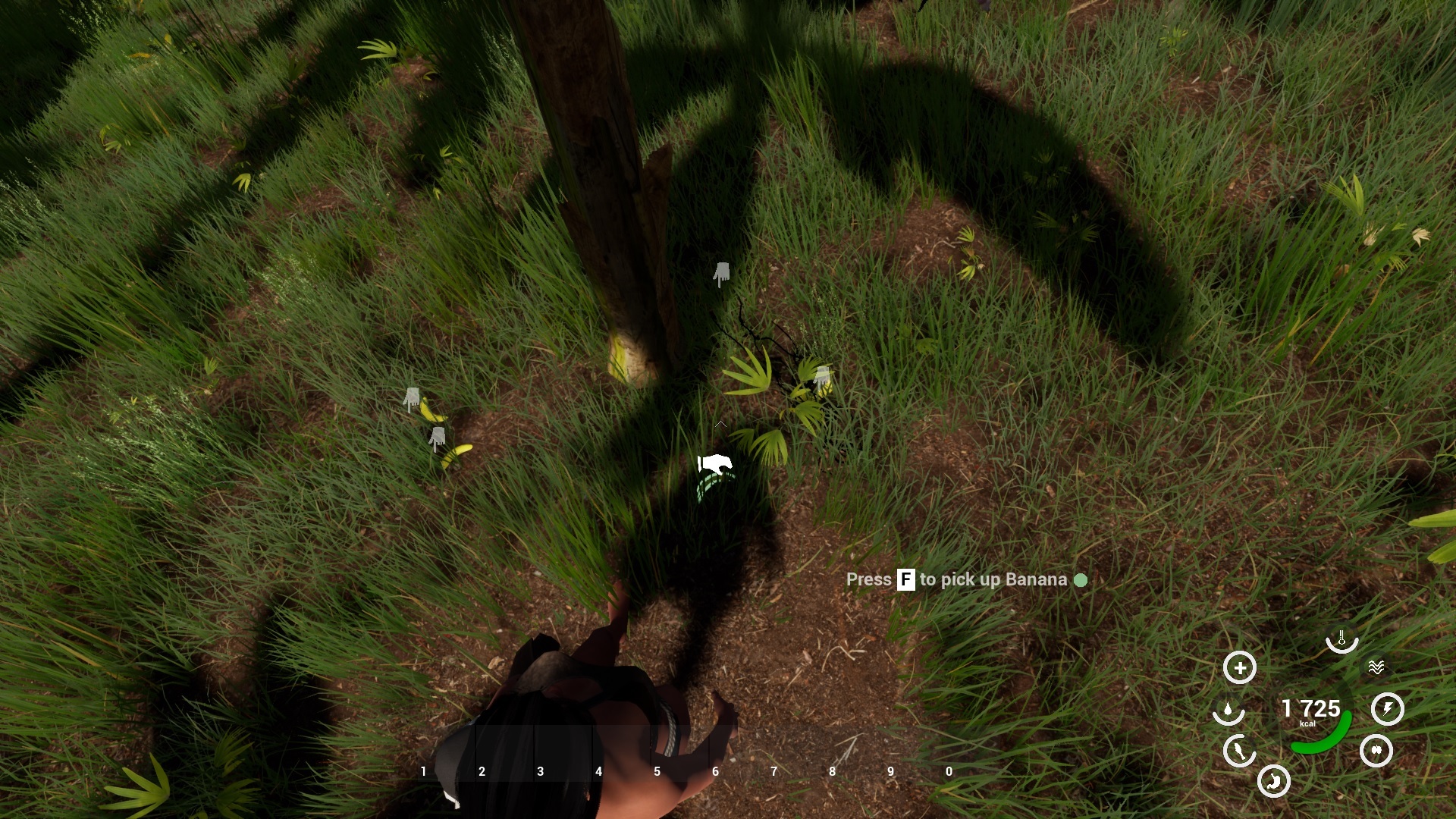
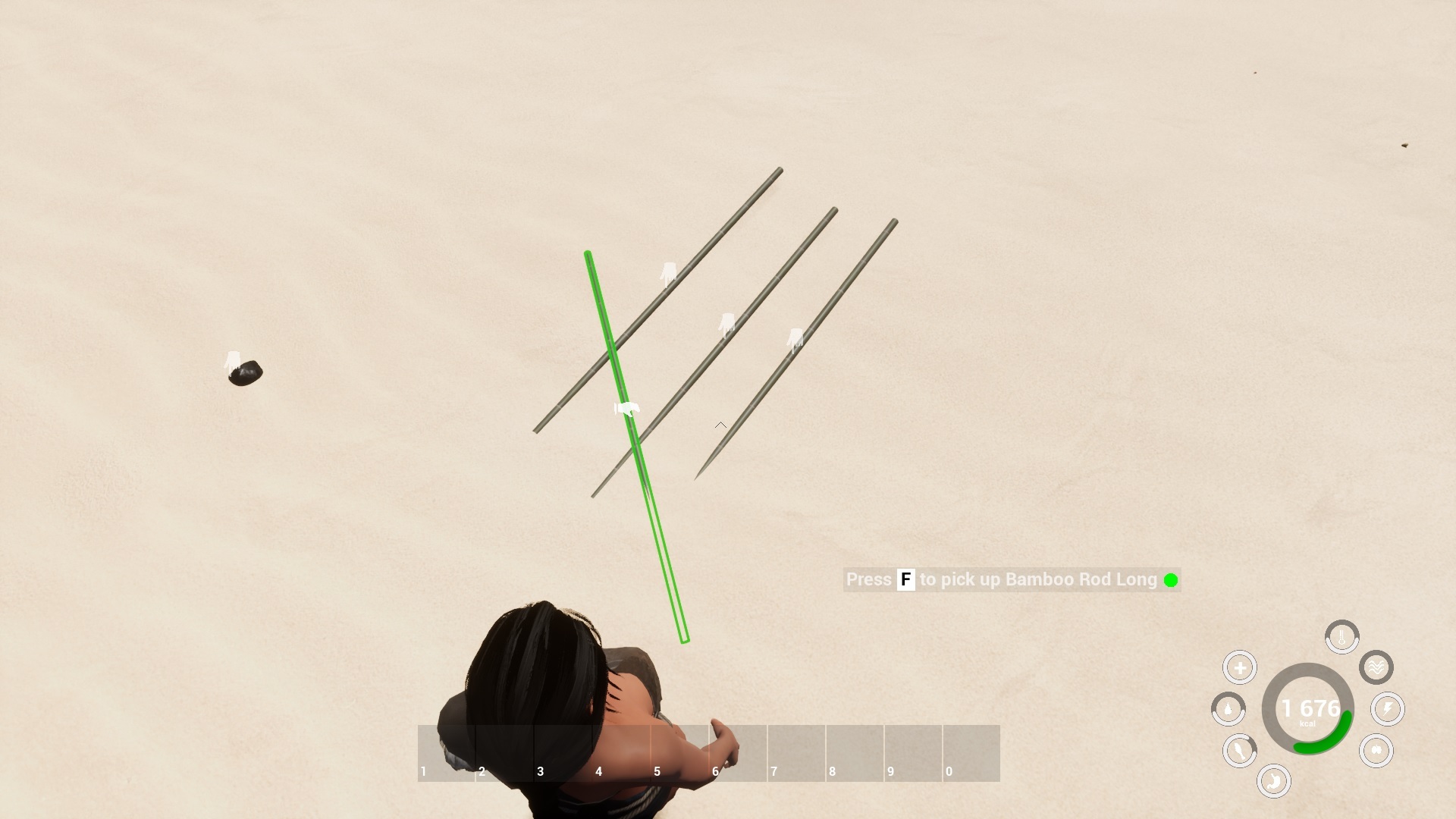
1) all loot and interactibles now have icon above themselves. This will be shown, when item is in player vicinity, usually 2.5 meters.

2) to highlight the item to interact with, point the arrow in middle of your screen on that icon instead of the item. This is important change.

We had issues before, because root of the item needed to be focused, which was not always in the item body center. So now just point to icon above the item.

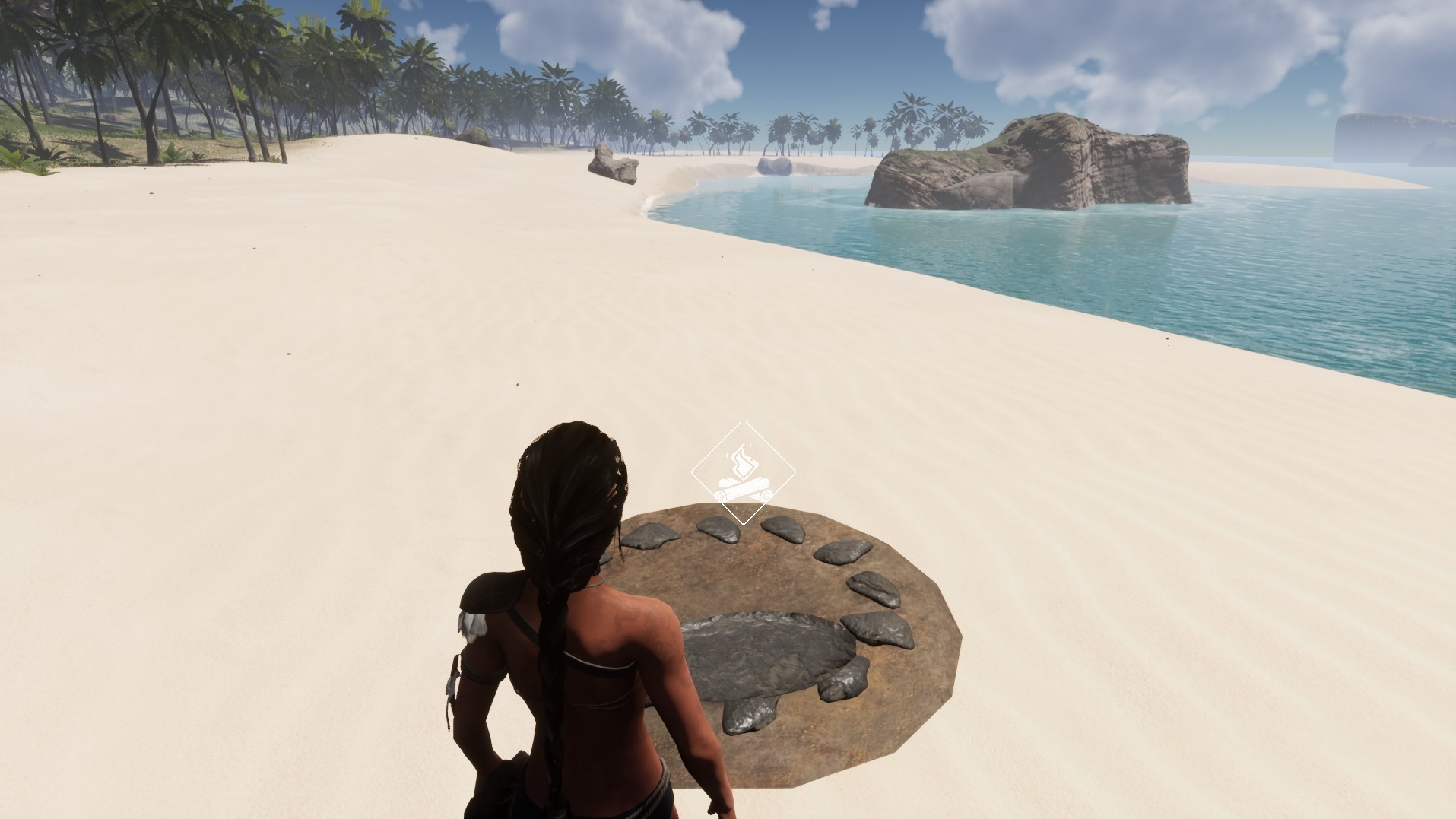
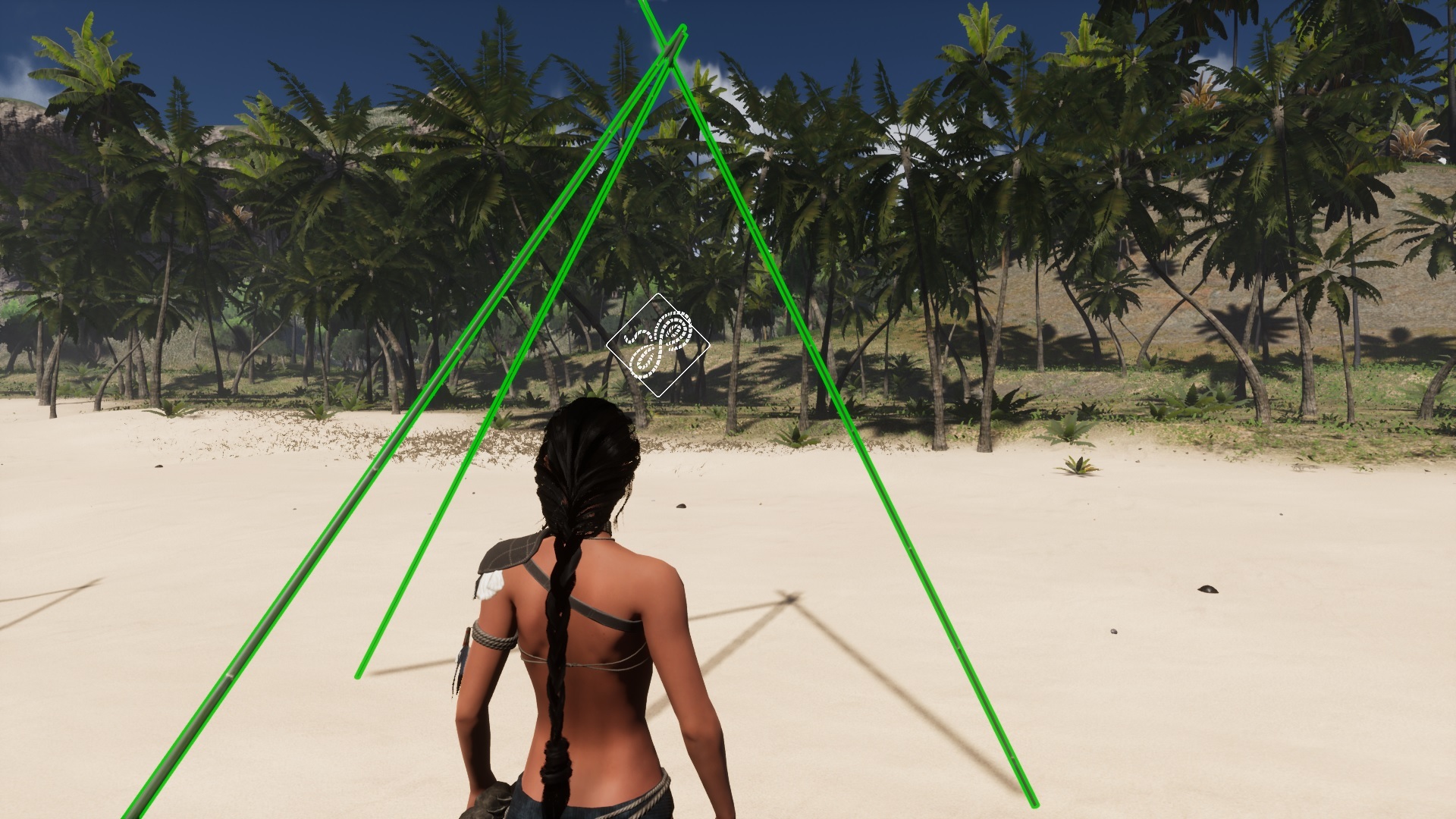
3) Some items or better said interactibles, do have bigger icon placed more above, so it does not interfere with attached loot. This goes especially for fireplace, also for traps, basebuilding, harvest, stone with water, raincatcher, leather dryer, and dead animals, that need to be skinned in place. This icon also provides additional information how to interact with the item. Please have a look on pictures bellow.

4) Some larger items - objects, do not highlight anymore. Most of them are mentioned in previous point. Simple because they did not looked good when being highlighted. So again focus on new icon to interact with them. Smaller items keeps highlight to spot them more easily.

Please note this is not the final optimization, and I will make more changes for better loot handling. Especially widening the trigger area, icons placement. F.e. driftwood interaction zone was expanded from 1.5 to 2.5 meters.

I would gladly hear some feedback about this on our discord. Which way do you like better.

Done also some fixes:
- fish in pond should be blocked now to swim on land (thank you for report on discord)
- animals will not loop hit sounds when multi[ple hits are triggered at once
- in crafting menu - recipes in crafting>crafting category were not shown
- Also renamed this category to crafting>general which is more appropriate

Next update should include a brand new Photomode - which will enable you to take high resolution srceenshots, in various situations and will include camera settings and positions/rotations.
I am already testing it on development branch.

Thank you for understanding and support.

Please report all issues on our discord:
https://discord.io/areaz

I will be also pleased to answer any questions.

Juraj Bachar
Game Creator
More from AreaZ Demo

Other announcements

All events
In-game event4 Sep 2026Update 0.58.1: what your GPU actually runsUpdate 0.58.1 - what the DX12 launch showed us, and what comes next The DX12 and DLSS 4.5 update did what it was meant to do. The jungle hitches are gone on every card we have seen, and the game now runs on machines it never ran on before, from a 2014 workstation card at 720p to a 5090 at 1440p. Update 0.58.1 is small on purpose. It is out today, mid fest, because the last week gave us more rea…Major update28 Aug 2026DX12 and DLSS 4.5 - Update 0.58DX12 and DLSS 4.5 are live The renderer is rebuilt. AREAZ now runs on DirectX 12 with DLSS 4.5, and on modern hardware the difference is not subtle. What you can expect: RTX 30 series - DLSS upscaling, more stable frame times, noticeably smoother traversal RTX 40 and 50 series - substantial gains on top of that thanks to frame generation All nextgen cards - the streaming hitches are gone. You m…Community6 Dec 2025🛠️ Help Shape AREAZ – New Crafting UI Options (Your Feedback Needed)Hey survivors 👋 I’ve been working on improving the Crafting / Inventory UI in AREAZ, with a big focus on helping new players better understand the two-hand crafting system from the start. Note: The crafting system itself isn’t changing — this is purely about clarity and usability. AREAZ crafting is based on what you hold in your hands , not just clicking a recipe — and I want to make that feel…