5.6.2
major updateOVR Advanced Settings · published
5.6.2 Is Out!
Features
Face Lift
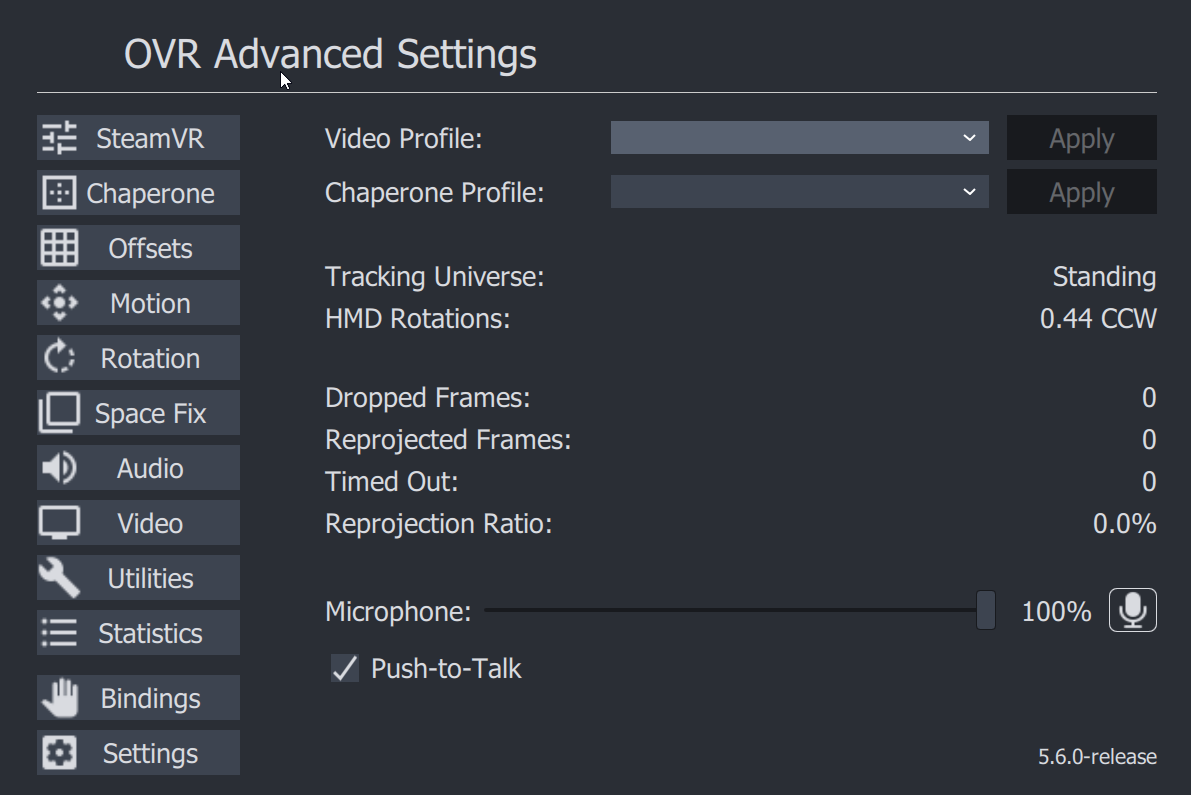
Honestly This has probably been too long since we updated, but updated color pallette to hopefully better blend in and not be as.... blue. Feel free to leave feedback on new looks positive/negative or changes.
Per App Bindings
Now Have your Bindings Change Based On what game you are playing.
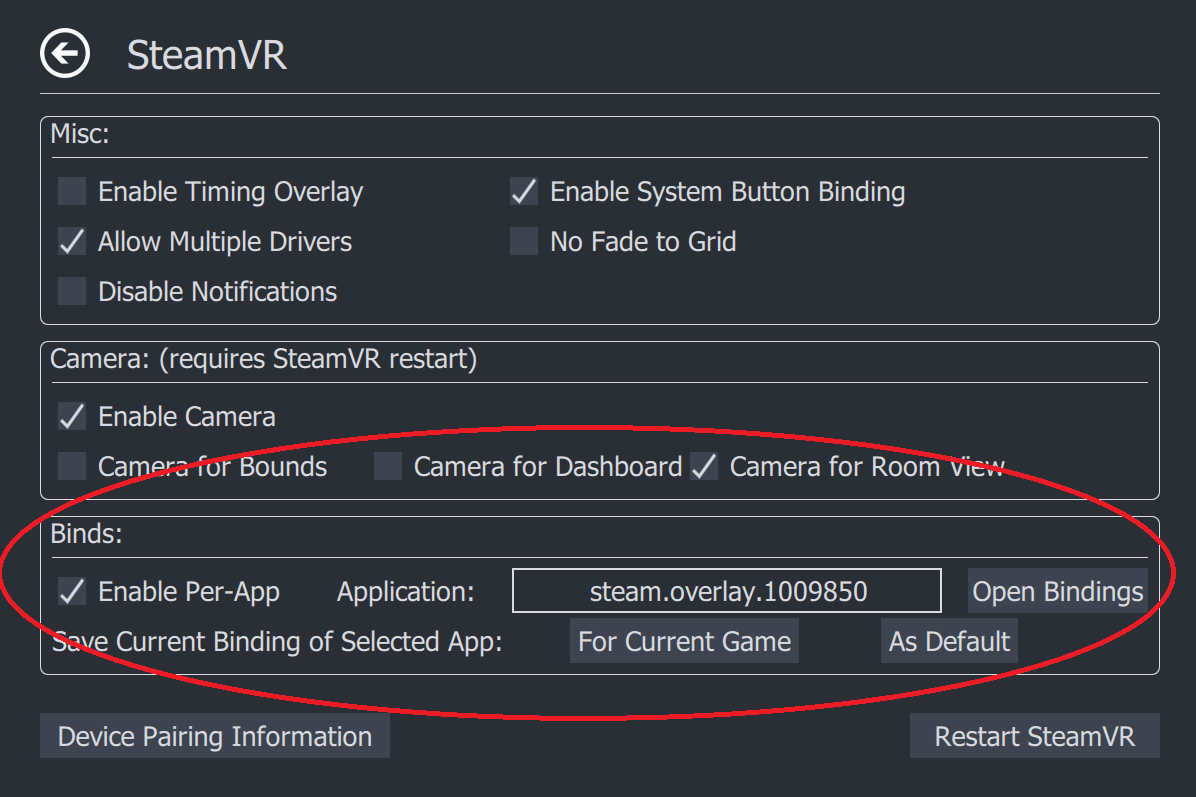
Usage:
- Enable Per-App Bindings via Checkbox
- Select Application you want to select Bindings for:
- Some Common Overlays and their App ID's (not affiliated, just for reference)
- (default) OVR Advanced Settings = steam.overlay.1009850
- OVR Toolkit = steam.overlay.1068820
- XSOverlay =steam.overlay.1173510
- Desktop + = steam.overlay.1494460
- fpsVR = steam.overlay.908520
- LIV = steam.overlay.755540
Your Bindings Will Automatically be saved beside existing settings
(%appdata%\AdvancedSettings-Team\ on Windows)
Possible Fix for Space Drag not working Issues
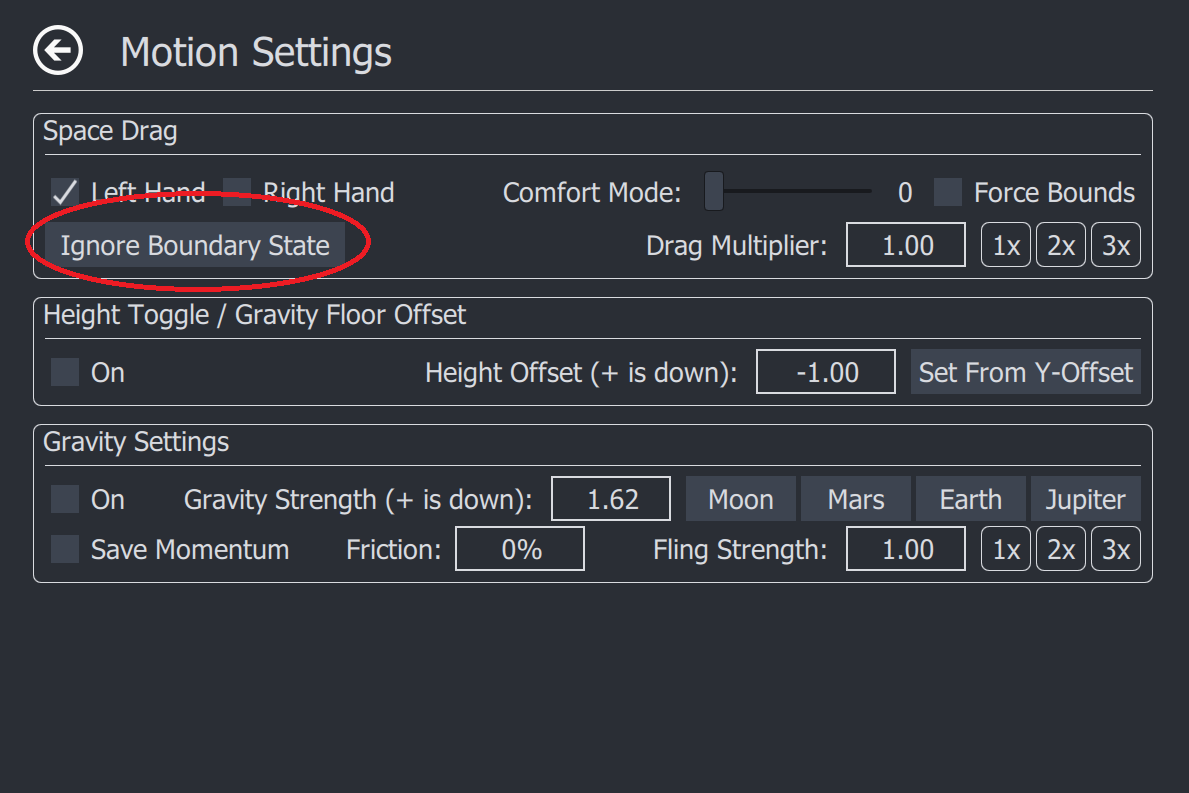
Simply Click the Button and see if you can space drag after that, If not please leave comment, and hopefully can find out the issue.
Patch Notes:
# 5.6.2
## Features
### Per App Bindings
- In the SteamVR tab You are now able to set bindings for overlay applications based on what game you are playing.
- These Binding Files are saved in the Same directory as your settings/logs
### A new Look
- a new Color Scheme to better match OpenVR/SteamVR's theme
### Ignore Boundary State
- This is another attempt at trying to get better support for space drag on third party headsets.
- Simply click this button per session, and it should help you
- If it works well, it will be better integrated if not it may eventually be removed
## Fixes
- Fixed a Collision in Settings, and rotation page for entries