Thank you as always for using Textvas.
New Features
・Node Collapsing
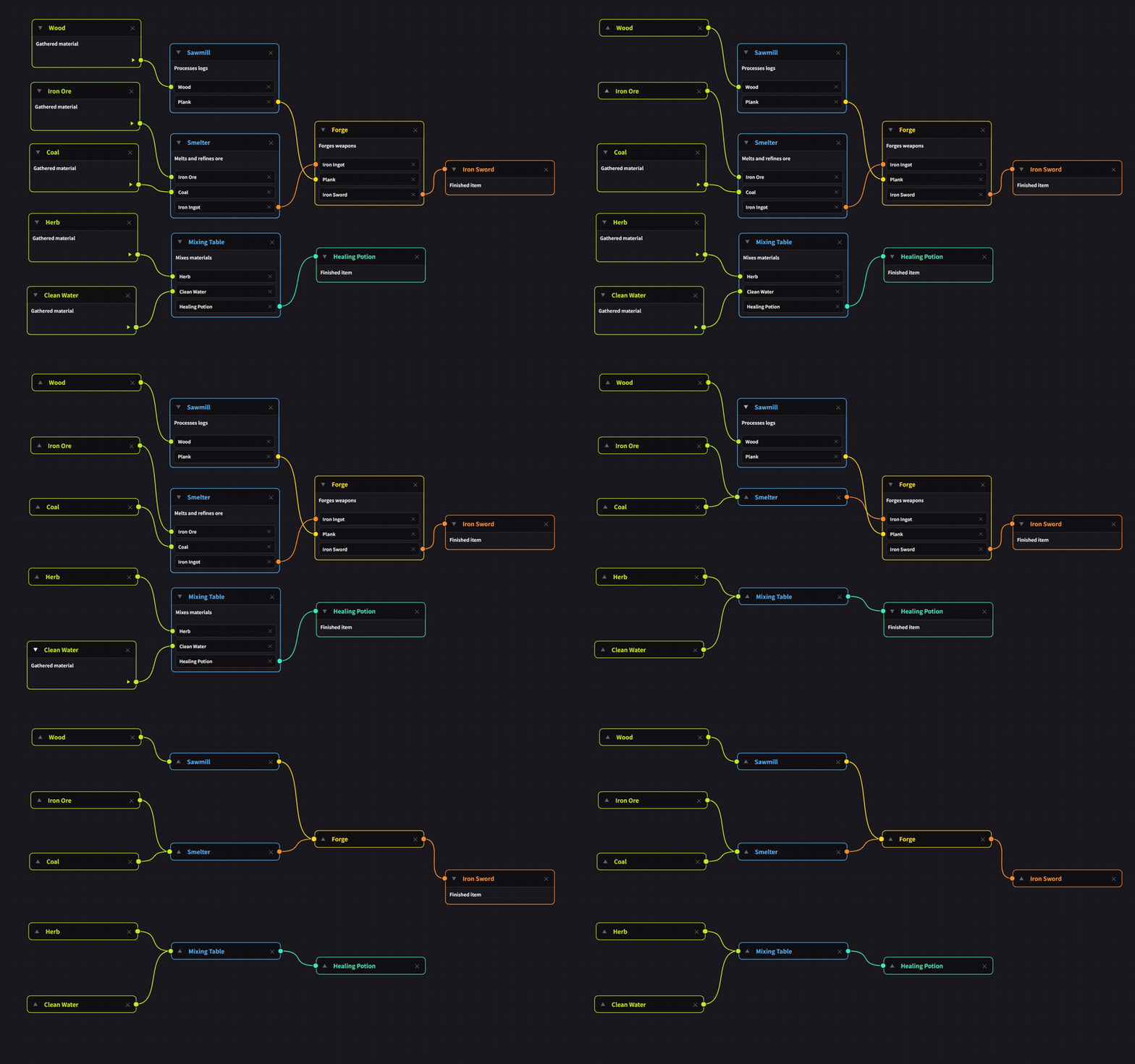
You can now collapse nodes in both the dialogue and node graph. Click the ▼ in the top-left of a node to hide its body and choices, reducing it to just the title's height. Click it again to restore it. Connections remain intact even while a node is collapsed.
・Added Collapse All / Expand All
Collapse All and Expand All have been added to the right-click menu in both the dialogue and node graph. You can open or close all nodes at once instead of clicking each one individually. This is handy when you want to line up just the titles to see the overall flow. The options appear whether you right-click on a node or on the background.
Improvements
・Cell Copy & Paste, Right-Click Menu Highlighting
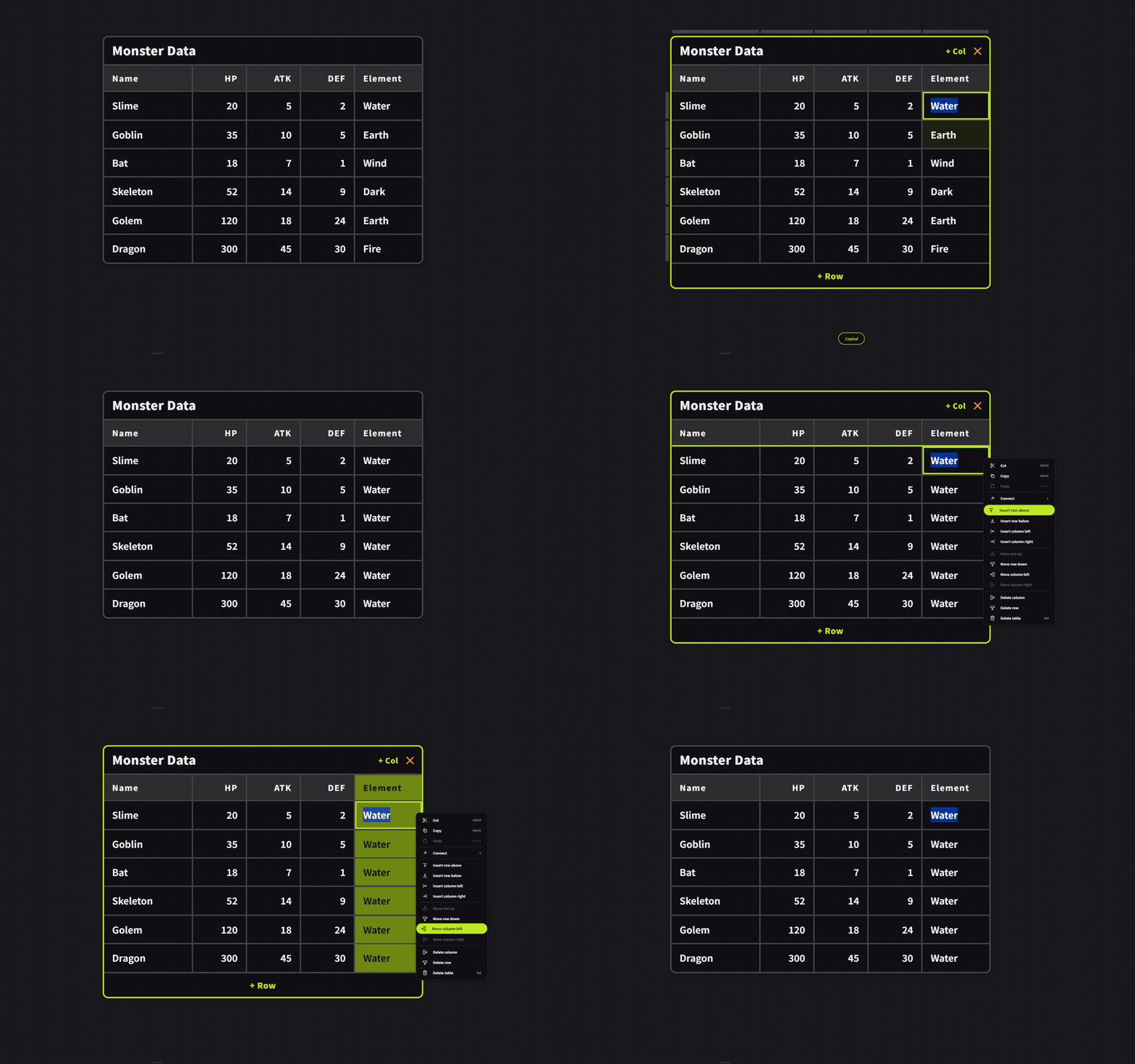
In tables, you can now select cells and copy/paste them. Click a cell once to select it, then press Ctrl+C to copy and Ctrl+V on another cell to replace its contents.
Hovering over an item in the right-click menu now highlights the affected area. For example, Delete Row highlights that row, and Insert Column Left shows a line where the new column will appear. This lets you check which row or column will be affected before you click.
・Changed How Tables Are Operated
In tables, selecting a cell and editing its text are now separate actions. Click a cell once to select it, or double-click to edit its text. Press Enter to move to the cell below, or Shift+Enter to move to the cell above. Use Alt+Enter to insert a line break within a cell. While a cell is selected, the arrow keys move between cells; while editing, the arrow keys move the text cursor instead. Press Esc to step back one level at a time: from editing to selection, then from selection to selecting the whole table.
・Selected Cell Border
In tables, the currently selected cell is now outlined with a border, making it easy to see at a glance which cell you're editing.
・Adjusted Connector Position in Right-Click Menu
The position of the connector in the table's right-click menu has been adjusted.
Bug Fixes
・Fixed an issue where right-clicking an event node in the dialogue would show an Add Choice option.
・Fixed an issue where a node's title remained highlighted in blue after renaming it in the dialogue or node graph.
・Fixed an issue where columns containing only numbers were not right-aligned in tables.
・Fixed issues in the guide feature where grouping did not work and copy/paste via right-click was not available.
・Fixed an issue where the translations for the four table right-click menu items Move Row Up, Move Row Down, Move Column Left, and Move Column Right were missing.
・Fixed an issue where, after clicking a cell or title in a table, clicking elsewhere would leave the text selection highlighted in blue instead of clearing it.
・Fixed an issue where image export would fail while a memo was being added.
We will continue working to improve Textvas.