In-game event
Lynium 2.3.3: suggested beatmaps, a new HUD and a new logo
Lynium: Play the Rhythm · published
2.3.3 suggests beatmaps you don't have right in Song Selection, puts the new logo in the game, lets a chart change tempo, redraws the in-game HUD and makes every key yours to bind.
IMPORTED MAPS IN SYNC
Set your offsets back to 0.
- ADJUSTED TIMING: every imported map got an offset adjustment, so its notes land on the music.
- NO MORE NUDGING: a map that used to need an offset to feel right no longer needs one.
- OUR ADVICE: set GLOBAL OFFSET to 0, and BEATMAP OFFSET to 0 on every map you had changed.
- WHEN TO CHANGE IT: you normally only need GLOBAL OFFSET for wireless headphones, or a TV without game mode.
SUGGESTED BEATMAPS
Songs you don't have yet, right in your list.
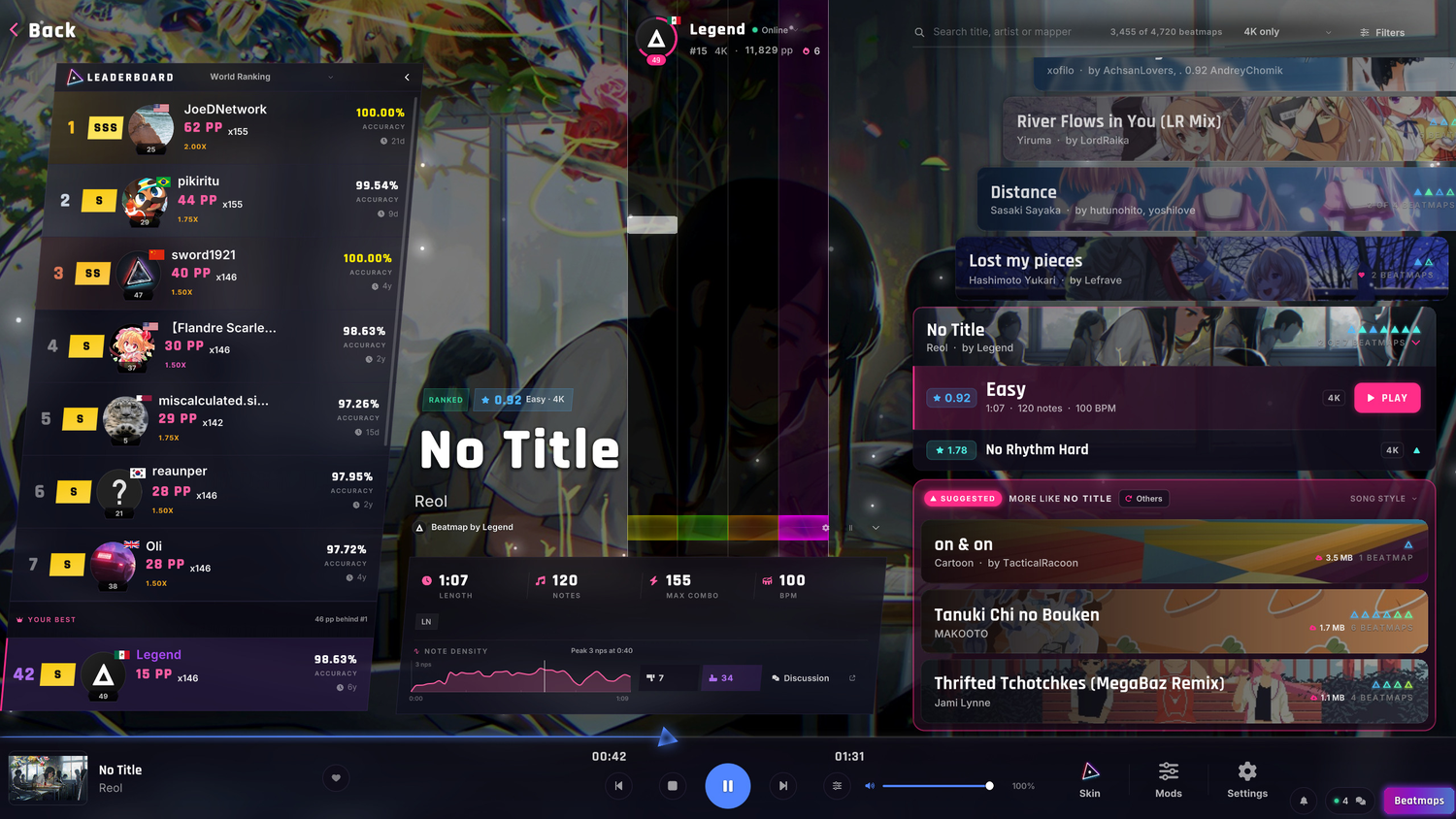
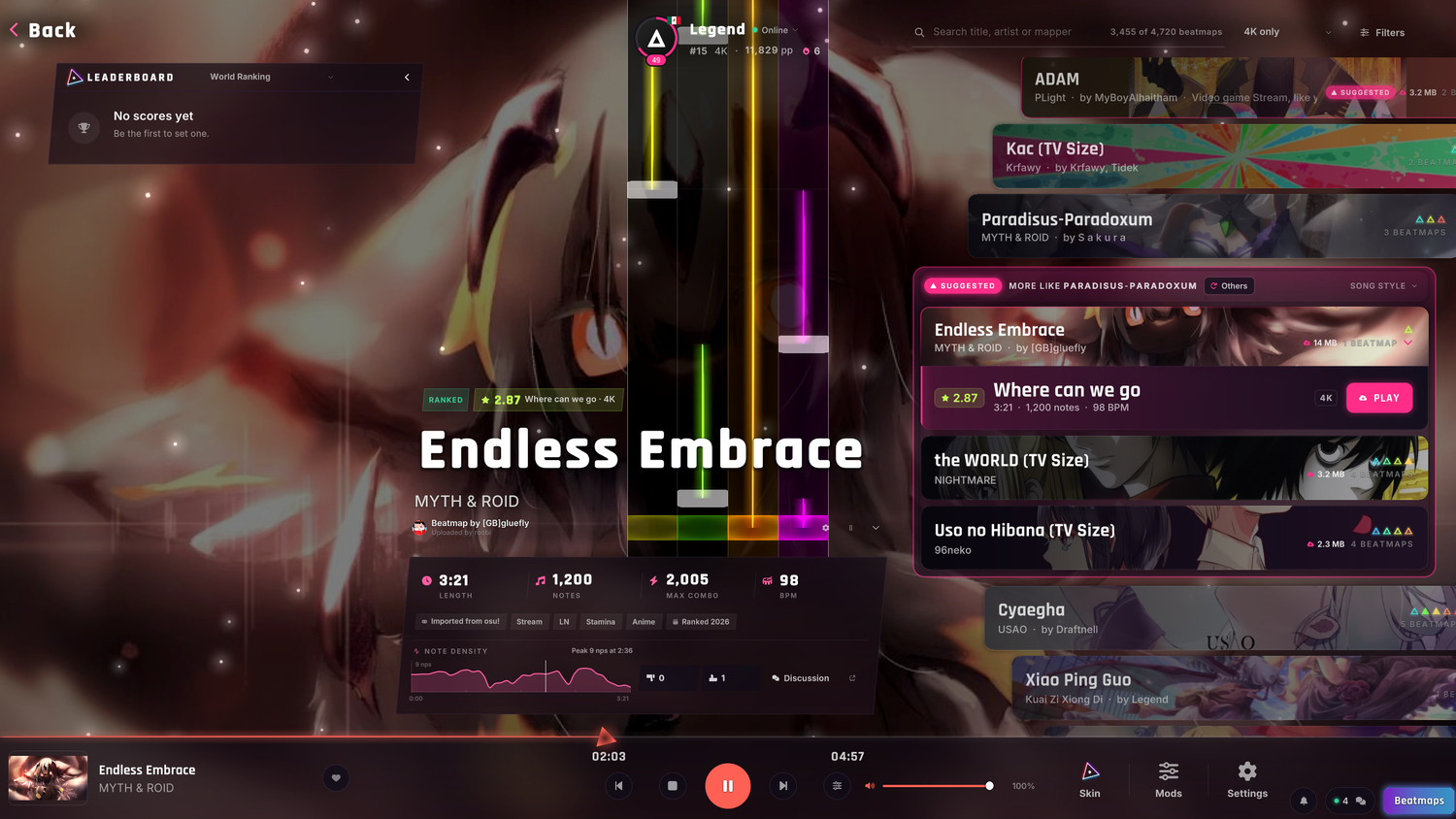
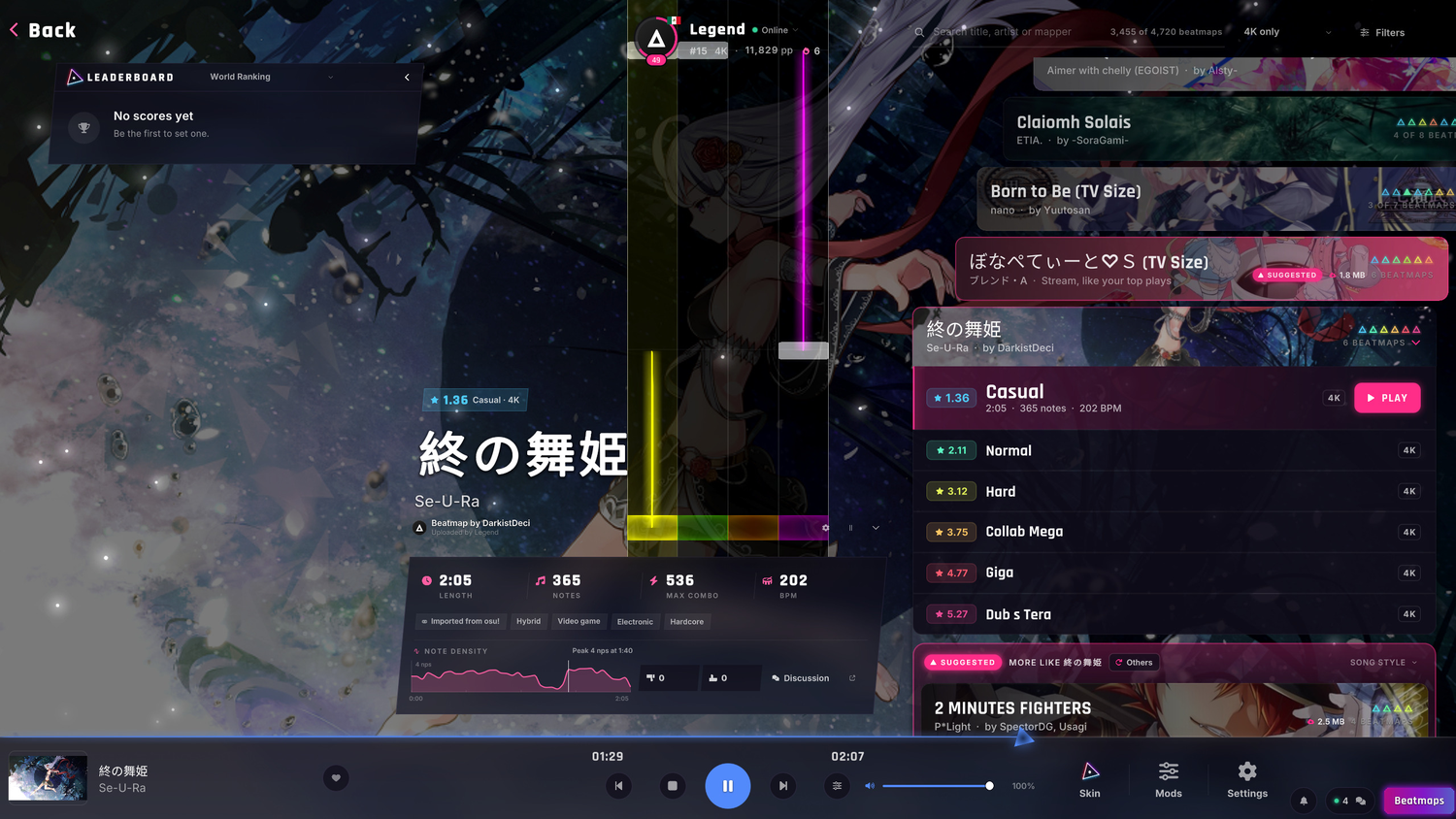
- SUGGESTED: a few sets you don't have sit among yours, each saying why it was picked.
- TRY IT FIRST: select one to hear its song and see its chart and its leaderboard.
- PLAY downloads the set and starts the chart, without leaving Song Selection.
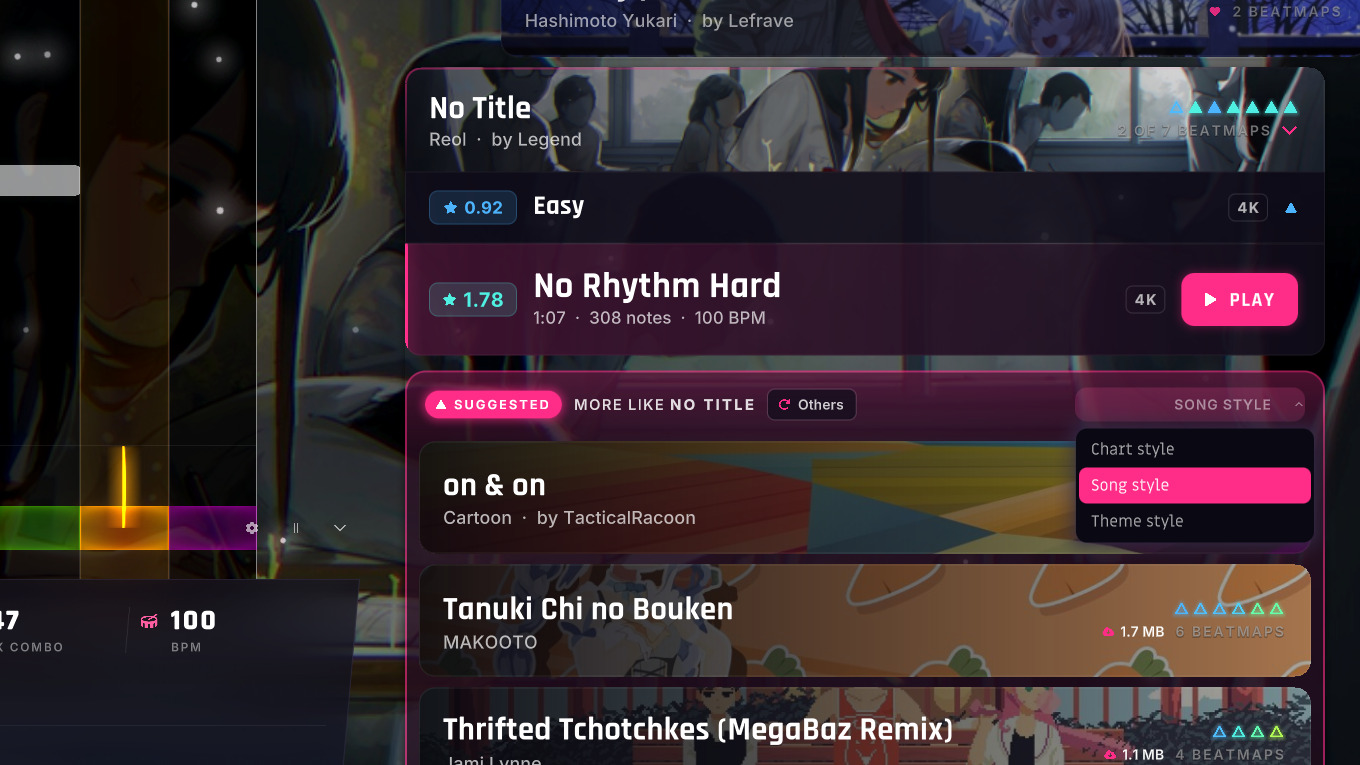
- MORE LIKE: the suggestions closest to the selected set sit right beside it.
- LIKE HOW? Pick Chart style, Song style or Theme style from its title.
- OTHERS deals you a fresh batch.
- WHY THIS ONE: "Electronic Jumpstream, like your top plays", or a mapper whose maps you play.
- YOUR CALL: mixed in, in blocks or only beside the selected set, from Settings or Filters.
THE NEW LOGO
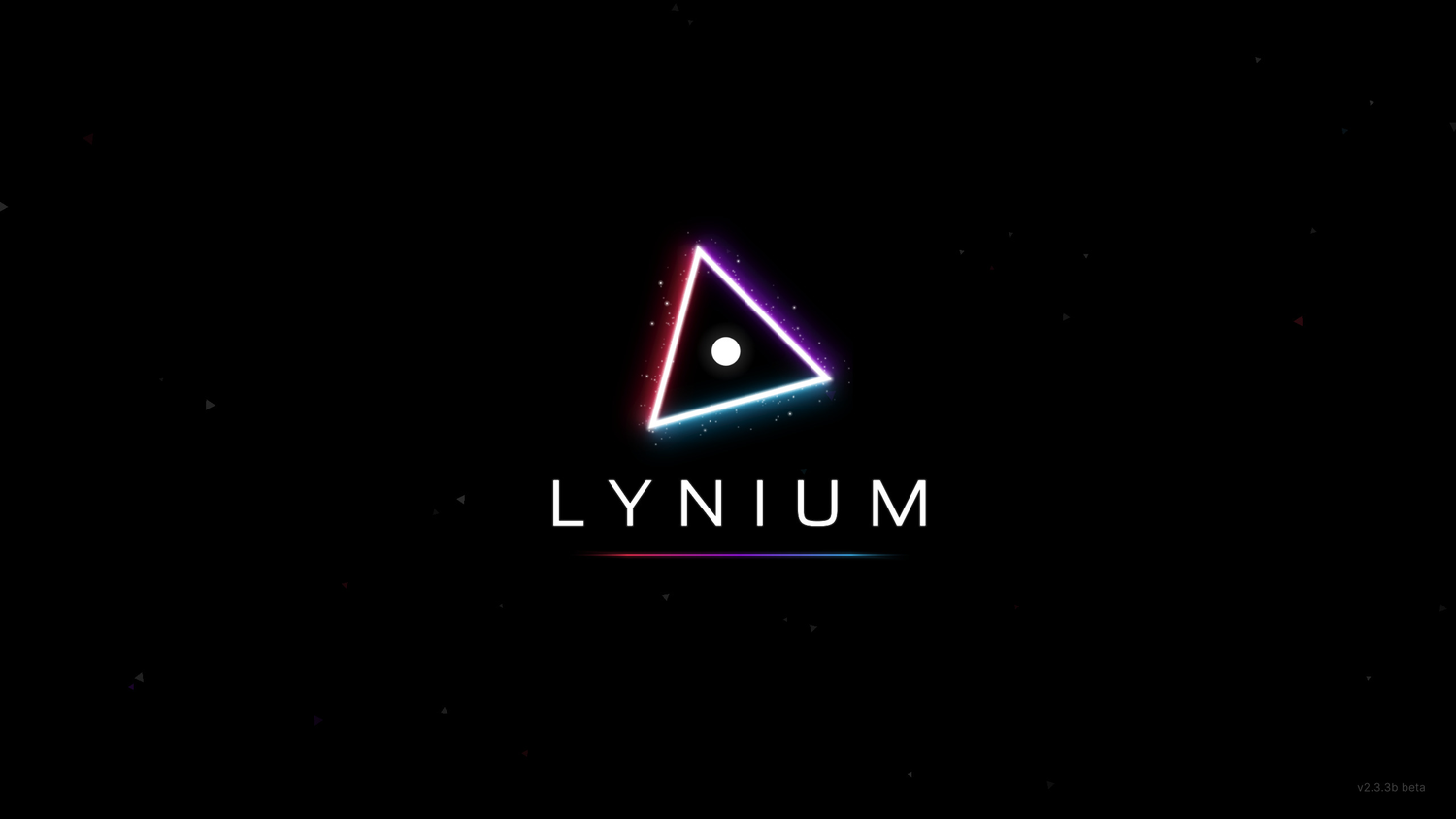
- THE MARK: the triangle turned 15°, with a soft glow and LYNIUM set in a new typeface.
- EVERYWHERE: the welcome, the loading icon, the game's icon and the website all wear it.
- BEATMAPS BUTTON:
the rainbow⇒ the logo's red, violet and cyan.
TEMPO CHANGES
A chart can change BPM now.
- BEAT LINES follow every tempo of the chart, in the run and in every preview.
- THE BPM reads as a range, like "100-200 (mostly 100)", wherever a chart shows it.
- FIXED NOTE SPEED ON, the default: notes fall exactly as they did.
- FIXED NOTE SPEED OFF: a faster section spreads its notes, the genre's standard scroll.
- IMPORTED CHARTS:
only the longest tempo⇒ every tempo change comes in. - GIMMICK MAPS scroll as fast as they do in the genre's standard.
- SONG SELECTION keeps its pulse on the beat through a tempo change.
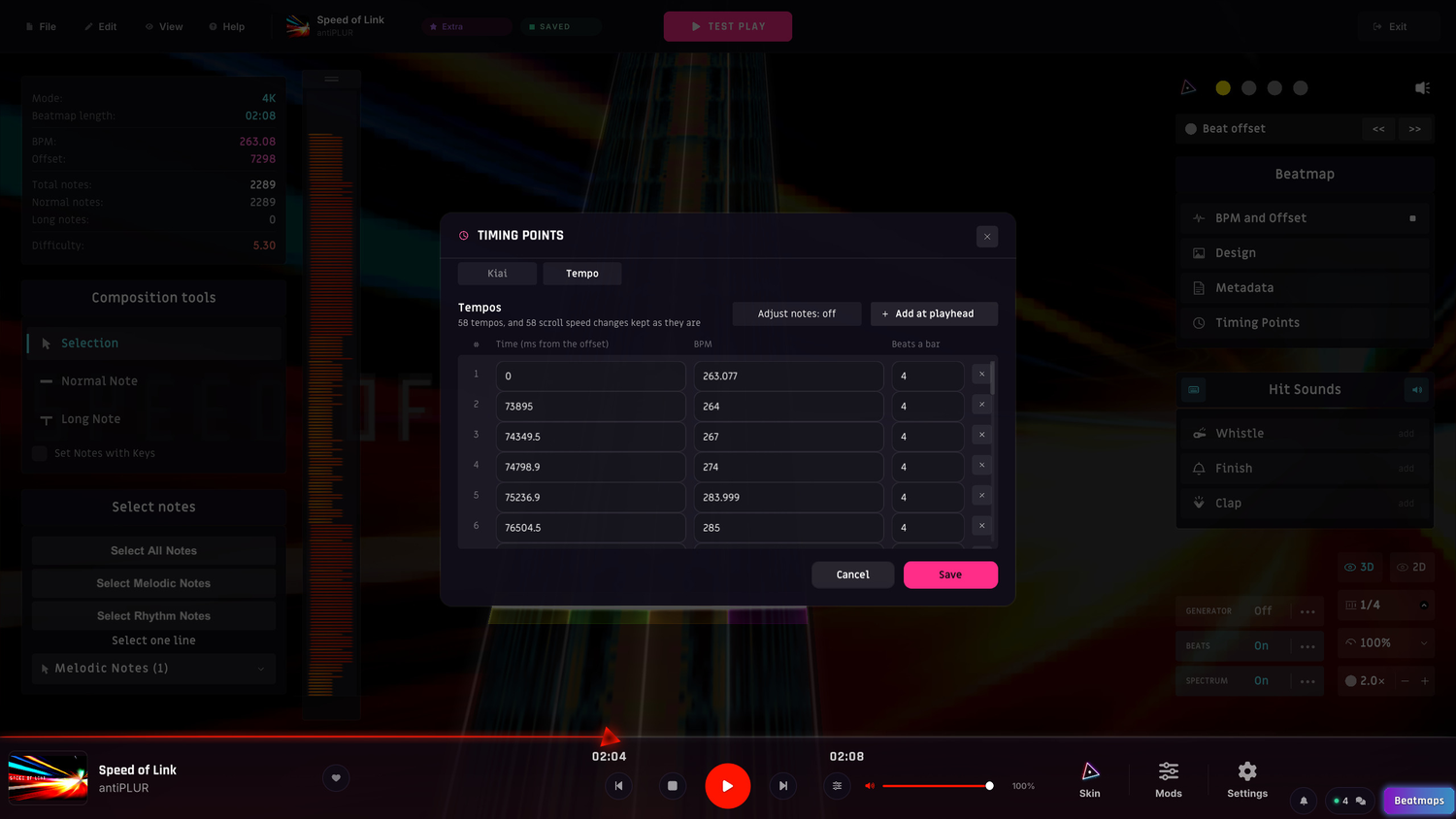
- THE EDITOR: Timing Points has a Tempo tab to add and edit tempos, with Adjust notes.
- SNAPPING follows each section's own beat in the editor.
THE IN-GAME HUD
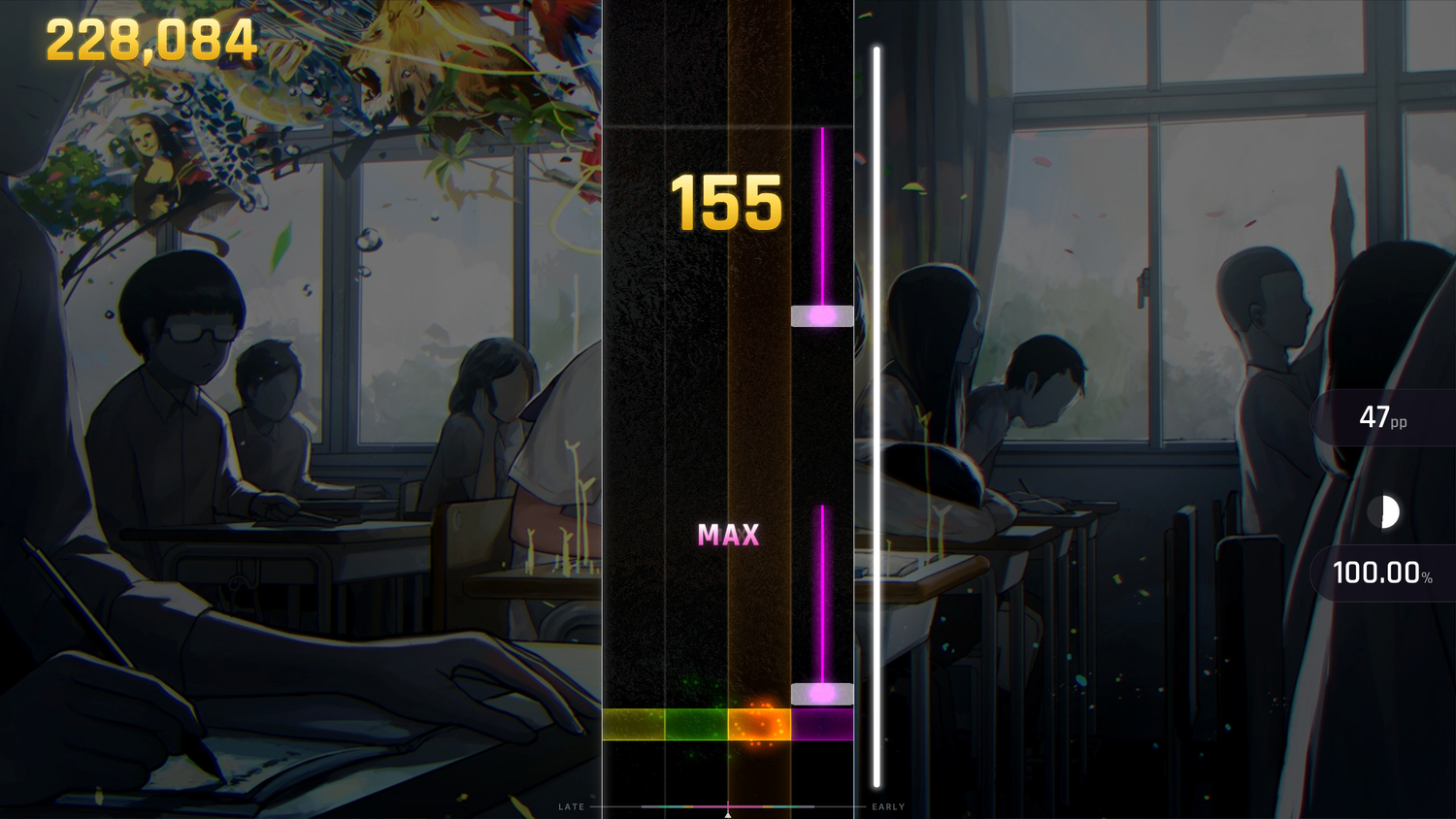
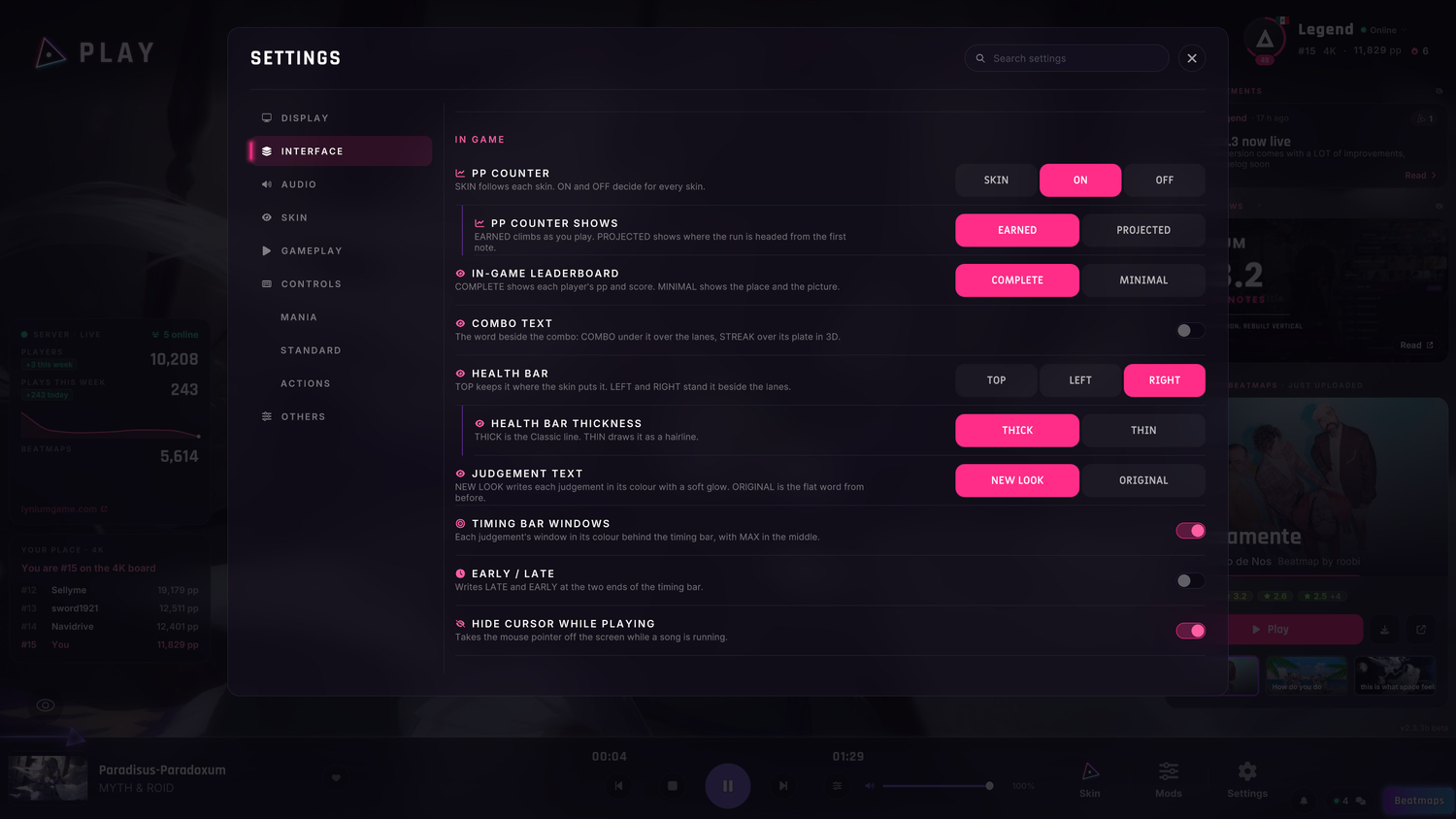
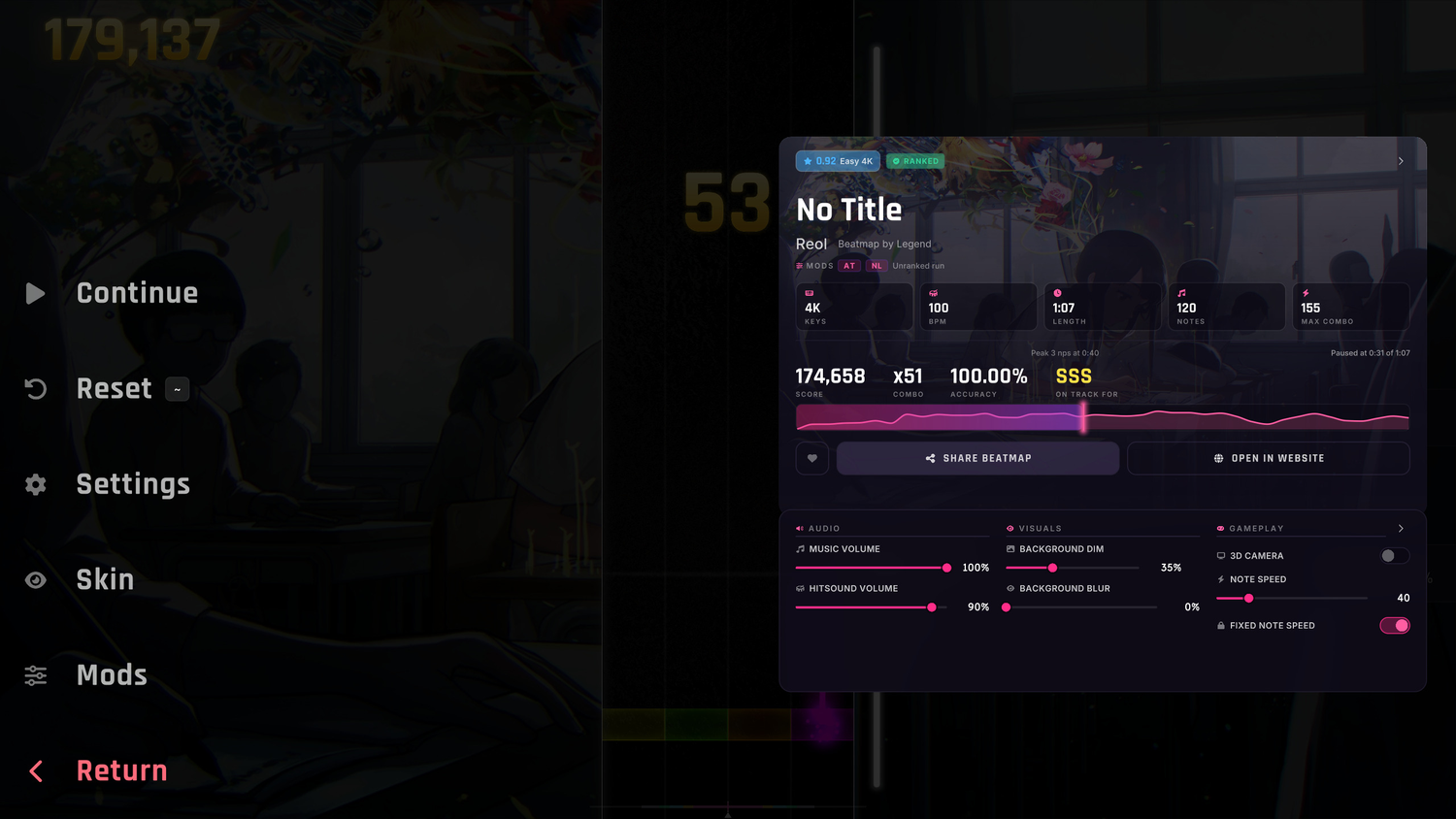
The Classic look, redrawn.
- SCORE AND COMBO in gold, pp and accuracy on glass plates at the edge.
- HEALTH is a white line, and the timing bar a hairline with ticks that fade.
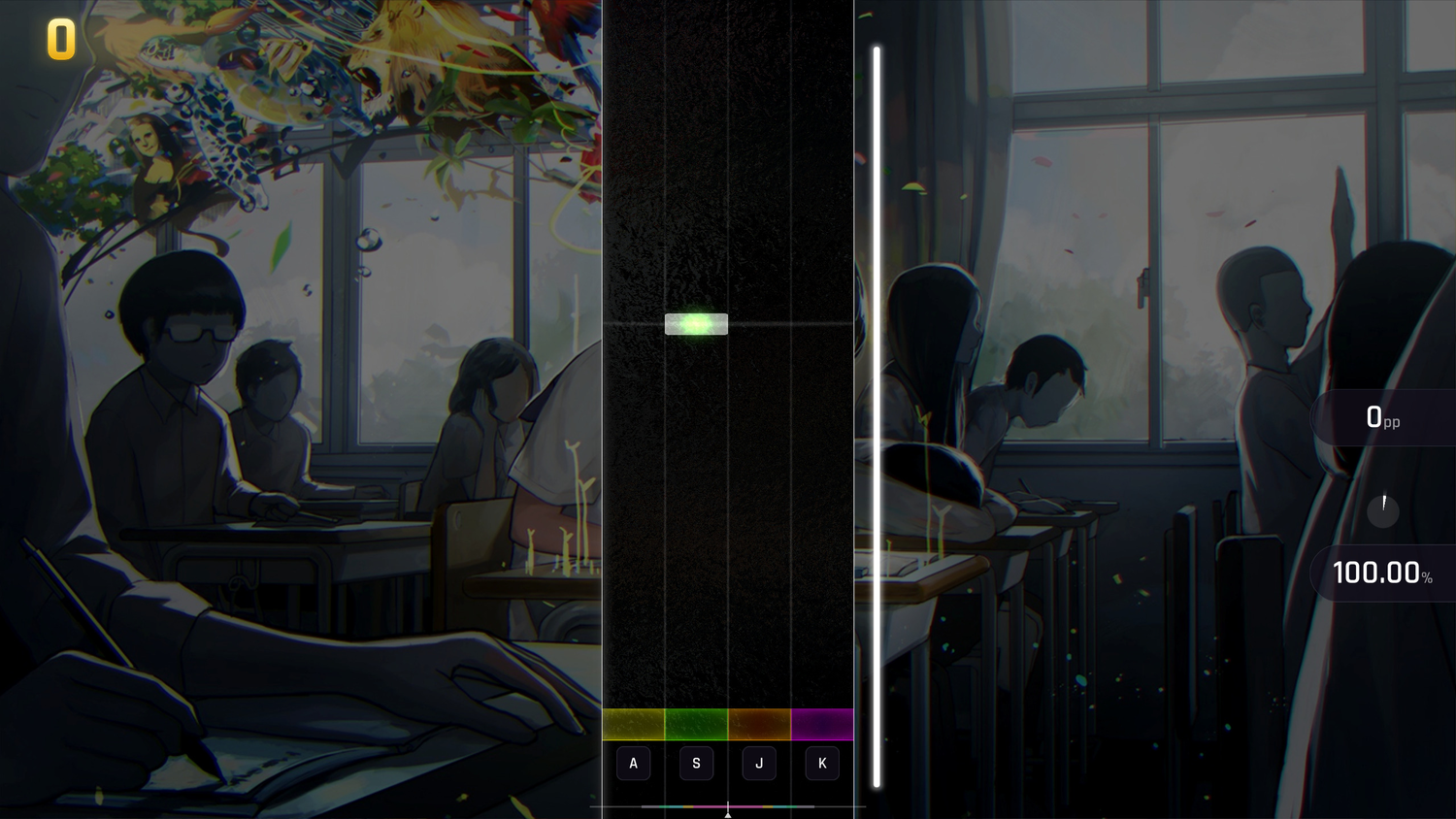
- THE KEYS TO PRESS:
names printed across the receptors⇒ keycaps under them. - IT ARRIVES with the song's title card, each piece from its own side.
- JUDGEMENTS glow in their colour, and JUDGEMENT TEXT → ORIGINAL brings back the flat word.
- NEW IN SETTINGS: COMBO TEXT, HEALTH BAR (top, left or right) and HEALTH BAR THICKNESS.
- TIMING BAR WINDOWS draws each judgement's window behind the bar, and EARLY / LATE names its ends.
- YOUR SKIN WINS: a skin that styles the HUD keeps its own look.
AFTER A RUN
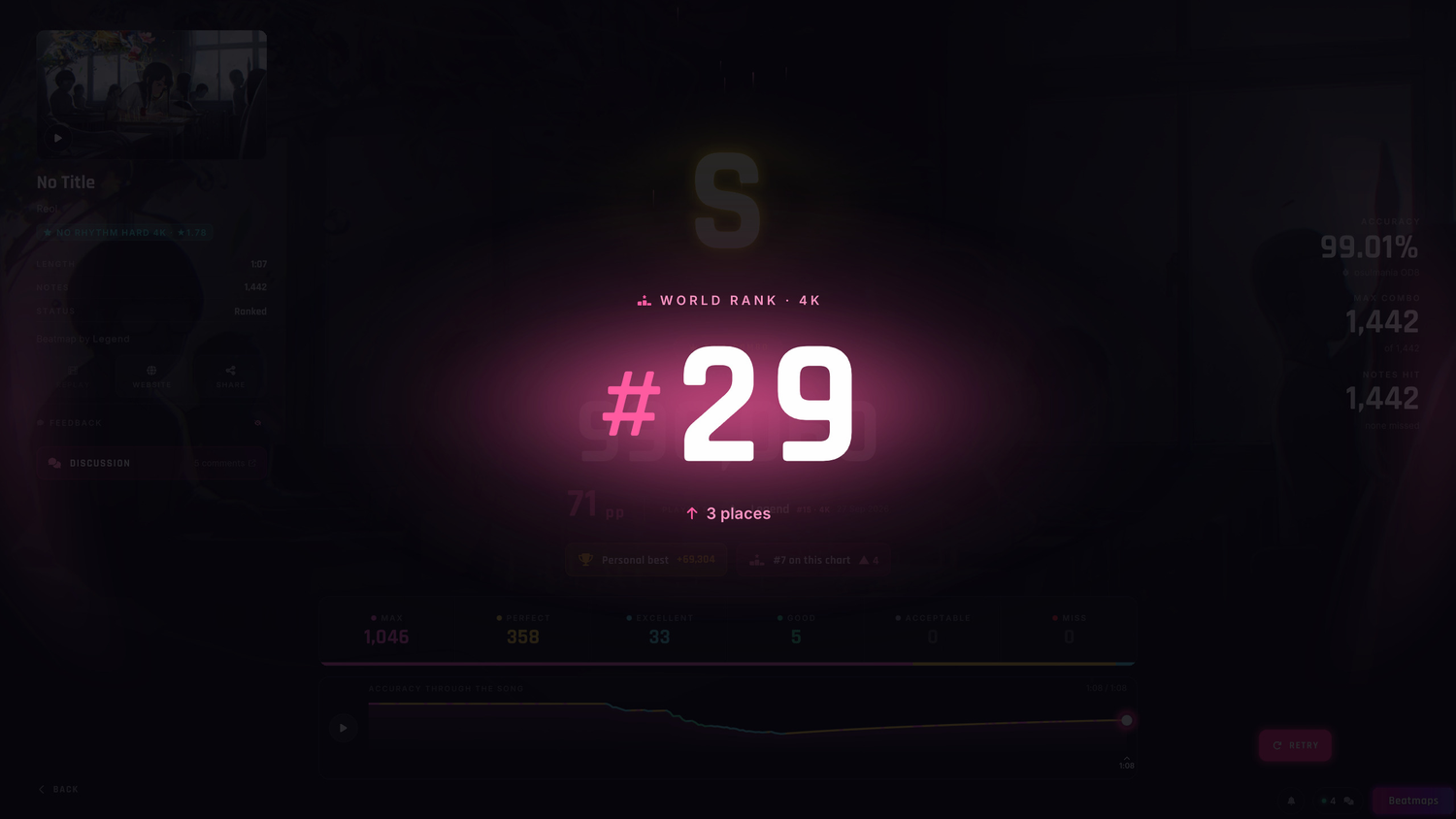
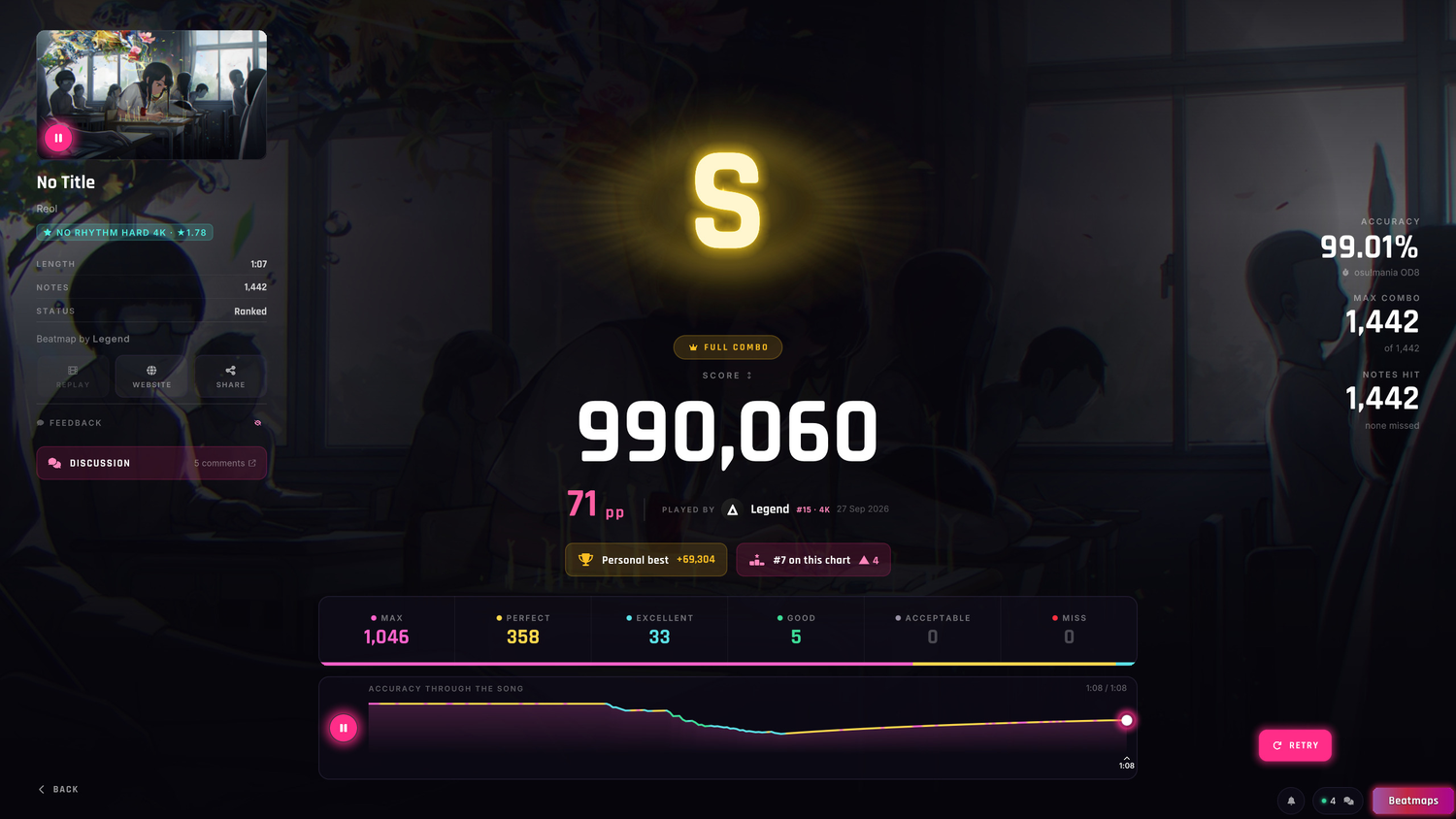
- RANK UP:
a card with a list of names⇒ one big number rolling up to your new world rank. - THE PODIUM lands in gold, silver or bronze, and a rank lost rolls down in red.
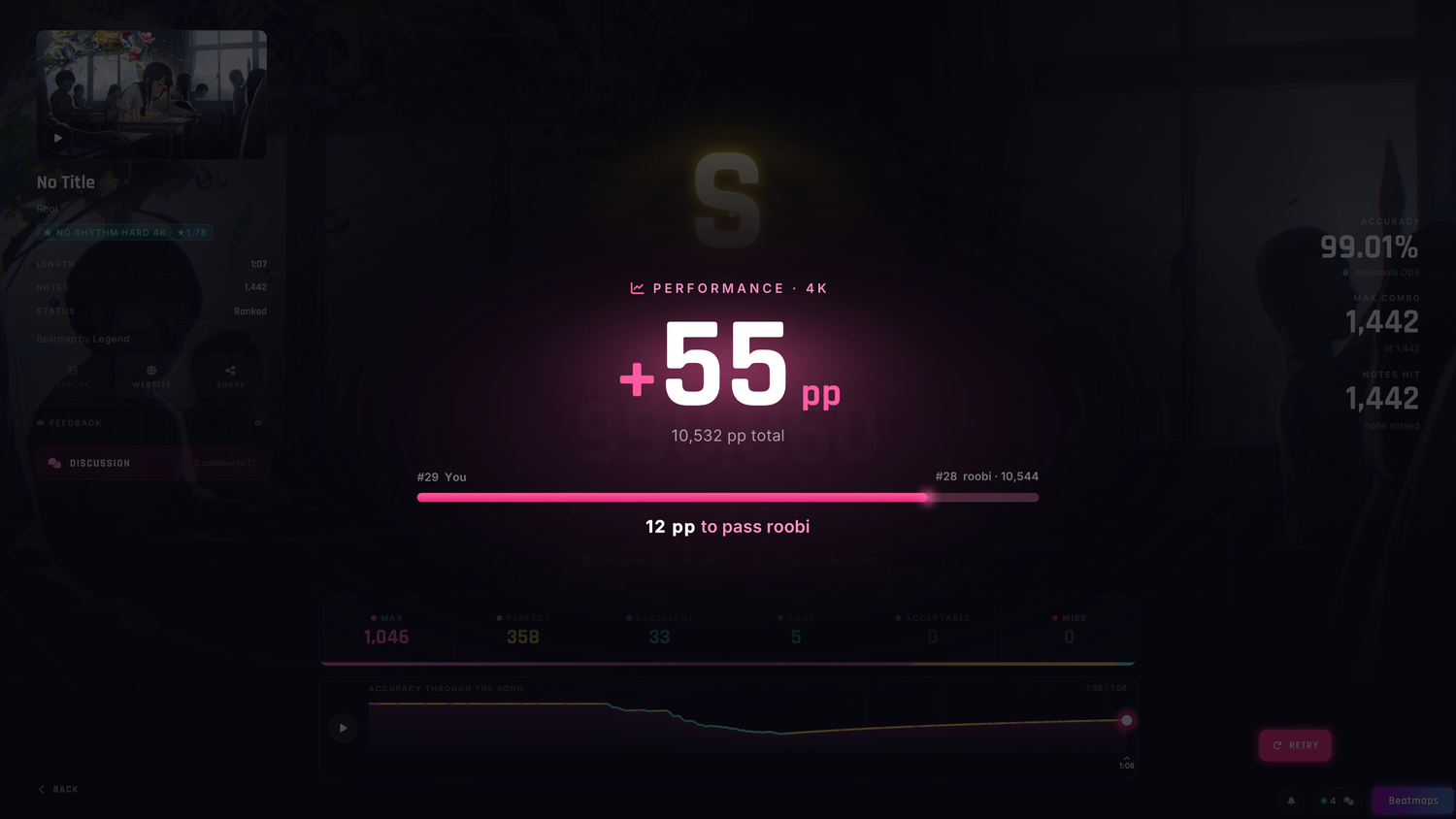
- PP GAIN: what you earned, and a bar with what is left to pass the player above you.
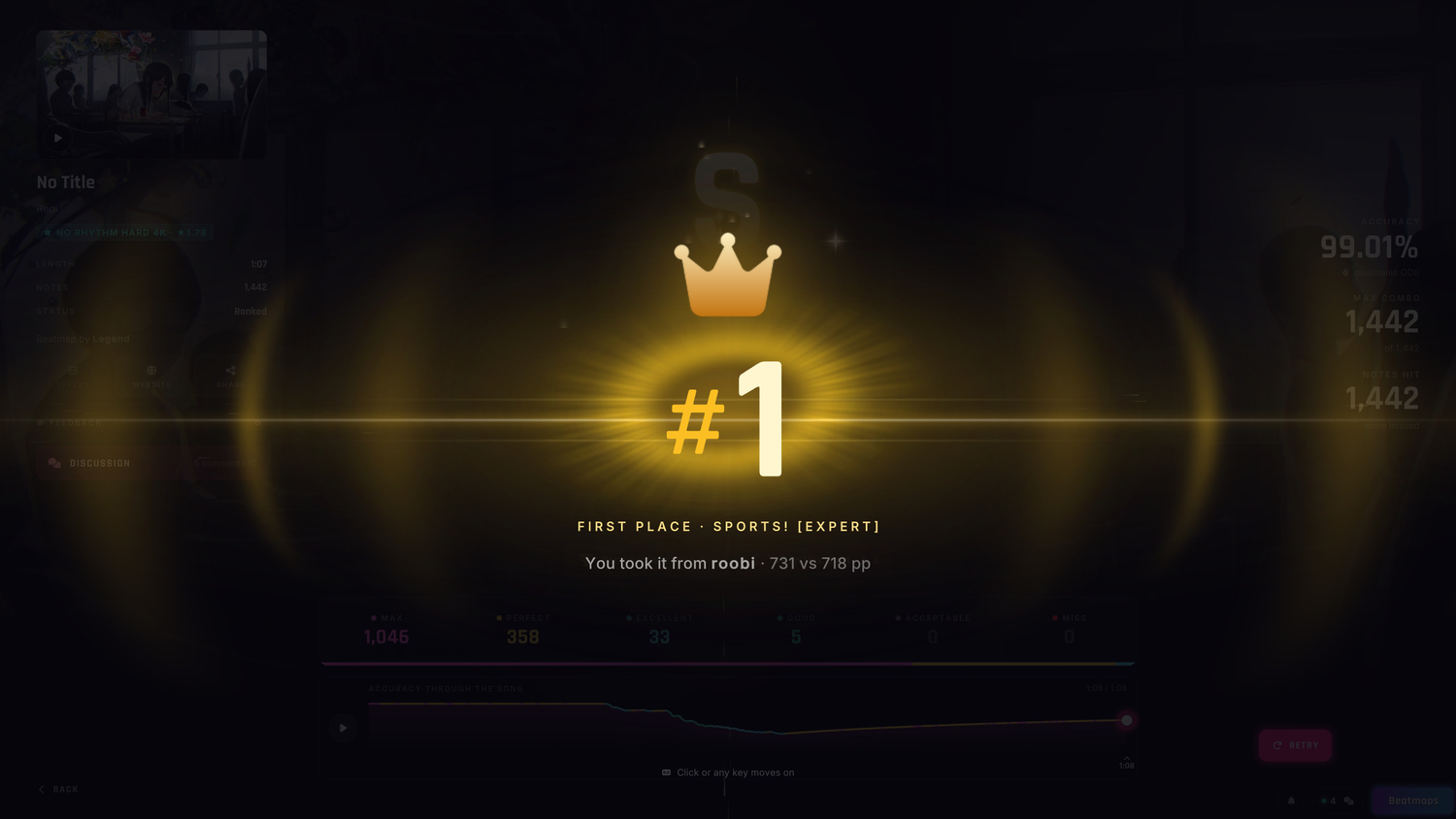
- FIRST PLACE: a crown lands on the #1 and names who you took it from.
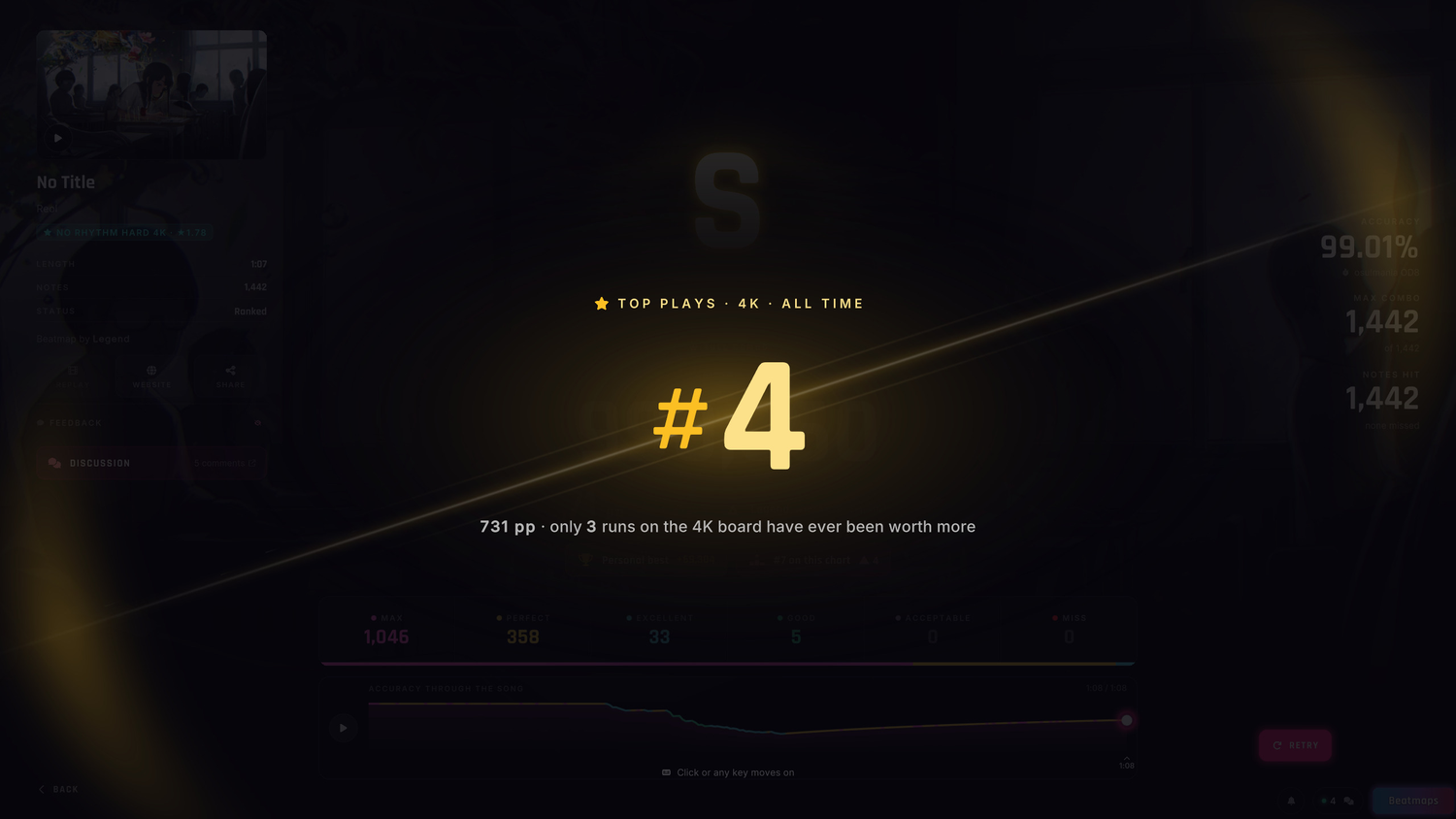
- TOP PLAYS cut in or climb to their place, with how few runs were ever worth more.
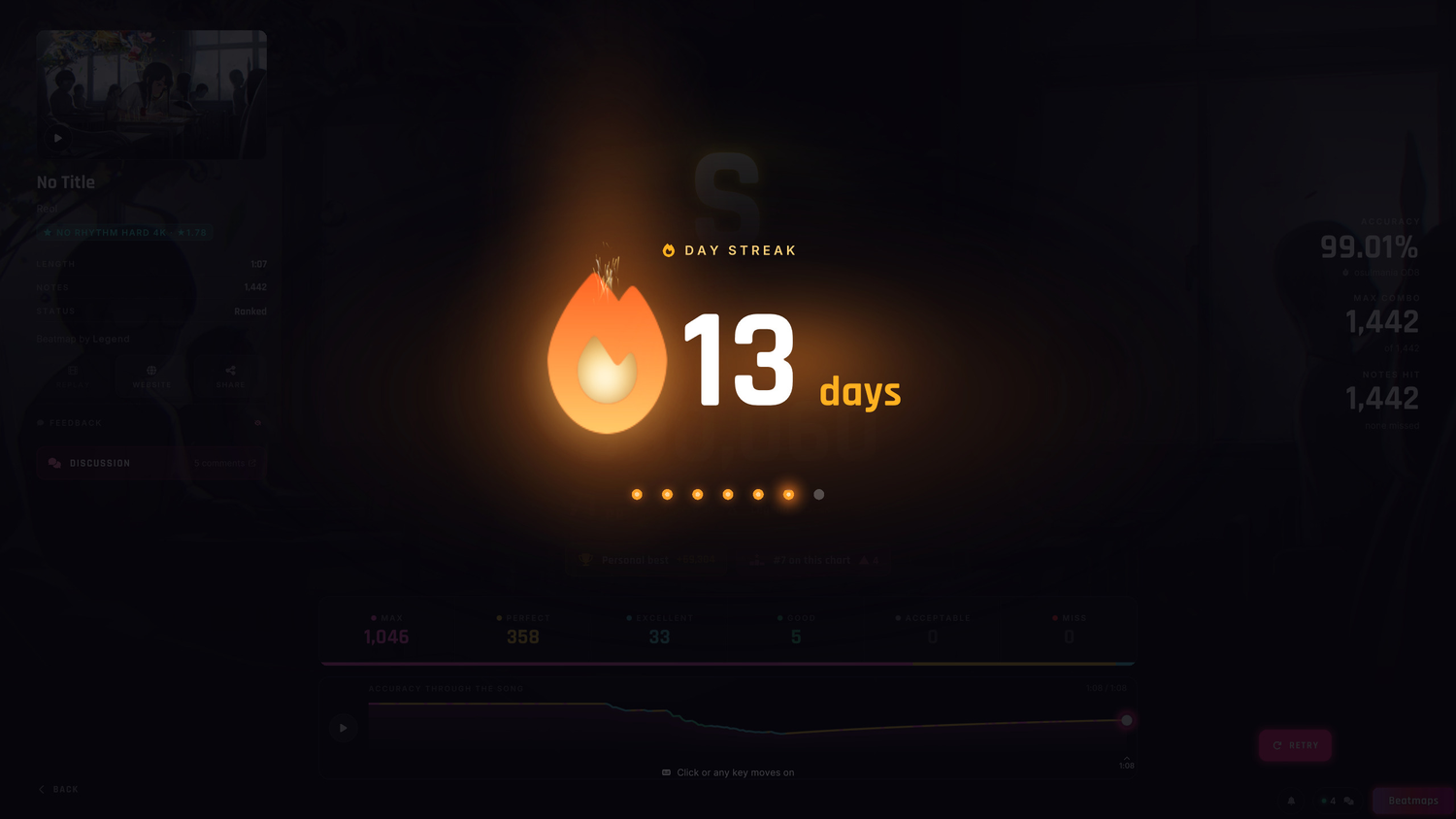
- DAY STREAK: a flame lights the day, with today's Lynium Points and what tomorrow pays.
CONTROLS AND SETTINGS
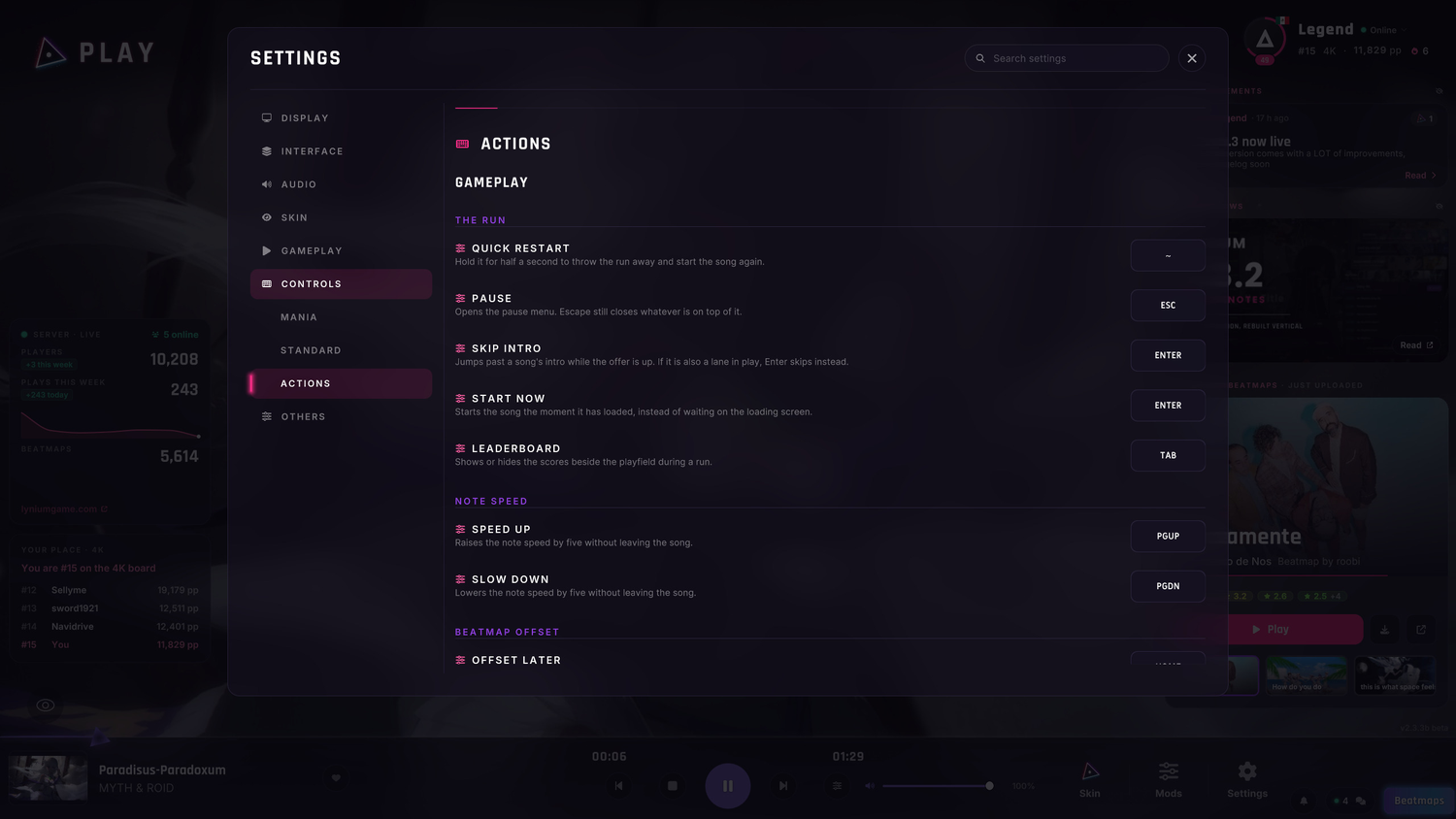
- EVERY KEY IS YOURS:
the seven keys of a run⇒ 66 actions in Settings → Controls. - MODIFIERS: a binding can use Ctrl, Shift and Alt.
- NEW SHORTCUTS: F1 opens Mods, F3 the filters, and Ctrl+O opens Settings.
- KEYBOARD ONLY: the arrows and Enter walk every menu and window, from launch to results.
- SKIP INTRO has its own key, Enter by default.
- VOLUME follows Alt and the mouse wheel, as in the genre's standard, and Ctrl still works.
- ONE KEY BACK: each action has its own arrow to its default, and Pause can go back to Escape.
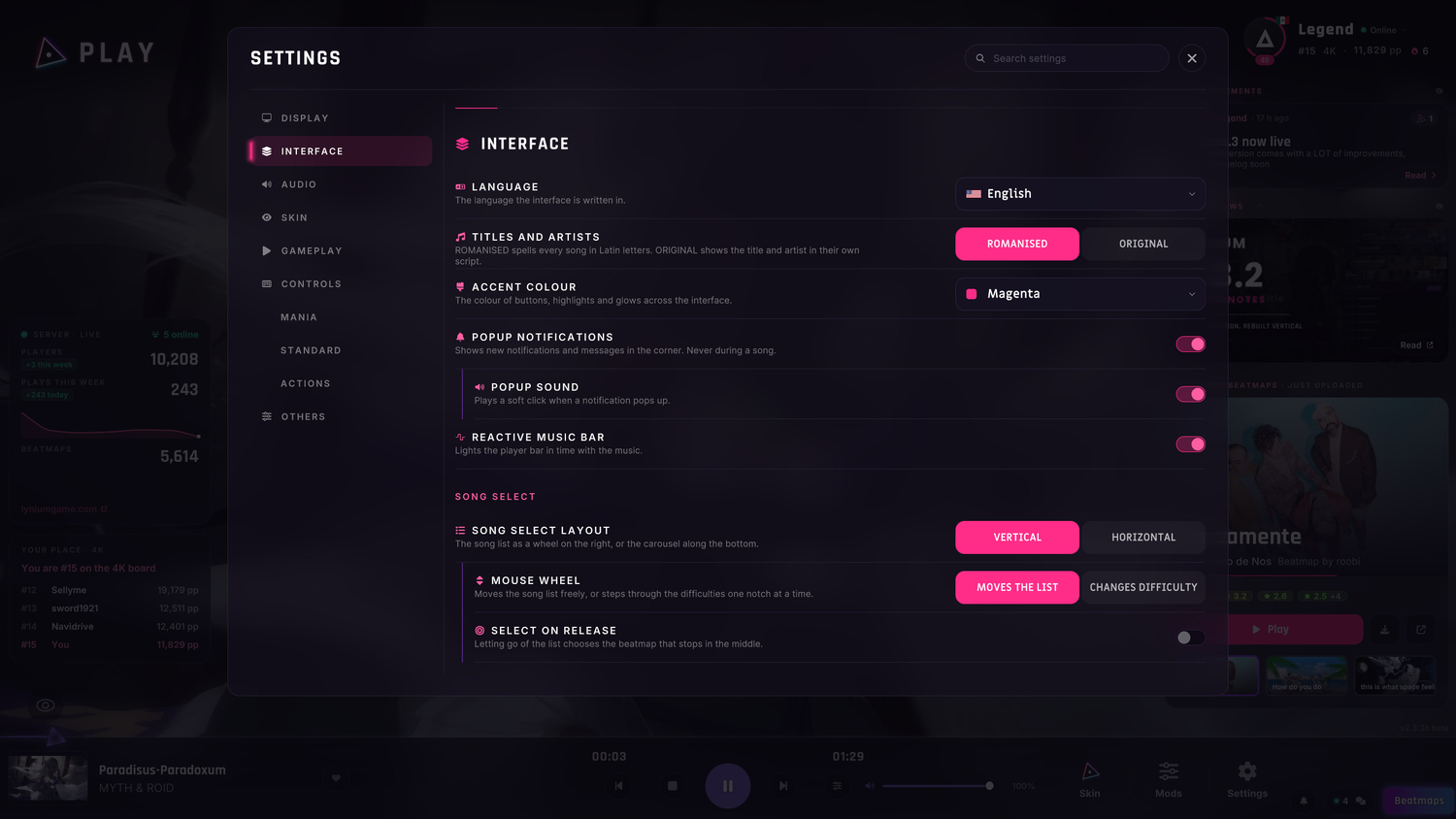
- INTERFACE has its own page in Settings, ordered by screen.
- TITLES AND ARTISTS: ROMANISED or ORIGINAL, to read 大正浪漫 as it is written.
- PP is always magenta, whatever accent you pick.
SONG SELECTION
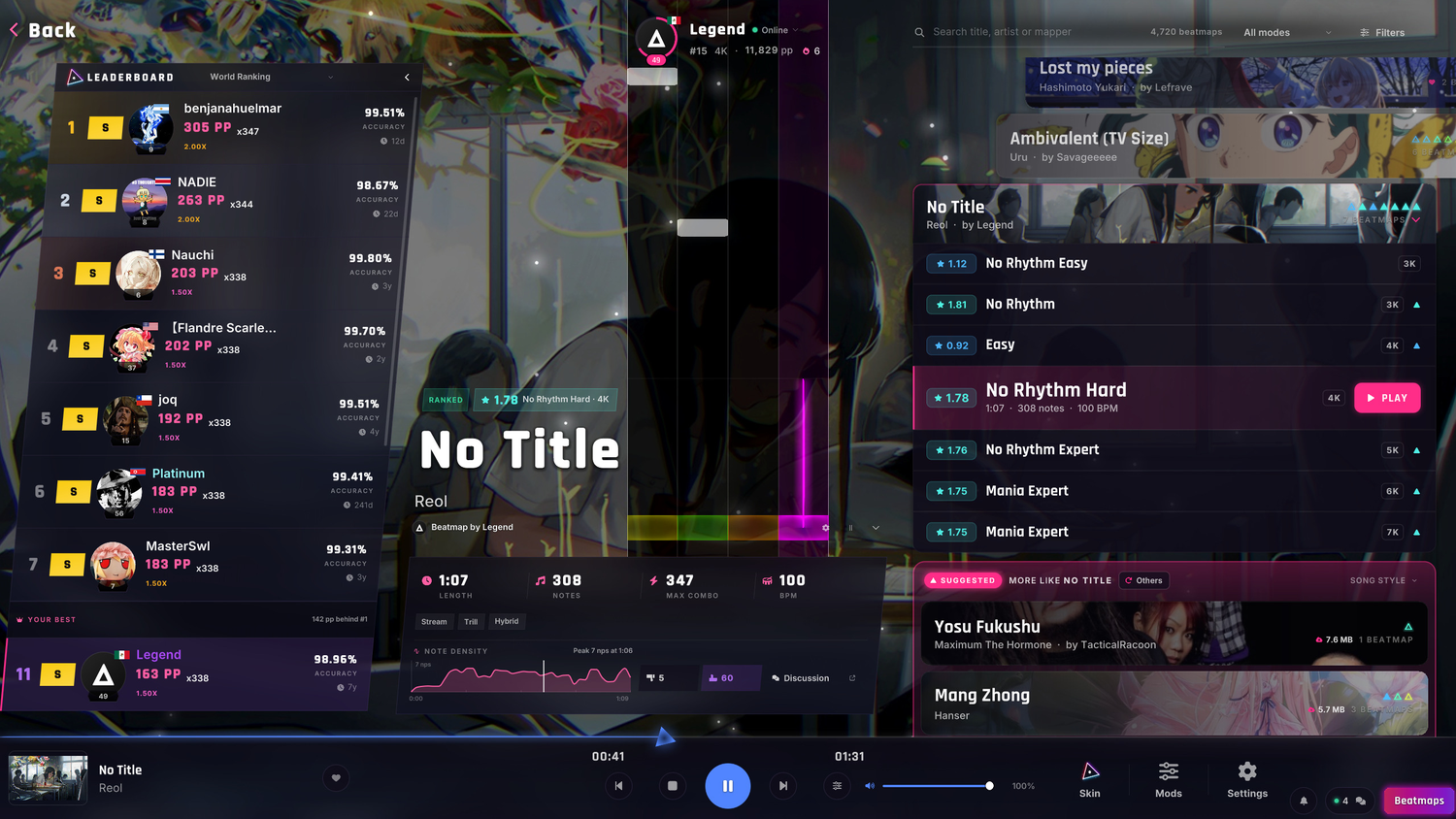
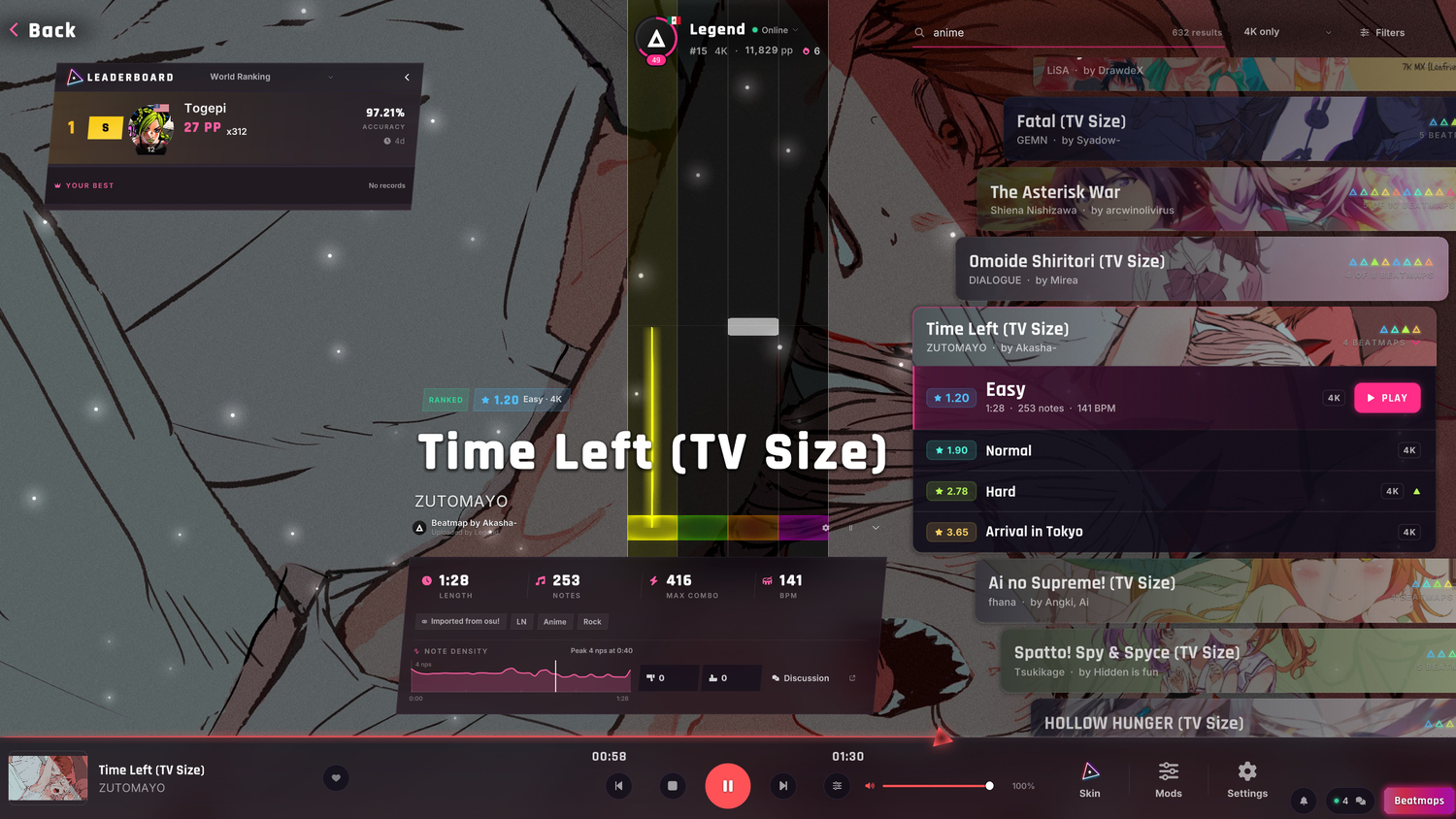
- THE LEADERBOARD fits the rows it has and leans 5° like the logo.
- IT BUILDS ITSELF out of triangles when the screen opens, and slides on every change.
- SEARCH BY WHAT IT IS: "anime opening", "vocaloid", "japanese" or "demon slayer" find what they mean.
- EVERY CHART FROM DAY ONE:
new players saw only charts under 2.2 stars⇒ a set shows all of them. - SHORTER NAMES:
EZ 4K⇒ EZ, when the keymode tag already says 4K. - RIGHT BUTTON SWEEP: hold it over the list to jump anywhere in your library.
- FILTERS STAY: favourites, played, types and genres survive a song until you close the game.
- KEYMODES IN ORDER: a set lists its difficulties fewest keys first, each with its keymode tag.
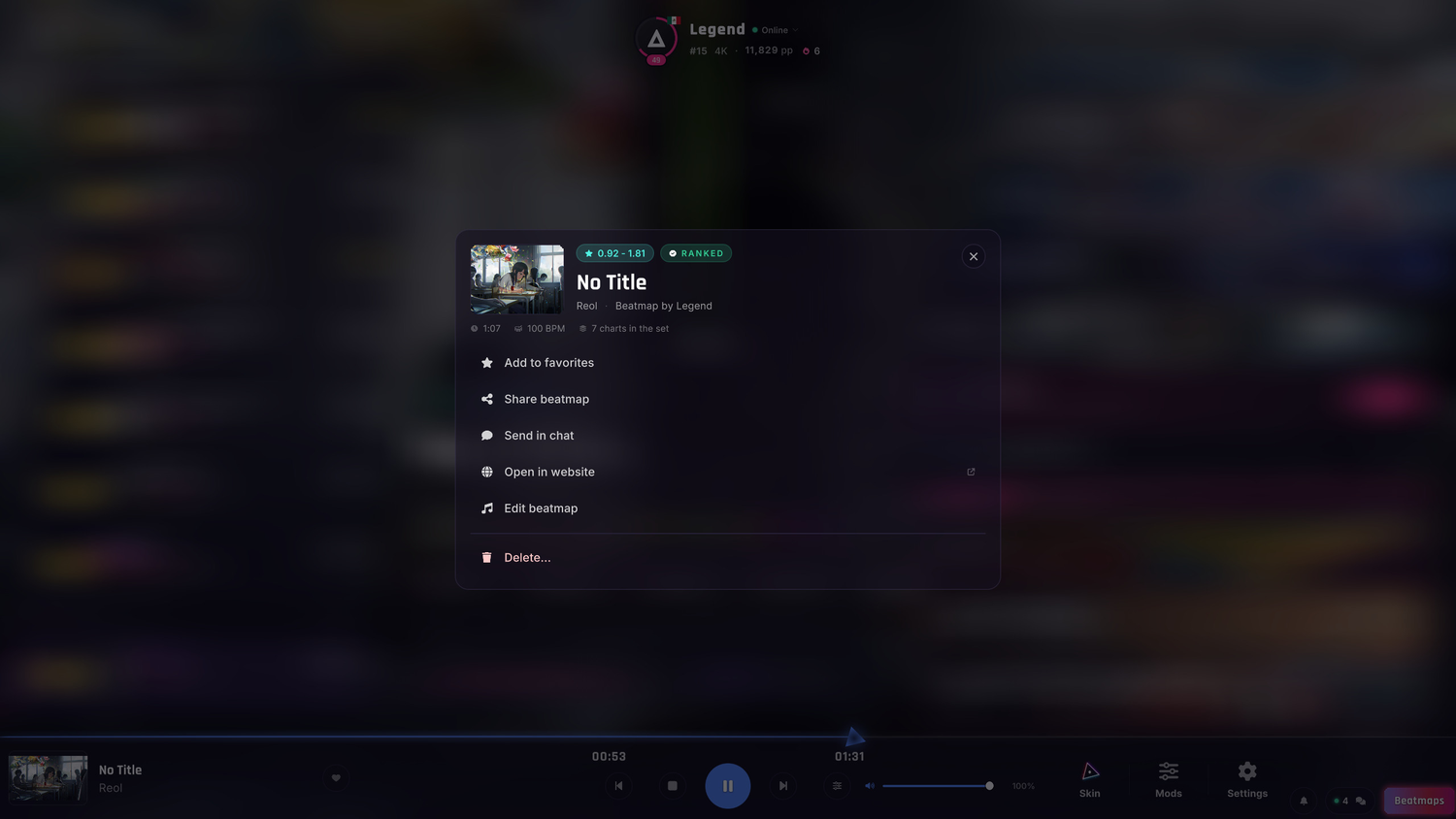
- RIGHT CLICK A SET'S HEADER for a menu that acts on the whole set.
- SCALE X AND SCALE Y stretch the chart preview on each axis.
- THE MUSIC BAR:
the cover's most saturated pixel⇒ the colour that fills the cover. - A CLICKED CHART loads its song and its board at once.
- LIGHTER: the board and the wheel do a fraction of the work they did each frame.
PLAY, PAUSE AND RESULTS
- CHANGED YOUR MIND? Esc on the loading screen takes you back to Song Selection, and no play is counted.
- THE PAUSE folds its quick settings and beatmap card away, and background blur is now among them.
- RESULTS: hover the band to compare each judgement on Lynium Classic and on the preset you played.
- LOWER MUSIC WHEN UNFOCUSED: the song drops to 20% while another window has focus.
ONLINE AND HOME
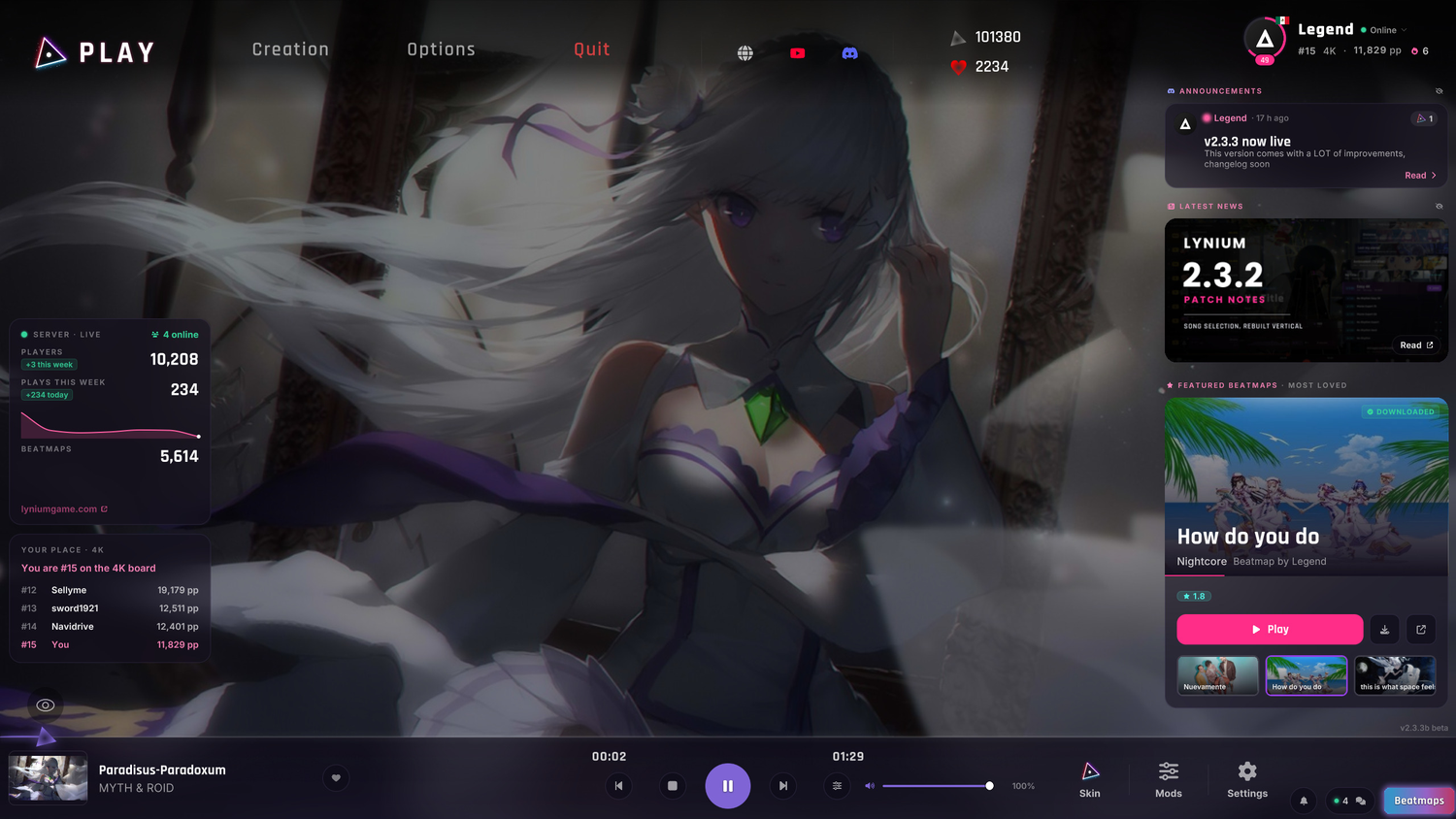
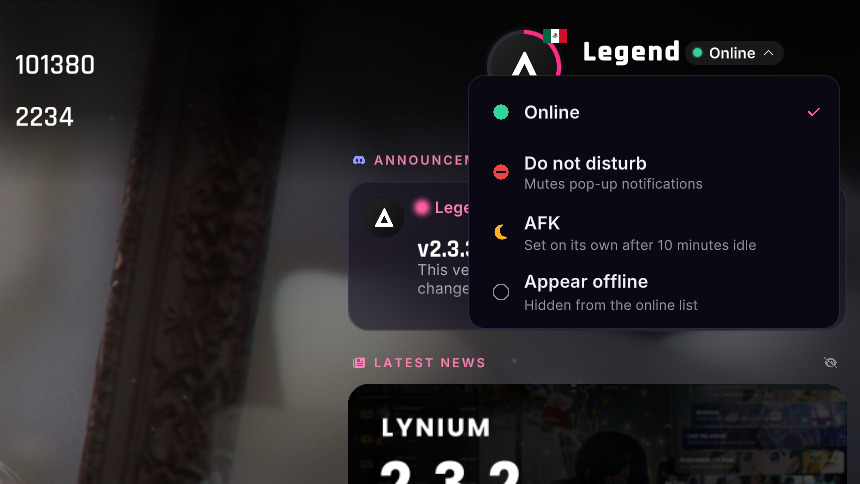
- YOUR STATUS: click Online under your name for Do not disturb, AFK or Appear offline.
- AFK turns on by itself after ten minutes idle, outside a song.
- STEAM AND DISCORD show your status, and when you are in the skin editor or Settings.
- HOME shows the latest Discord announcement and Steam news above Featured, each hidden by its eye.
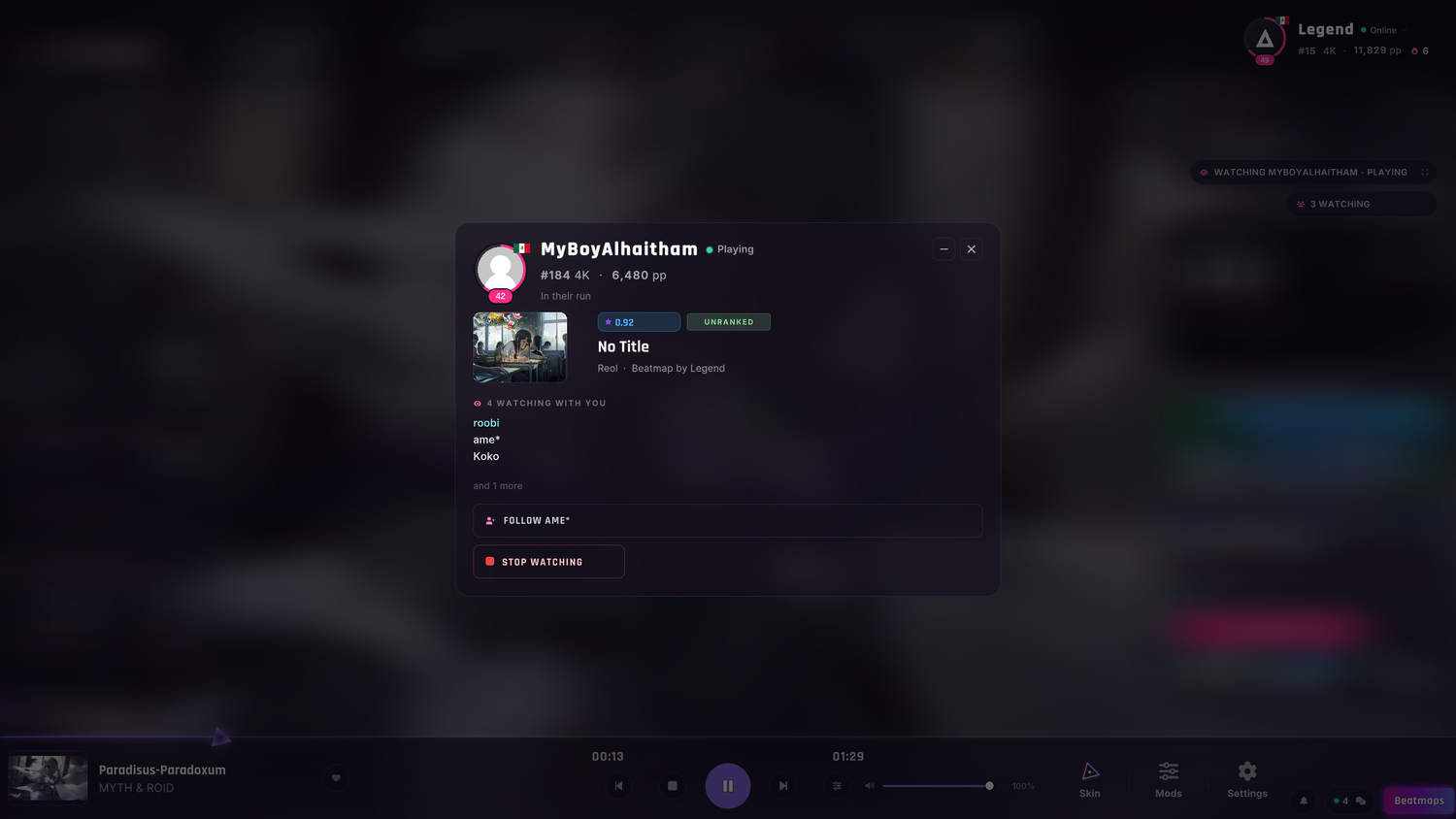
- SPECTATE: the card draws the player like every profile, with rank, pp and flag.
- REPLAYS say whose run it is, in the band and on the results.
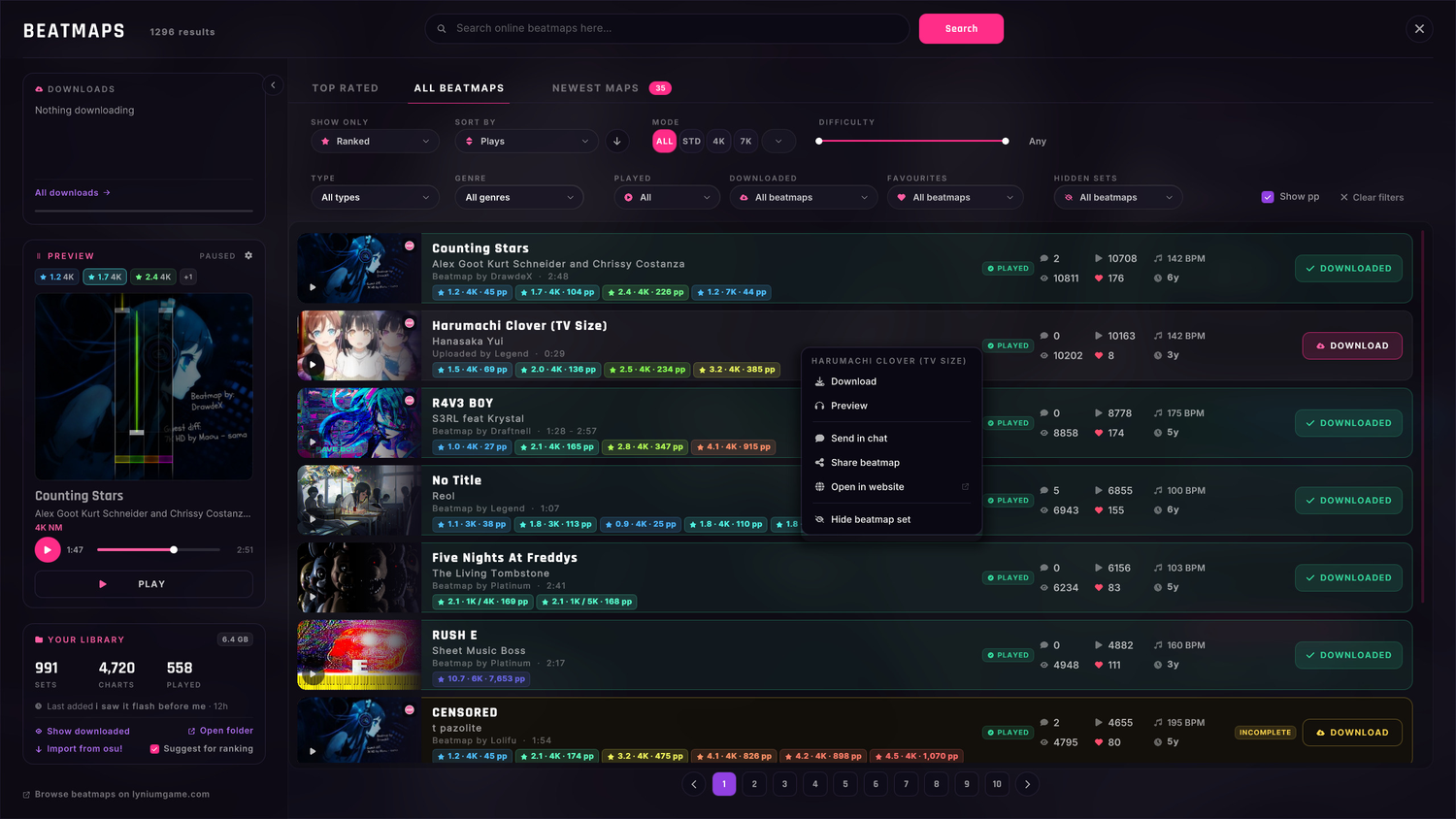
- BEATMAPS: right click a row to download, preview, play, send it in chat, share it or hide it.
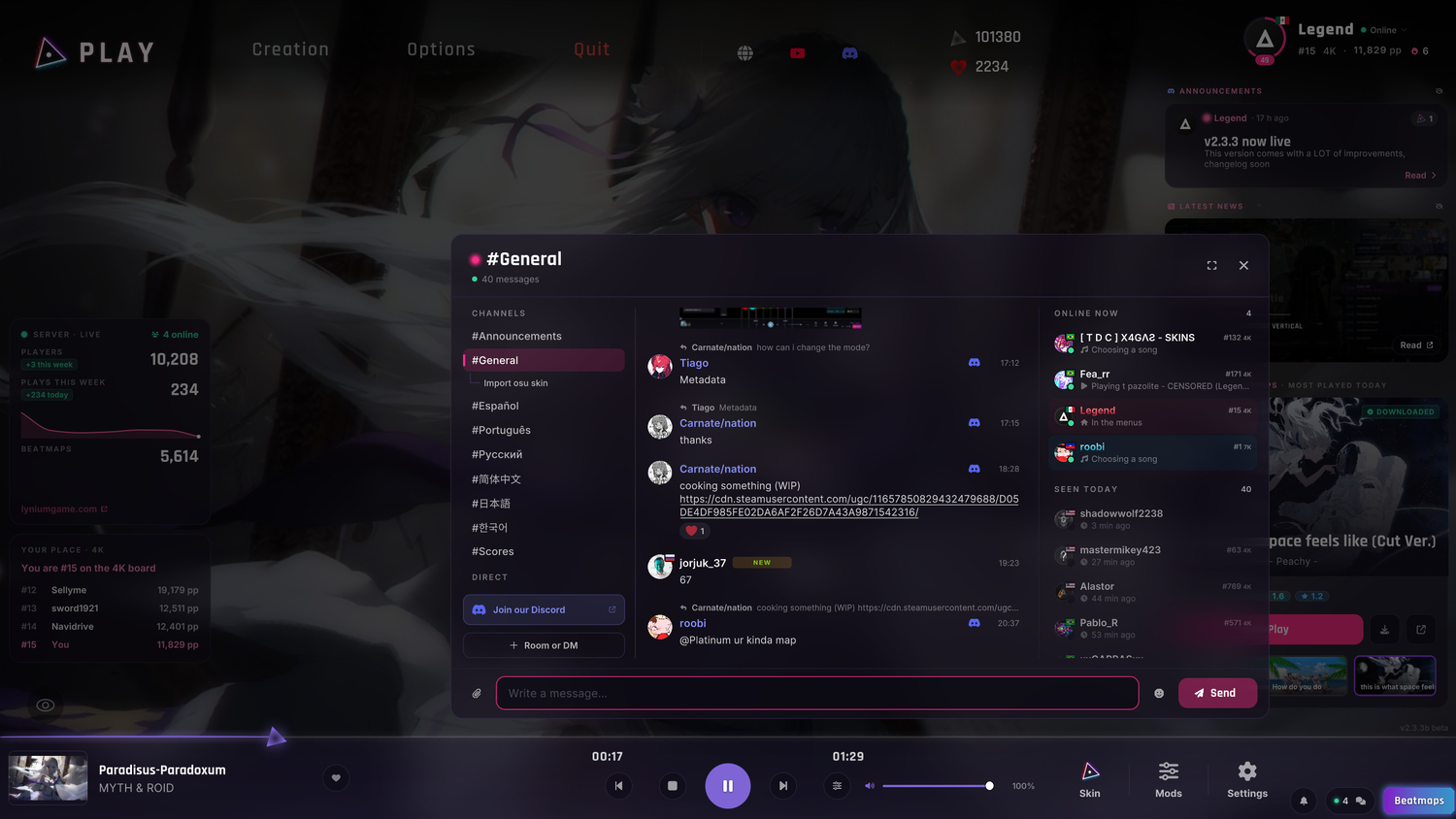
- THE CHAT dims the whole screen, down to the music bar.
- GENERAL: the main chat channel now has the name it has on Discord.
SKIN EDITOR
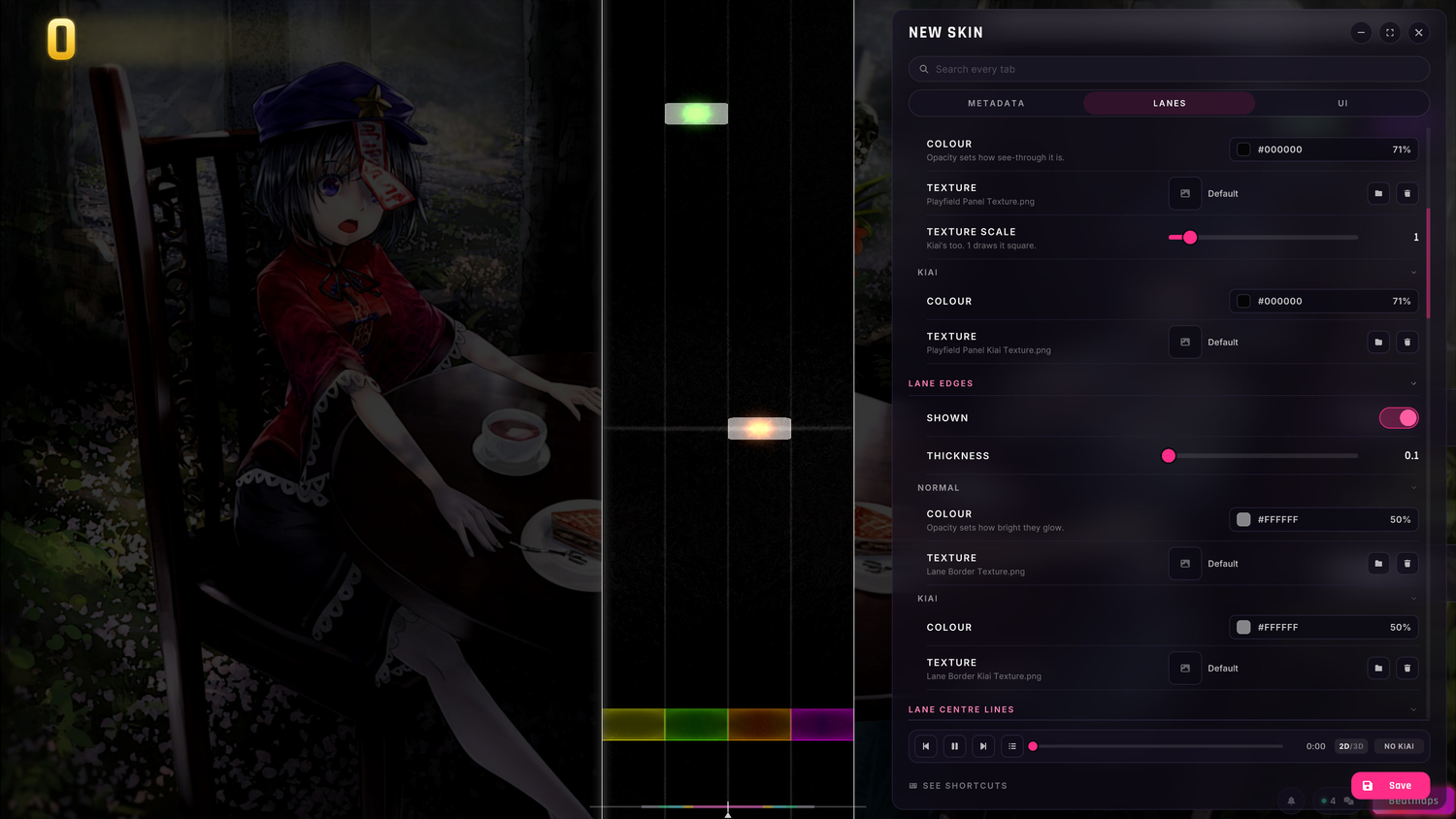
- OPACITY:
a row of its own⇒ beside each colour's hex. - CLICK A NOTE to open ALL NOTES, or a lane to open its NORMAL colour.
- DEFAULT draws its lane edges at full width in 3D.
BUGFIXES
- Skipping the intro clears the song's title card off the lanes.
- Spectating or watching a replay, the in-game ladder shows that chart's board.
- Zooming the beatmap editor no longer flattens triplets onto the grid.
- A hold's end cap draws over its body, like its start.
- MASTER VOLUME reaches every sound, the editor's video preview too.
- The bell opens over the pause, and closing it with Escape no longer resumes the song.
- Mods and the chat close on a click outside them.
- Clicking a number in the skin editor edits it.
- The skin editor no longer hides every lane after you leave the beatmap editor.
- Loading more of a leaderboard no longer repeats its first rows.
- A reply no longer cuts off the quoted player's name.
- The comment box stays shut on an unpublished chart.
- Settings no longer draws the controls playfield behind its card.
- The music bar's volume keeps the song's colour after a run.
- Graphs draw smooth lines, and the note density no longer zigzags.
- Clear filters also clears Types, and the count reads "12 of 340 beatmaps" while filters are on.
- A set downloaded while the library loads shows up at once, and the Types and Genre filters find it.
- Turning the volume no longer scrolls the list under the pointer.
- A set handed to another mapper keeps opening and keeps its plays.
WEBSITE
- THE NEW LOGO and its icons are on the site.
- TEMPO CHANGES: a chart shows its BPM range, and its preview draws each tempo's beat lines.
- STATUS: the dots on profiles, rankings and chat show the status a player picked in the game.
- SIGNED OUT, a song plays a 30 second clip, and signing in plays it whole.
- LIGHTER PAGES: covers load at the size they are shown.
- PROFILES open on the board where you rank highest, and name it beside your grades.
- MORE INFO on a beatmap page: where the song comes from, its language, the chart's details and its history.
- SEARCH finds a set by its anime, game, language or genre, here and in the game's Beatmaps browser.
- OLD SPEED MODS read as the rate they played at, like 1.50x.
- Difficulty names drop the key count beside a keymode tag, as in the game.
- A run cleared at 0% shows NA, as it does in the game.
SEE YOU ON THE PLAYFIELD
Tell us how the new HUD feels, and what you bound first.
- DISCORD: discord.com/invite/8E4yhX5EbH
- THE SITE: lyniumgame.com
More from Lynium: Play the Rhythm
Other announcements
Lynium 2.4.0: Lynium Competitive, the Lynium 2026 skin and 1K to 10K2.4.0 ranks every run on one ladder, gives Lynium a new default skin and its own hit sounds, opens the skin editor to skins from other games and takes Mania from 1K to 10K. And until November 1, Lynium is dressed for Halloween. HALLOWEEN Happy Halloween! Celebrate with us! · DRESSED FOR HALLOWEEN : the game and the website wear seasonal decorations for the event. · NOT YOUR THING? Set SEASONAL…Lynium 2.3.2: a new song selection, with the chart playing behind it2.3.1 and 2.3.2 in one post. Song selection is rebuilt around a vertical wheel with the chart playing behind it, every beatmap has its own HP drain, and Play opens a loading screen that keeps the music going. NEW SONG SELECTION The songs on a wheel at the right, the chart falling behind them. · THE WHEEL : one row per set and per chart on the right. Scroll it, drag it or fling it. · THE CHART P…Lynium 2.3.0: a new interface, screen by screenEvery screen in the game has been rebuilt on one design system: one palette, two typefaces, one icon set. You pick the accent colour. ONE SYSTEM, EVERY SCREEN The game and the site finally look like the same product. · ONE PALETTE : a purple here, a cyan there, one per panel ⇒ one ink ladder and one accent, everywhere. · TWO TYPEFACES . Rajdhani for titles and numbers, Inter for text, sharp at…