Major update
Lynium 2.4.0: Lynium Competitive, the Lynium 2026 skin and 1K to 10K
Lynium: Play the Rhythm · published
2.4.0 ranks every run on one ladder, gives Lynium a new default skin and its own hit sounds, opens the skin editor to skins from other games and takes Mania from 1K to 10K. And until November 1, Lynium is dressed for Halloween.
HALLOWEEN
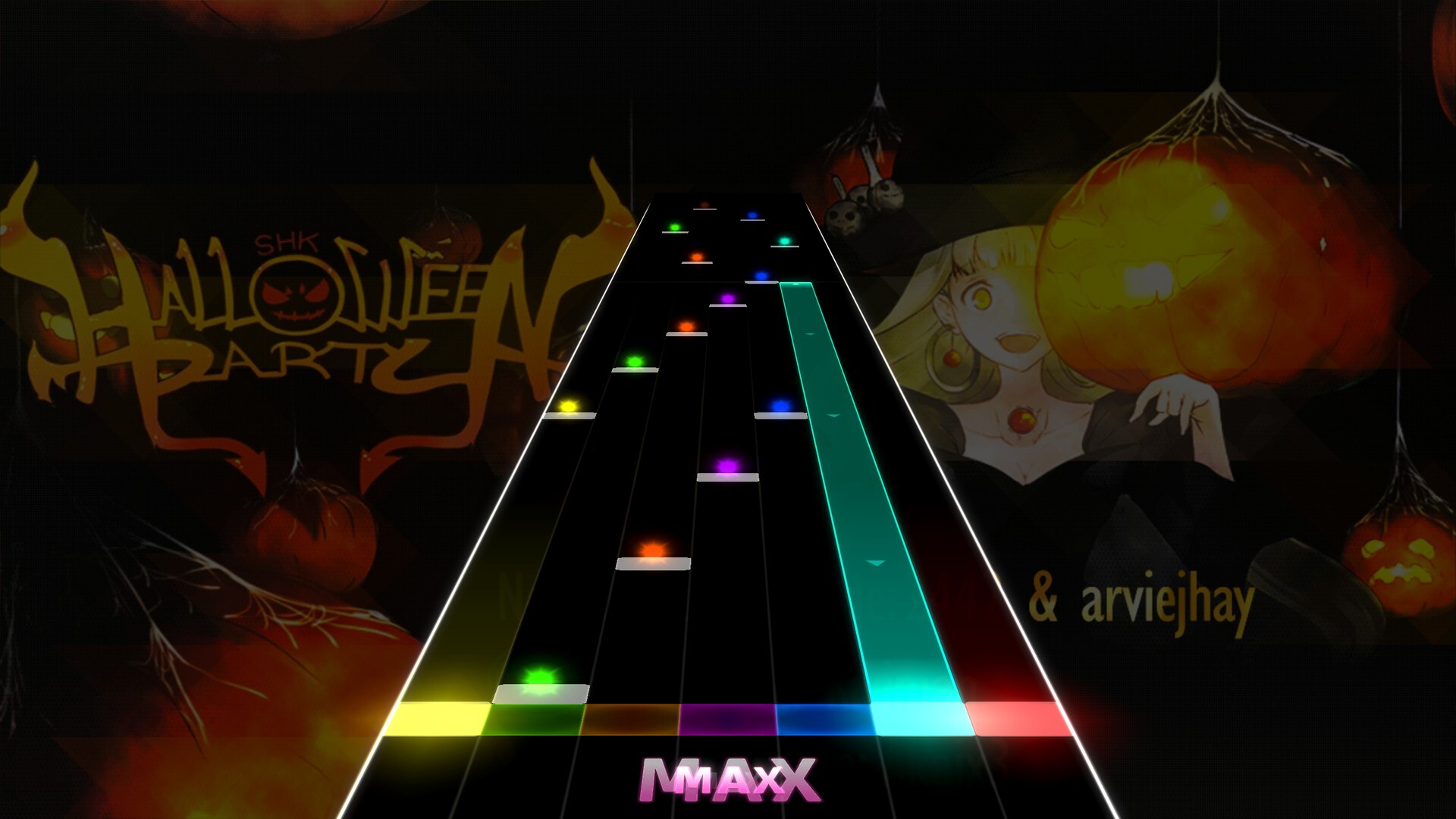
Happy Halloween! Celebrate with us!
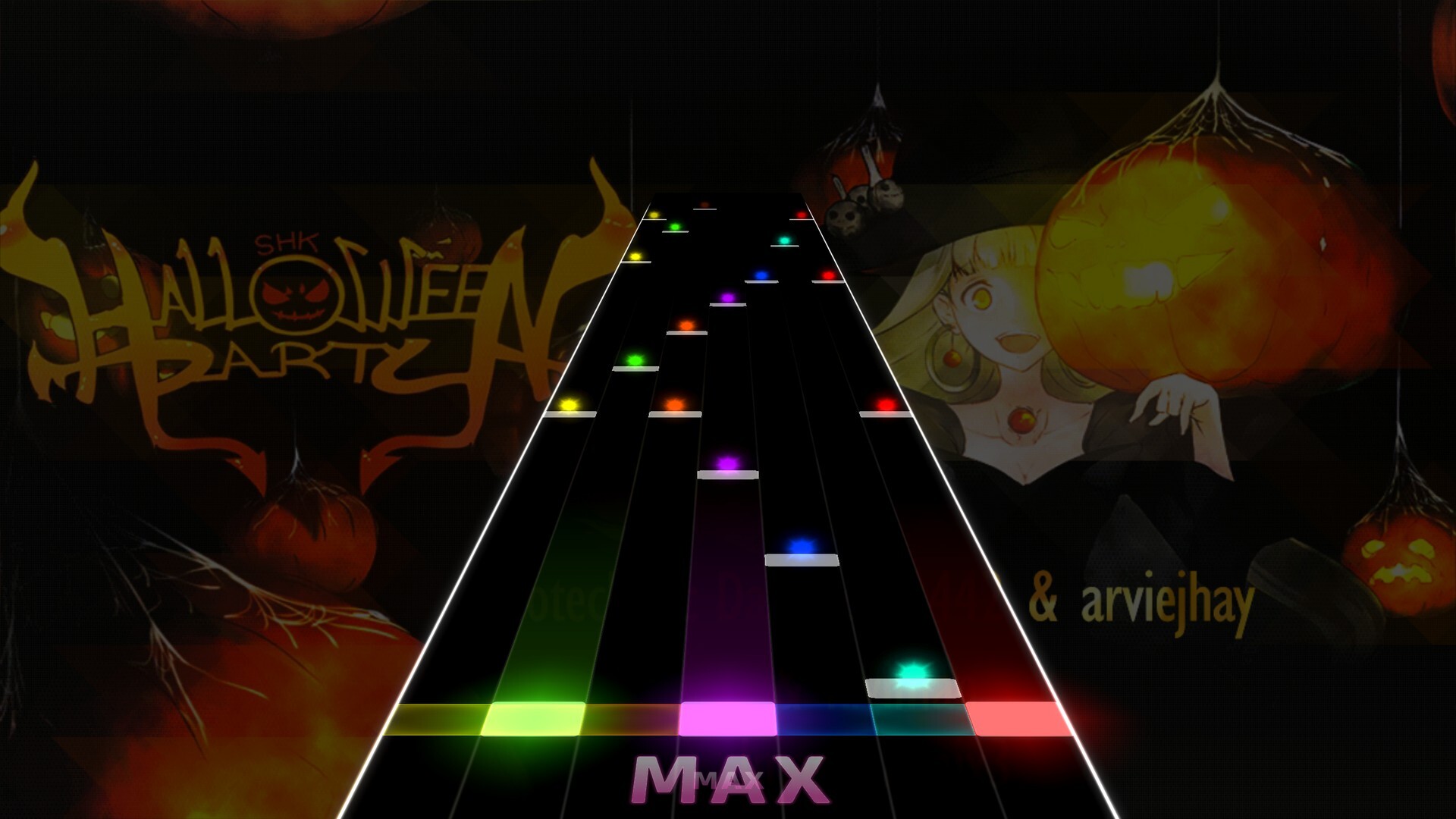
- DRESSED FOR HALLOWEEN: the game and the website wear seasonal decorations for the event.
- NOT YOUR THING? Set SEASONAL DECORATIONS to OFF in Settings → Interface, but we recommend leaving them on!
LYNIUM COMPETITIVE
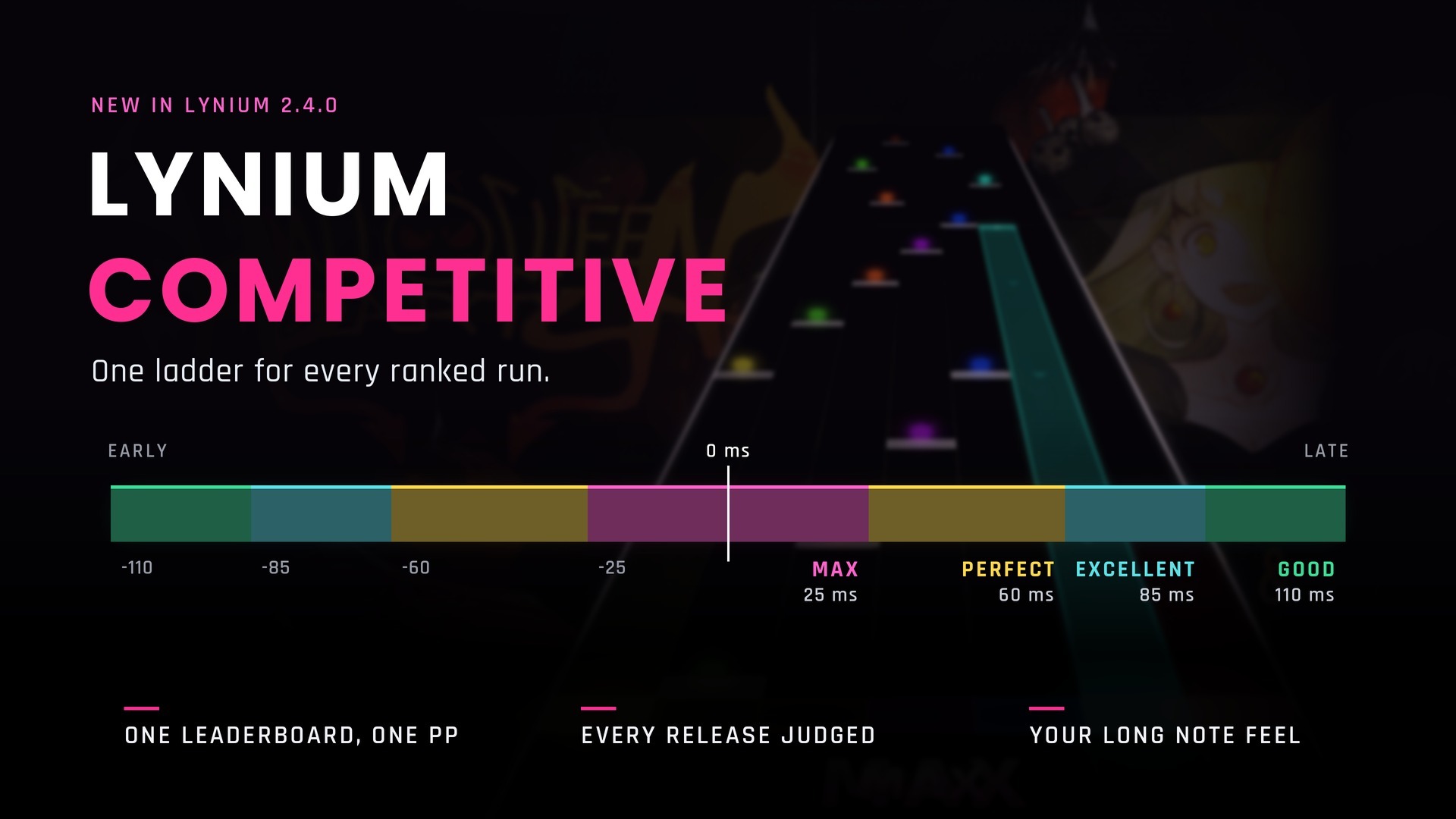
One leaderboard and one pp, whichever feel you play with.
- ONE LADDER: every ranked run is judged on Lynium Competitive, a 25 / 60 / 85 / 110 ms ladder.
- RELEASES COUNT:
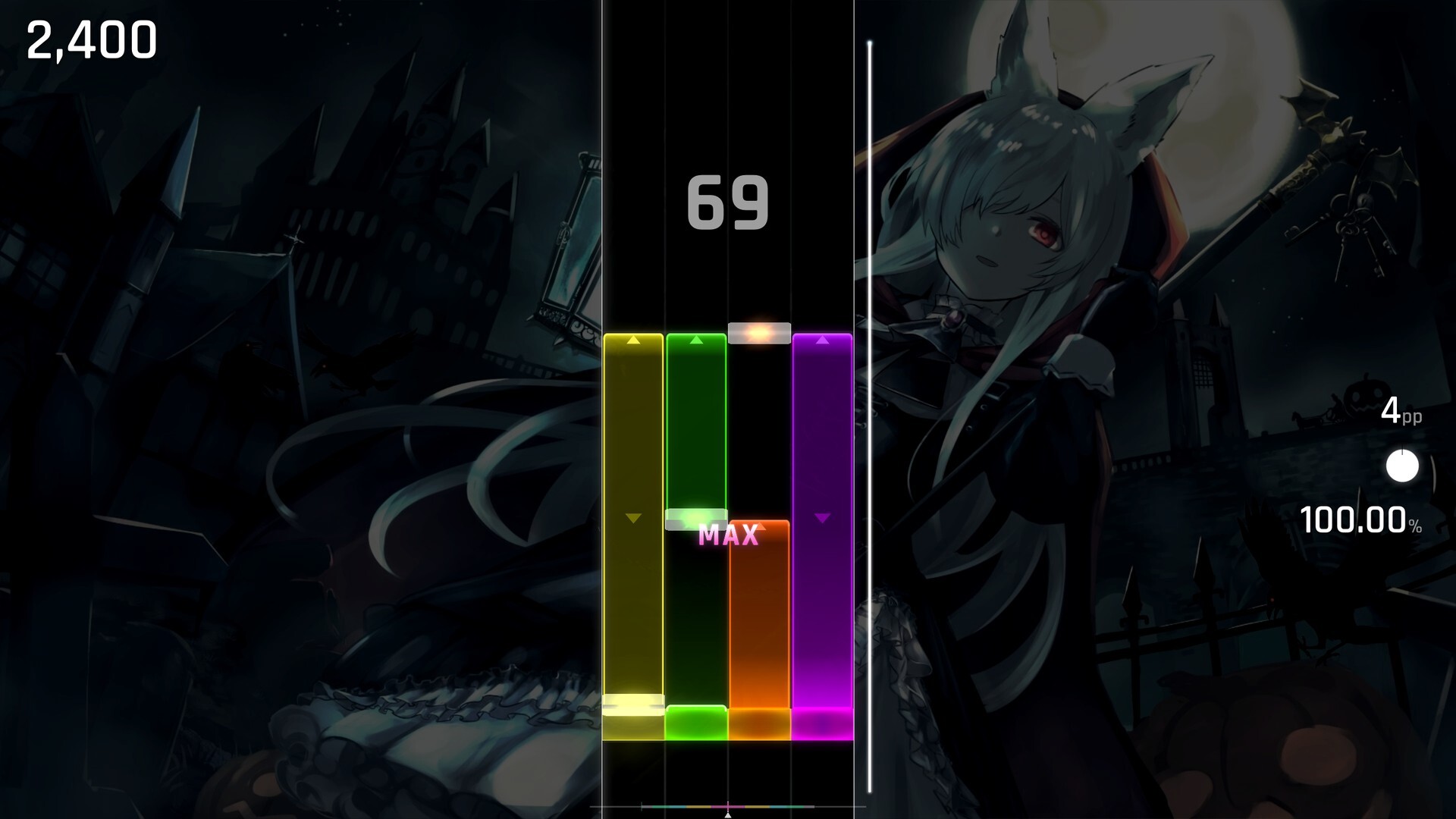
a long note's tail paid itself as a MAX⇒ every release is judged. - LONG NOTES: play them with Lynium's own feel or with the feel of the game you come from.
- MATCH TIMING, the default, gives your long notes the feel of your timing preset.
- SAME BOARD: score, pp and health always read Lynium Competitive, so every feel shares one leaderboard.
- A VIEW BY FEEL: the leaderboard can show the runs of one feel only.
- RELEASE MARK shows where a long note ends: MATCH LONG NOTES, OUTLINE, BAR, GHOST or OFF.
- COMBO TO THE END:
the combo stood still for a hold's last quarter⇒ it counts every half beat to the end. - COMBO WHILE HOLDING picks whether the combo on screen counts while you hold.
- STANDARD CHARTS: a long note counts on the press, and letting go early keeps your full combo.
- LYNIUM CASUAL:
Lynium Classic⇒ the new name of the old ladder. - CUSTOM PRESETS can no longer judge looser than the ranked ladder.
- YOUR OLD RUNS keep their scores, and their replays play back exactly as before.
LYNIUM 2026
The new default skin. The look before it stays as Lynium Classic.
- THE NEW DEFAULT: if you played on Default, you now play on Lynium 2026.
- LYNIUM CLASSIC keeps the old look, at the top of the skin list.
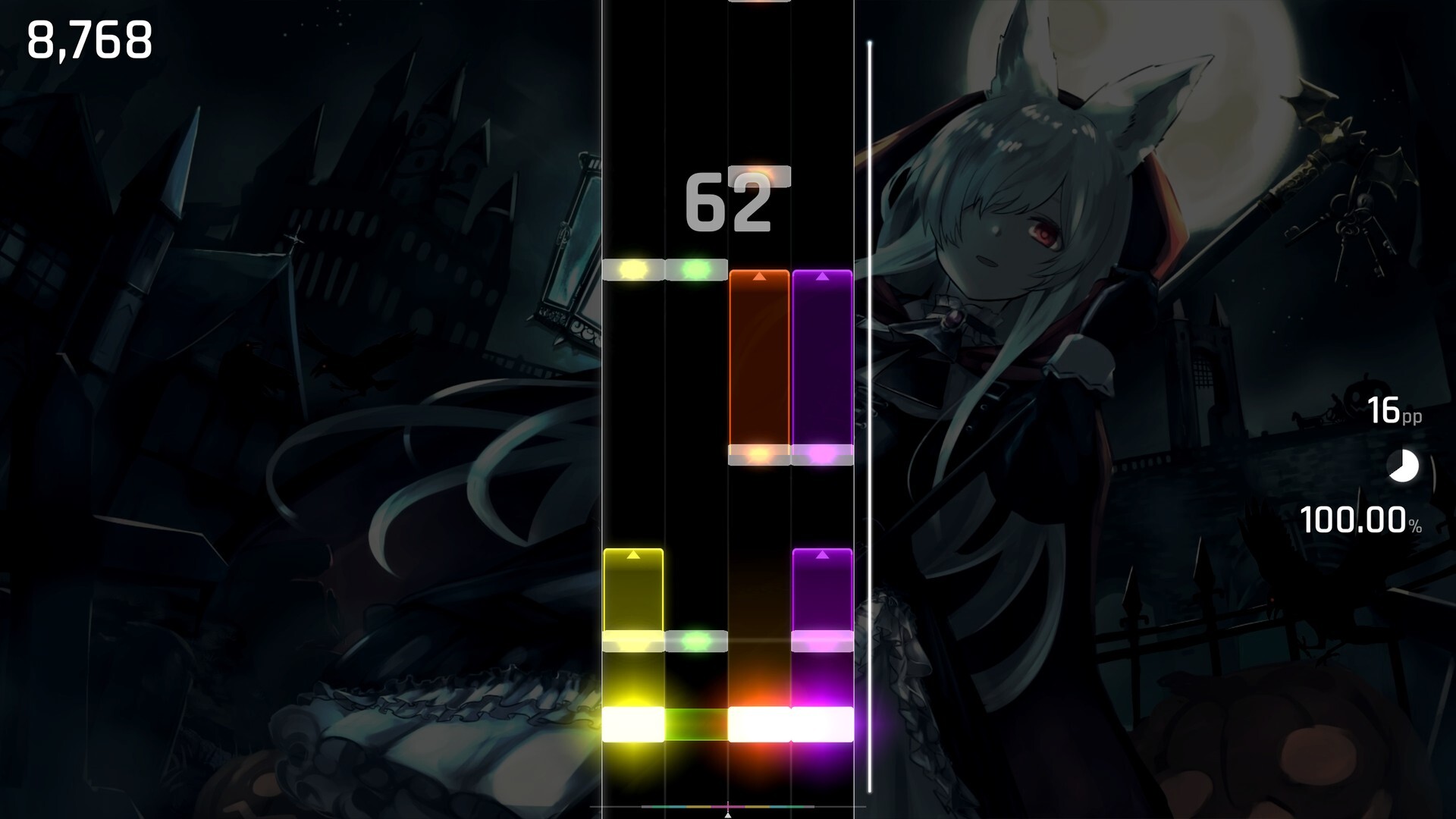
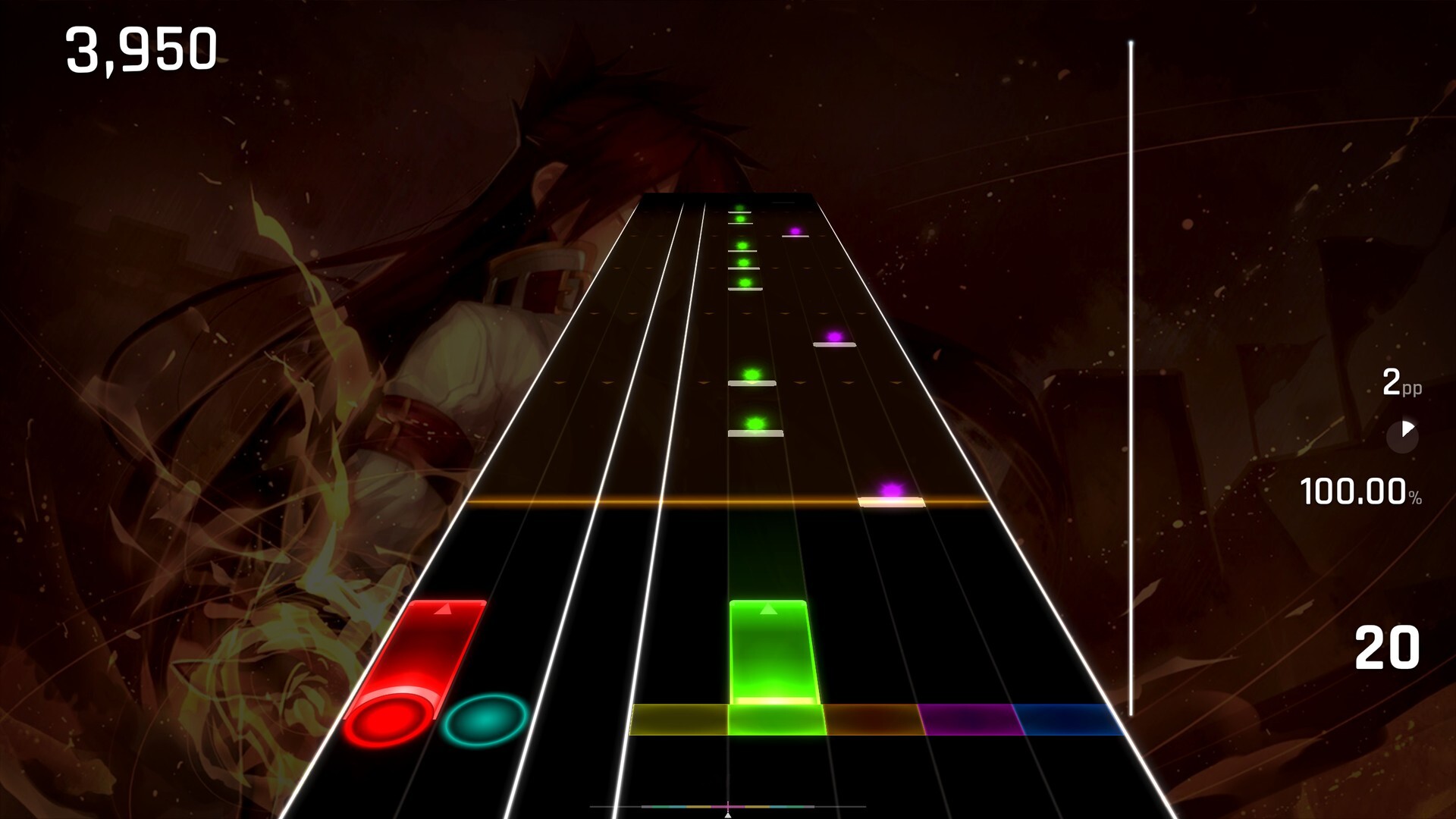
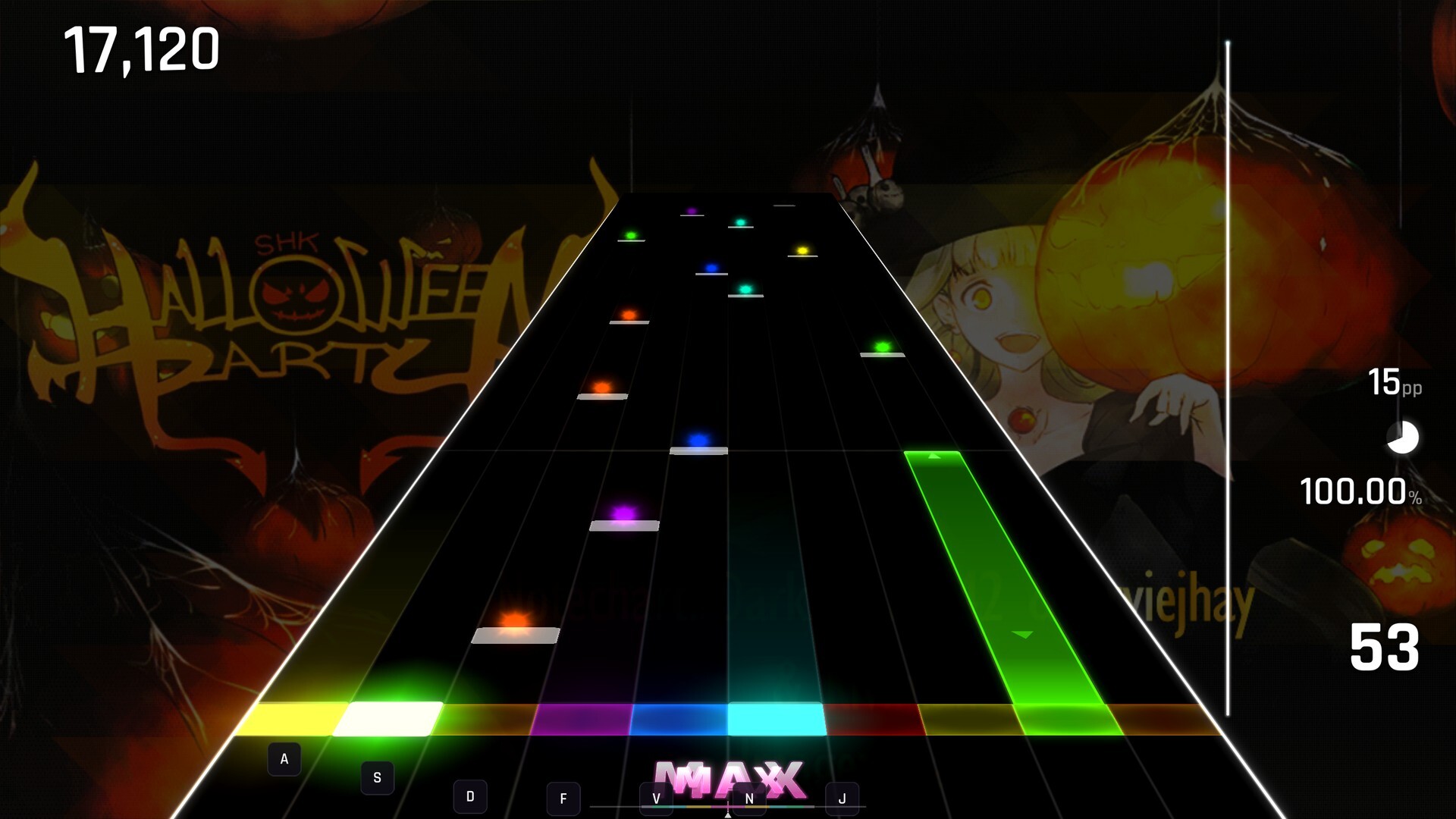
- LONG NOTES DRAWN WHOLE: rails on both sides, a mark every half beat and an end that shows when to let go.
- THE END lights in the lane's colour, as GRADIENT or SPECTRUM, with its TRIANGLE up, down, as an ARROW or off.
- MARK GLOW: a held long note lights up each time a mark crosses the receptor.
- LIGHT FROM BELOW:
a hit lit the whole lane⇒ the light rises from the receptor and fades. - A GLOW ON EVERY HIT over the receptor, and the health bar's tip flashes with it.
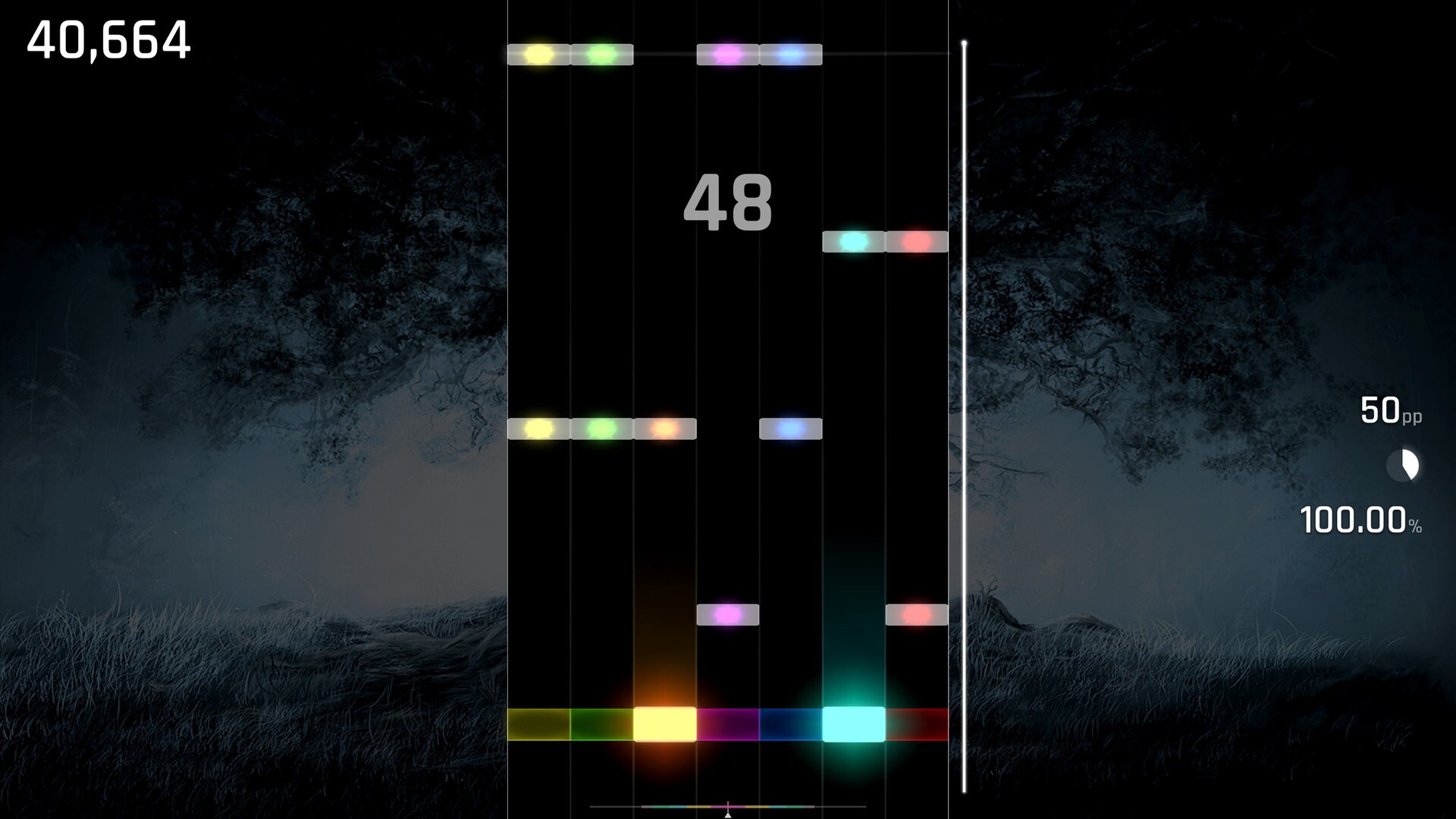
- ROUND RINGS: rhythm notes stay round, and glow round when you hit or hold them.
- ONE LINE A BAR:
a beat line every beat⇒ one line per bar, set with BEAT LINES. - THE MINIMALIST HUD comes with it: white numbers and nothing else.
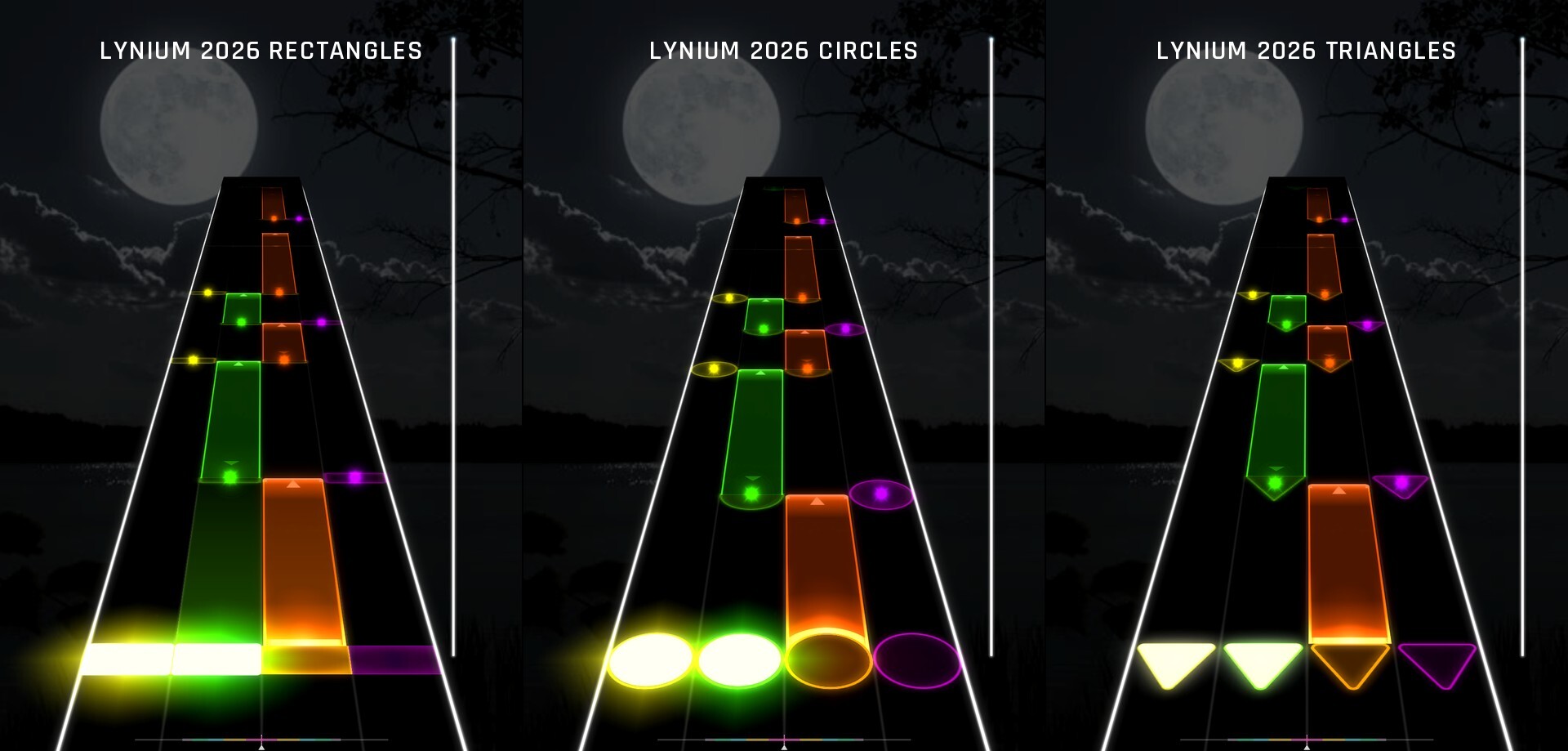
- IN GLASS: Lynium 2026 Rectangles, Circles and Triangles draw its notes in glass tinted by the lane.
- PREVIEWS draw Lynium 2026 exactly as you will play it.
SKIN MOMENTS
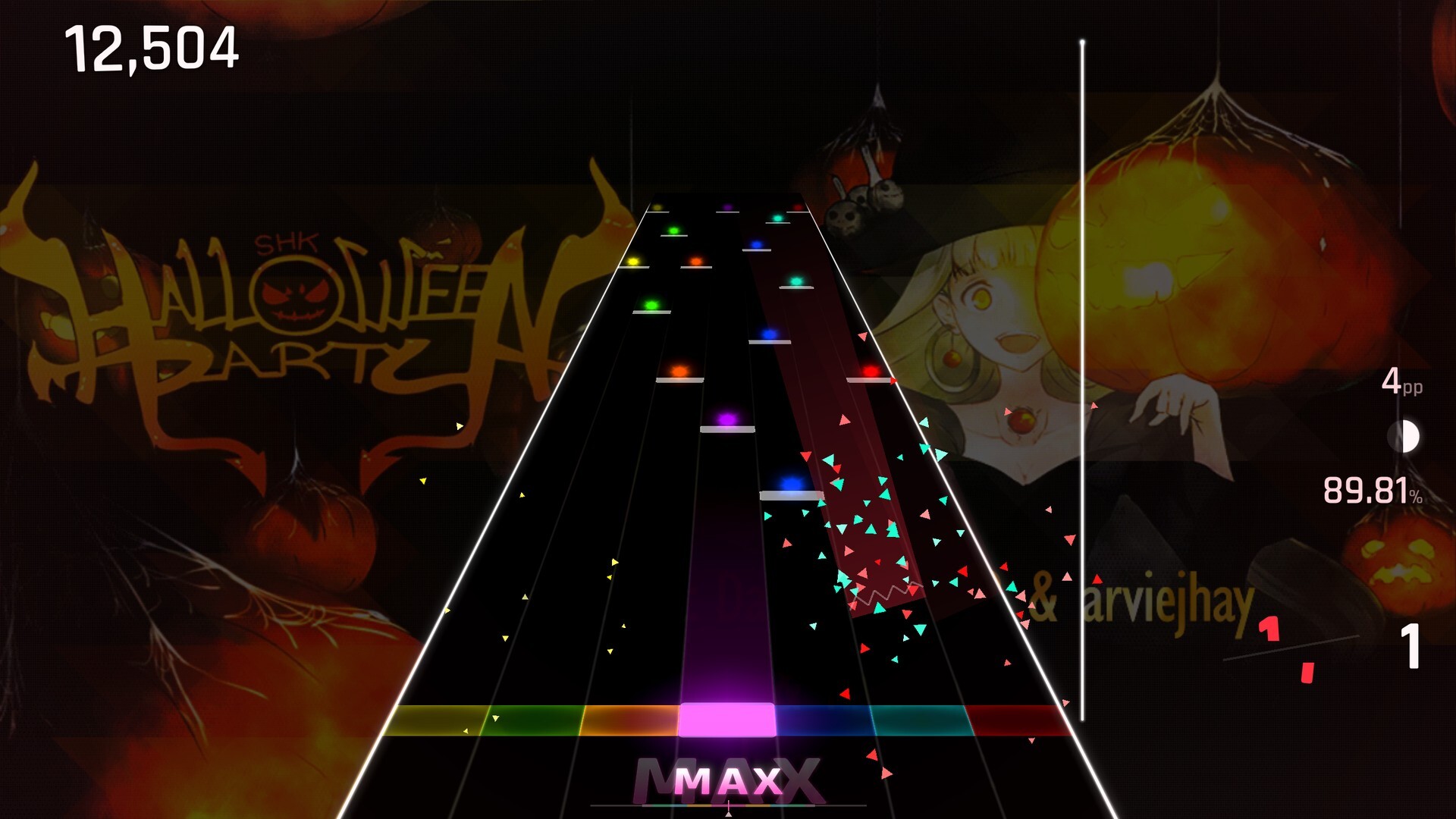
A miss now feels like one.
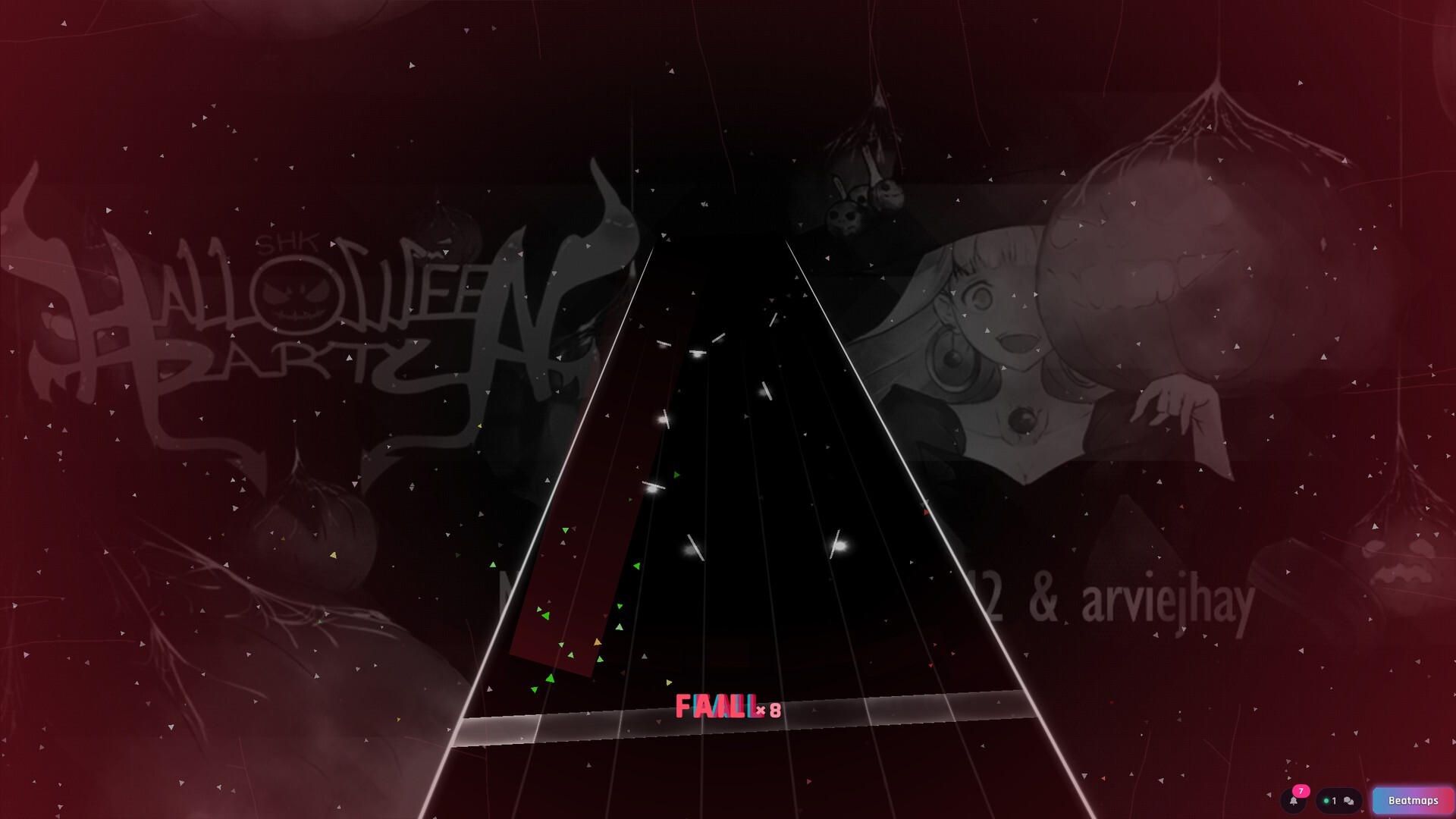
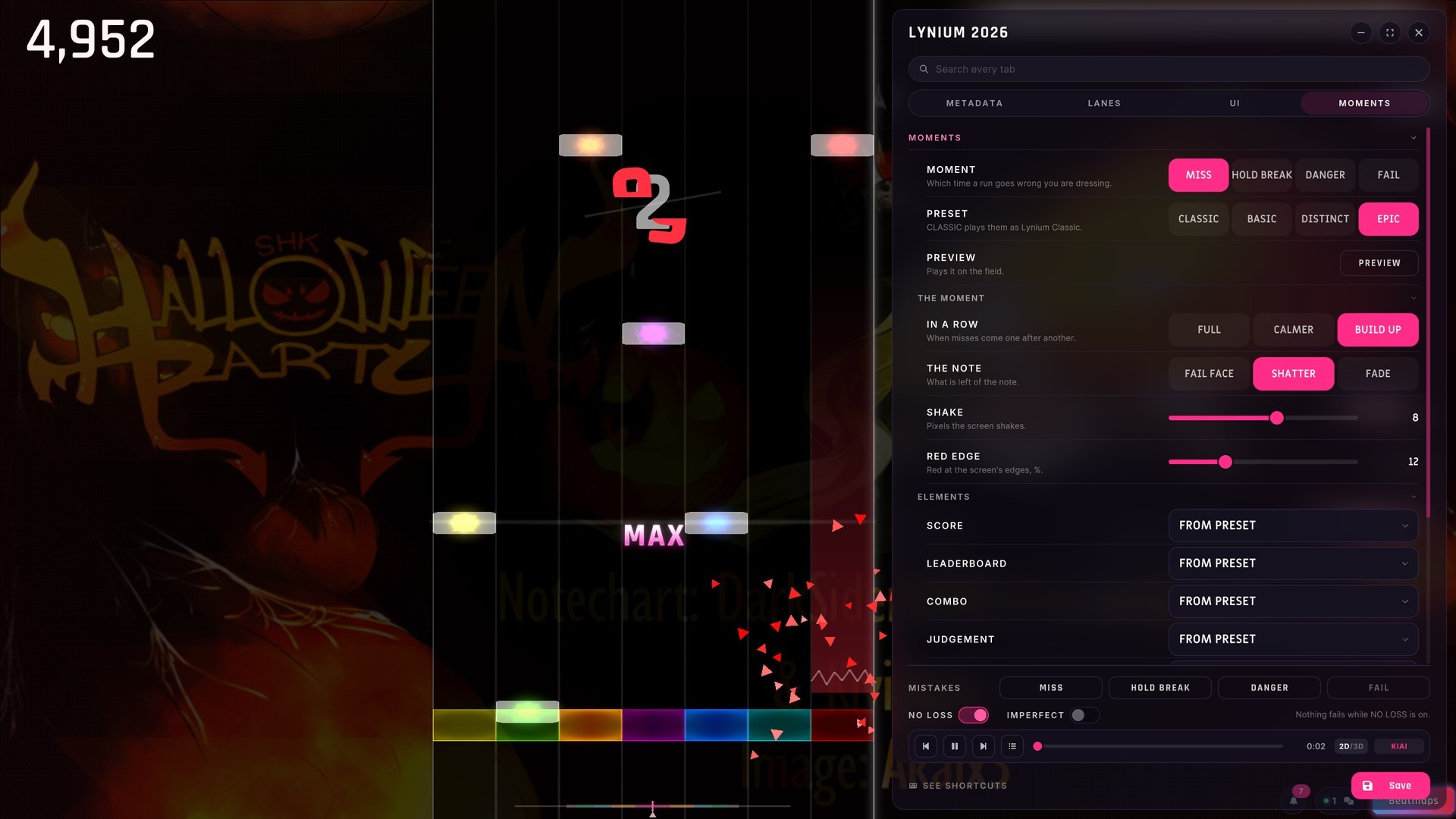
- FOUR MOMENTS: a skin dresses the miss, the broken long note, low health and the fail.
- THREE PRESETS: BASIC, DISTINCT or EPIC, and Lynium 2026 plays EPIC.
- AN EPIC FAIL: the field tilts and sinks, the screen goes grey and every note falls.
- LYNIUM CLASSIC keeps the misses and the fail it always had.
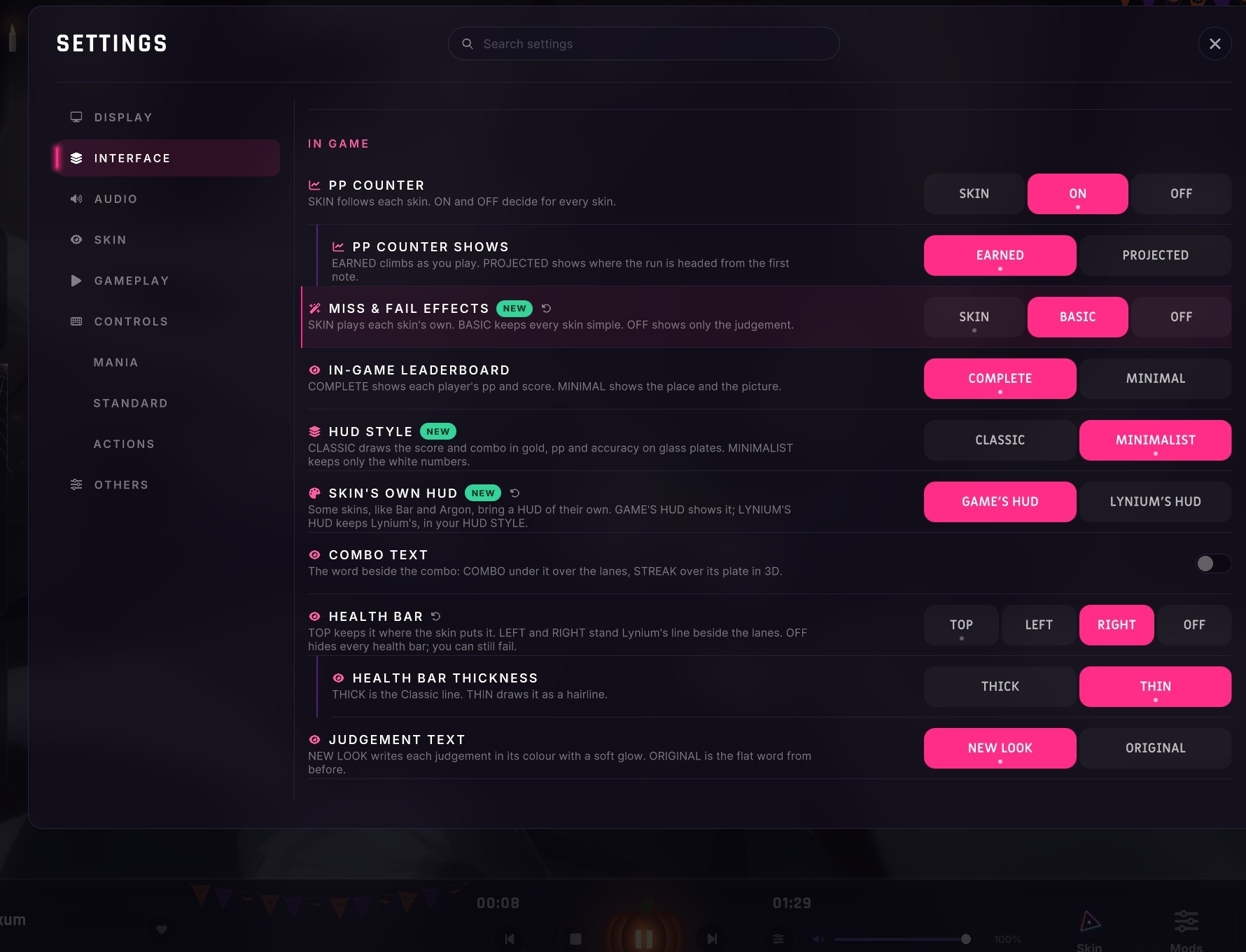
- MISS & FAIL EFFECTS in Settings: SKIN, BASIC or OFF.
NEW HIT SOUNDS
- LYNIUM'S OWN: a set made for Lynium is the new default, with a scratch for the miss.
- THE CHART'S OWN: an imported chart plays the hitsounds it was made with, note by note.
- IN STEREO: hits are panned across the lanes, and a release sounds when its tail is judged.
- SAMPLE SET: NORMAL, SOFT or DRUM for the taps a chart leaves silent.
- MORE SETS: the hit sounds of other games stay selectable while that game is on your PC.
- MISS VOLUME: the miss has its own volume now.
- IN THE BACKGROUND, hit sounds lower with the song while Auto or a replay keeps playing.
1K TO 10K
Every key count in Mania.
- 1K, 2K, 8K, 9K AND 10K join 3K to 7K, in play, in previews and in the filters.
- KEYBINDS: 1K on Space, 2K on F J, and 8K to 10K across both hands.
- KEY MODS convert between every count, from 1K to 10K.
- IMPORTS:
charts past 7K were refused⇒ anything up to 10K comes in. - RANKED: 8K to 10K runs pay pp like any other count.
- THE BEATMAP EDITOR still opens 3K to 7K only.
SKIN EDITOR
Import skins from other games, and tune every piece.
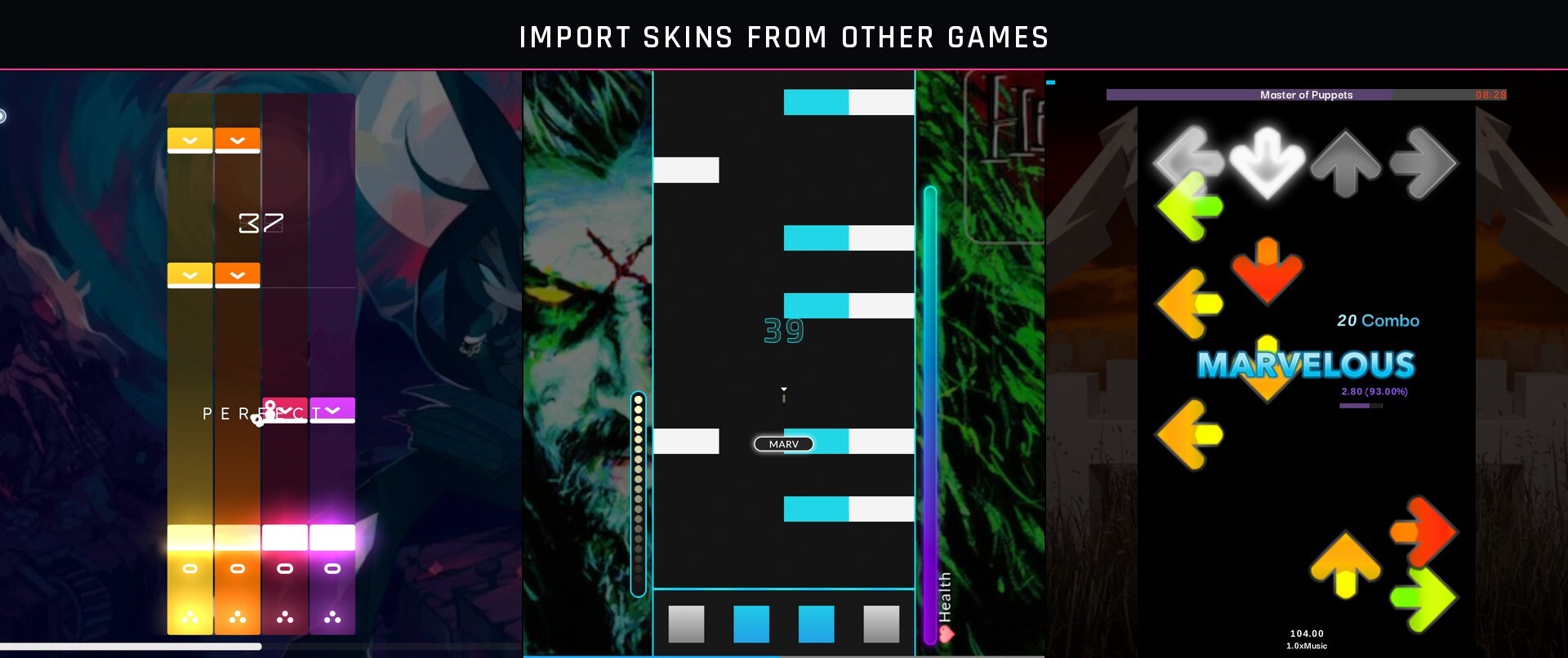
- IMPORT FROM OTHER GAME: the skins other rhythm games keep on your PC come in as a copy.
- IMPORT A FILE brings a skin from anywhere else, as an archive or a folder.
- DRAWN AS THEIR GAME DRAWS THEM: an imported skin keeps its notes, long notes, lighting and HUD layout.
- FOUR GAME STYLES draw the field, the HUD, the pause and the fail as their games do.
- THEIR ART: most take it from their game when it is on your PC, and keep it after an uninstall.
- SKIN'S OWN HUD: the first time you pick one of them, choose its game's HUD or Lynium's.
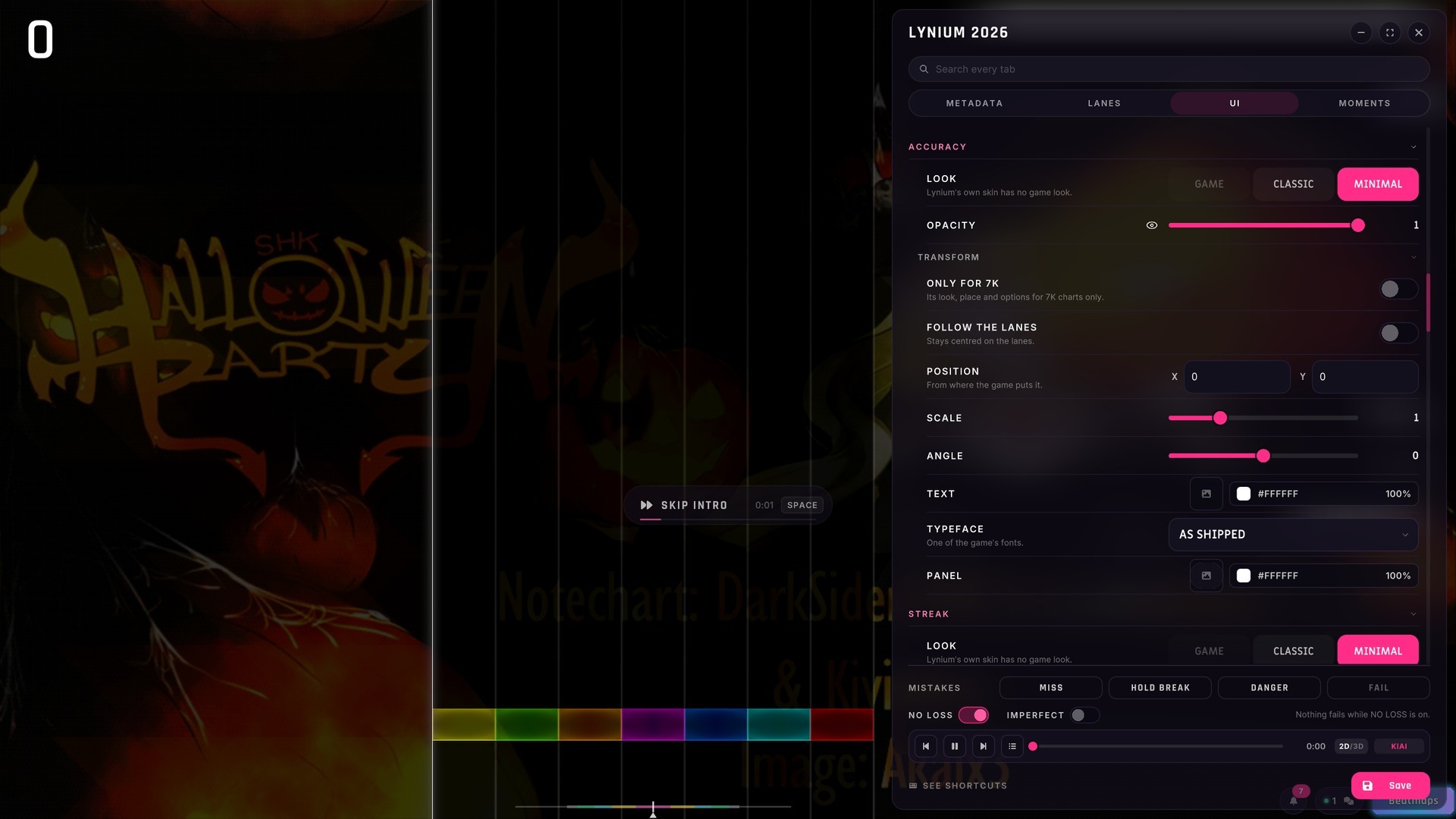
- EVERY HUD PIECE has its LOOK, SHOWN, OPACITY and TRANSFORM, and can be ONLY FOR one key count.
- THE HUD TRAVELS with the skin, Workshop included.
- MOMENTS: a tab that plays each effect live while you tune it.
- IMPERFECT: Auto misses, breaks holds and fails on purpose, so you can see them in your skin.
- BUILT-IN SKINS open under their own name, and your first change makes your own copy.
- EXPORT JSON / IMPORT JSON moves a whole skin through the clipboard or a file.
- TIDIER: each lane part, judgement and glow is one row, with its picture, its eye and its colour.
- HIDE A JUDGEMENT on its own, with its eye.
- PUBLISHING an imported skin credits its game and its author on the Workshop page.
SKINS AND CAMERA
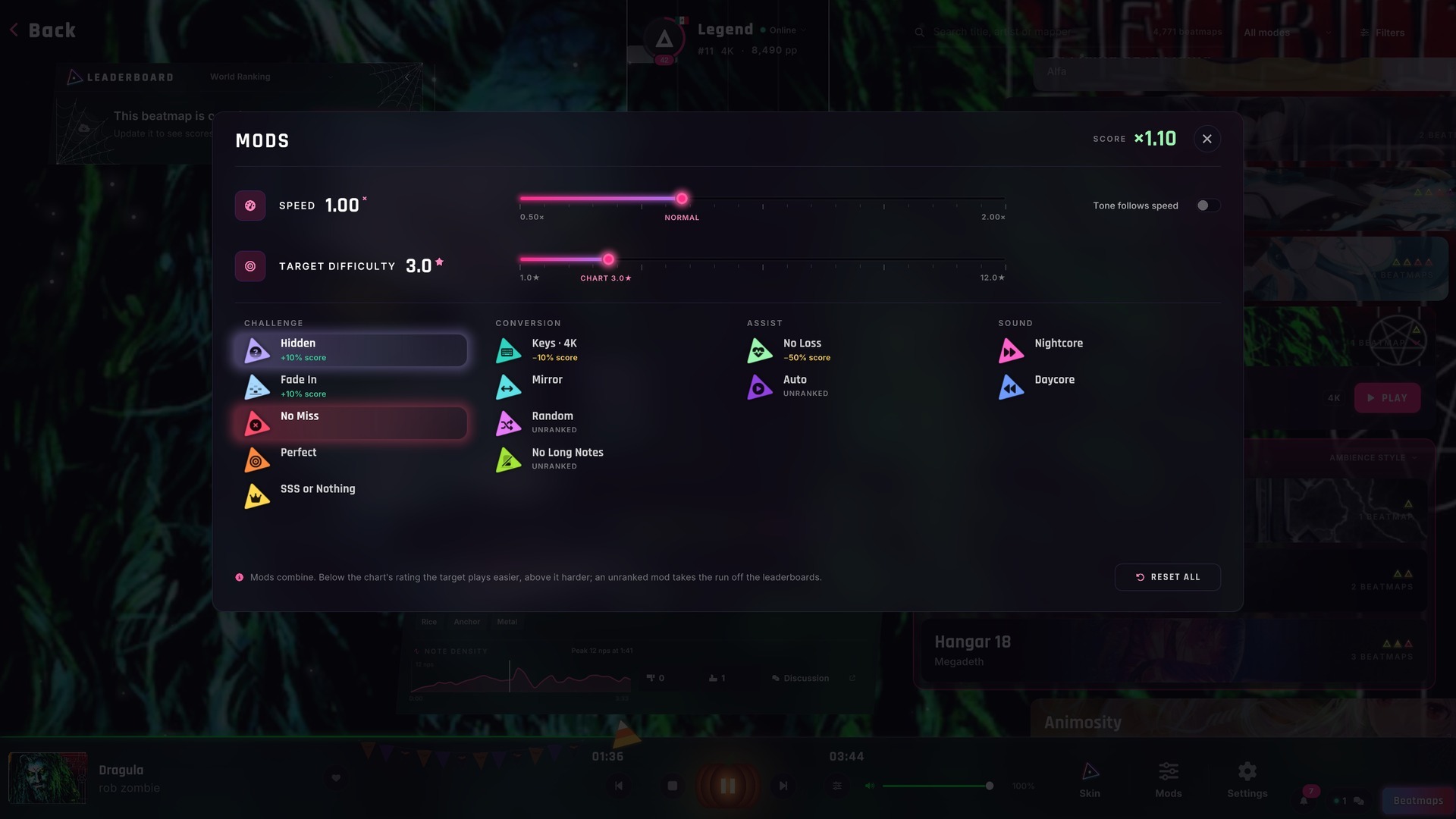
- BY MODE AND KEY COUNT: Standard, Mania and every key count can each have their own skin and camera.
- CAMERA 3D | 2D in the ante-room and the pause too, for the chart in front of you.
- WORKSHOP SKINS: YOUR SKINS and DOWNLOADED SKINS are listed apart, each download with the Steam mark.
- NEVER HIDDEN:
a download named like one of yours was hidden⇒ both are listed. - EDITING A DOWNLOAD makes your own copy, so the Workshop file stays as it is.
- PREVIEWS: each chart previews in the skin and camera its mode plays in.
MODS
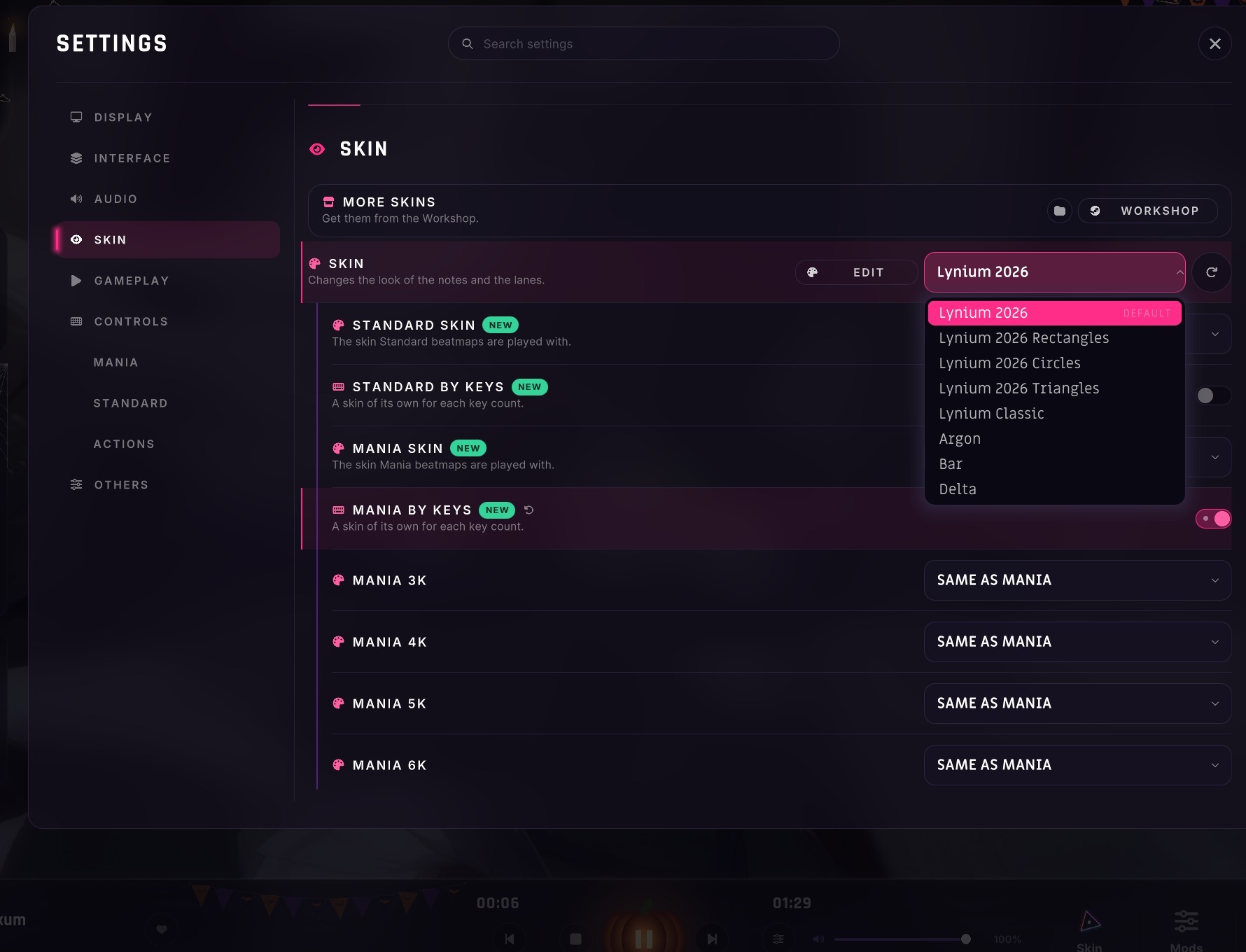
- TILES:
codes in a line of text⇒ each mod is a tile in its colour. - EVERYWHERE: Song Selection, the run, the pause, Results and the leaderboards.
- THE MODS WINDOW groups them by kind: Challenge, Conversion, Assist and Sound.
- RIGHT CLICK a mod to turn it off.
SETTINGS
- WHAT'S NEW: a green NEW marks every row 2.4.0 adds.
- WHERE IT STARTS: each control faintly marks its default.
- ONE CLICK BACK: an arrow returns a changed row to its default.
- CHANGED TODAY: the rows you changed since launch are highlighted.
- GAMEPLAY brings note speed, camera, timing and visibility together.
- SEARCH keeps its answer on screen, and words from other rhythm games find the right row.
- BEATMAPS FOLDER is back, at the top of Song Select.
- HEALTH BAR can now be OFF.
- NOTE SPEED reads in milliseconds on the pause menu too.
NEW DEFAULTS
For new players, and for any setting still on its old default.
- NEW LYNIUM DEFAULT HITSOUNDS
- HUD STYLE:
CLASSIC⇒ MINIMALIST. - PAUSE WHEN UNFOCUSED:
OFF⇒ ON. - EXIT ANIMATION:
SUMMARY⇒ LOGO. - SELECT ALL in the beatmap editor:
Shift+A⇒ Ctrl+A. - YOUR CHOICES STAY: a setting you had changed keeps your value.
FIRST STEPS
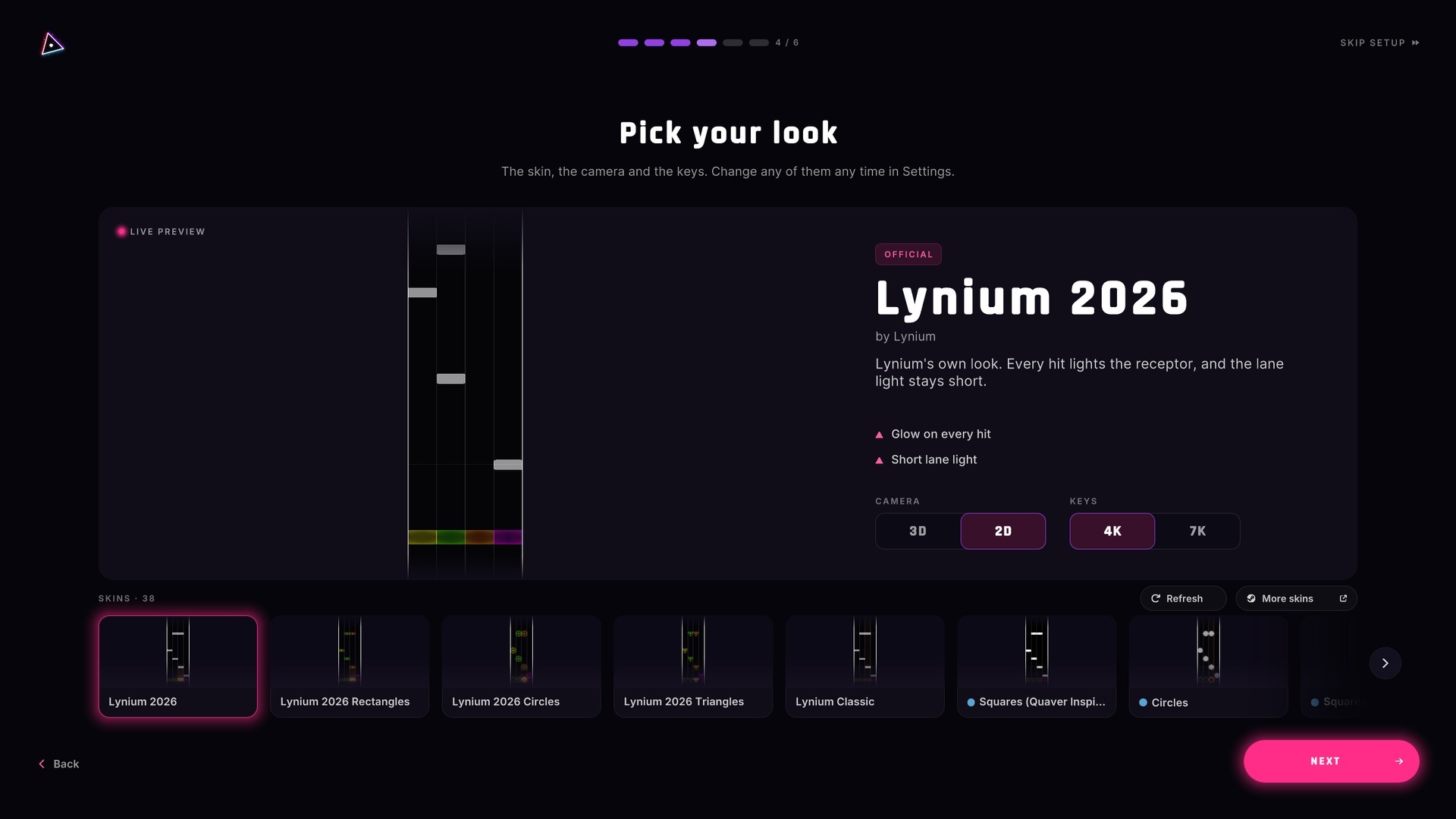
- PICK YOUR LOOK: a new player chooses a skin while watching it play, in 3D or 2D, 4K or 7K.
- MORE SKINS opens the Workshop right there.
- YOUR FIRST SONG plays before you choose it, in the look you picked.
HOME AND SONG SELECTION
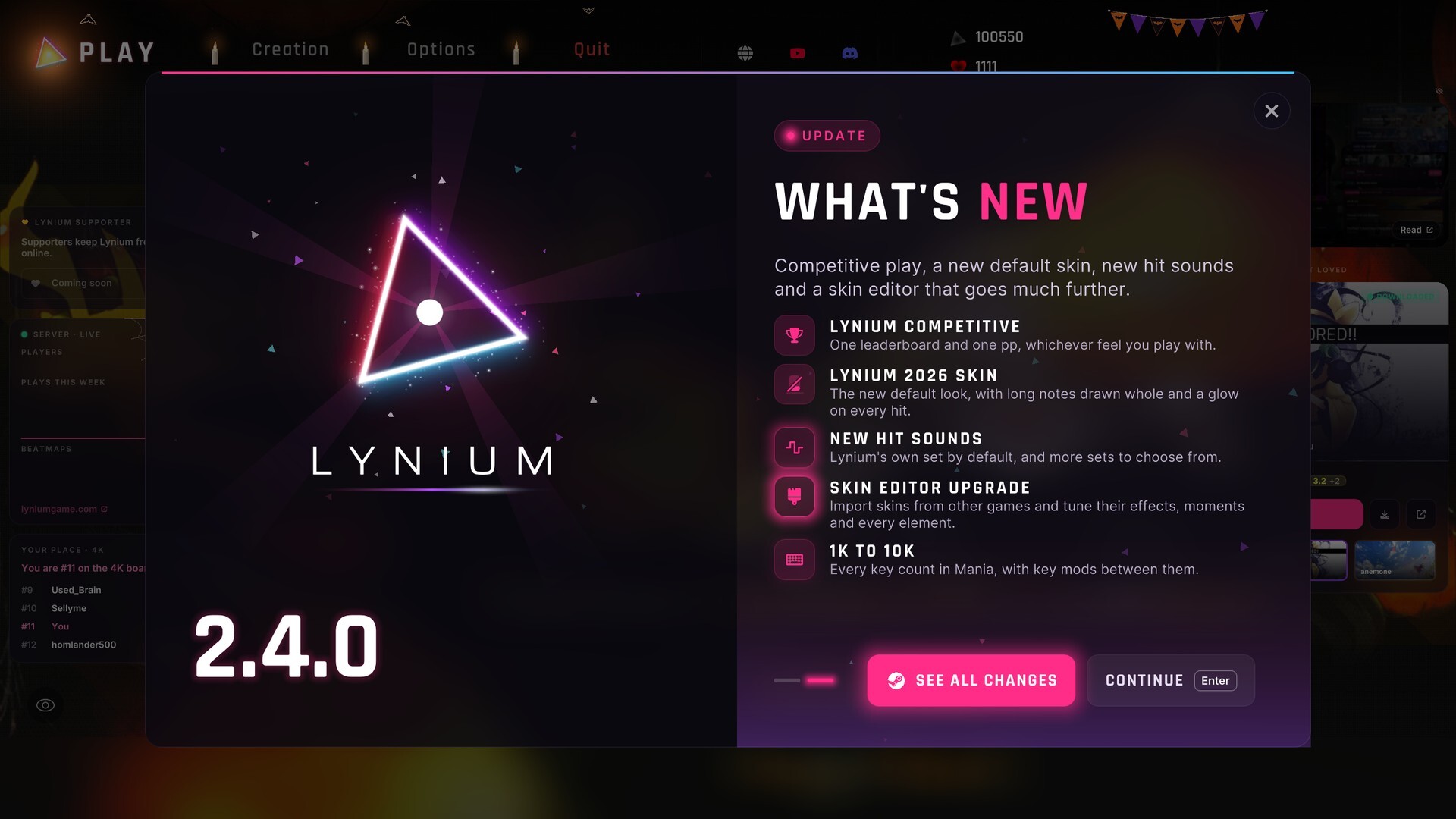
- LYNIUM SPOTLIGHT: a window on the Home announces seasons and big updates, once each.
- SEE ALL CHANGES opens these notes, and the version on the Home opens Spotlight again.
- MORE LIKE, BY AMBIENCE: songs that look and feel like the open one, by weather, light, colours and mood.
- SEARCH THE COVER: a chart can be found by what its cover shows, or by a gloomy mood.
- YOUR PLACE: the standing card shows a player below you too, and the three below at #1.
- THE STREAK tells you what today still asks, and how long is left.
- THE MUSIC PLAYER:
a silence between songs⇒ the next song is ready before this one ends. - PREVIOUS walks back through the songs of the session.
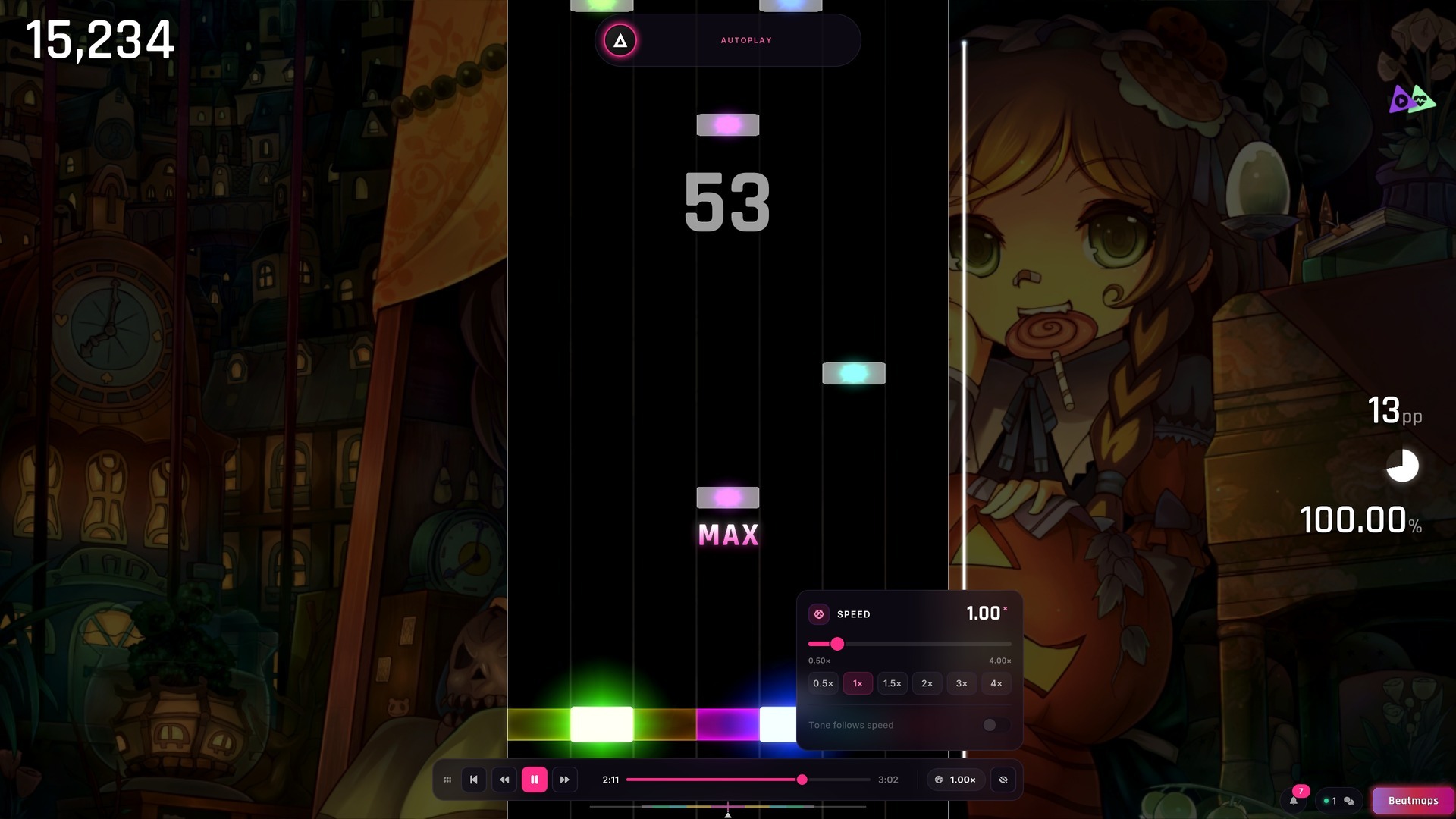
- THE AUTOPLAY BAR: drag it anywhere, set its speed with the mouse and hide the interface in steps.
LYNIUM SUPPORTER
A new way to back Lynium.
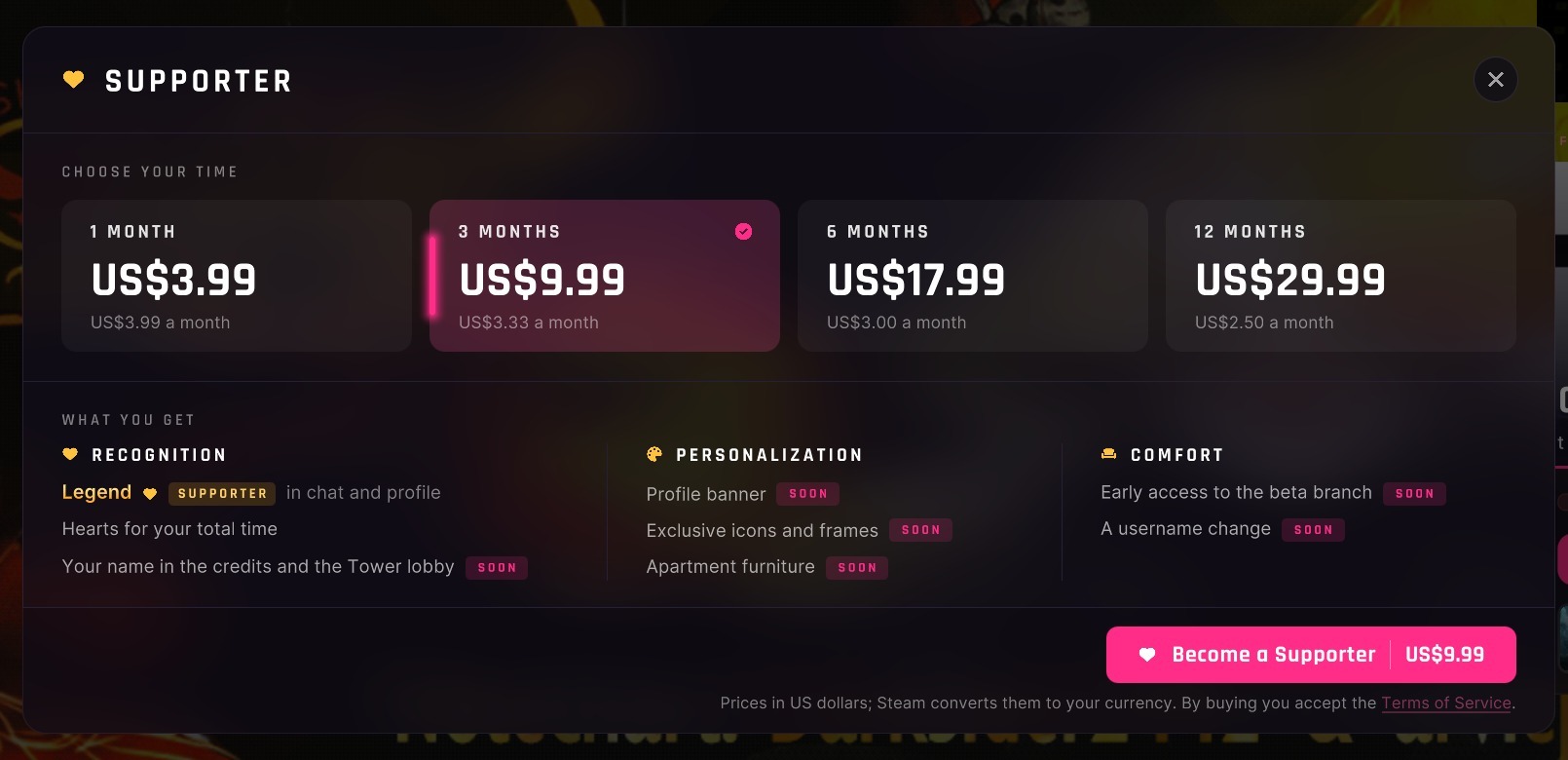
- FROM THE GAME: buy Supporter time in the Steam overlay, from one month to twelve.
- OR ON STEAM: in Lynium's Item Store, and it reaches your account the next time the game opens.
- WHAT YOU GET: a gold name, and the SUPPORTER tag in chat and on your profile.
- COMING SOON: a profile banner, exclusive icons and frames, and more.
- HEARTS: up to three, by the time you have supported, in chat, on the boards and on your profile.
- THE SUPPORTERS LIST is on lyniumgame.com/supporter, and a switch in Settings keeps you off it.
- NEW TERMS: the Terms of Service and Privacy Notice now cover Supporter.
PERFORMANCE
- SMOOTHER STARTS: a song's first frame takes 3 to 7 ms instead of 24 to 33.
- LESS STUTTER: Lynium 2026 hitches a third as often.
- A LIGHTER LAUNCH:
the whole library was sent at every start⇒ only what changed. - A BUSY SERVER: the game waits and tries again instead of saying the server did not answer.
- FASTER REPLIES: many server requests answer several times faster.
BUGFIXES
- Today's mission shows on the Home again.
- A second click on a downloading suggestion no longer cancels it; only Play stops it.
- A like or dislike on Results is sent once, not on every press.
- NOTE SPARKLE set to off hides the sparkle on every note.
- A note speed changed with PageUp or PageDown stays changed.
- A run's background no longer turns black a few seconds in.
- The autoplay speed panel no longer closes on every click.
- A skin picked in the pause applies on the next run, instead of rebuilding the field mid-song.
- Changing skin in the pause no longer misplaces long notes.
- Skins load exactly as their file says, colours and borders included.
- Release marks no longer turn into dark boxes after a skin change.
- The health bar and the timing bar sit on the field from the first second of a run.
- A combo break in 3D plays where the combo is shown.
- Skin moments no longer draw over the pause menu.
- A held note's sound no longer keeps playing over the pause menu.
- Entering a chart and leaving it without hitting a note no longer counts as a play.
WEBSITE
- WATCH ON HOVER: rest the mouse on a beatmap or a play to see its chart fall, or the run itself when it was recorded.
- REPLAYS play in the browser, from the boards and from a result.
- THE WEATHER: previews draw the game's rain, snow and wet or frozen glass, with a switch to turn it off.
- FILTER BY AMBIENCE: weather, emotion and more, and More info lists what a set shows.
- MORE INFO tells everything a chart is, its weather and the sounds it brings included.
- 1K TO 10K: previews draw every lane, and the filter offers each count.
- MODS show as the game's tiles, in its colours.
- ACTIVITY: players and plays by day, week or month, on the home page.
- LIKED: your liked list shows when you liked each set.
- SUPPORT LYNIUM: the Supporter page is at lyniumgame.com/supporter.
- HALLOWEEN on the site too, with a switch in the footer.
- TAKEDOWNS: a set taken down over copyright keeps its leaderboard.
- YOUR SET: its uploader can change its cover and video from the site.
SEE YOU ON THE PLAYFIELD
Tell us which feel you play your long notes with, and which skin you imported first.
- DISCORD: discord.com/invite/8E4yhX5EbH
- THE SITE: lyniumgame.com
More from Lynium: Play the Rhythm
Other announcements
Halloween 2026: The CauldronThe cauldron is waiting. Every song you play brings it closer to something magical. YOUR INGREDIENT, EVERY DAY Finish any song on a new day and drop yours in. Pumpkin → Bat wing → Spider 3 ingredients = your Halloween 2026 badge Days don't need to be in a row. Any result counts. WE FILL IT TOGETHER 550 ingredients , one cauldron for all of us. If we fill it, every Halloween badge lights up for…Lynium 2.4.1: Co-Op, controllers and runs worth sharing2.4.1 puts one chart on two stages with Co-Op, lets you play on a controller, a guitar or a MIDI keyboard, and turns your best runs into a card worth sharing. Your settings and favourites now follow you to any PC, and a new calibration finds your offset. CO-OP Two stages, one chart. · TWO STAGES : Co-Op plays a chart on two stages side by side, each with its own keys. · DUAL converts the chart…Lynium 2.3.3: suggested beatmaps, a new HUD and a new logo2.3.3 suggests beatmaps you don't have right in Song Selection, puts the new logo in the game, lets a chart change tempo, redraws the in-game HUD and makes every key yours to bind. IMPORTED MAPS IN SYNC Set your offsets back to 0. · ADJUSTED TIMING : every imported map got an offset adjustment, so its notes land on the music. · NO MORE NUDGING : a map that used to need an offset to feel right n…