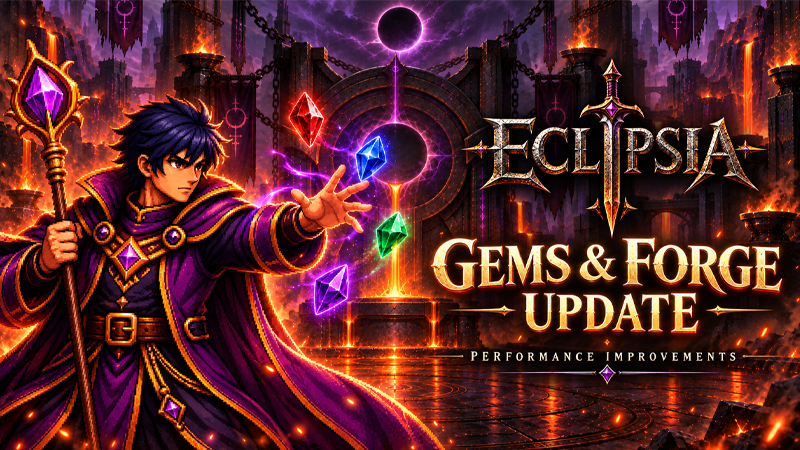
ECLIPSIA — Gems, Forge & Performance Improvements
This update introduces new ways to strengthen your equipment, put unused items to good use, and customize your heroes. We’ve also optimized item interfaces and improved Steam purchase confirmation.
New Socket Gems System
You can now socket Gems into compatible equipment to add bonuses to your build!
There are 8 Gem families, each with its own specialty:
Gem
Bonus
Ruby of Power
Damage
Sapphire of Precision
Critical Chance
Amethyst of Ruin
Critical Damage
Emerald of Haste
Attack Speed
Onyx of Vitality
Maximum HP
Diamond of Guard
Physical and Magic Defense
Citrine of Fortune
Gold Gain
Aquamarine of Insight
Hero XP Gain
Gems have 6 progression Grades: Rough, Cut, Refined, Flawless, Celestial, and Eclipse.
Gems can be found when opening chests. Each chest awards either equipment or a Gem.
Gems are stored in a separate inventory and do not take up equipment inventory slots.
Each Gem family is compatible with specific equipment types.
Selecting a piece of equipment automatically filters the available Gems to show compatible options.
The same Gem family cannot be socketed twice into a single item. You can use that family across different items.
Sockets by Equipment Rarity
Equipment Rarity
Sockets
Common / Uncommon
0
Rare / Epic
1
Legendary / Mythic / Ancient
2
Celestial / Eclipse
3
Fusion, Extraction & Gem Dust
Fusion: combine 3 Gems of the same family and Grade to create 1 Gem of the next Grade.
Extract: spend Gem Dust to remove a socketed Gem. The Gem returns to your inventory.
Dismantle: break down unwanted Gems to obtain Gem Dust.
Eclipse is the highest Gem Grade.
Locked equipment can still have Gems socketed and extracted.
Equipment currently listed on the Marketplace cannot be modified through socketing or extraction.
New Equipment Forge
Give the equipment left over from your adventures a new purpose!
Combine 6 pieces of equipment of the same rarity to forge a new item.
Forging costs Gold.
When no ascension occurs, using six items of the same class guarantees that class. The same rule applies to equipment type.
Forged equipment starts at +0 and uses the lowest level among the consumed items.
Added Forge Mastery, progressing from level 1 to 20 and improving the quality of generated attribute rolls.
Added a chance to ascend to the next rarity, with progression reaching Eclipse. When ascension occurs, class and equipment type are rolled again.
Added a dedicated Forge screen, confirmation before consuming materials, and a detailed result popup.
Access the Forge through the Hub and switch between the Forge and Socket Gems screens.
Inventory & Interface
Added a dedicated Gems category with family and Grade filters.
Added a Gem details popup showing bonuses, compatibility, and owned quantities.
Equipment now displays empty sockets and installed Gems in the inventory and hero panel.
Added a Socket Gems section to equipment details, with direct access to Gem management.
Socket indicators now correctly reflect items with 1, 2, or 3 sockets.
Improved buttons, selection states, and navigation in the Forge and Socket Gems screens.
Fixed an issue where the Forge could reappear over the inventory.
Fixed socket indicators incorrectly appearing on chests, keys, and other non-equipment items.
Fixed equipment being incorrectly blocked from modification when it was not actually listed on the Marketplace.
Performance Improvements
We’ve revised interface logic that performed unnecessary repeated work, particularly on screens displaying many items.
Optimized inventory glow effects: items of the same rarity now share a visual material instead of creating a separate copy for every item.
Preserved the correct glow colors for each rarity.
Reduced unnecessary rebuilding and refreshing of item interfaces.
Adjusted display logic to reduce repeated processing in large lists.
These changes aim to make navigation smoother, especially for players with full inventories.
Steam Gem Purchase Fixes
Improved automatic verification of pending purchases.
Pending orders continue to be tracked, including after restarting the game.
Improved balance updates after a purchase is confirmed.
Improved handling of delayed responses and temporary connection issues.
Added a purchase pending message asking players to wait for confirmation without repeating the payment.
Strengthened protection against duplicate delivery when a transaction is checked again.
Update Eclipsia through Steam to receive the new features and fixes. Thank you for your reports and continued support!