Stream to 3D 5.5 — Live Sources Integrated, VR/XR Support Expanded
Stream to 3D · published · build 24229243
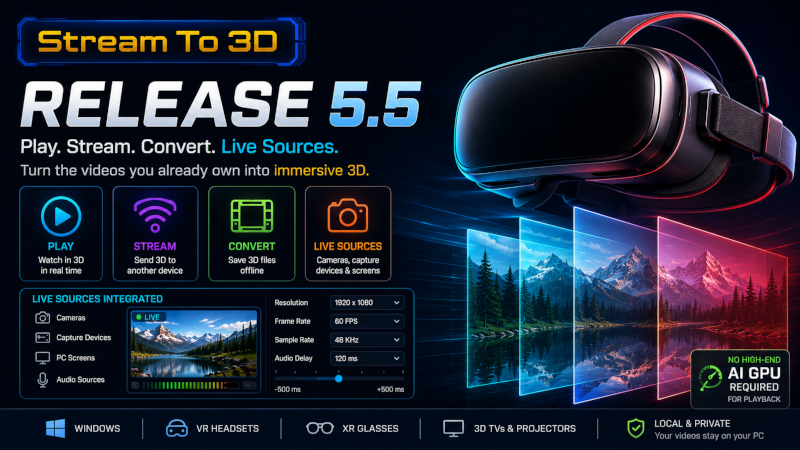
Stream to 3D 5.5 makes Live Sources easier to create and use by bringing camera, capture-device and PC-screen setup directly into the main application. It also expands the Configuration Wizard with updated presets for current VR and XR devices.
Live Sources are now integrated
You can now create and manage Live Sources from within Stream to 3D by opening Settings and selecting Live Capture.
- Create reusable sources for cameras, capture devices, PC screens and audio inputs.
- When Live Sources are first selected from Play, Stream or Convert, Stream to 3D offers to create default main-camera and screen-capture sources.
- Refresh the device list when cameras, capture devices or audio sources are connected or removed.
- Configure source format, resolution, frame rate, 3D conversion sample rate and audio delay from the integrated dialog.
- Use the resulting Live Sources with Play, Stream or Convert, according to the features available for your Steam account.
This removes the need to launch the separate Live Capture Source Creator for most common setup tasks and makes live-video conversion a more direct part of the normal Stream to 3D workflow.
Expanded Configuration Wizard
Release 5.5 adds or refreshes nominal per-eye resolution presets for current headsets and XR glasses, including:
- Samsung Galaxy XR
- Valve Steam Frame
- XREAL One and 1S models
- VITURE Beast and Luma models
- VIVE Focus Vision
- PICO 4 Ultra
- Pimax Crystal Light and Crystal Super
- Varjo XR-4
- Bigscreen Beyond 2
Popular current device families are now easier to find, while older devices remain available under their existing vendor families.
The selected preset configures the stereoscopic output resolution. It does not connect or configure the headset or glasses themselves. Viewing still requires a compatible media player, desktop-to-XR route or 3D file player, depending on the workflow.
Hardware and performance
Real-time playback does not require a high-end AI-capable GPU.
Higher source and output resolutions, file encoding and network streaming still benefit from capable hardware and appropriate settings. Performance will also depend on the source frame rate, codec, selected workflow and receiving player or device.
Steam updates and feature access
The Stream to 3D 5.5 application update is free for existing Steam owners.
Access to the Configuration Wizard and Live Sources continues to follow the feature entitlements associated with the Steam account.
Current eligible Steam purchases include both features. Earlier owners only need to visit the Stream to 3D Item Store if the application reports that the corresponding feature is locked.
Do not purchase an upgrade unless Stream to 3D identifies that the feature is not currently enabled for your account.
How to update
Supported earlier versions will prompt when the 5.5 update is required.
To update:
- Close Stream to 3D.
- Allow the Steam client to download and install the update.
- Launch Stream to 3D again after the update has completed.
Your existing settings and previously created Live Source files should remain available.