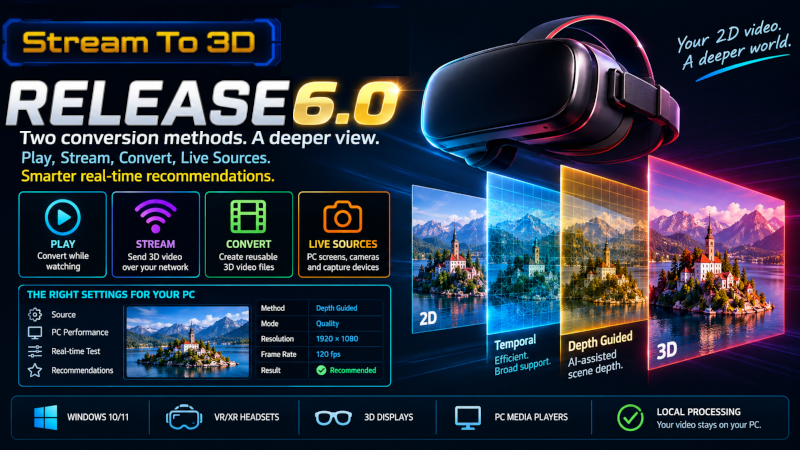
Stream to 3D 6.0 adds AI-assisted Depth Guided conversion alongside the established Temporal method. It also makes the Configuration Wizard smarter about finding real-time settings for the selected video or Live Source and your Windows PC.
Two complementary conversion methods
Temporal remains the efficient method and the broadest route to real-time playback and streaming across Windows hardware.
Depth Guided uses visual depth cues to produce a different stereoscopic result, including for static and low-motion scenes.
Depth Guided provides Quality and Performance processing modes.
Both methods can be used with video files and Live Sources through the applicable Play, Stream and Convert workflows.
Video processing remains local to your PC. Stream to 3D does not upload your video for conversion.
Smarter real-time recommendations
For Play and Stream, the Configuration Wizard now measures a quality-ranked set of useful options against the selected source and current workflow. It recommends the first option that the complete path can sustain and shows the nearest measured alternative.Stream is assessed separately because network encoding adds work beyond playback. Convert has no real-time deadline, so a selected Depth Guided file conversion can take longer than the video's running time.If you prefer not to wait for comparative proving, you can select Temporal or Depth Guided directly. A direct selection applies your chosen method and preferences without claiming that the configuration has been performance-proven.
Further Release 6 improvements
Refined fractional-frame Temporal depth behavior and stronger handling around detected scene transitions.
More reliable stereo presentation for affected cinematic aspect ratios in desktop-to-XR viewing routes.
Improved active network-address selection, port and firewall setup, and streaming bitrate and buffer defaults.
Video files and Live Sources
Depth Guided can be used with ordinary video files, PC screens, cameras and capture devices. Live Source Play and Stream are assessed against the source capture rate; Live Source Convert can complete below real time.Live Sources require the Live Sources feature. Depth Guided also requires Depth Guided feature access.
Feature access
The Stream to 3D 6.0 application update is available to existing Steam owners. Some existing owners require the Depth Guided feature upgrade to use the new method.Do not purchase an upgrade unless Stream to 3D reports that Depth Guided is not enabled for your Steam account. Temporal remains available without a high-end AI-capable GPU.
Learn more
Read the Stream to 3D 6.0 release notesChoosing Temporal or Depth Guided conversionStream to 3D documentation