Status
SteamPeaks
ChartsSalesUpcomingPatchesNewsCalculator
New on SteamEvery app, DLC and depot the minute Steam creates itAppsEvery app on Steam, newest change firstPackagesSubs and bundles, and what each containsDepotsDepots, manifests and install sizesTagsSteam's user tags and the games under themDevelopers & publishersCompanies and their cataloguesTechnologiesEngines, SDKs and anti-cheat found in the filesChange historyEvery PICS changelist as it lands
SignalsNineteen readings of the whole catalogueCompareAny games side by sideRecordsAll-time peaks and the days they were setReportsWeekly and monthly write-upsAlerts & newsroomWatch a game, get told when it movesSteam statusIs Steam up, right nowWeb API explorerTry the endpoints in the browser
NewsSteam's own announcements and the sales calendarCalculatorWhat a Steam account is worth, and its pile of shame
/
Sign in
/
SteamPeaks
The ultimate resource for Steam data.
ExploreChartsSalesSales and festsUpcomingPatchesNewsRecordsTrendingSignals
DatabaseAppsPackagesDepotsTagsDevelopersTechnologiesChange history
ToolsCalculatorCompareSearchAlertsSteam statusAPI
SiteMethodologyFAQDiscordSupportSign in via Steam
Not affiliated with Valve or Steam. Game names and artwork belong to their owners. All times UTC.
PrivacyCookiesFair useStatus
Stream to 3DNewsA note about Stream to 3D, support and setup
Community

A note about Stream to 3D, support and setup

Stream to 3D · published 29 Apr 2026, 16:56 UTC

All newsPlayers around this dateRead on Steam

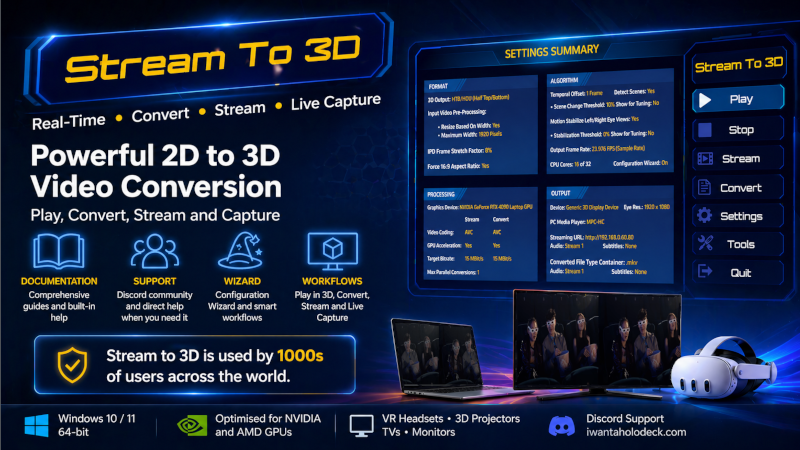
Stream to 3D has been available since 2023 and remains actively supported and developed.

Steam reviews represent only a very small fraction of the Stream to 3D user base. Across all stores, Stream to 3D has been purchased and used by more than 100 times as many people as the number of negative Steam reviews. A small number of negative reviews should therefore be read in that context.

Stream to 3D has always had documentation. The documentation is shown after installation and is linked from the Steam page. Discord support has also always been available and is linked from both the documentation and the Steam page.

Stream to 3D is a specialist Windows video and VR utility. VR software can be configuration-sensitive because it depends on the user’s PC, drivers, media players, headset or display, video source, network setup and selected workflow. Stream to 3D is designed to make this as easy as possible through documentation, support, guided workflows, the Configuration Wizard and context-sensitive help.

Stream to 3D does not require a high-end GPU for real-time conversion to the screen. GPU acceleration is beneficial for encoding to file and streaming, but one of the product’s strengths is that it can provide practical real-time 2D-to-3D conversion on lower-powered hardware.

Stream to 3D supports a broad range of workflows, including real-time playback, offline conversion, streaming, PC screen capture, live video source conversion and configurable 3D output formats.

If Stream to 3D does not work as expected on your system, please use the documentation and Discord support before assuming the product cannot do what it is designed to do. Configuration matters, and support is available.

More from Stream to 3D

Other announcements

All news
Major update4 Sep 2026Stream to 3D 6.0 - Adds AI-assisted Depth Guided conversionStream to 3D 6.0 adds AI-assisted Depth Guided conversion alongside the established Temporal method. It also makes the Configuration Wizard smarter about finding real-time settings for the selected video or Live Source and your Windows PC. Two complementary conversion methods · Temporal remains the efficient method and the broadest route to real-time playback and streaming across Windows hardwa…Major update16 Jul 2026Stream to 3D 5.5 — Live Sources Integrated, VR/XR Support ExpandedStream to 3D 5.5 makes Live Sources easier to create and use by bringing camera, capture-device and PC-screen setup directly into the main application. It also expands the Configuration Wizard with updated presets for current VR and XR devices. Live Sources are now integrated You can now create and manage Live Sources from within Stream to 3D by opening Settings and selecting Live Capture . · C…Major update19 Aug 2025Release 5 - Screen Capture and Live Video Conversion to 3D in Real-timeWe’re excited to announce the launch of Stream to 3D Release 5 on Steam! This major update brings powerful new functionality to your 3D conversion experience: ✨ Screen Capture in 3D · Turn your entire desktop, or a specific region, into an immersive 3D feed. · Works seamlessly with your existing playback setup for real-time stereoscopic viewing. 🎥 Live Video Conversion · Convert in real time f…