Thank you for always using Textvas.
New Features
・Wrap to Screen Width
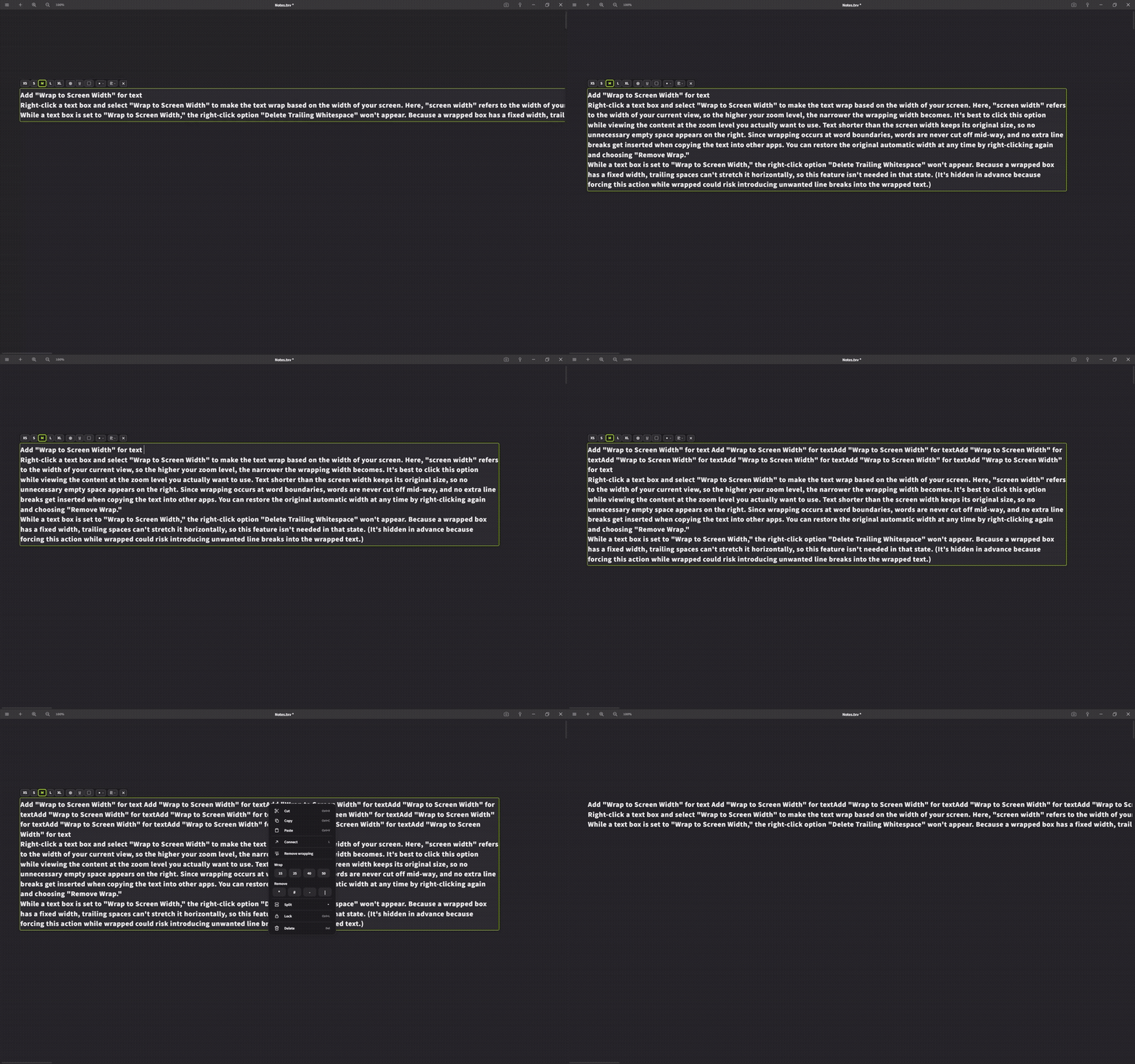
Right-click a text box and select "Wrap to Screen Width" to wrap the text so it doesn't exceed the screen width. Since "screen width" here refers to the width of your current view, the higher your zoom level, the narrower the wrap width becomes. We recommend clicking this while viewing the layout at the zoom level you actually want. Text shorter than the screen width keeps its original width, so no wasted space is added on the right side. Wrapping occurs at word boundaries, so words won't be cut off mid-way, and no extra line breaks will be inserted when copying to other apps. Right-click again and select "Remove Wrap" to return to the original automatic width.
While text is set to "Wrap to Screen Width," the right-click option "Trim Trailing Whitespace" will not be shown. Since wrapped boxes have a fixed width, trailing spaces can't stretch the box horizontally, making this feature unnecessary.
・Drag & Drop HTML File Import
You can now import HTML files via drag and drop.
Imported HTML will be placed as a text card.
・Drag & Drop RAW Data Import
You can now import RAW data via drag and drop.
No development processing is applied; the image is resized to the specified size before being imported.
Improvements
・Automatic Language Detection on Startup
Automatic language detection on startup now supports 29 languages. Previously, only two languages were detected and displayed, but the app will now display in the language matching your OS language settings (this also applies to first-time displays, such as the Quick Start).
・Help Page
We've improved the appearance of the Help page. We've also added a search feature, making it easier to find what you're looking for.
・Terms of Service Update
We've added a EULA agreement screen on first launch.
We've also revised part of the Steam Subscriber Agreement (effective date: July 13, 2026).
The main changes are as follows:
・Clarified the definition of "user" (including use via Steam Family Sharing, etc.)
・Added clauses regarding third-party and open-source software licenses
None of these changes are disadvantageous to users.
We will continue to work on improving Textvas.