Thank you very much for always using Textvas.
New Features
- Recent Files
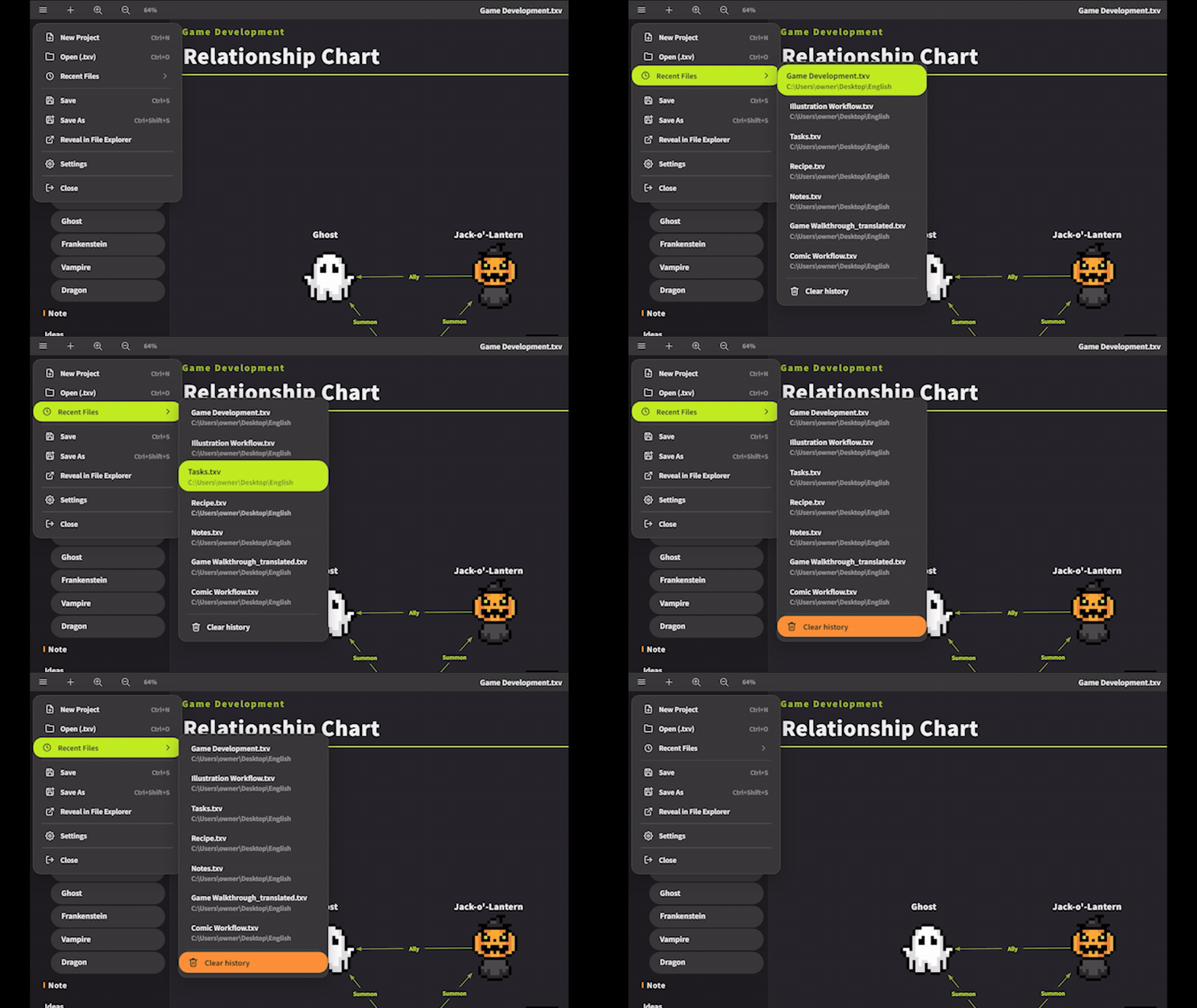
We added a Recent Files list to the top-left menu. It shows up to 10 recently opened or saved files with their folder paths, and you can open them directly with a click. You can also clear them all at once from “Clear History” at the bottom of the menu. - Right-click Menu from the Sidebar's Empty Space
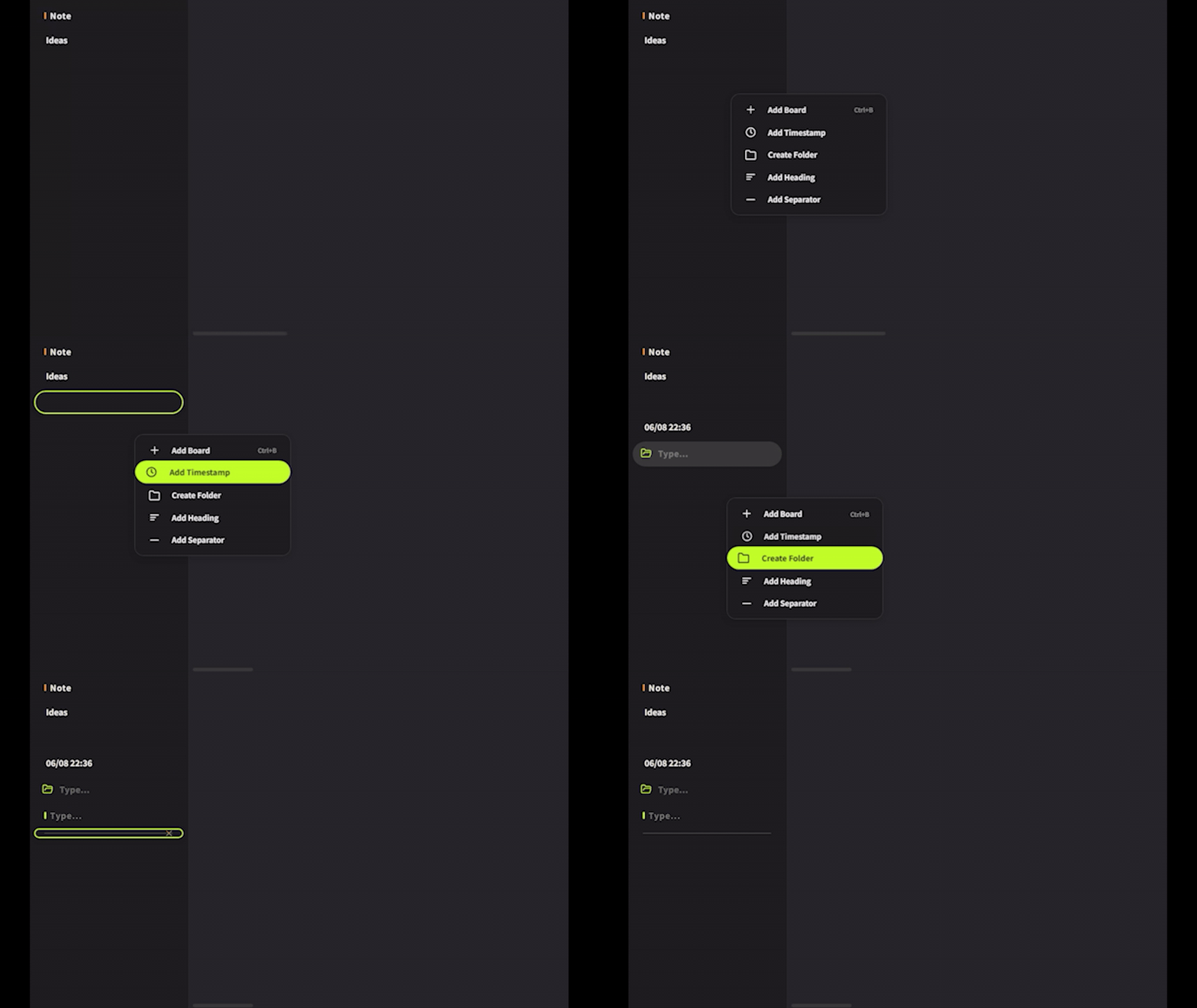 You can now right-click the empty area of the sidebar to open a menu. Without right-clicking an existing board, you can create boards, timestamps, folders, headings, and dividers.
 - 50% Opacity Swatch
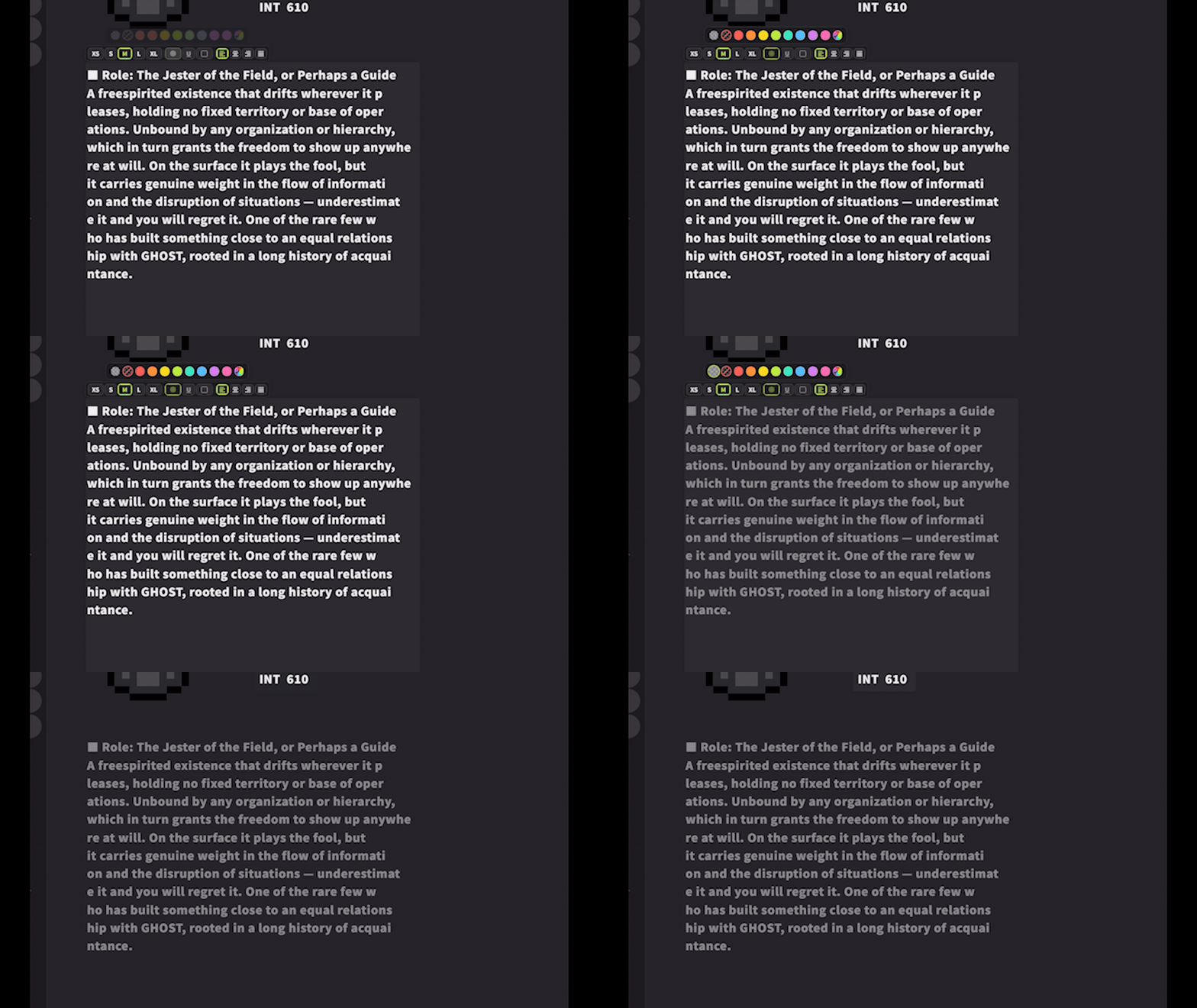 We added a 50% opacity swatch to text cards. It sits to the left of “Disable” in the text input palette, and clicking it makes the text semi-transparent. It's handy for toning down completed tasks or text you don't want to stand out.
 - Bulk Adjustment Slider for Colors, Plus a Shortcut
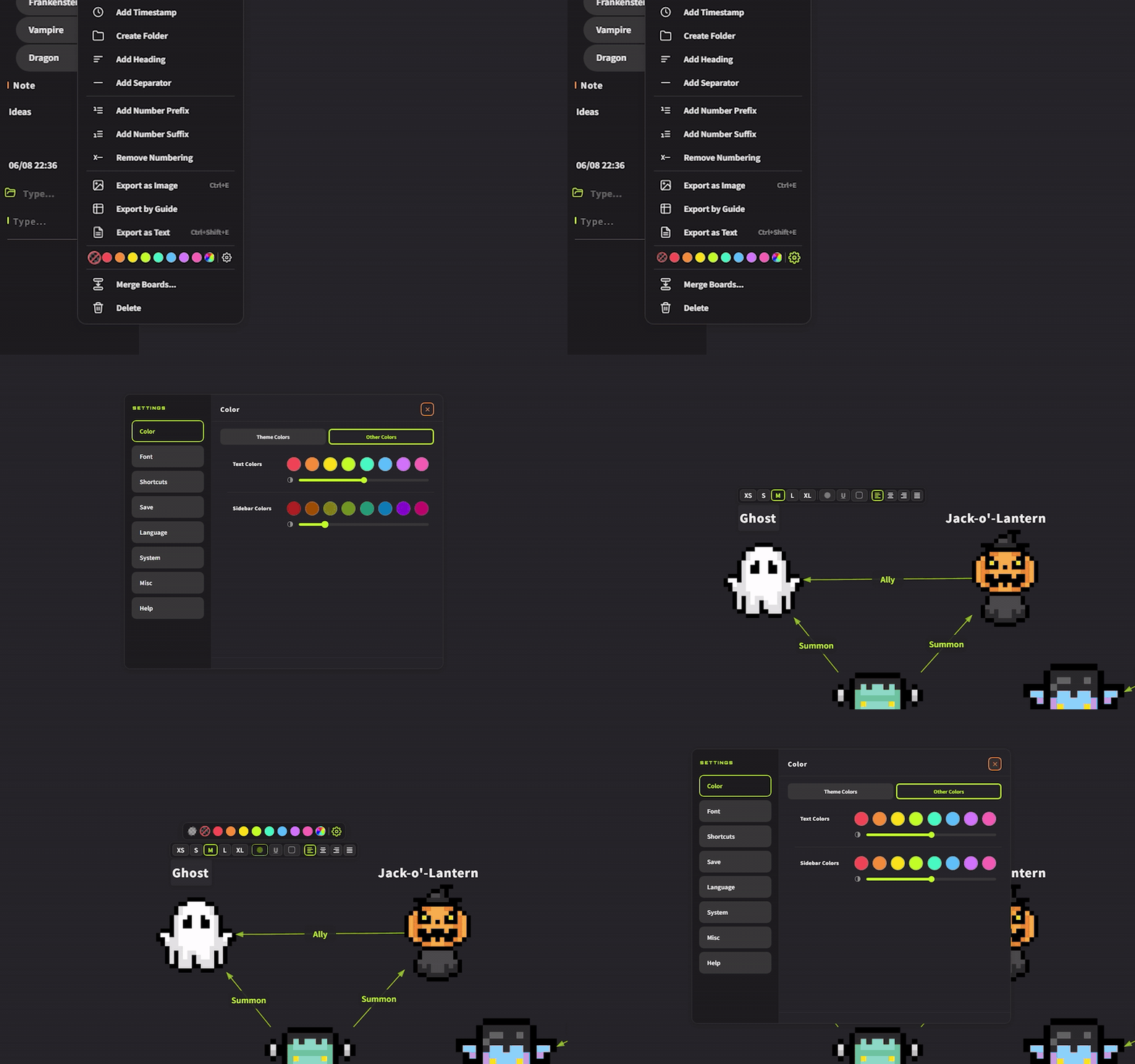 We added a bulk adjustment slider to Other Colors. You can adjust the visibility of the text colors / sidebar colors—whose brightness changes with the theme—all at once. Double-click the slider to return it to the center.
We also added a gear icon to the row of color swatches.
Clicking it opens “Other Colors” in the settings with a single tap, and the heading being edited blinks so you can spot it instantly. - Move the Window with a Long Right-click
Press and hold the right mouse button for one second on the board to move the window. You no longer need to move the cursor all the way to the top edge. This is unavailable in full-screen mode due to OS limitations. - Reset Zoom with Ctrl + 0
You can now reset the board zoom to 100% with Ctrl + 0.
Improvements
- Redesigned Context Menu

We added clear, easy-to-understand icons to every item. - Expanded to 8 Colors
We expanded the text colors / sidebar colors from 6 to 8. - Tab Color Change Now Applies to the Text Color
We changed the target from the tab's own color to the text color. Previously, when the tab color changed with each theme, adjusting the text color was difficult. - Adjusted the Default Color Scheme
We adjusted part of the default color scheme of the color themes. - Unified the Items at the Bottom of the Menu
We unified “Quit Textvas” to “Close.” We also made the Close button of the color picker and the × button of the background image settings bold, and fixed the hover border of the color picker's Undo button. - Revamped the Open Icon
Hovering over it now shows the folder opening.
Important
- Existence Check for Recent Files
Recent files are checked for existence when you open the menu. If you use files on external storage, please open the menu while it is connected. - About the Colors of Existing Files
Because we reorganized the order of the text colors this time, cards in files you created earlier may appear in different colors. If the palette settings display looks broken, you can fix it with Preferences → Color → Other Colors → Default → Restart, but please re-select the colors of existing cards manually.
Bug Fixes
- Fixed a bug where the selection range would break when selecting multiple tabs (Shift+click) right after opening a file.
- Fixed a bug where the context menu divider was nearly invisible in light themes.
- Fixed a bug where the project name was shown instead of the actually open file name in confirmations such as when closing a file.
- Fixed a bug where Undo / Redo in the context menu would not revert text card edits.
- Fixed a bug where, at certain zoom levels, the end of the text would unintentionally wrap onto a second line.
- Fixed a bug where the font of the color picker's Undo and the search text did not match the overall settings.
- Fixed a bug where the color of the toolbar's text-color button would not follow when the theme changed.
Recommended Feature
- Alignment Feature (Ctrl + Arrow Keys)
Textvas actually has an automatic alignment feature for text cards. With multiple text cards selected, hold Ctrl and press an arrow key to align their edges in that direction.Ctrl + ↑ … Align top edges
Ctrl + ↓ … Align bottom edges
Ctrl + ← … Align left edges
Ctrl + → … Align right edgesEven text scattered around will line up neatly in a straight line with a single operation after selecting.
We will continue striving to improve Textvas.
More from Textvas
Other announcements
v1.0.5.0 UpdateThank you very much for always using Textvas. New Features ・Text Wrapping You can now drag the handles on the left and right of a text box to freely set the wrap width. No actual line breaks are inserted, so copying the text won't add unwanted line breaks. The handles are hidden while you're typing. To undo this, right-click and choose to remove the wrapping. The existing option to wrap to the…v1.0.4.3 UpdateThank you for always using Textvas. New Features ・Node Editor Memos In all three node editors (Dialog, Node Graph, and Flowchart), you can now add memos by right-clicking the background or pressing the M key. Moving, resizing, collapsing, renaming, multi-selecting, copy and paste, and Ctrl+F search all work exactly like memos on the Board. Memos you create are saved with the file. Note that con…v1.0.3.6 UpdateThank you very much for using Textvas. New Features ・Minimap A minimap has been added to the lower right of the board and node editor so you can see the whole canvas at a glance. A frame shows where you are currently looking, and you can move by clicking and dragging or zoom in and out with the wheel. You can collapse it with the upper triangle button or the CTRL+M shortcut. You can also hide i…