Thank you for using Textvas.
New Features
・Enhanced Folder List Navigation
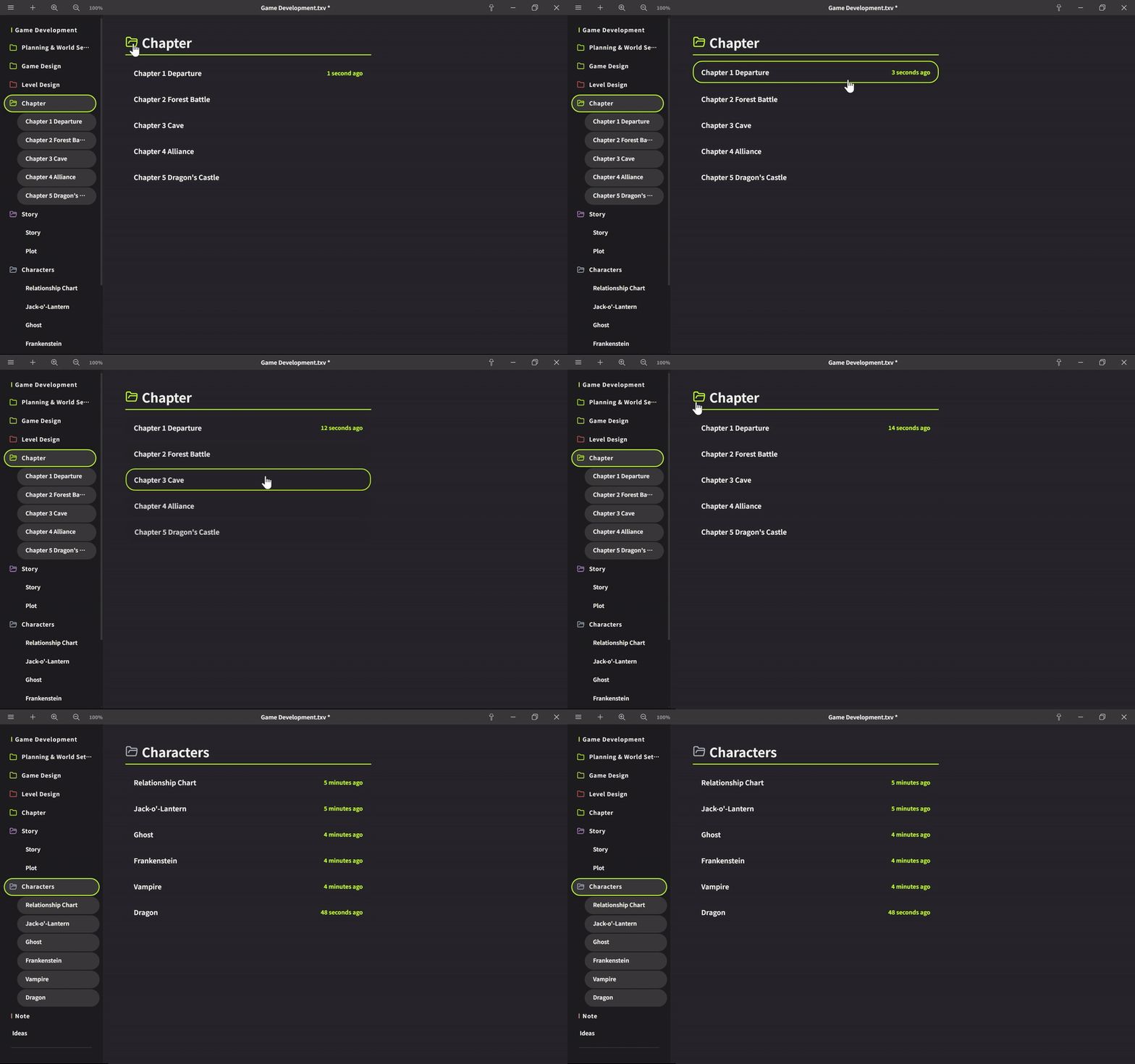
You can now click on tabs in the folder list to navigate directly. Mouse back/forward buttons are supported — pressing back returns you to the parent folder list. While viewing, you can zoom in/out with Ctrl+scroll wheel. Clicking the top-left folder closes the folder. Tabs in the list now display the update time in "X minutes ago / X days ago" format, and notes edited within the last hour will have their timestamp shown in the accent color.
・Search All Boards (Global Search)
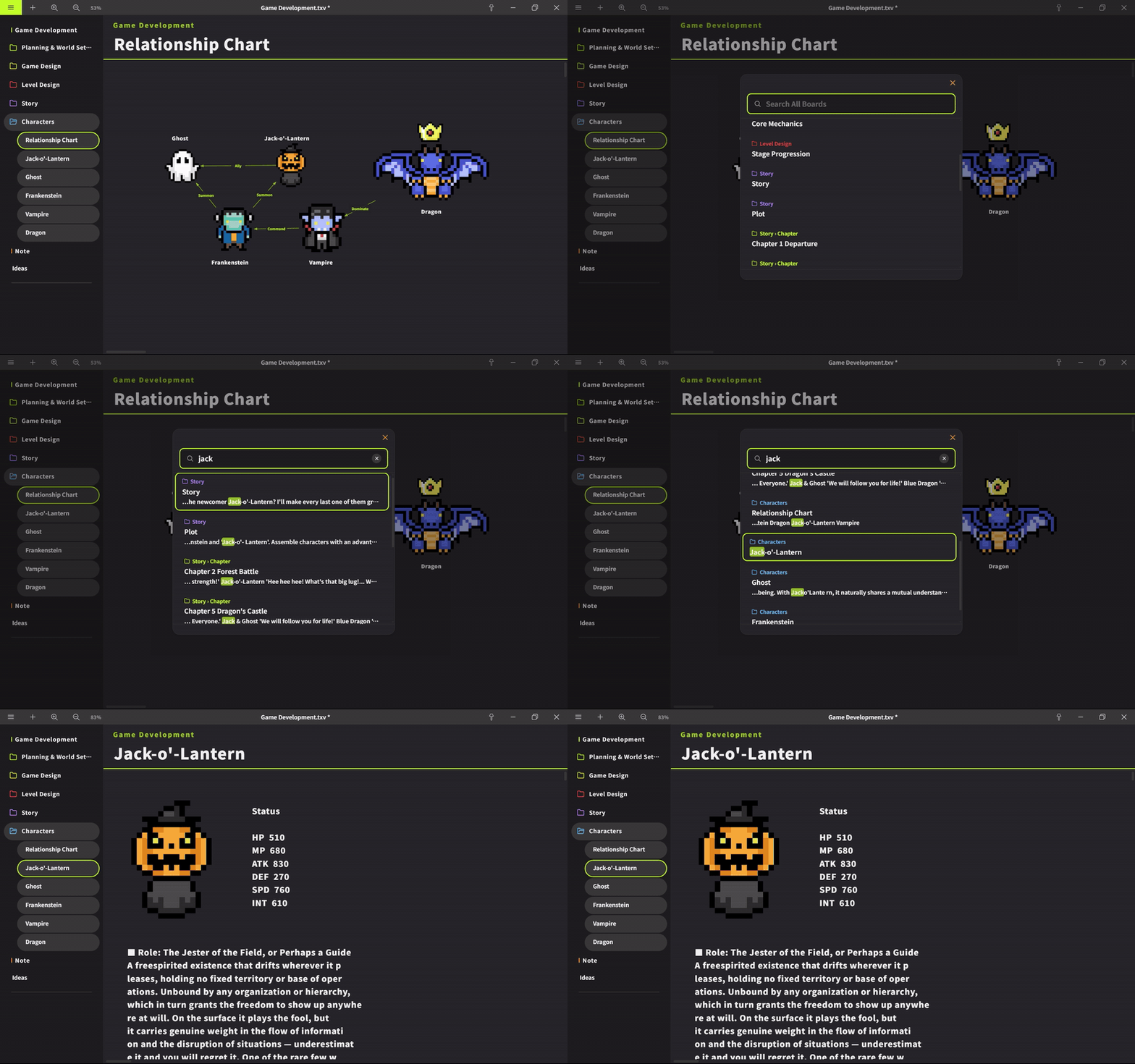
Added "Search All Boards" to the top-left menu. You can now search across all boards at once — by board name and card content. Matched text is highlighted in the search results, and you can navigate directly to that board. You can also open it with the shortcut Ctrl+Shift+F.
・Startup File
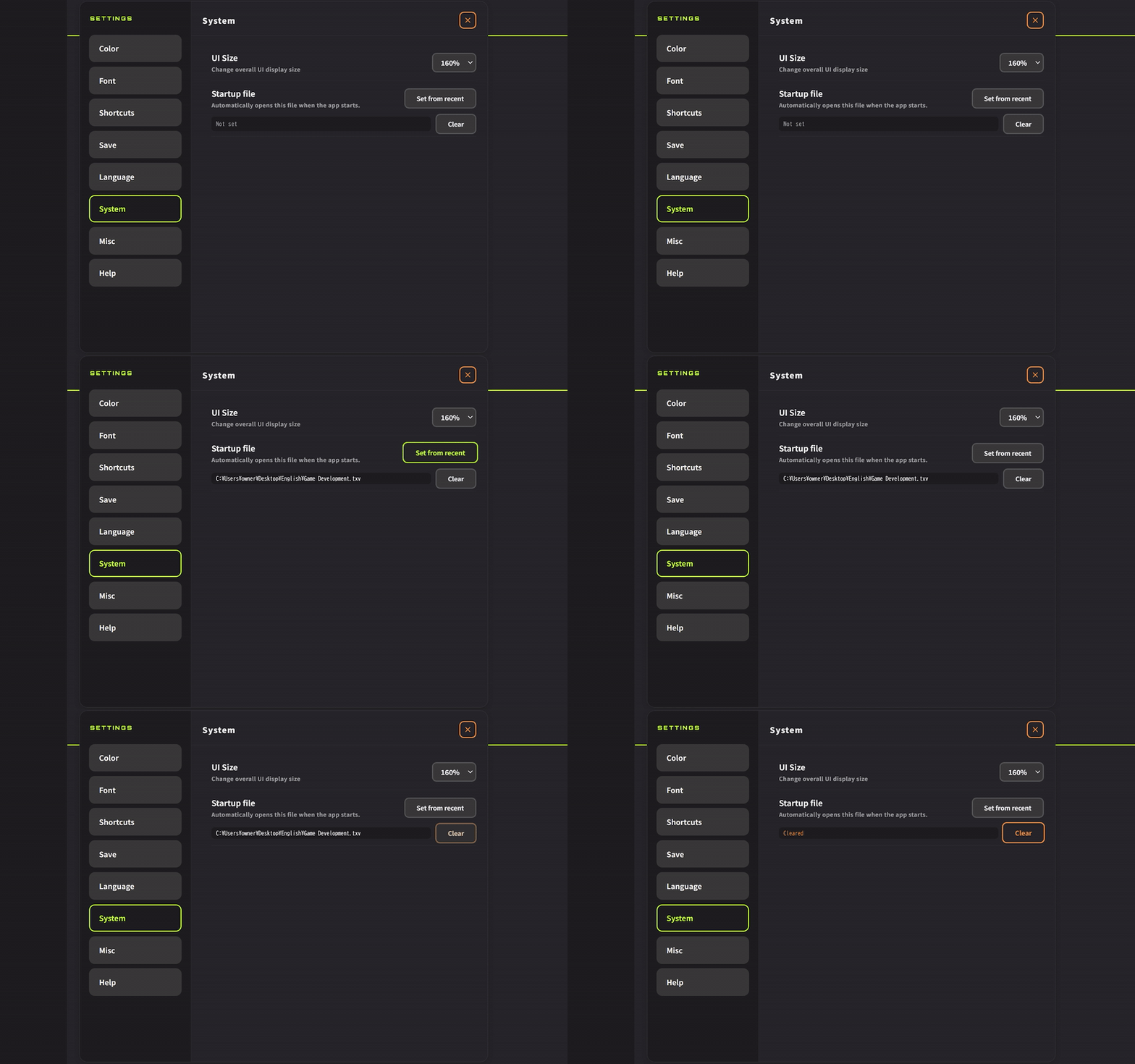
Added "Startup File" to Preferences → System. The specified file will automatically open when the app launches. Pressing "Set Recent File" registers the most recently used file. Clearing it disables auto-open and starts the app normally. Only the first window opened at launch will auto-open the file, so if multiple instances are running and you open another one, the same file will not open twice.
Improvements
・Search Bar Visual Adjustments
Reorganized the input field, button spacing, and the × button.
・Quick Setup Color Scheme Unification
Unified the color scheme of the Continue button with the Preferences buttons.
・Search Bar (Ctrl+F) Improvements
Added a search icon to the input field. A clear (×) button now appears while typing, letting you clear the input with one click. Changed the placeholder text to "Search this board" to make it easier to distinguish from global search. Adjusted ↑/↓ key navigation to move between matches.
・Folder View Heading Underline
Aligned the right edge and fixed the layout.
Bug Fixes
・Fixed an issue in Quick Setup and theme color selection where the border outline did not appear aligned with others.
・Fixed an issue where the image size was reset when saving with the folder list open.
Recommended Features
・Context-Sensitive Zoom Behavior
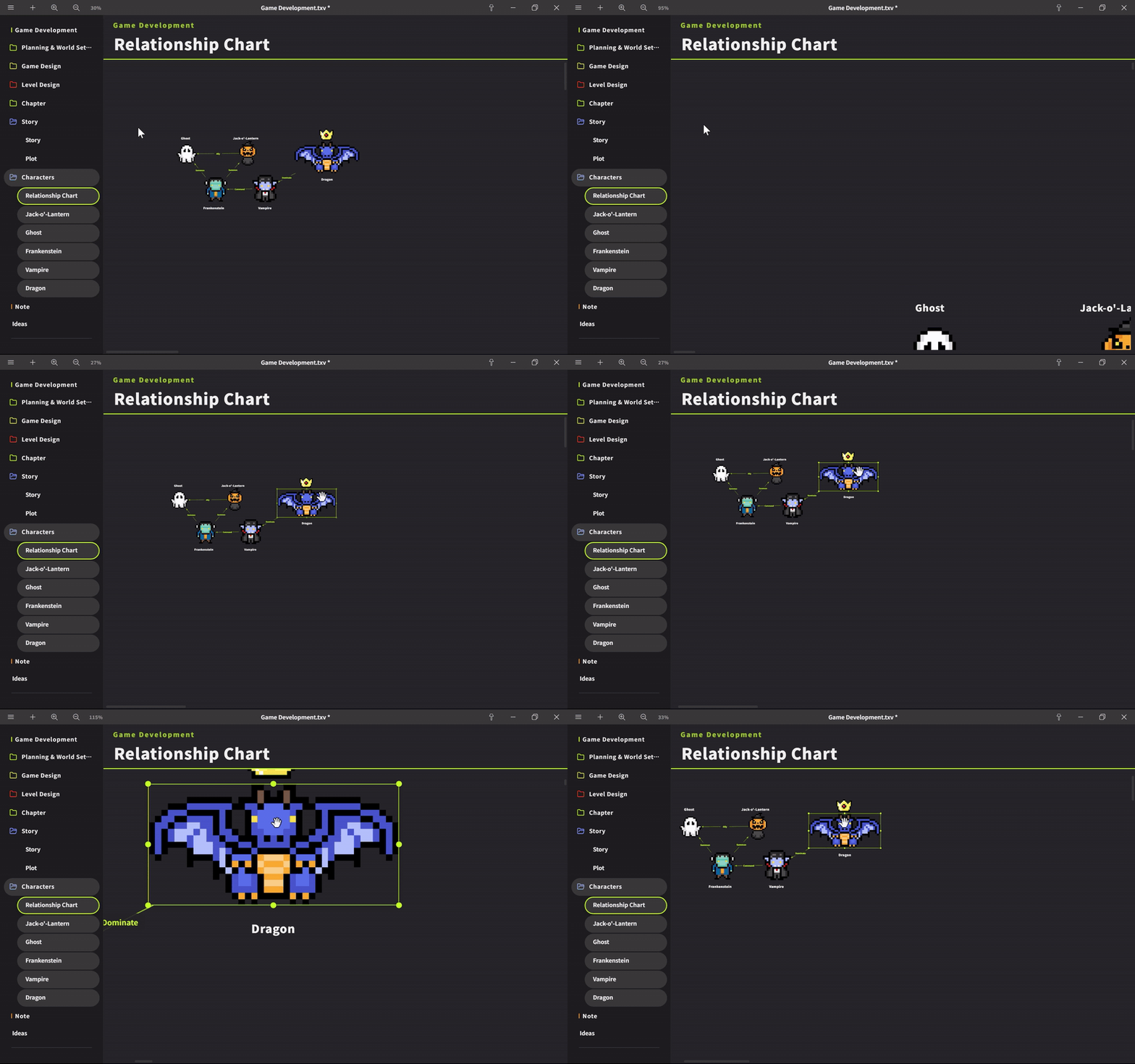
Normally, the board zooms while keeping the top-left corner fixed on the screen. This is the default behavior right after opening the app or before scrolling the board. Once you scroll the board and push the left or top edge off-screen, zooming switches to centering on the mouse cursor position. Place your cursor over a card you want to zoom into and scroll — it will zoom centered on that spot.
Dev Notes
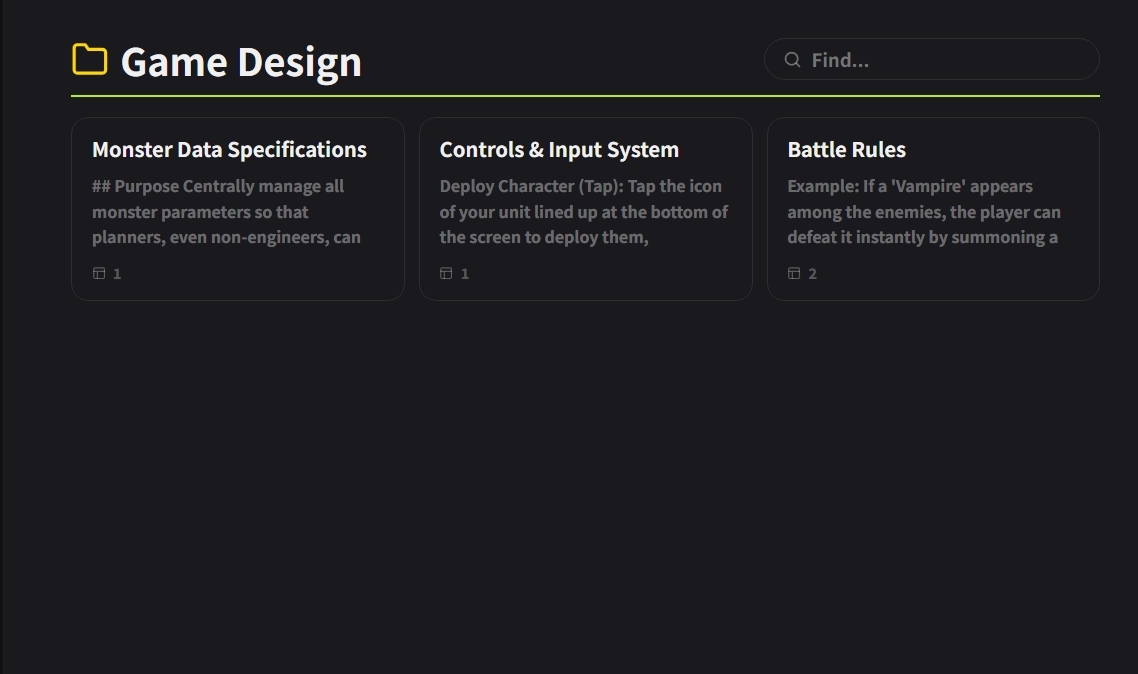
We had considered a card-style design for the folder list, like the one shown in the image — one where a bit of the content text would be visible. It certainly looked appealing. But in the end, we settled on a simple list that was just a slight refinement of the existing format.
The reason is that more information means higher cognitive load. When people see text, they unconsciously start reading it, which slows down what should be a quick scan of the list. We implemented it and tried it out, but it became clear that the original format without preview text was significantly easier to use.
What we kept instead was the relative timestamp — "X minutes ago" and similar. This is not the content itself, but meta-information about when something was edited. It lets you identify recent items at a glance without disrupting the scan. It is not noise — it is a decision axis for selection.
We will continue working to improve Textvas.