Stick Wars: The Laneborn - Major Visual & Camera Update The battlefield just got
Stick Wars: The Laneborn · published
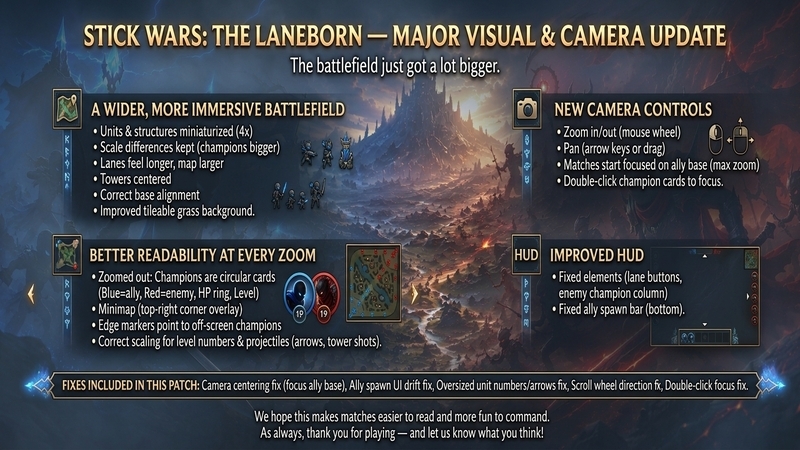
The battlefield just got a lot bigger.
This update overhauls how the map feels, how units read on screen, and how you navigate the fight. The core gameplay is the same — but matches should now feel more tactical, more readable, and much easier to control.
A wider, more immersive battlefield
Units, towers, and bases are now miniaturized (~4× smaller) while keeping their relative size differences — champions still feel bigger than soldiers.
Distances and movement speeds have been rebalanced to match the new scale, so lanes feel longer and the map feels larger.
Towers now sit exactly on lane centers.
The enemy base is aligned correctly to the end of the lane.
The map background has been improved with a tileable grass look for a cleaner, sharper battlefield.
New camera controls
Zoom in and out with the mouse wheel (scroll forward to zoom in, backward to zoom out).
Pan with arrow keys or by dragging the map.
Matches now start focused on your ally base at maximum zoom.
Double-click a champion (HUD button or zoomed-out card) to focus the camera on them.
Better readability at every zoom level
When zoomed out, champions appear as circular cards:
Blue for allies, red for enemies
HP ring around the card
Level shown on the card
Minimap in the top-right corner.
Edge markers point to off-screen champions.
Unit level numbers and projectiles (arrows, tower shots) are now scaled correctly for the new unit size.
Improved HUD
Lane buttons and the enemy champion column stay fixed to the screen while you move the camera.
The ally spawn bar at the bottom is now also screen-anchored, so it no longer moves with pan/zoom.
Fixes included in this patch
Fixed match start camera centering on the map instead of the ally base.
Fixed ally spawn UI drifting with camera movement.
Fixed oversized unit level numbers when zoomed in.
Fixed oversized arrows.
Fixed scroll wheel zoom direction.
Fixed zoom getting stuck after focusing a champion.
Fixed double-click focus on champion cards when zoomed out.
We hope this makes matches easier to read and more fun to command. Thank you for playing and let us know what you think!