Status
SteamPeaks
ChartsSalesUpcomingPatchesNewsCalculator
New on SteamEvery app, DLC and depot the minute Steam creates itAppsEvery app on Steam, newest change firstPackagesSubs and bundles, and what each containsDepotsDepots, manifests and install sizesTagsSteam's user tags and the games under themDevelopers & publishersCompanies and their cataloguesTechnologiesEngines, SDKs and anti-cheat found in the filesChange historyEvery PICS changelist as it lands
SignalsNineteen readings of the whole catalogueCompareAny games side by sideRecordsAll-time peaks and the days they were setReportsWeekly and monthly write-upsAlerts & newsroomWatch a game, get told when it movesSteam statusIs Steam up, right nowWeb API explorerTry the endpoints in the browser
NewsSteam's own announcements and the sales calendarCalculatorWhat a Steam account is worth, and its pile of shame
/
Sign in
/
SteamPeaks
The ultimate resource for Steam data.
ExploreChartsSalesSales and festsUpcomingPatchesNewsRecordsTrendingSignals
DatabaseAppsPackagesDepotsTagsDevelopersTechnologiesChange history
ToolsCalculatorCompareSearchAlertsSteam statusAPI
SiteMethodologyFAQDiscordSupportSign in via Steam
Not affiliated with Valve or Steam. Game names and artwork belong to their owners. All times UTC.
PrivacyCookiesFair useStatus
PixelOverNewsPixelOver 0.19 RC 1 - Bezier Shapes & Lines
In-game event

PixelOver 0.19 RC 1 - Bezier Shapes & Lines

PixelOver · published 30 Jul 2026, 19:32 UTC · build 24479058

All newsPlayers around this dateRead on Steam

Hello! This is the first release candidate of 0.19, adding vector drawing to PixelOver with the new bezier shape and bezier line objects.

Please note that pre-release versions may be unstable.

How to access pre-release versions

Roadmap and news

Documentation and tutorials

New features


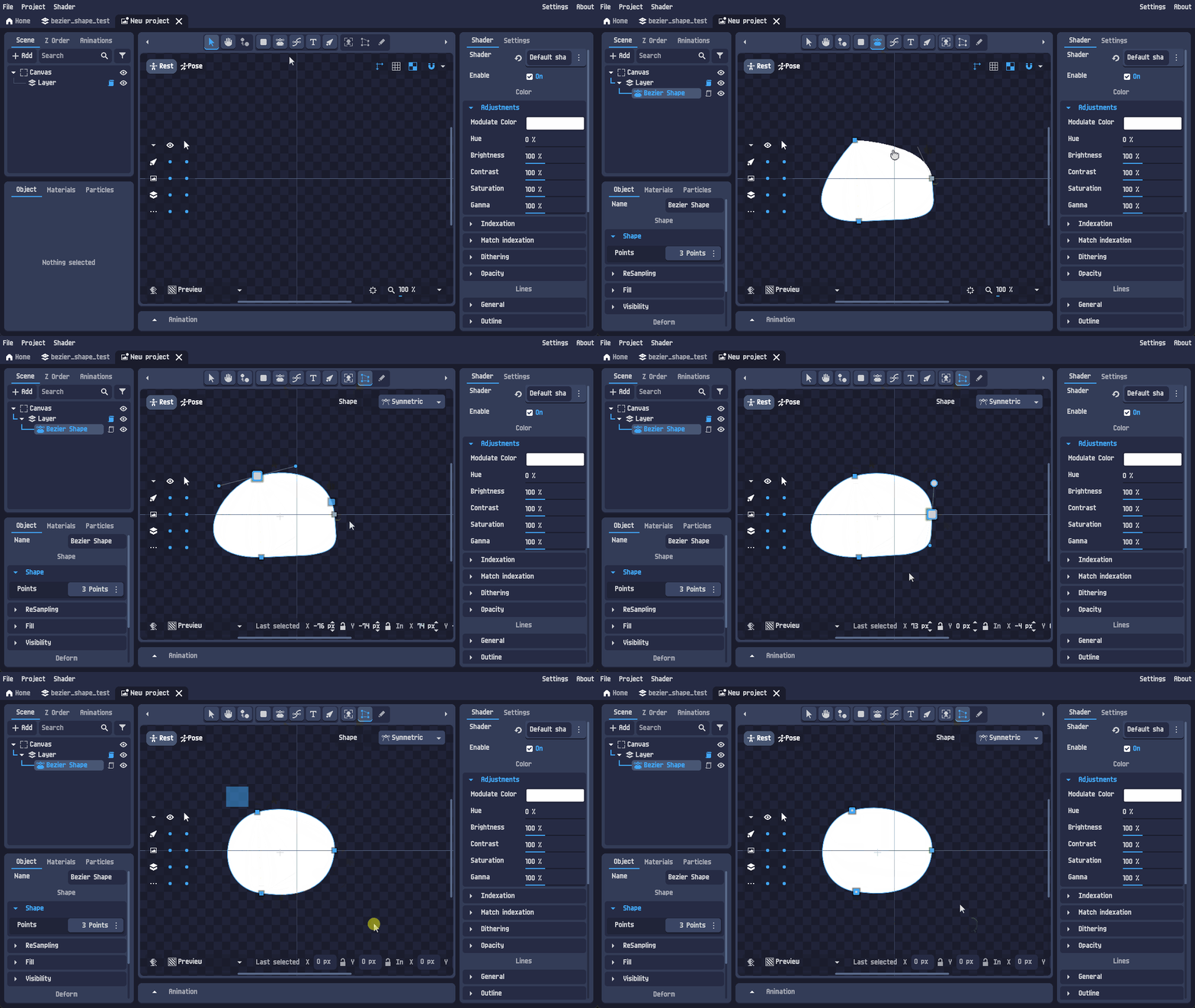
Added the bezier shape object : draw filled shapes with a pen tool, then edit them point by point.

- Pen tool to place points, with in/out handles and handle constraints (mirrored, aligned or free).

- Points and handles are editable on canvas with the deform tool, or numerically from the new point inputs.

- Solid color or gradient fill.

- Menu to align the shape with its origin.

- Conversion menu : shape to mesh, and shape to image or animated image (bake the vector result into pixels).


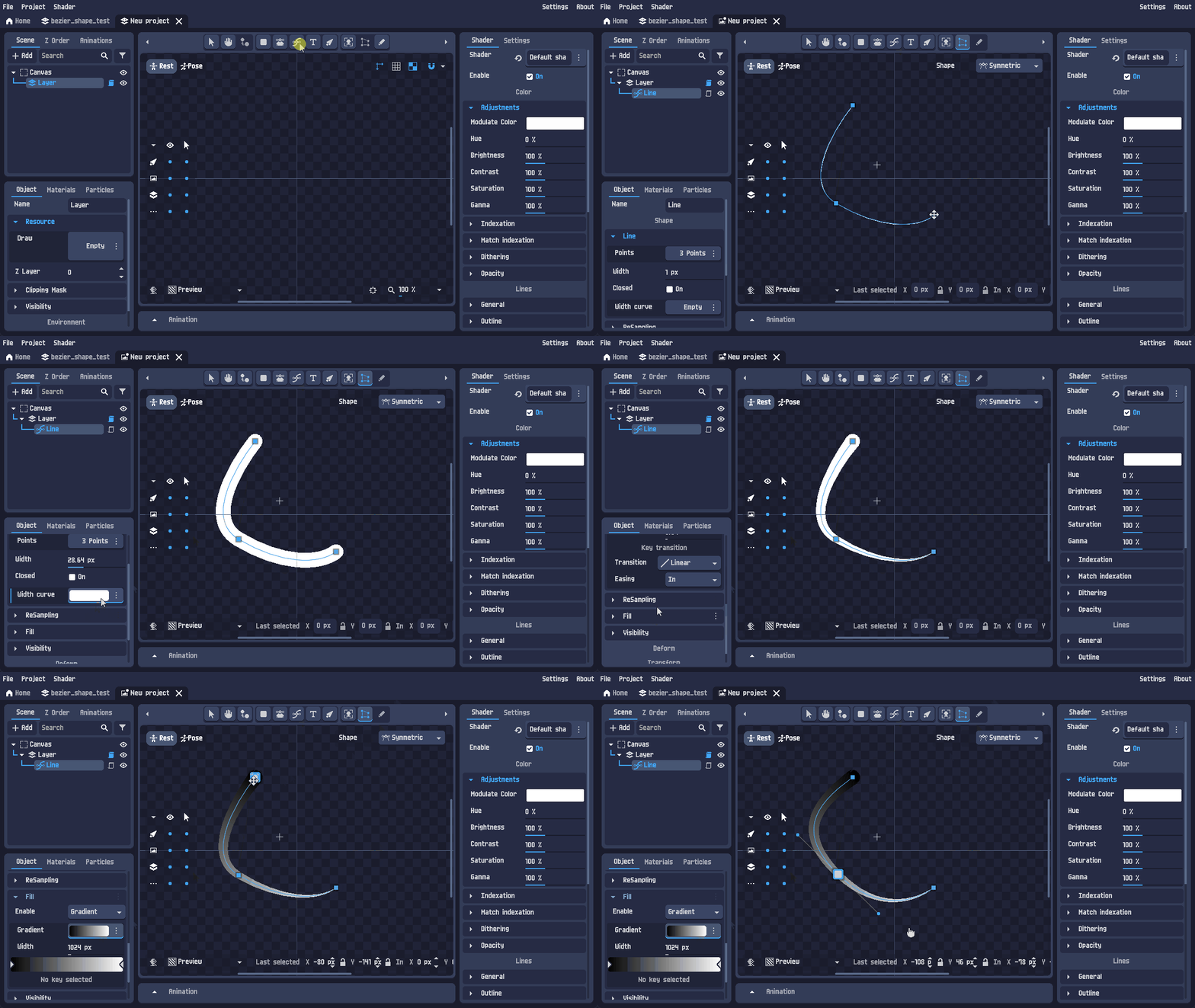
Added the bezier line object : same curve editing, but stroked instead of filled.

- Width curve to make the stroke thicker or thinner along the line.

- Closed parameter to turn the line into a loop.

- Gradient support along the stroke.

- 1 pixel wide lines are drawn with a bresenham algorithm for clean pixel art results.

- Align points to origin menu.
Changes


Zooming on the animation timeline and the graph editor now targets the mouse position instead of the center.


Added an x/y swap button on the canvas size input, to switch between portrait and landscape in one click.


New setting to define a custom output folder for exports.


Added proper inputs to edit mesh points : point positions can now be typed in instead of being dragged only, and the last selected point stays visible while editing.

Bug fixes


Issue
Reference


Fixed the refresh when switching between the transform, deform and drawing tools.
(Not reported)


Fixed the font not applying on Text2D and Text3D objects.
Link


Prevented unindexed GIF from being exported with a dithering.
Link

If you encounter any bugs or have feature suggestions, feel free to share them in the community forum. Thank you!

More from PixelOver

Other announcements

All news
In-game event28 Sep 2026PixelOver 0.19.2 - Aseprite File ImportHello! This is the 0.19.2 release, adding Aseprite file import to PixelOver. Aseprite files can be imported flattened or layer by layer, in 2D or 3D, with their animations created from the file tags. Roadmap and news Documentation and tutorials New features Aseprite files (.aseprite, .ase) can now be imported directly, with a dedicated import dialog. - Import mode : all visible layers flattened…In-game event21 Sep 2026PixelOver 0.19.1 - Movable & Floating PanelsHello! This is the stable release of 0.19.1, making the interface of PixelOver customizable : panels can be moved from one dock to another, or detached into their own window. It also fixes IK synchronization and bones synchronization for 3D scenes. Roadmap and news Documentation and tutorials New features Panels can now be placed where you want : They are no longer tied to their dock. - Drag a…In-game event3 Sep 2026PixelOver 0.19.1 RC 1 - Movable & Floating PanelsHello! This is the first release candidate of 0.19.1, making the interface of PixelOver customizable : panels can be moved from one dock to another, or detached into their own window. Please note that pre-release versions may be unstable. How to access pre-release versions Roadmap and news Documentation and tutorials New features Panels can now be placed where you want : They are no longer tied…