Hello! This is the 0.19.2 release, adding Aseprite file import to PixelOver.
Aseprite files can be imported flattened or layer by layer, in 2D or 3D, with their animations created from the file tags.
Roadmap and news
Documentation and tutorials
New features
Aseprite files (.aseprite, .ase) can now be imported directly, with a dedicated import dialog.
- Import mode : all visible layers flattened into one object, or one object per layer.
- Import type : 2D or 3D animated images. Both settings are remembered for the next import.
- Animations are created from the file tags, or as a single "All frames" animation.
- Group layers create container objects, with their layers as children.
- Layer tree, animation tree and a preview with a frame slider to check the file before importing.
- The file palette is read and applied.
- Note : tilemap layers and layer blend modes are not supported yet.
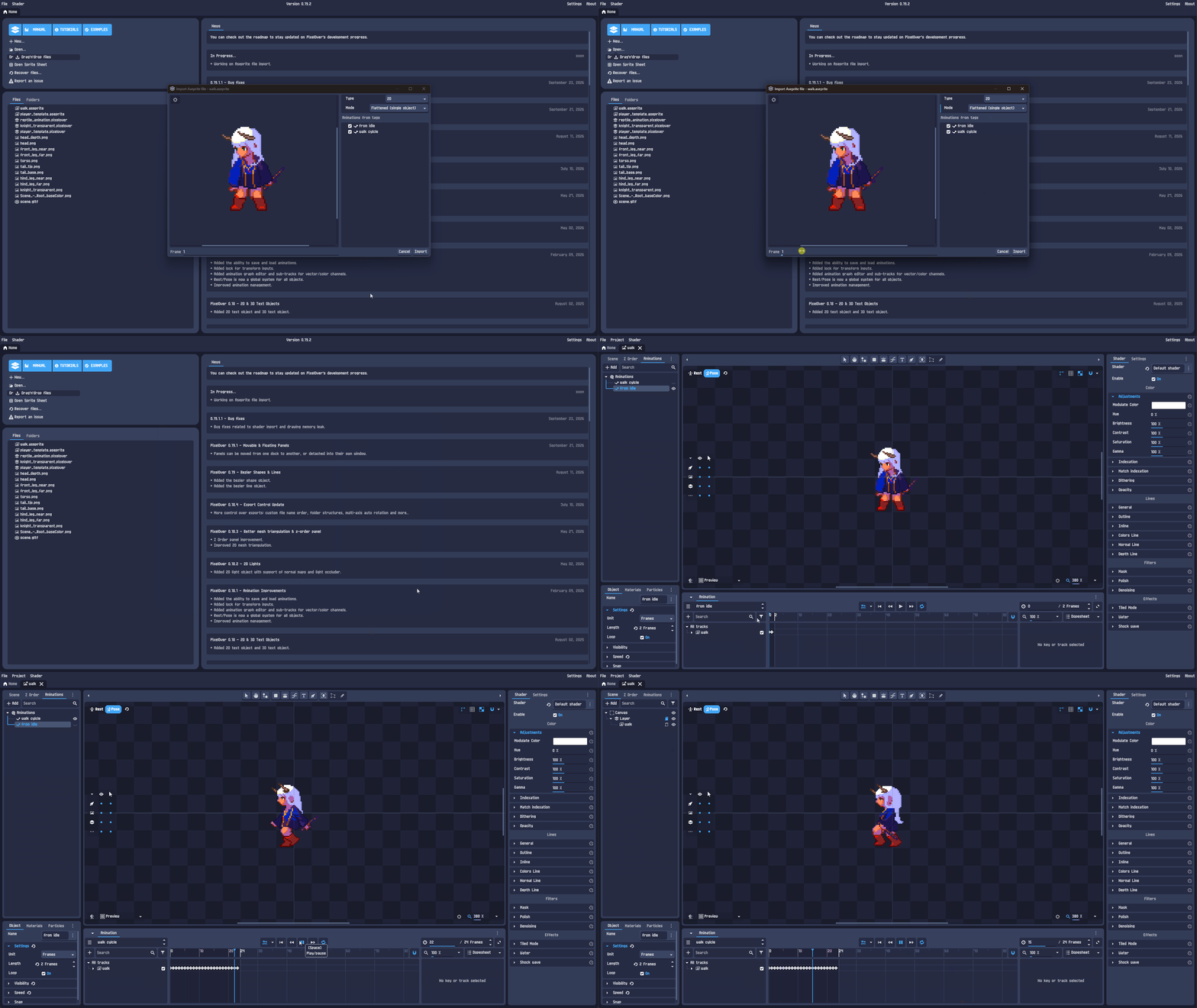
The asset pack used for the example : Platformer character pack
Added the 2D container object : an empty 2D object used to group and transform other objects together. It is also what Aseprite group layers are imported as.
Changes
Reduced memory usage : images kept only by the undo history are now compressed out of RAM and reloaded on demand, and resources and inputs are freed when they are no longer used.
Bug fixes
Issue
Reference
Fixed shader file import.
(Not reported)
Fixed visual synchronization on shader deletion.
(Not reported)
Fixed missing scrollbar for import animations.
(Reported by email)
Fixed drawing on compressed image.
Link
Fixed drawing memory leak.
Link
Fixed IK inputs disappearing when the IK target was set to the top bone of the chain.
(Not reported)
If you encounter any bugs or have feature suggestions, feel free to share them in the community forum. Thank you!