Thank you for using Textvas.
New Features
・Material Window Added
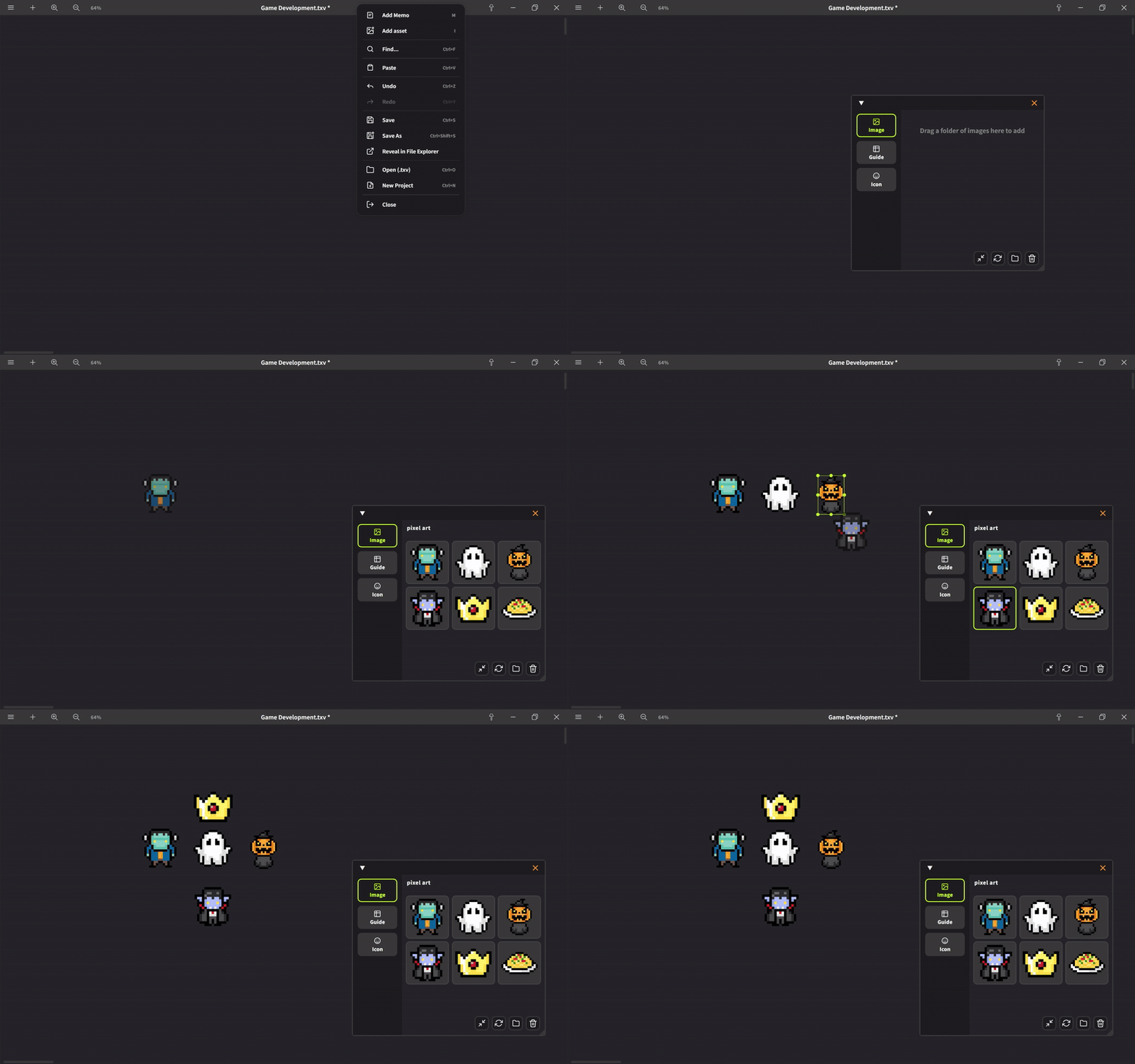
We have added a material window that consolidates icons and guide images.
You can register frequently used images and icons, and place them on your board with a single click.
Drag and drop from local folders to assign and reference them.
Press the trash button to remove the folder link.
Only the link disappears; the local image itself is not deleted.
Press the update button to refresh and display the items in the folder.
Press the resize button to automatically resize large images when placing them on the board,
preventing performance degradation. Currently, you can choose from 300, 600, and 1200 each time you click.
The original image in the local folder is not resized.
You can also drag and drop to rearrange icons, materials, and guides.
・Free Guide Added
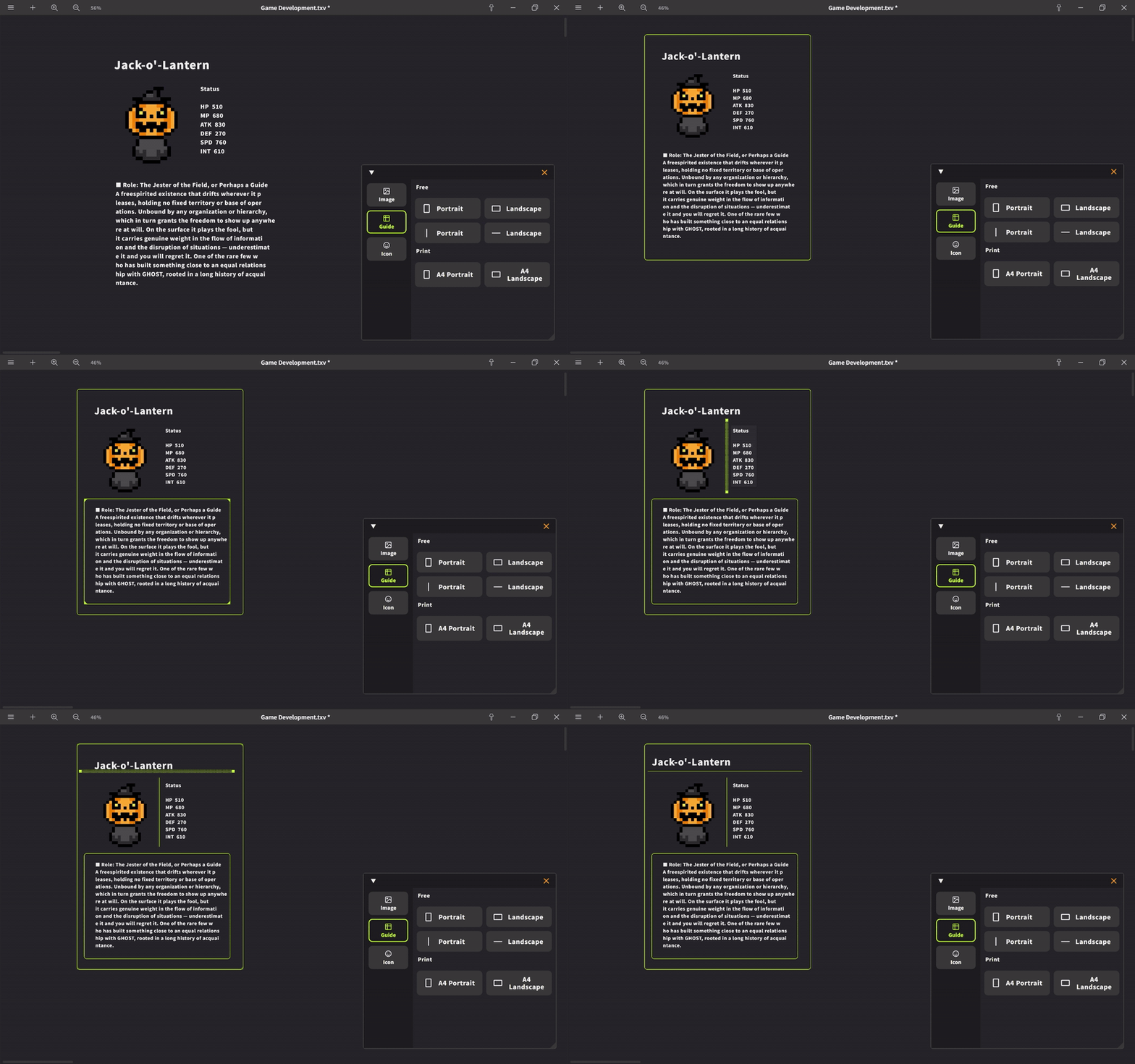
We have added a new guide called Free Guide.
You can use four types: vertical and horizontal square types, and vertical and horizontal line types.
Previously, guides were only for printing (A4), but now you can place guides with freely adjustable sizes. Use them to separate content, and as a free-to-use guide marker on your board, independent of printing.
・Memo Connection Line Support
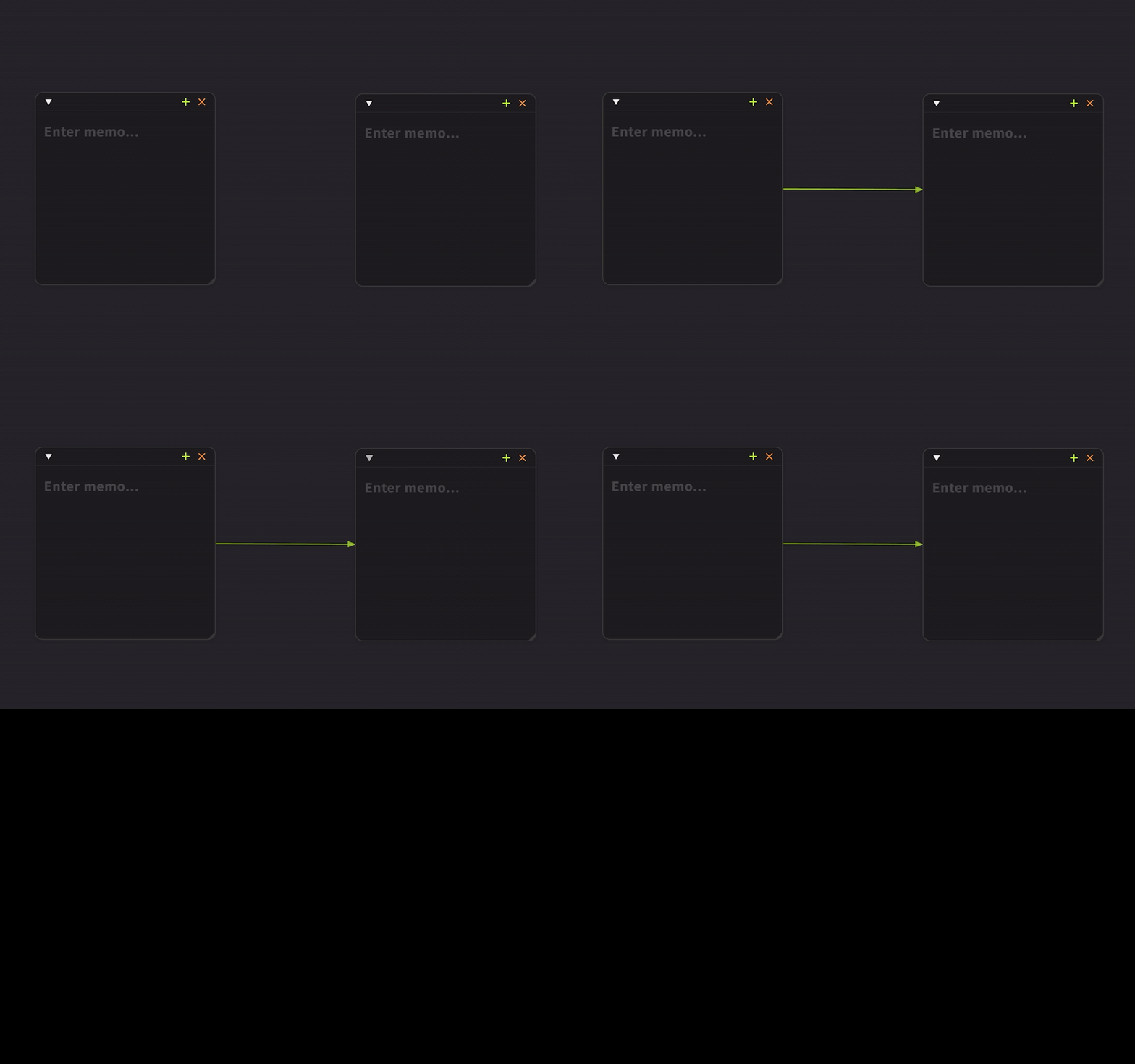
Memos can now be connected with connection lines.
Previously only cards could be connected, but now memos can also be connected with lines to other elements on the board.
Just right-click a memo and select from the connection options.
Improvements
・Guide Copy & Paste
Guide copy and paste is now supported. You can duplicate guides by selecting them and pressing Ctrl+C → Ctrl+V.
・Export Menu Consolidation
The three export options that were in the sidebar context menu have been consolidated into one.
・Icon Default Size
We adjusted the default icon size so that XL is now the standard.
・Cursor in Connection Mode
When setting connection lines, the mouse cursor stays in connection mode, making operations clearer.
・Multiple Selection and Group Move for Memos
You can now select multiple memos and move them together. You can select memos with range selection (shading), and move them together with text cards and images. You can add or remove memos from selection with Shift+click, and operations with Ctrl+A and Delete keys are also supported. Selected elements are highlighted during range selection.
・Icon and Guide Placement Method
The placement method (how to place) on the board has changed.
After pressing, they now follow directly, improving operability.
Important
・About Print Guide Location
Adding print guides has been integrated into Add Materials.
Please note to avoid being confused about where they went.
Bug Fixes
・Fixed an issue where the file view size would become too large under specific Windows settings conditions.
・Fixed an issue where the guide feature would not move together with the mouse wheel.
・Fixed an issue where pressing undo (Ctrl+Z) after deleting an image would cause all images on the board to blink.
We will continue to improve Textvas.