Features
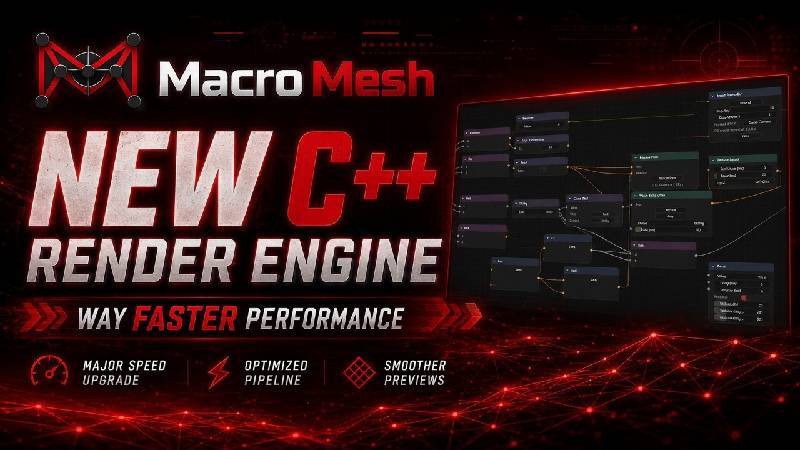
Rebuilt the macro creation page around a new native C++ rendering engine.
Macro editor now loads large macros substantially faster.
Heavy macros with many nodes and connections should hold much higher FPS than the old Python renderer.
Added GPU-backed rendering for the grid, nodes, sockets, connection lines, text, viewers, and visual effects.
Added connection and disconnection particle effects.
Added node activation glow support in the C++ renderer.
Added sound effects for spawning nodes, hovering sockets, connecting, disconnecting, deleting nodes, and recording timers.
Added per-category audio settings with enable toggles and volume controls.
Added customizable node header colors and socket data type colors in Interface settings.
Added FPS counter support for testing macro editor performance.
Added full undo/redo support for macro editor actions.
Added compact/collapse controls for nodes.
Added improved drag selection, shift-select, multi-node dragging, and grid snapping.
Added upstream and downstream node highlighting when selecting connected nodes.
Added focused and secondary selection highlighting for multi-selection.
Added socket attraction and socket highlighting while connecting lines.
Added improved template, region, noise, and input recorder viewing windows.
Added magnified pixel/location picker for precise screen coordinate selection.
Added automatic template and glyph naming when capturing multiple versions with the same name.
Added improved input recording layout with recorded nodes connected in order.
Improvements
Connection lines are smoother, anti-aliased, and better behaved when nodes are close together.
Socket colors are more consistent across node types.
Node text, sockets, dropdowns, viewers, and controls scale more consistently with zoom.
Grid rendering has improved detail handling and smoother level-of-detail transitions.
Text fades more cleanly at far zoom levels to reduce visual clutter.
Node headers now use distinct category colors.
Node sizes are now aligned to grid cells for cleaner snapping and layout.
Basic input nodes such as keyboard, mouse, sleep, and run exe now use cleaner standardized sizing.
Text boxes now use wider slider-style controls with drag editing and arrow step controls.
Connected input fields now simplify to just the label when the socket is plugged in.
Region and template nodes now show size information in the header.
Input recorder events are grouped more cleanly, especially mouse movement paths.
View windows now clip their contents correctly and render above nodes.
Frame membership is now exclusive: a node can only belong to one frame at a time.
Bug Fixes
Fixed slow macro loading caused by Python node construction when using the native renderer.
Fixed nodes saving and loading incorrectly through the C++ renderer.
Fixed deleted nodes coming back after save/load.
Fixed connections not saving through the native renderer.
Fixed container nodes, if nodes, loop nodes, function nodes, note nodes, and input recorder nodes missing required controls.
Fixed dropdowns rendering at the wrong size or alignment.
Fixed selected/hovered dropdown highlights being cut off.
Fixed node text boxes disappearing at some zoom levels.
Fixed text scaling separately from the node.
Fixed blurry node text and low-quality toggles.
Fixed socket disconnect behavior and line dragging behavior.
Fixed bundle deletion and bundle selection behavior.
Fixed bundles not moving with selected nodes.
Fixed nodes rendering through each other by respecting recent movement/order.
Fixed view windows becoming disconnected from their nodes.
Fixed template viewers showing the selection overlay instead of the actual template.
Fixed location picking offsets on high-DPI and multi-monitor setups.
Fixed input recorder saving recorded input counts incorrectly.
Fixed record mode accidentally capturing the stop click.
Fixed drag-select outlines sometimes missing sides.
Fixed frame cleanup so empty frames are removed automatically.
Fixed a bug that could cause the tutorial to get soft locked on step 3