Macro Mesh — Update
⚠ Experimental features: Replay, Screen Saver and Zoom are experimental. They work, but expect rough edges and bugs while we keep building them out. Please send bug reports — they go straight to us, and you'll get credited in-app when your report gets fixed.
Features
Quick Assign Overlay
- A global shortcut now opens a minimal assignment overlay on top of whatever you're doing, so you can bind a key mid-game without alt-tabbing. It closes when you click away or press Esc, and hands focus straight back to your game.
- The overlay is hidden from screen capture, so it won't show up in recordings or streams.
Screen Saver (experimental)
- Added a screen saver that blanks your displays after a period of inactivity.
- Added an option to hold it off while audio is playing, so it won't interrupt videos or music.
- The black style now genuinely powers your monitors down or drops the backlight rather than just painting the screen black, and Macro Mesh stops drawing while it's active.
Instant Replay & Recording (experimental)
- Added instant replay and screen recording with a rolling buffer, hardware-accelerated capture, and system + microphone audio.
- Save clips with a hotkey, organise them with tags and folders, and trim or edit them in a built-in timeline editor with export and direct YouTube sharing.
- Added a Replay node so macros can save the buffer, start or stop recording, and change buffer length, quality, resolution, framerate and audio on the fly.
Zoom & ADS (experimental)
- Added adaptive sensitivity — your mouse slows down proportionally as the lens zooms in, so aiming stays controllable at high magnification. Strength is adjustable. (Requires the Interception driver and Key Suppression enabled.)
- Added Independent Zoom, a toggle that lets zoom work while the crosshair is turned off.
Steam Workshop
- Workshop support is live for macros, crosshairs and peripheral layouts — browse, subscribe, install, publish, edit and unshare without leaving the app.
New Nodes
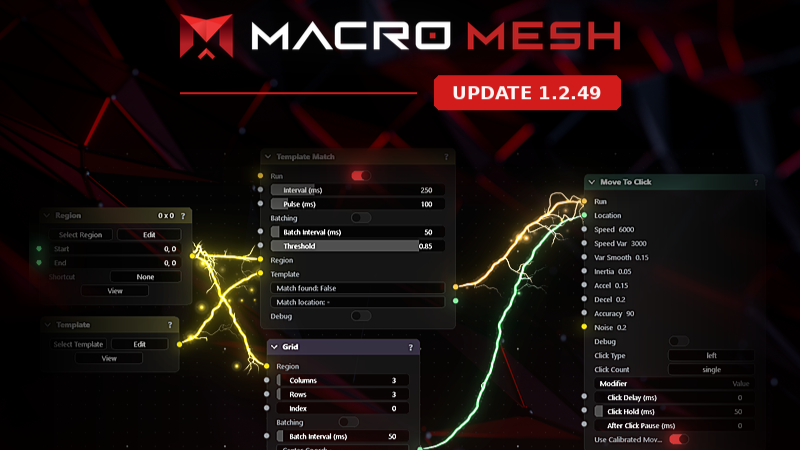
- Grid — define a region, set column and row counts, and step through cell coordinates to feed a Move To Click node. Includes a debug toggle that draws the grid on screen.
- Overlay — draw custom text and numbers anywhere on screen while a macro runs, so things like an ammo count can sit right next to your crosshair.
- Date & Time — supplies the current local time in a choice of formats, ready to pipe into a Print node.
- Translate — reads text on screen and translates it, and can push the result straight to the Overlay node to display it in place.
Assignments
- Added a per-assignment on/off toggle so you can disable an assignment instead of deleting it.
- Added re-press to stop — choose whether the keys that started an assignment also stop it.
- Added temporary assignments — set them to unbind after a length of time or after a number of activations, with a live countdown.
Macro Editor
- Added Macro Explorer — the right-hand panel now shows your macro's containers as a folder tree, so you can jump straight into any of them.
- Added a help button to every node that opens a page explaining what that node does, what each connection point is for, and how to use it.
- Added a new energy-beam connection style for the macro and crosshair animation editors, alongside the standard lines.
Mouse Movement Calibration
- Added an on-screen calibration that learns how you actually move your mouse — trace a set of targets and Macro Mesh tunes the movement nodes' speed, acceleration and accuracy to match you.
Driver-Level Input
- Added optional driver-level input so macros can reach games that ignore normal synthetic input.
- Added a Key Suppression settings page to install, check and manage the driver, plus a debugger that shows exactly which inputs are being blocked or passed through and why.
Editors & Layouts
- Added a full keyboard editor — build backplates, rows, key clusters, labels, sizes and colours.
- Added a peripheral layout editor for arranging keyboards, mice and controllers with drag, snap, resize and rotate.
- Button assignment now supports mice and controllers, including learning non-standard inputs by pressing them a few times.
Tutorials & Languages
- Added an interactive first-run tutorial — 14 chapters covering your first macro, crosshair design, building a keyboard or mouse, a settings tour and a drivers deep dive. Replayable any time from Settings.
- Tutorial steps include short looping clips for things that are easier shown than described, like connecting nodes and the order nodes activate in.
- Macro Mesh is now available in 9 languages: English, Spanish, French, German, Portuguese, Russian, Chinese (Simplified), Bengali and Filipino — including every tutorial card. You can pick your language during the first tutorial step.
Cloud Saves & Bug Reports
- Your settings, macros, crosshairs and layouts are now stored per Steam account and set up for Steam Cloud, so they follow you between machines.
- Bug reports you send now carry your Steam account, so we can notify you in-app when your report is fixed — and give you credit for finding it. Anonymous reporting is still available.
Interface
- Added Discord, YouTube and X links to the title bar.
Improvements
Input Recorder
- Holding a key no longer floods your recording with dozens of duplicate presses per second — auto-repeat is filtered as you record.
- Recordings now capture your monitor layout, so a recording made on one setup replays correctly on a different resolution or arrangement. Older recordings replay exactly as before.
- Playback can now be routed through the driver, so recordings reach games that block synthetic input.
- Fast mouse strokes now replay smoothly instead of jumping in coarse steps.
- Relative mouse movement in game mode is no longer distorted by Windows "Enhance pointer precision" when routed through the driver.
- Recorded playback now runs natively, so it starts faster and keeps better time.
- Recorded inputs are automatically wrapped in a frame, and you can change the lap length from inside that frame.
Input Recorder — Editing
- The delay before the very first recorded input is now editable, as are gaps shorter than half a millisecond — previously neither had a row you could change.
- The old 450-node display cap is now an adjustable limit (default 500, up to 5000).
- Mouse paths can now be edited one sample at a time, rather than as a single opaque block.
- Fixed edits to delays being silently discarded on save.
- Fixed edits made to nodes inside the Input Recorder not being saved at all.
Crosshair
- Crosshairs now sit perfectly centred on your screen at any size, instead of straddling the middle by half a pixel — and you can set the exact centre point per monitor.
- The Rasterize option is now DPI-aware and works correctly on scaled and mixed-DPI monitors.
- Crosshair images now support an offset so you can position them independently.
Macro Editor
- Connection lines are now drawn as smooth continuous paths rather than visibly segmented ones.
- Nodes can be dragged into and out of frames, with the target frame highlighting when a node is ready to drop in — and you can take a node out of a frame without exploding it.
- Frames now copy, paste and duplicate along with the nodes inside them.
- Frames and nodes can be moved in and out of container nodes, and connections survive the move.
- Hovering a connection line now highlights it and the connection points at both ends.
- Functions now share their contents properly — place the same function twice and both use the same body, and renaming one no longer breaks that link.
- Added undo and redo in the node editor (Ctrl+Z / Ctrl+Y), with a configurable history depth.
- Text-holding nodes now support normal text editing — select all, copy, cut, paste, undo, word jumps, Home/End and multi-line entry. The Print node types exactly the case you wrote, including capitals.
- Sliders that should only ever be whole numbers now step in whole numbers.
- The grid can now be drawn as dots instead of lines, and dots are the new default.
Nodes
- The Noise node now nudges the cursor as a gentle drifting force based on the brightness of an area, instead of making it jitter erratically.
- The Region node can now have a new region picked on the fly with a keyboard shortcut, even while a macro is running.
- LLM nodes now support your own OpenAI (or OpenAI-compatible), Anthropic and Google API keys, alongside local models.
- Filled in missing help text for nodes that previously showed placeholders, including the Rotate node.
Interface
- Every settings section and top-bar button now has an icon.
- Settings categories can be collapsed.
- The left toolbar is now scrollable, and you can show, hide and reorder its pages.
Performance & Stability
- Macros bound to an assignment are now preloaded into memory instead of being read and compiled from disk on every activation, so the first press fires without a stall.
- Fixed the mouse randomly becoming laggy or stuttery while Macro Mesh was open — key handling now runs entirely in native code instead of stalling Windows' input thread.
- Changing settings in the assignment area no longer stutters; saves are batched and moved off the interface thread.
- Zooming while editing a peripheral panel is now smooth, and no longer crashes when you zoom mid-stroke.
- The frame colour picker no longer lags while dragging the colour wheel.
- Zoom capture no longer blocks waiting for frames, recovering lost framerate and latency in fullscreen games. Added a framerate cap and a performance overlay.
Compatibility
- Macros built in the old editor are repaired automatically when opened, so bringing them into the new system doesn't break them.
Bug Fixes
Zoom & ADS
- Fixed the zoom lens capturing things it shouldn't, including your crosshair and mouse cursor.
- Fixed the crosshair not drawing on top of the zoomed area.
- Fixed the ADS effect not applying at all — two of the three effect options silently fell back to a plain fade.
- Fixed zoom only appearing if you zoomed in or out while it was already active, rather than showing immediately.
- Fixed other inputs being delayed while holding the ADS button.
- Fixed zoom rendering incorrectly on flipped and rotated monitors.
Crosshair
- Fixed the Target Parts node not affecting the animation preview.
- Fixed a border being drawn around images in the Target Parts node.
- Fixed crosshair images staying blank in the library until you reloaded or interacted with them.
- Fixed the centre-pixel Show button doing nothing while the crosshair was toggled off.
- Fixed the thickness slider appearing for triangle, circle and square shapes, which don't use it.
- The layer dropdown on the Target Parts node now matches the width of its button and stays pinned to it.
Macro Editor
- Fixed container nodes spilling their contents into the main scene after saving and reloading, and deleted containers resurrecting their nodes.
- Fixed renaming a function not renaming copies already placed in the scene.
- Fixed double-clicking a node's collapse arrow also opening the container node behind it.
- Fixed the node menu not appearing when you dragged a new line from an already-connected point and dropped it on empty space.
- Fixed dropdowns being cut off when zoomed out and floating away from their node when panning — they now close on zoom and pan.
- Fixed the macro grid drawing over the colour picker when it lost focus.
- Fixed the first sound effect in the macro editor being cut off at the start.
- In arc mode, connection bolts now stay attached to bundle handles instead of wandering off them.
Assignments
- Fixed several assignment triggering and stopping bugs, including assignments set to play once not ending, and multi-press counts being lost.
- Fixed the "any keyboard key" cancel option failing when the key you pressed was also being held by a running macro.
- Fixed keycap colours not updating until you closed the colour picker.
Nodes
- Fixed the region motion-detection node firing in games with no real movement, caused by camera bob, anti-aliasing and small frame-to-frame lighting changes.
HUD & Layouts
- Fixed the Move HUD preview not matching the shape of your actual HUD.
- Fixed the Compact Laptop keyboard template having no backplate.
Interface
- Fixed theme colours not fully updating when switching profiles until you changed tabs.
More from Macro Mesh
Other announcements
1.2.69Macro Mesh - Update Features Server Deck (Experimental) · We added Server Deck , a new page for running your own game servers on Amazon Web Services straight from Macro Mesh. Connect your AWS account, create a node, and start, stop and manage it from the client without touching the AWS console. · We added a library of ready-to-install game servers to pick from: Minecraft (including a Java + Bed…1.2.62Macro Mesh - Update Features Macro Nodes · In String / Not In String - the If node can now test whether any of a comma-separated list of words appears inside a piece of text. Matching ignores capitalisation and stray spaces around each word, and the word list can be typed in or fed from another node. · Node activation animation - nodes now give a quick shake-and-pop the moment they fire, so you…1.1.43Bug Fixes · Fixed a performance issue that could make the macro creation page feel laggy when working with smaller macros. · Fixed an issue where many nodes would not show their activation glow while a macro was running. · Fixed an OCR setup issue that could prevent required OCR dependencies from downloading or installing correctly.