Macro Mesh - Update
Features
Server Deck (Experimental)
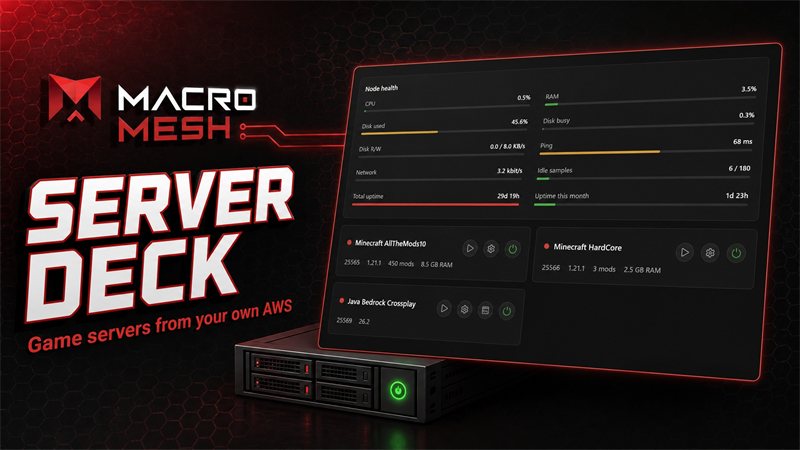
- We added Server Deck, a new page for running your own game servers on Amazon Web Services straight from Macro Mesh. Connect your AWS account, create a node, and start, stop and manage it from the client without touching the AWS console.
- We added a library of ready-to-install game servers to pick from: Minecraft (including a Java + Bedrock crossplay server), Valheim, Palworld, Rust, Project Zomboid, Satisfactory, Terraria, Factorio, 7 Days to Die and Icarus. Each card shows the disk and memory it needs.
- Nodes shut themselves down when nobody is playing, so an idle server is not running up a bill.
- Server Deck is experimental. It creates real resources on your own AWS account and you are billed by Amazon for them. Expect rough edges, and keep an eye on your AWS costs while you try it.
Screen Savers (Experimental)
- We added Mystify, glowing neon ribbons that drift and bounce across the screen, inspired by the Windows XP classic.
- We added Evolution, a living terrarium of procedural bugs that forage, breed and evolve while you are away. Double-click it to open the world viewer and watch how your colony is getting on.
- Both screen savers are experimental and still being worked on. If one misbehaves, switch back to Black in the Screen Saver settings.
Improvements
Macro Editor
- We added a Play button to the macro editor toolbar so you can test-fire a macro right away, without assigning it to a key first.
Replay
- We added separate audio tracks to recordings. Choose Split out a voice app to get your system sound, your voice app (such as Discord) and your microphone as three tracks, or One track per program to give every program making sound its own track. Each track can be muted and mixed on its own in the editor.
- Splitting audio by program needs Windows 11. On Windows 10, clips keep recording system audio as a single track.
More from Macro Mesh
Other announcements
1.2.70Macro Mesh - Update Features Bug Report · Added a bug-finder leaderboard to the Bug Report page. It ranks everyone whose reports led to a closed bug, and the top three get their own trophy. Replay - Recording Indicator · Added an on-screen recording indicator : while a recording is running, a small Macro Mesh mark now sits in the top-right corner of your main monitor so you always know it's rol…1.2.62Macro Mesh - Update Features Macro Nodes · In String / Not In String - the If node can now test whether any of a comma-separated list of words appears inside a piece of text. Matching ignores capitalisation and stray spaces around each word, and the word list can be typed in or fed from another node. · Node activation animation - nodes now give a quick shake-and-pop the moment they fire, so you…1.2.49Macro Mesh — Update ⚠ Experimental features: Replay , Screen Saver and Zoom are experimental. They work, but expect rough edges and bugs while we keep building them out. Please send bug reports — they go straight to us, and you'll get credited in-app when your report gets fixed. Features Quick Assign Overlay · A global shortcut now opens a minimal assignment overlay on top of whatever you're do…