Status
SteamPeaks
ChartsSalesUpcomingPatchesNewsCalculator
New on SteamEvery app, DLC and depot the minute Steam creates itAppsEvery app on Steam, newest change firstPackagesSubs and bundles, and what each containsDepotsDepots, manifests and install sizesTagsSteam's user tags and the games under themDevelopers & publishersCompanies and their cataloguesTechnologiesEngines, SDKs and anti-cheat found in the filesChange historyEvery PICS changelist as it lands
SignalsNineteen readings of the whole catalogueCompareAny games side by sideRecordsAll-time peaks and the days they were setReportsWeekly and monthly write-upsAlerts & newsroomWatch a game, get told when it movesSteam statusIs Steam up, right nowWeb API explorerTry the endpoints in the browser
NewsSteam's own announcements and the sales calendarCalculatorWhat a Steam account is worth, and its pile of shame
/
Sign in
/
SteamPeaks
The ultimate resource for Steam data.
ExploreChartsSalesSales and festsUpcomingPatchesNewsRecordsTrendingSignals
DatabaseAppsPackagesDepotsTagsDevelopersTechnologiesChange history
ToolsCalculatorCompareSearchAlertsSteam statusAPI
SiteMethodologyFAQDiscordSupportSign in via Steam
Not affiliated with Valve or Steam. Game names and artwork belong to their owners. All times UTC.
PrivacyCookiesFair useStatus
言之叶 - KotonohaNewsUpdated on May 7th, 2025
In-game event

Updated on May 7th, 2025

言之叶 - Kotonoha · published 7 May 2025, 10:28 UTC

All newsPlayers around this dateRead on Steam

New plugin launched: "3D Wolrd"
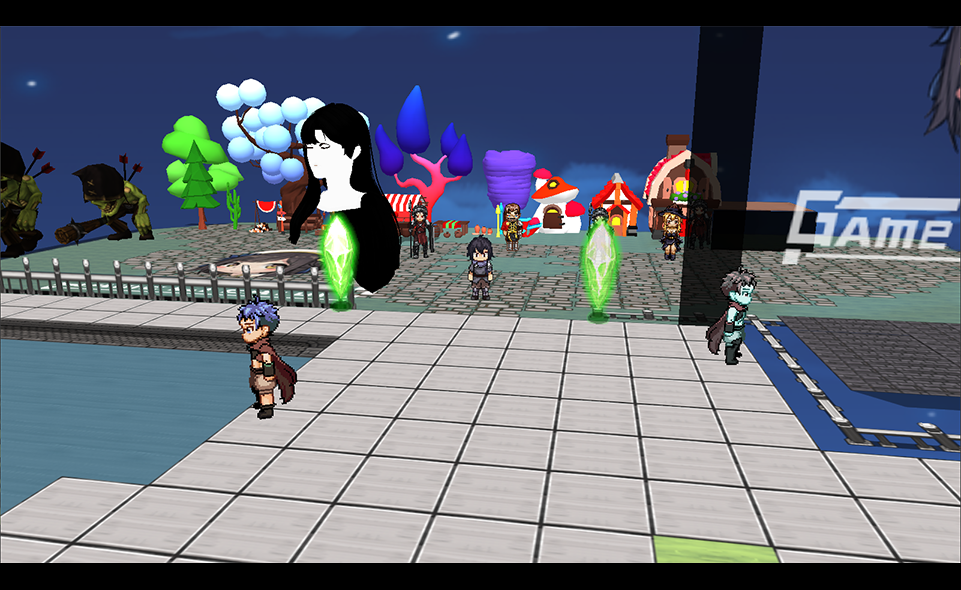
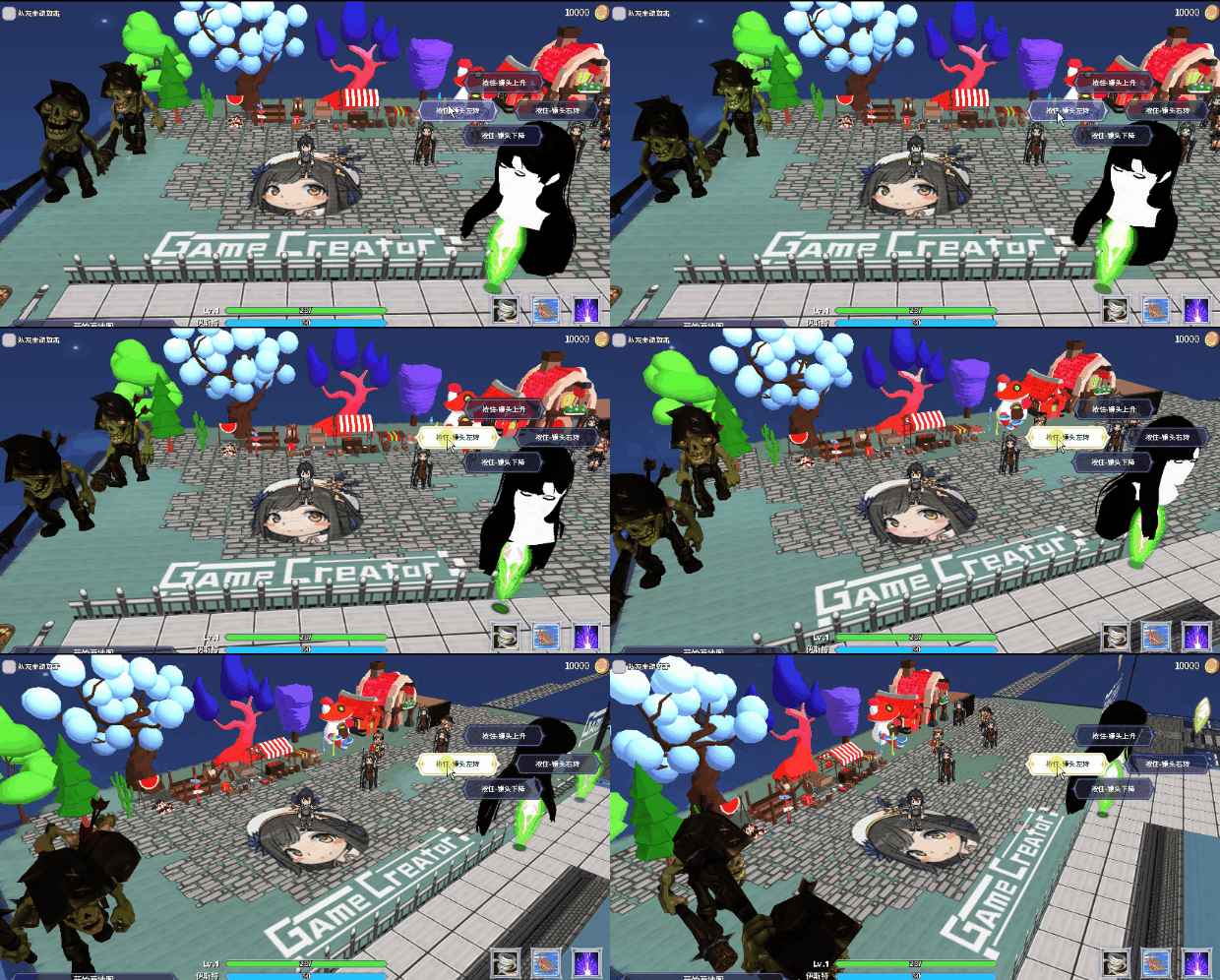
Plugin: 3D World Plugin address

This plugin can convert your 2D-RPG world into a 3D world. Click here to view the demo

● You can convert a 2D Avatar into a 3D world's "floor"/"plane"/"bulletin board" (a bulletin board is a type of panel that always faces the camera)

● You can convert a 2D layer into a "floor"/"plane"/"bulletin board" in a 3D world or maintain the display of the original 2D image (for example, as a distant view, the block layer can only be used as a floor)

● Can place models and support model files in *. glb format

● Camera can be set (but if it is converted from 2D to 25D, usually a fixed angle is used because 2D Avatar materials only have one side)

● You can set the z-coordinate, for example, when walking to a certain area, the ground height will be higher.

● You can specify which scenes become a 3D world

● You can still control the camera, layers, scene objects, draw maps, etc. through commands

● More features await your research

● The plugin is still in a laboratory nature and currently only compatible with "RPG Feather of Cyan" and "ARPG Book of Black" ("TBRPG Sword of Dream" is basically available, "SRPG Formation of Light" still needs to wait for adaptation)

Non RPG editors are not suitable and do not require the use of this plugin.

● Your purchase is considered as crowdfunding support for this research. Please carefully evaluate whether this technology should be applied to your project, as it will be updated periodically.

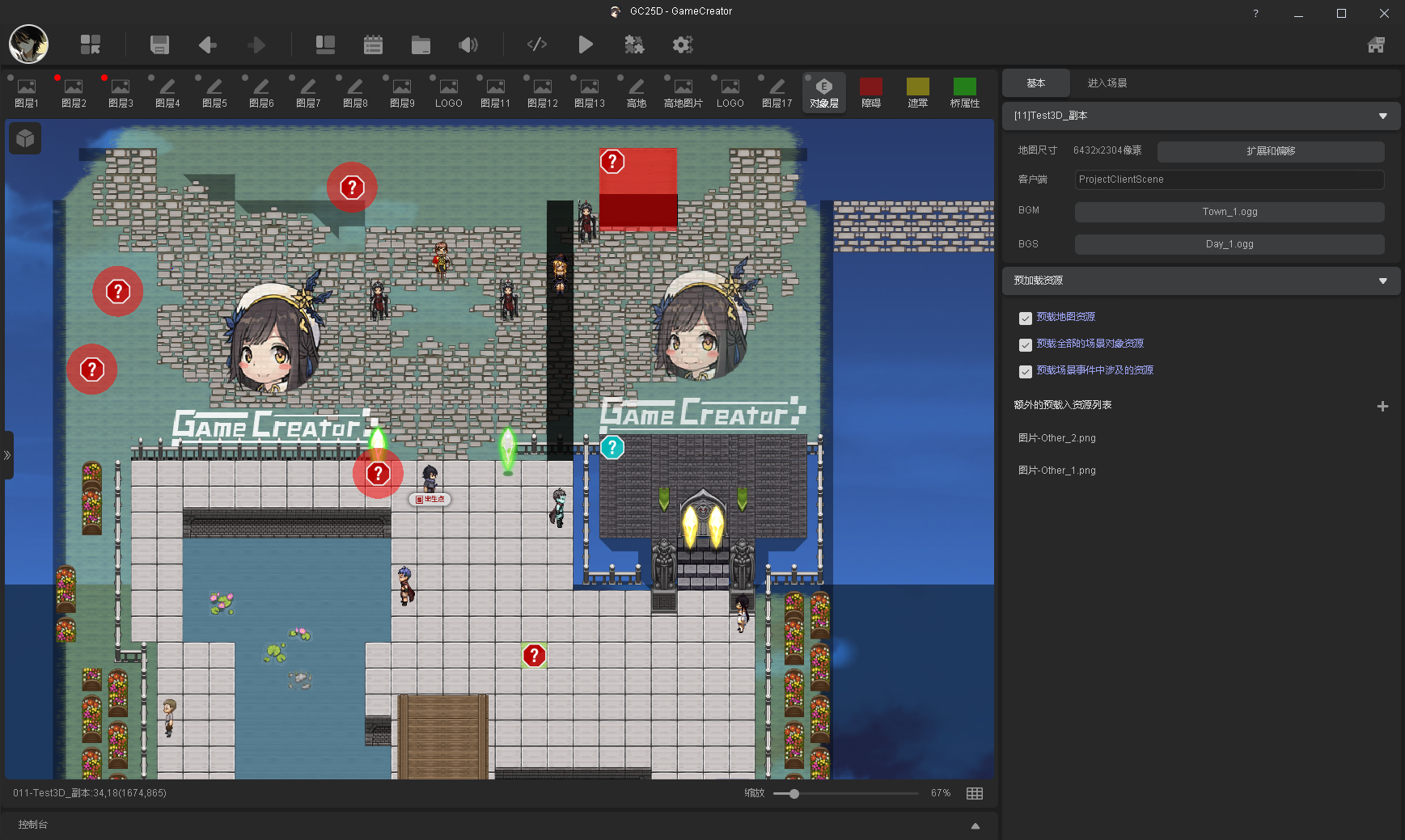
★ You can edit 2D Maps and NPCs, When the game is running, it will automatically transform into the corresponding 3D object according to your settings. The GIF/game demonstration scene and NPC above are edited in the editor below.
Engine update

● The underlying rendering has been changed from WebGL1 to WebGL2

● Fix the error where the curve editor cannot change the maximum value in certain situations

● Fixed an error caused by a box selection in the interface operation

● Other minor adjustments

More from 言之叶 - Kotonoha

Other announcements

All news
In-game event26 Jun 2026Update Announcement V0.9941, June 26, 2026Functions ● Scene layer switching: Press Shift+~ to switch to the object layer (originally, Shift+1~9 could switch between layers 1–9). ● In the Scene Editor, a new option has been added to the object layer's right-click menu, listing all layers under the current mouse cursor position for quick selection. (Right-click menu → Select Layer) ● Historical version engine A new option has been added…In-game event28 Apr 2026Update Announcement V0.994 (Plugin System Upgrade) on April 28, 2026Engine - Plugin System Upgrade ● The plugin system now includes version management. When a plugin is published, a new version will be created along with snapshots of the engine version and template versions at the time of release. This resolves compatibility issues caused by template updates (e.g., architectural changes). Users can later install the corresponding version (provided the plugin au…Game update1 Apr 2026April 1, 2026 Minor Update Patch V0.9931Engine Update · Fixed an issue where searching commands in the editor could cause errors or freezes. · Fixed a bug where clicking would display all text when multiple "Wait for Player Input" commands existed in "Show Dialog". · Fixed a bug where blank spaces appeared in "Show Dialog" when text had material effects, non-zero character spacing, and text effects (e.g., 10-frame pause). · Optimized…