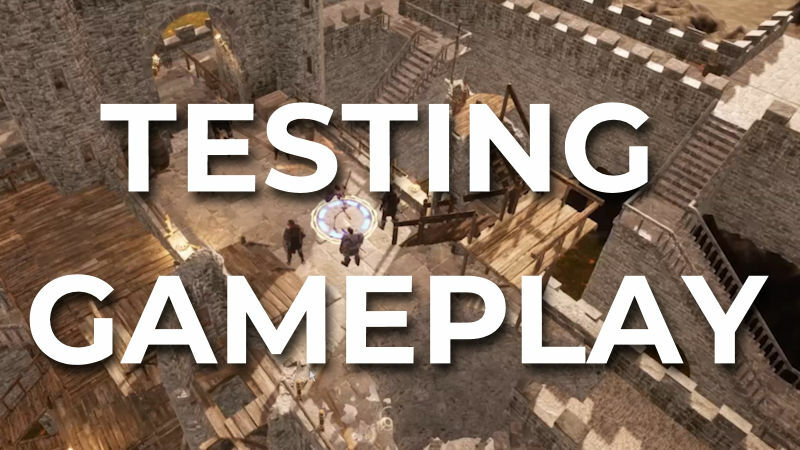
NOTE: This text is the same that we read in the video, but we figured that, for those of you less video-inclined or who cannot watch with the sound on, it would be useful to post the script as well.
Hi everyone! As you know, we’ve spent the last couple of months working hard on what we call the gameplay module: basically, developing and implementing all the features needed for you to play your favorite tabletop RPGs in Multiverse Designer. We are very excited to announce that work is going at a steady pace without any unpleasant surprises; we are starting to do internal test, and we expect we’ll be able to release it to our beta testers very soon.
And by “internal tests” we mean we are playing ourselves, of course! This video is basically a summary of a 1 hour-long session in which our team of brave adventurers (composed of a tiefling rogue, a dwarf warrior and a human templar) faced some fearsome enemies – namely two dark templars, a necromancer, and a skeleton. As you know, the core members of the dev team are Brazilian, so the whole exchange is in Portuguese. But in this summary we will explain what’s going on, so you can see how things are advancing. You’ll miss the friendly banter, but we promise that we’ll arrange English sessions in the future!
First thing you’ll surely notice is that this video features a split screen. What you can see here is everyone’s point of view: the big screen is the Game Master’s, while the smaller ones are from the three players in this test. This way you can see how every player can have a different point of view, moving the camera freely to get a good sense of their surroundings.
There are different user interface items that you can see on these screens. The line of portraits in the upper section of the screen represent the order of initiative. Then, the icons in the lower section of the screen are the basic User Interface. The GM has more options available than the players; the first icon allows you to move the camera around, while the exclamation mark shows the properties of the selected character or asset, as well as the character sheet editor – because, yes, you can change things and assets on the fly while you are playing. The scroll opens the campaign edit window, where you can add or remove players and maps to the campaign, also in real time.
Then you have a button for Dashing, another for Attack, and a final one for Basic Movement – these are available to players as well. Obviously there will be more actions in the future – everything you can think of: produce or use an item, sneak attacks… this is just a work in progress! In the lower right corner you can see the button for ending your turn, and in the upper right, the time tracker, which can be used to track any unit of time – assaults, minutes, days, or even years.
The key thing here is that you will be able to create or adapt the UI of Multiverse Designer using Crieria. Each ruleset we implement will have its own icons and UI, but you can create new action buttons from scratch, choosing an icon from a big library and linking it to a specific action; or create a new input, like which spell, weapon or skill that button will use, including area spells. Imagine, for instance, that in your campaign the evil guys are a sect of necromancers, and it’s very common to fight against enemies that raise the undead: you can create an icon that automatically makes a bunch of skeletons appear in the map to make your encounters faster. We will also include a basic, rules-agnostic UI with only the most basic things you need to run a game, like rolling dice, track initiative and HP, and move things around in the map.
In this video you'll see how to move a character or NPC you only need to click the point in the map where you want to go; you can see each enemy’s zone of control (where moving around can cause an attack of opportunity in games such as D&D). Then when you choose the Attack Action a menu lets you choose your weapon, should you have more than one. It throws the dice, calculates if it hits or miss for you, and then roll damage and deducts it from the character’s total HP. You can also open a log that shows every action in detail.
You can also see an attack of opportunity in play: since a character is crossing an enemy’s zone of control, it automatically gives the option to do an attack of opportunity. You’ll be able to set different things that trigger a reaction – it is, after all, the same underlying logic that operates traps.
A word of warning: everything you see is a work in progress. Your input will be invaluable for us to improve, especially when it comes to user interface – so if you have any comments, feel free to drop your feedback here, or join us in our Discord server. Many animations aren’t implemented yet, either, so everything looks a bit static as of yet. A second thing we want to stress: the point of the gameplay module is for Multiverse Designer to do all the bookkeeping for you using Criteria, the scripting language we have created to implement and handle game rules.
It’s relatively easy to have a rules-agnostic system where you can just move character models around and throw dice – and you will definitely have the ability to play like that on Multiverse Designer. But what we want is to make the most out of the capabilities of Criteria, so Multiverse Designer handles character and NPC sheets, changes in stats, damage, temporary status… everything that you can do in advanced virtual tabletops, like Foundry, with a more powerful system to implement new rules of all kinds, from characters to items, spells, weapons or anything you might think of.
That’s all for today; as always, we invite you to join our community on Discord, wishlist Multiverse Designer on Steam(this is very important for us!) and follow us on Instagram and Twitter. See you in our next update!
PS: Friendly reminder to all backers, please redeem your Steam keys, and if you haven’t seen yours in your inbox, send us a DM through Kickstarter so we can send it to you. Have a nice day!