Status
SteamPeaks
ChartsSalesUpcomingPatchesNewsCalculator
New on SteamEvery app, DLC and depot the minute Steam creates itAppsEvery app on Steam, newest change firstPackagesSubs and bundles, and what each containsDepotsDepots, manifests and install sizesTagsSteam's user tags and the games under themDevelopers & publishersCompanies and their cataloguesTechnologiesEngines, SDKs and anti-cheat found in the filesChange historyEvery PICS changelist as it lands
SignalsNineteen readings of the whole catalogueCompareAny games side by sideRecordsAll-time peaks and the days they were setReportsWeekly and monthly write-upsAlerts & newsroomWatch a game, get told when it movesSteam statusIs Steam up, right nowWeb API explorerTry the endpoints in the browser
NewsSteam's own announcements and the sales calendarCalculatorWhat a Steam account is worth, and its pile of shame
/
Sign in
/
SteamPeaks
The ultimate resource for Steam data.
ExploreChartsSalesSales and festsUpcomingPatchesNewsRecordsTrendingSignals
DatabaseAppsPackagesDepotsTagsDevelopersTechnologiesChange history
ToolsCalculatorCompareSearchAlertsSteam statusAPI
SiteMethodologyFAQDiscordSupportSign in via Steam
Not affiliated with Valve or Steam. Game names and artwork belong to their owners. All times UTC.
PrivacyCookiesFair useStatus
PixelOverNewsPixelOver 0.16.1 - Canvas rework
In-game event

PixelOver 0.16.1 - Canvas rework

PixelOver · published 8 Nov 2024, 17:38 UTC

All newsPlayers around this dateRead on Steam

Hello! Here is the stable version featuring reworked canvas and export functionalities.

You may notice that there are fewer updates than usual, this is because the software is currently being migrated to the next major version of the engine used (Godot Engine 4).


(For itch.io users, you can get a Steam key on the download page)

Roadmap and news

Documentation and tutorials

Changes


Rework of the canvas to make it more intuitive.

This has slightly changed the shader effects, introducing a size option for tiled mode. However, shader effects will need further rework in a future update to make them more flexible and easier to use.

The auto export area now hides the previously visible rectangle.
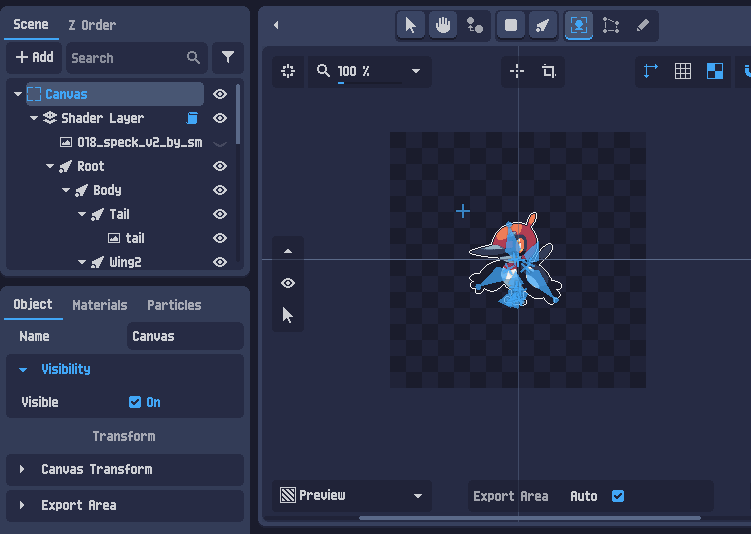
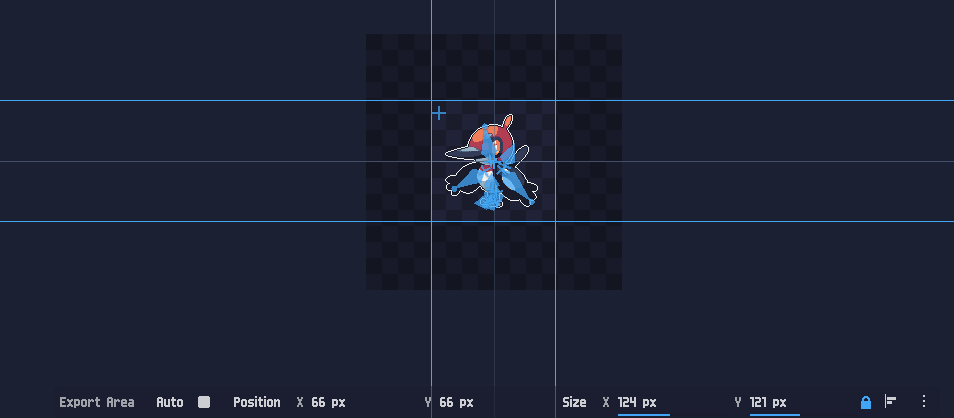
Manual export area setup is now easy and straightforward.
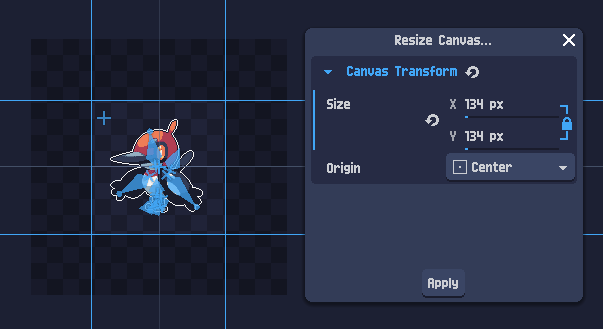
Added a new canvas resizing option in the toolbar, with the C key as a shortcut by default.


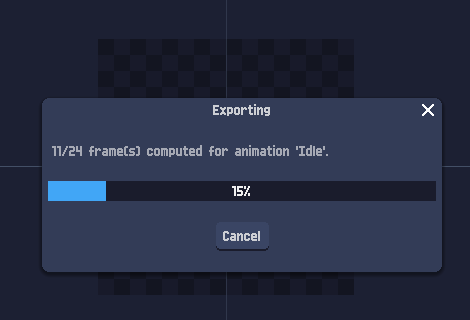
Improved export functionality, now way faster with more feedback.


New menu option added next to the shader name input.

Bug fixes


Bug
Reference


Fixed custom shortcuts saving issue.

Link


Solved unexpected color shifting when applying selection in the drawing tool.

Link


Fixed crash when importing a gif into a 3D layer.

Link


Added correct face culling for the normal buffer.

Link

Roadmap for 2024


Animation


ːsteamthumbsupː

Edit 3D bones animation.


Ability to save and load animations.


Tools and Objects


ːsteamthumbsupː
Drawing tool.


ːsteamthumbsupː
Particle systems.


Fluids.


2D and 3D text objects.


2D lights with support of normal and depth maps.


Pixelation and Effects


More available effects with a tool to place them easily.


More pixel-art oriented resampler.


Importation & Export


Import Aseprite and PSD 2D formats.


Application


Better favorite system with previews for shaders, palettes, dithering, ...


Lighter project type. To batch pixelate files without any transformation.

ːsteamthumbsupː Available features but could be improved.

ːsteamthisː New available features added with this version.

If you encounter any bugs or have feature suggestions, feel free to share them in the community forum. Thank you!

More from PixelOver

Other announcements

All news
In-game event28 Sep 2026PixelOver 0.19.2 - Aseprite File ImportHello! This is the 0.19.2 release, adding Aseprite file import to PixelOver. Aseprite files can be imported flattened or layer by layer, in 2D or 3D, with their animations created from the file tags. Roadmap and news Documentation and tutorials New features Aseprite files (.aseprite, .ase) can now be imported directly, with a dedicated import dialog. - Import mode : all visible layers flattened…In-game event21 Sep 2026PixelOver 0.19.1 - Movable & Floating PanelsHello! This is the stable release of 0.19.1, making the interface of PixelOver customizable : panels can be moved from one dock to another, or detached into their own window. It also fixes IK synchronization and bones synchronization for 3D scenes. Roadmap and news Documentation and tutorials New features Panels can now be placed where you want : They are no longer tied to their dock. - Drag a…In-game event3 Sep 2026PixelOver 0.19.1 RC 1 - Movable & Floating PanelsHello! This is the first release candidate of 0.19.1, making the interface of PixelOver customizable : panels can be moved from one dock to another, or detached into their own window. Please note that pre-release versions may be unstable. How to access pre-release versions Roadmap and news Documentation and tutorials New features Panels can now be placed where you want : They are no longer tied…