Engine - New Features and Adjustments
● The "preview hit effect" in the animation editor is now selected by default and automatically saved according to user habits.
● Now when entering a scene map with a resolution smaller than the game, it defaults to a center effect instead of the previous left/top.
● The UIList component has added an optimization mode, in which all display objects are no longer created,But only create loading positions within the visible range, and dynamically install data to the corresponding loading positions based on the current content scrolling situation.In this mode, actual testing of 1 million data failed to cause frame drops. (Related API updates: UIList.d.ts, UIListItemData.d.ts)
● The UIList component has added custom size settings for data (UIListItemData), allowing items in the list to be customized with a specific size.For example, the historical record text of "Eyes of star" may have large or small sections of text, and their item heights are not equal.
● The UIList component has added two parameters: "handle when selected item changes" (selectedIndex) and "handle when hovering item changes" (overIndex).It is possible to visualize and perform some logical processing when the selected items in the list change.
● Optimize the minimum scale of scrollbars for containers/lists, and solve the problem of skipping a large amount of data at once due to minimal scrolling when dealing with a large amount of content data.
Engine BUG repair
● Now there is a prompt for downloading plugins before opening any game projects (there was no response before)
● Fixed an issue where options displayed incorrectly after real-time file reading in a specific situation
● Fix an error caused by using an old version format of a custom instruction when changing the type of a parameter.
● Fix an error that may cause scene objects in the editor to be unable to be selected by the mouse
● Fix the error where the interface editor still displays the currently selected sub level object when entering a sub level
● Correcting the error in the image layer where the animation object is not actually destroyed after eliminating the animation, resulting in an unreduced reference count of image resources within the animation
Official template AVG - "Eyes of star"=>1.18

This update mainly provides more troubleshooting and optimization solutions for game memory/graphics memory:
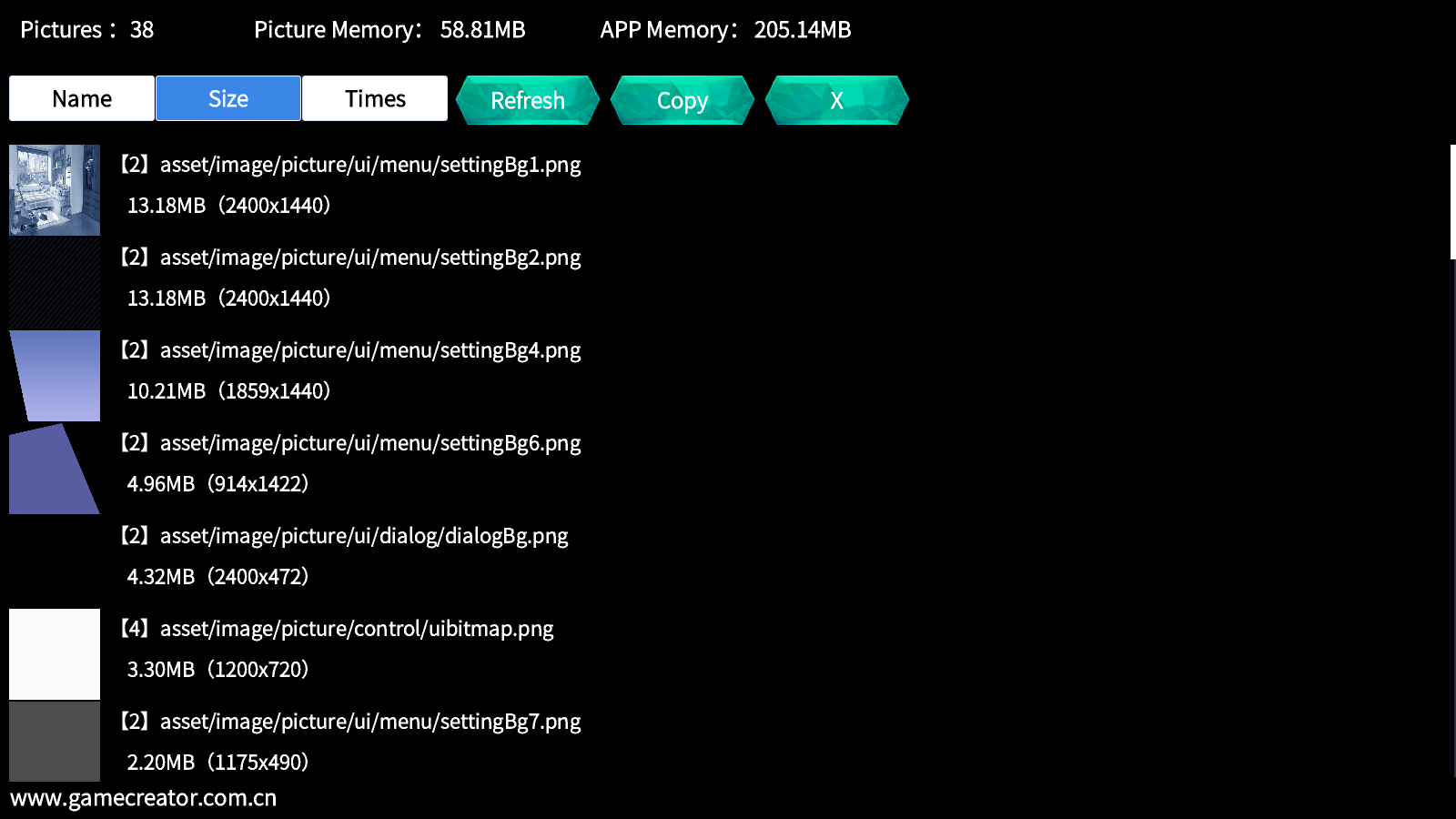
● By default, it is equipped with a resource manager, which allows you to use CTRL+ALT+K to call out and view the current number of image resource references during game runtime. Old version projects can be upgraded to the latest version or plugins can be downloaded
● World settings have added a check box for "Force game restart when reading files". When checked, players will silently restart the game and read files when reading files in the game, which is beneficial for clearing potentially high game memory/graphics.
● World settings have added a setting for "system automatic resource release time". The system will periodically unload resources based on the current resource reference count (when reference count=0), with a default of 60 seconds.
● World settings have added an "optimization guide" that provides suggestions for game resource utilization and memory/graphics optimization.
● The instruction "preload resources" is upgraded to "preload and unload resources", which can be used to unload previously preloaded resources (reference count+1) when the specified resources are no longer in use (reference count -1).
● Add the command "Silent Reload", which means that when the game runs on this command, it will silently restart the game and return to the current position, which is beneficial for clearing the current game memory and continuing the game.
● Add the command "Uninstall Interface" so that unnecessary interfaces can be uninstalled (reduce the reference count of its internal resources) (The "Close Interface" command is not uninstalled, it just hides the interface)
● Optimized the history recall interface, changed the list component to optimization mode, no longer causing a decrease in frame rate due to displaying a large amount of dialogue text, and automatically adapted the height based on the text content.
● Fixed an issue where real-time file reading may not have cleared the current scene resources, resulting in a failure to reduce the relevant reference count. (Restarting the game to read files will not cause this problem)