I don’t know about you all, but it feels like time is just flying by faster than ever. It has been another month (and a half) and I hope everyone is doing well! This update would have been released two weeks ago, but I had a family vacation and was uncomfortable making the release and not being available to deal with any big issues.
This month (and a half) of development unfortunately had a lot of spinning wheels, so I couldn’t make a lot of progress in areas that I was hoping to make. However, I was able to knock out some of the important features that needed to be added.
Advanced and Custom Gunnery Modes
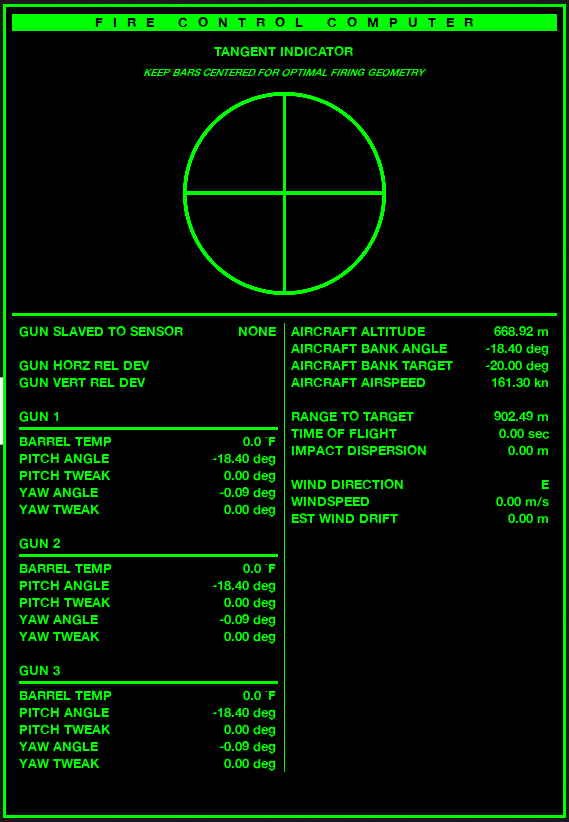
You are now able to toggle on effects that will alter the trajectory of your munitions. These effects include gravity, wind, horizontal drift (initial velocity from the flight of the aircraft), and Coriolis effect. The Fire Control Computer UI (default key is ‘o’), will provide you with key information that will help you estimate how these factors will impact your munition.
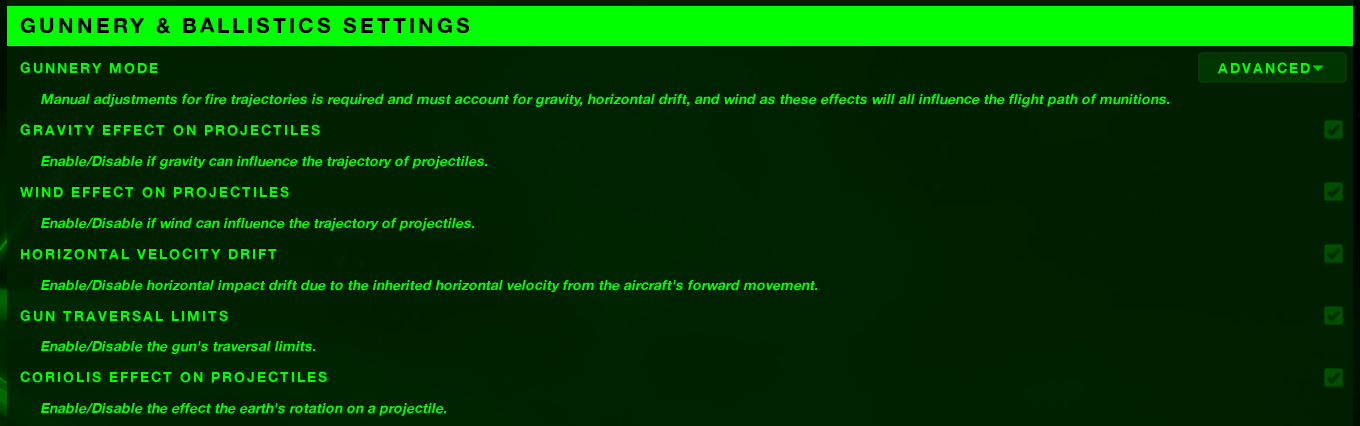
Additionally, you are now able to make “tweaks” to the relative pitch and yaw of the guns, allowing you to zero them to your sensor’s crosshair. Right now, all these adjustments are manual (like adjusting the elevation and windage on a rifle) and there is no automation in how this change depending on distance, firing angle, etc. This is something I’d like to integrate in, so it is closer to how real-world gunship functions. At the very least, I’d like the Fire Control Computer to calculate an estimated range given a specific trajectory angle, altitude/distance, and munition velocity, allowing you to adjust based upon these variables, then fine tune by conducting a “tweak” or “two-shot.”
With that in mind, it is important to pay attention to the range you zero your gun to, then adjust your aim appropriately as that range changes from target to target. You certainly can continue to tweak the gun’s pitch and yaw, but sometimes the best you can do is utilize the old fashion “Kentucky Windage.” (Believe it or not, this has been a very common practice in Gunship’s engagements. The Fire Control Computer can only help so much.) You can expect this to continue to evolve. I think it is in a reasonable spot right now but think there is more to be done.
The guns are also now able to overheat, preventing the player from continuing to engage when they reach certain temperatures. This will add a new strategic dynamic to the game, requiring you to maintain firing discipline. As soon as the guns get over 900 degrees, the guns will need to cool down prior to being able to fire again. You can see the current temps of the guns in the Fire Control Computer UI.
Chaos Destruction
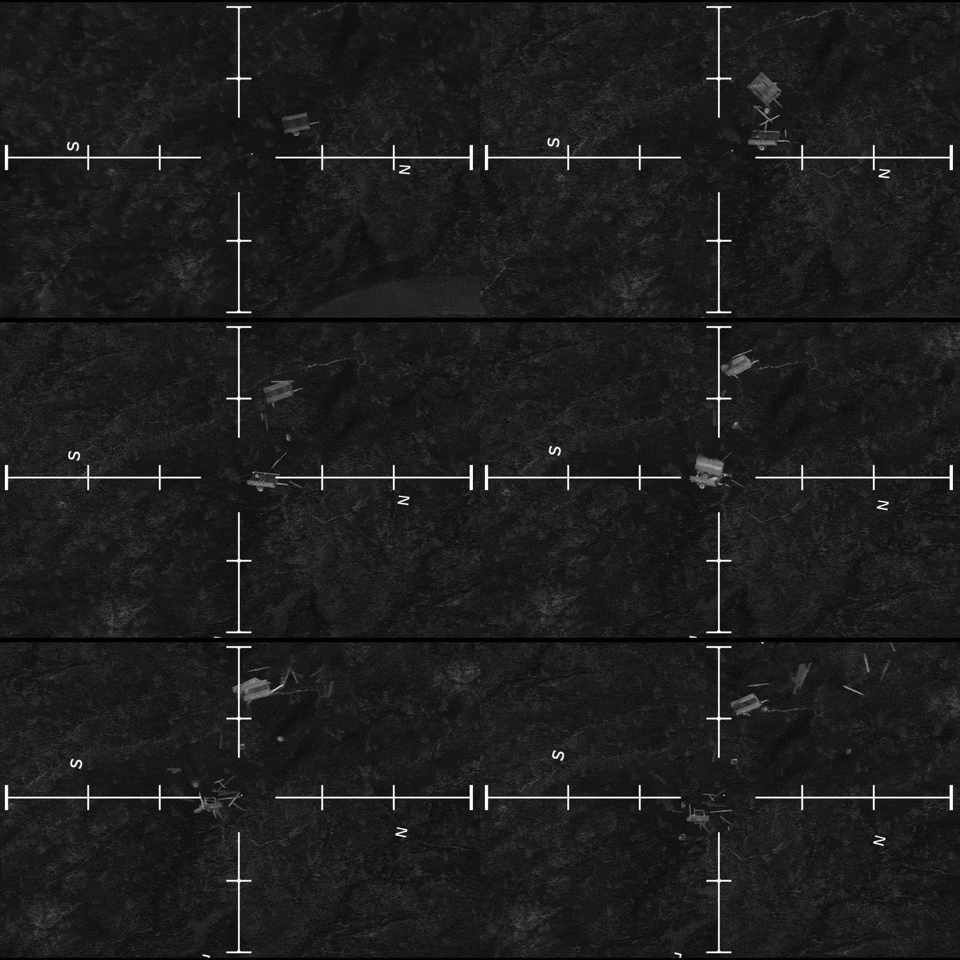
Destruction is an important feature that I believe the game needs to have and a lot of time was spent working on making that work this month. Unfortunately, there isn’t a lot to show for it now, because there are several walls to climb for it to be possible in Project Gunship.
First off, just to give some context; one of the main changes from Unreal Engine 4 was their discontinuation of utilizing Nvidia’s PhysX engine for physics calculations and simulations. Throughout the later version of UE4, Epic began implementing their in-house created physics system called “Chaos,” that was available for testing, but discouraged to ship any games utilizing because being in alpha/beta it was prone to changes. As mentioned previously, one of the big changes between the UE4 and UE5 was relieving PhysX with Chaos, their in-house physics system.
Unfortunately for me and Project Gunship, I was maybe a bit too zealous to port the game over to the newer engine; without fully understanding how everything would translate. UE5 did make a substantial amount of editor and performance improvements, along with some new and shiny features that most likely are the future in game development, but I assumed all aspects would have been improved over UE4. Chaos’ destruction tools to create fractured geometry collections (destructible objects) were much more refined and user friendly than what PhysX provided. However, stable performance is questionable and any relative control of how objects break apart seems impossible without engine code modification. Despite that, I believe I have some complicated pathways towards getting it working but as usual, it’ll take some time to figure out. So unfortunately, no destruction this update but as soon as I get it working, I’ll release a test map for you to play around in and gauge the performance impact (I’m hoping I can do this in the next few weeks).
UI/Menu Updates
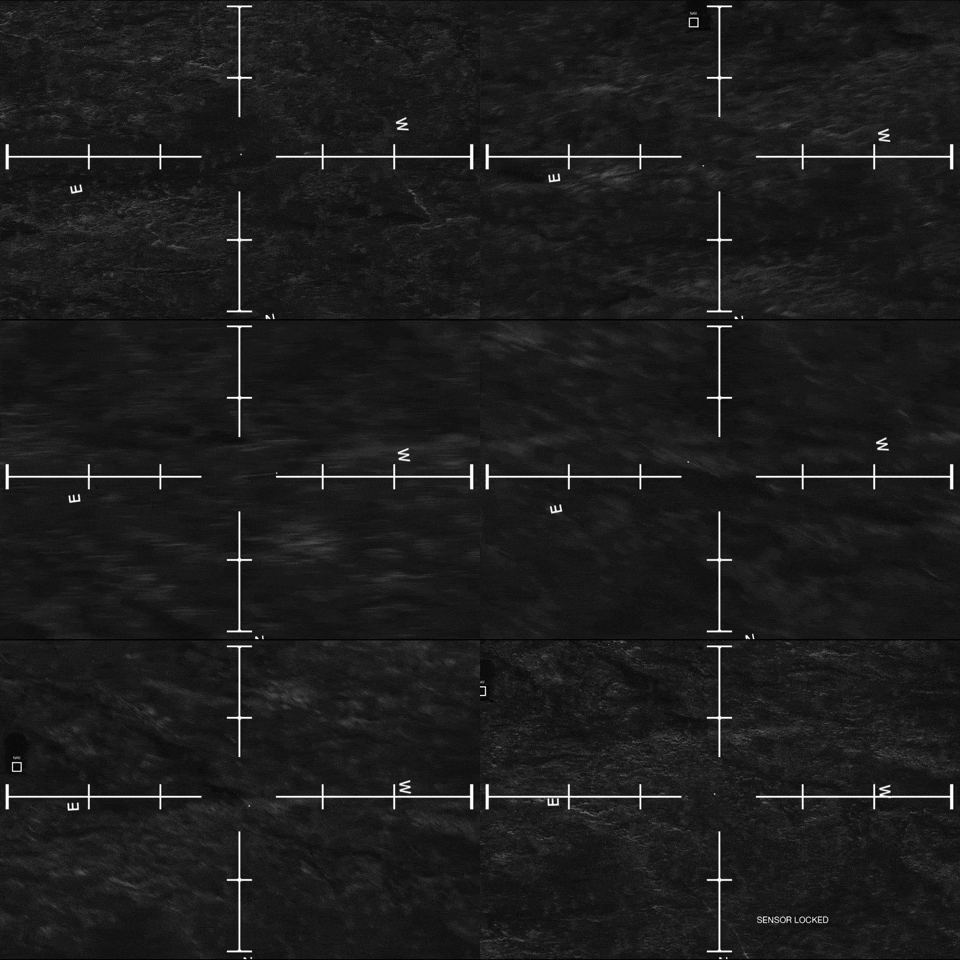
I’m also excited to provide some new UI features that will help improve the experience for everyone. One of which is a visual assist for the joystick emulation. This provides a visual indication of the input control for the sensor. The longer the line, the faster the sensor will be moving in the direction it is pointing (this can be toggled on and off in the options menu).
Additionally pressing the “escape” key while in menus will effective “go back,” as all of us have been conditioned to do (be sure to let me know if there are any menus that get missed).
I should also mention; the training information has been updated to match the updated features. I'm hopeful this will be a little more helpful as I've added videos and images to illustrate the concepts.
Outside of those main features, everything else is relatively minor. You can view the full changelog below. I’m very grateful for the opportunity to be working on this project and to interact with such good people in the community. I apologize for the slow development, but I am confident the game will turn out to be something special for us all.
Be sure to let me know if you have any complaints, suggestions, bugs, or issues and I’ll do my best to knock those out quickly. I hope everyone is doing well and will see you again in the next update!
Changelog for 0.6.5
Bug Fixes
- Fixed a bug preventing the player from changing the Fire Control Computer (Tangent Indicator) input in the options menu.
- Fixed a bug that prevented the Resolution Scaling from working properly.
- Fixed the bug that causes the weapons to continuously fire (get “stuck”) when changing weapons too quickly while firing.
- Visual Effect Updates
- Made some minor tweaks to each impact’s spark effects to be smaller in size.
- Removed the impact decals and added low velocity sparks to mark impact locations.
- Added dynamic materials to the gun static meshes on the aircraft to increase with their heat variable.
Gunship Updates
- In Simple Gunnery Mode, fixed the issue causing rounds to be off-center depending upon the range the projectiles travel. These should all hit dead center now.
- Updated the AC-130H to only have the L60 40mm and M102 105mm, and not have the M61. This depicts the late stage of the variant and provides greater distinction from the AC-130E.
- Made slight performance improvements to the projectile class.
- Reworked the audio class, which should provide incremental performance improvements (most likely in loading times).
- Added the ability to adjust the brightness and contrast of the sensor display.
- Tweaked some of the post process settings to give a clearer image (more contrast)
- Added “Advanced” Gunnery effects that will influence your projectile. These include gravity, wind, horizontal velocity drift (inherited horizontal velocity from the aircraft’s forward movement), gun traversal limits, and Coriolis effect.
- Added the ability to tweak the pitch and yaw angle of the guns to zero them in.
- Added the ability for guns to overheat. They will be unable to fire until they’ve cooled off (this is a first pass at this feature, so it is likely to be tweaked).
- Adjusted the Sensor’s location on the gunship for historical accuracy.
- Removed a small delay that existed when changing weapons, which was an attempt to deal with the stuck firing bug.
UI/Menu Updates
- Added the much requested “escape” key as a back button in the menus. This should work in all menus.
- Unlocked the “Advanced” and “Custom” Gunnery Modes in the general settings. Advanced will activate all projectile influencing effects, while Custom will allow you to toggle whichever influences you’d like.
- Added additional information to the Fire Control Computer UI; you can now track the aircraft’s bank target, gun temperature, and gun tweak angles.
- Added a visual assist for the joystick emulation. This will help you visualize the input control of the sensor. It is on by default but can be switched off in the options.
- Updated the training information and roadmap in the main menu.
Map/Scenario Updates
- Fixed a bug causing the enemy to not have a target after the aircrew is picked up.
- Fixed a bug that prevented the mission time from being accurate in the mission debrief.
- Made some adjustments to help the vehicles travel faster, so the player doesn’t have to wait so long.
- Consolidated the “Zombie Rush” scenarios, into the scenario section. Now they will show one “Zombie Rush” scenario for each map, with potentially multiple scenarios per map.