0.3.18 Update: Wrapping Up Inochi2D Export
Mannequin Character Generator · published · build 11944793
Hello! Today we’re back with a new update to Mannequin, which wraps up Inochi2D export features (at least for some time). Shortly after the release of 0.3.17, Inochi2D started implementing some new features that made rigging easier, so we decided to redo the head section of Mannequin’s outputs for better movement range and facial expression. Below you can find more details regarding these changes alongside other new non-Inochi2D related things that are also added in this version:
Inochi2D Export: More Movement and Expression
Using the latest MeshGroup node in Inochi2D we have re-rigged the head including everything attached to it, like hair and face parts. Now the movement range of the head is slightly extended while eye and mouth expression are also improved.
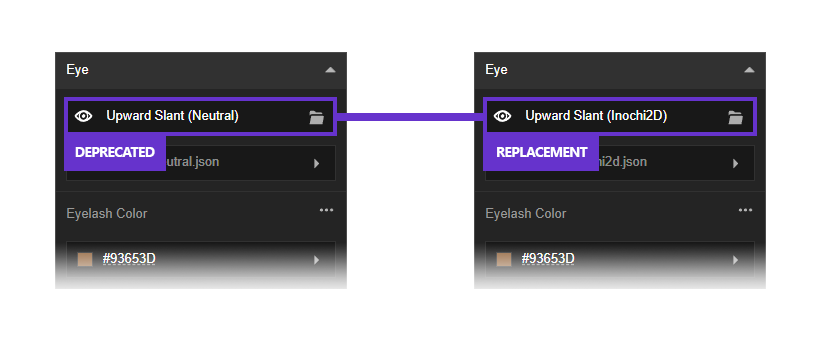
Things to note: some templates have been deprecated and replaced with new ones to implement this change. For example, ‘Lipsync – Aa’ mouth template, which was compatible with Inochi2D before, now does not work anymore. A new mouth template ‘Inochi2D’ was added as a replacement. These replacements also apply to eyes, with ‘Neutral’ templates now deprecated for Inochi2D, replaced with ‘Inochi2D’.
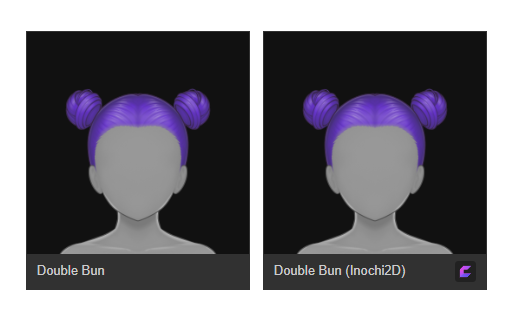
Some hair templates also have new Inochi2D-specific variants. Generally, all primary hair templates and bangs are now ready for Inochi2D export.
Inochi2D Export: More Readable Parameter Names and Grouping
Parameters generated for Inochi2D files now are more human readable and grouped to specific areas such as body, eyes, and mouth.
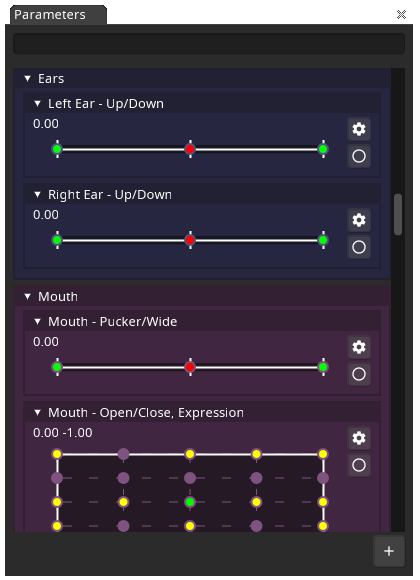
Every parameter group is color-coded, and parameters related to physics are grouped into one and sorted at the bottom of the list.
Inochi2D Export: Pre-generated Camera Node for Image/Video Export
Visual Novel developers! Do you feel that exporting characters who are constantly looking straight to the front is not very nice? With Inochi2D export acting as an intermediary, you can export your character to Inochi2D first, adjust your character’s pose further in Inochi Creator, then export the result to a PNG image. With our latest update, Inochi2D models generated using Mannequin will include a camera node by default. You can immediately export your character to PNG in Inochi Creator using File -> Export -> Image.
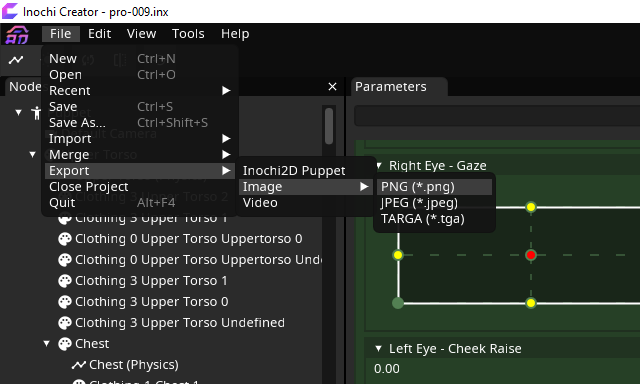
If you want to see a real example of this technique being used, look no further than the welcome screen of Mannequin! Our sample character showcases are exported from Inochi Creator after adjusting their respective poses.
Head, Ear Height and Sclera Color Adjustments
Head and ear height are now adjustable! We don’t use the term ‘Neck Length’ because it doesn’t make the neck longer, so there’s a limit on how much we can raise the head.
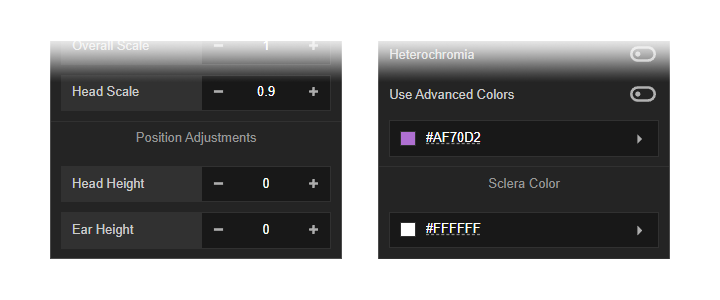
Sclera color is now adjustable! When heterochromia is enabled, sclera color also becomes independent between left and right side, same as iris color.
New Sample Characters
We now have 20 sample characters in total, which will show up in different times depending on your Mannequin’s version. Sample characters in the ‘Free’ category will always show up and only uses template from the default library. Other sample characters in the ‘Pro’ category will only show up when running Mannequin’s Pro/Full version and uses additional templates only found in the Pro version.
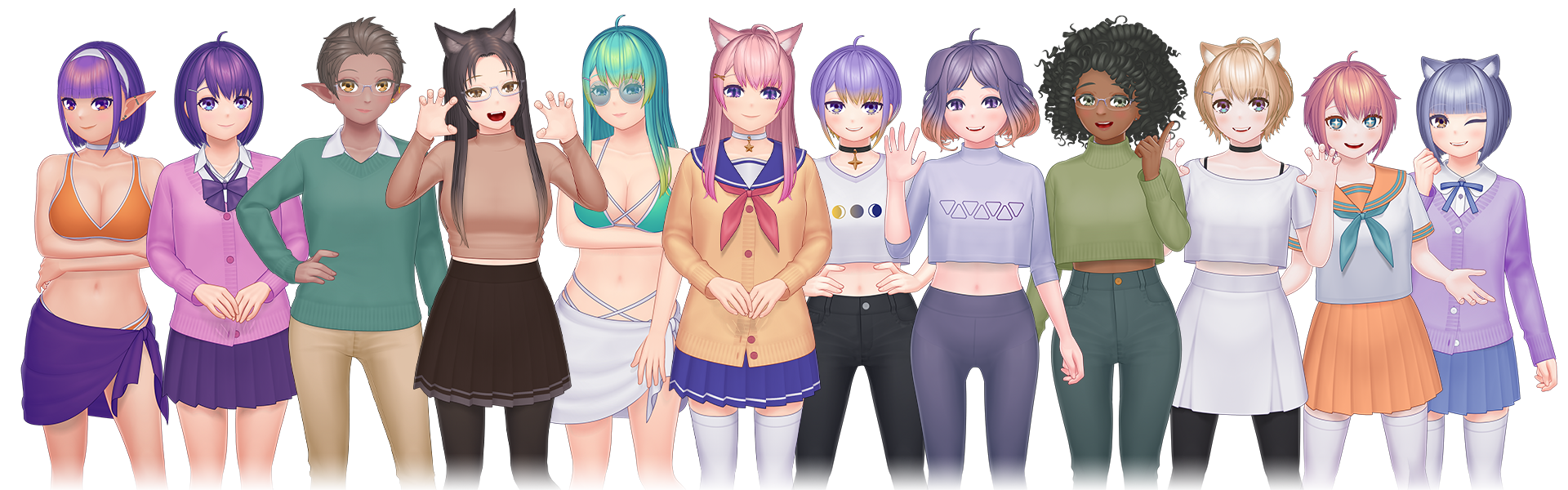
Soon, switching to nightly builds will also unlock additional sample characters as we will put male sample characters there first. Since the number of sample characters are starting to get quite big, we’ve also added a button to reroll the sample characters that shows up in the welcome screen.
Other Changes and Bugfixes
Some other changes that we brought with this update:
- We have new head templates and nose templates. All these head and nose templates are also ready for Inochi2D export.
- More clothing templates are now ready for Inochi2D export. These includes glasses and all skirts, for example.
- We have switched the ‘Latest News’ section from Twitter/X to Mastodon. With this change, embedded videos are now able to be played directly within Mannequin, without the need to open externally in a browser.
- A long-standing error message that shows up when using Steam Workshop feature is now fixed.
What’s Next?
Since this update was a detour, the next step will be going back to finishing the male template. We are aiming to make every clothing template compatible with all body templates (both male and female).
Multiple feedbacks ranging from far back to recent ones have expressed the concern regarding lower number of available clothing templates for the male body template, but the reality is: if we stick to traditional clothing compatibility then male clothing templates will always be fewer. For example, male template can be skipped when we’re adding new skirts, but new pants will obviously need to be compatible with both male and female template. So, the solution to this disparity is just to make every clothing compatible with all body templates.
That’s all for now! Timeline for finishing the male template redraw will be long, but between now and its completion we might still update Mannequin with small new features and new templates outside of clothing (such as new face parts and/or new hairstyles). As always, thank you very much for your continued support and see you again in the next devlog!