Hello! Mannequin version 0.3.14 has just released. This update brings new template selections and several performance improvements. Below you can find more details regarding what is changed:
Summer Collection and Animal Ears Collection
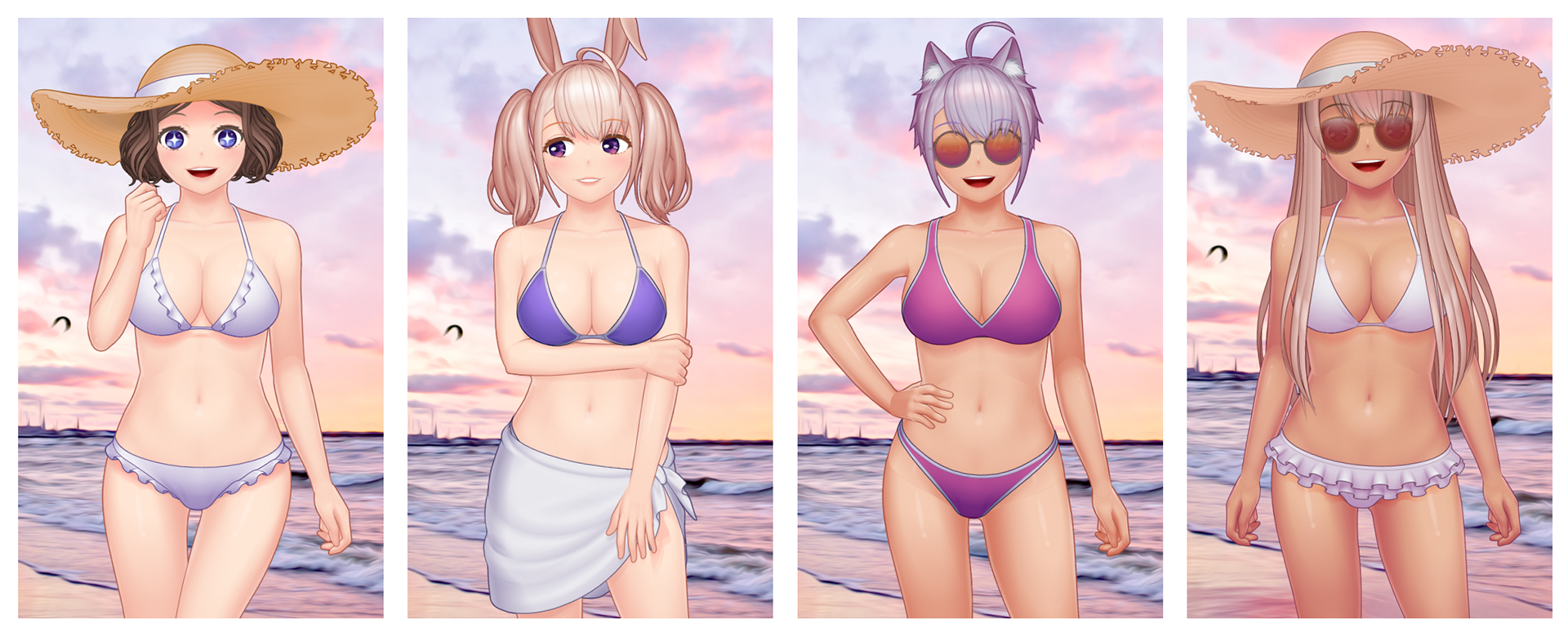
New Summer-themed templates is now here which includes several bikini variations, pareo, sandals and summer hats. In the Animal Ears Collection, we have added fox, bunny and dog ears, complementing cat ears that was added in previous update.
Zoom Performance Improvements
The previously janky zoom behavior is now much improved, whether using the top-right input field/selection or using the Ctrl/Cmd + Scroll wheel combo. You can also sync the canvas zoom level and scroll position between open files by clicking the chain toggle at the right side of the zoom level input field.
Steam Overlay Support
Steam Overlay is now supported using the usual Shift+Alt combo. You can use Steam’s screenshot feature to easily share creations or use it as an easy way to report problems, since Steam’s discussion form does not allow image uploading.
Bugfixes and Other Tweaks
Some of the less visible changes that is present in this update includes:
- Chest parts for the female template is now reworked to fix misalignment in some poses and thin line showing from clothing item/body parts underneath. The thin line may still appear in the preview sometimes but should disappear when viewed at a greater zoom level or when exported as an image.
- Fixed a bug in the library window where clicking ‘X’ button does not do anything.
- Optimized memory usage (less RAM consumption).
What’s Next?
The Steam Workshop integration that has been planned for this version is postponed to the next update, so we will be focusing on that part. We are aiming for a faster update cadence with smaller, more focused changes instead of putting a big application plus content like this, so the short-term plan is:
0.3.15 – Steam Workshop Support and tweaks to the 'Face' sidebar, adding more buttons to help apply fine-tuning parameters and other settings (such as eye gloss) to all expressions (instead of applying one by one for each expression).
0.3.16 – Fixes and more polish for existing templates. This includes pose adjustments, shading/coloring fixes and fingernails (currently there are toenails but no fingernails).
0.3.17 – Male-focused content updates (new hairstyles, face parts and clothing templates to make at least on par with the variety of the female template). If you are interested in using more male templates, please consider sharing what is on your mind regarding the art style that you’re aiming for in this thread.
That is all for now! As usual, stay safe, stay creative, and see you in the next update!