0.3.16 Update: UI Revamp, Randomizer, and Art Polish Progress Report
Mannequin Character Generator · published
Hello! Today we have released a new update which brought quite a big change in the UI/UX department of Mannequin. We also have some reports regarding the art polish and male/masculine-focused templates which is still in the works. Without further ado, let us get into the details!
Tweaked User Interface
The updated user interface shrinks a lot of controls, removing a lot of thumbnails (which are pointless honestly, because we can see the result in the character anyway) and moved various additional functions into context menus. Look for the three-dot icon to find these additional functions.
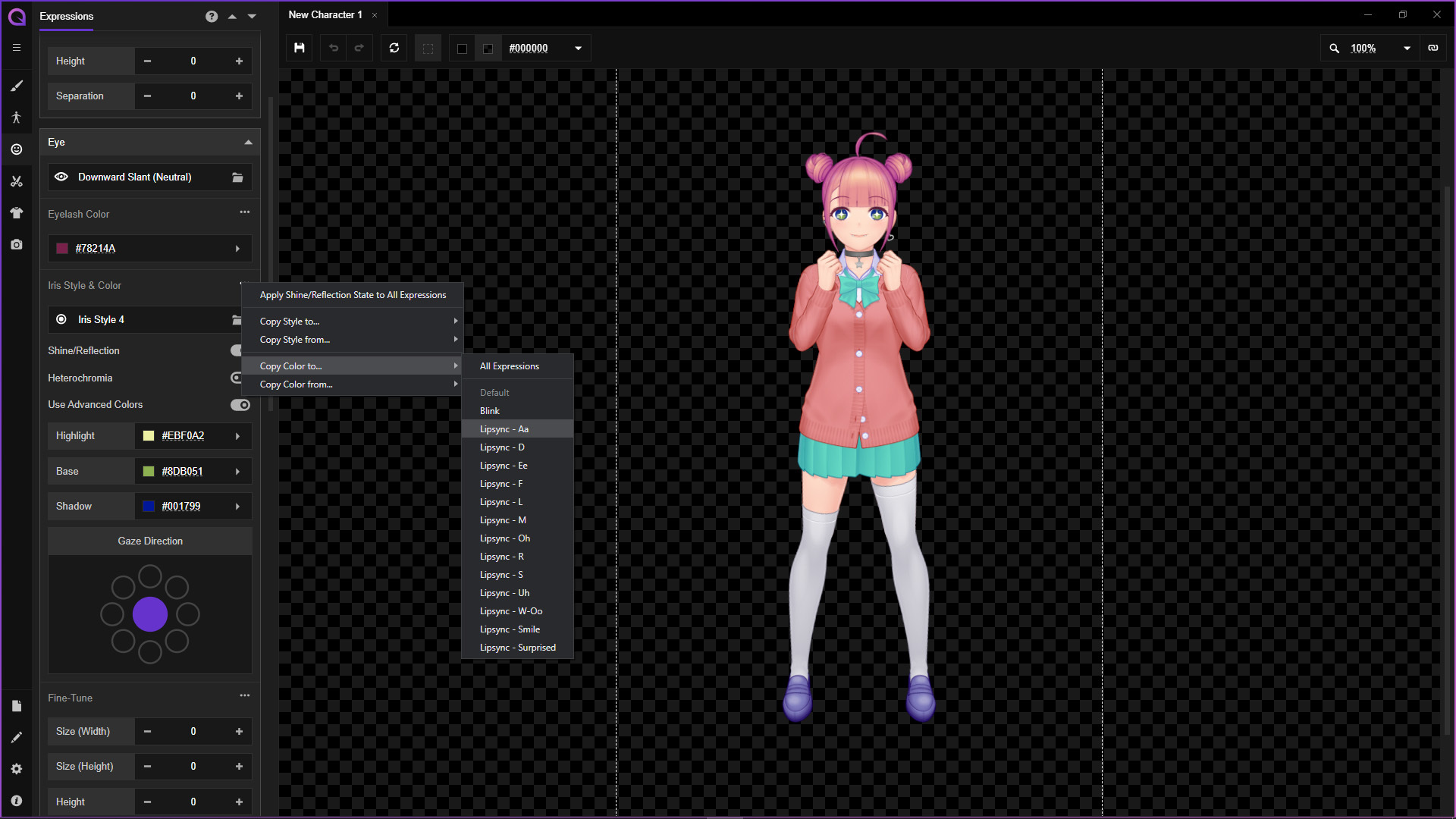
Expanded Time-saving Functions
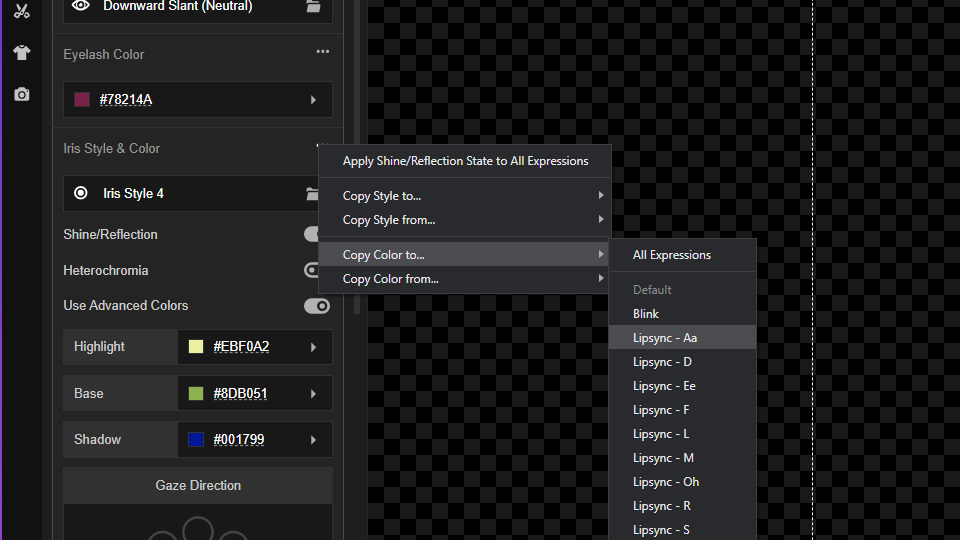
Due to the implementation of these standardized context menu locations, we have expanded existing time-saving features to be more specific. For example, instead of just ‘Apply Color to All Expressions’, we can now copy color to specific expression, or copy color from a specific expression.
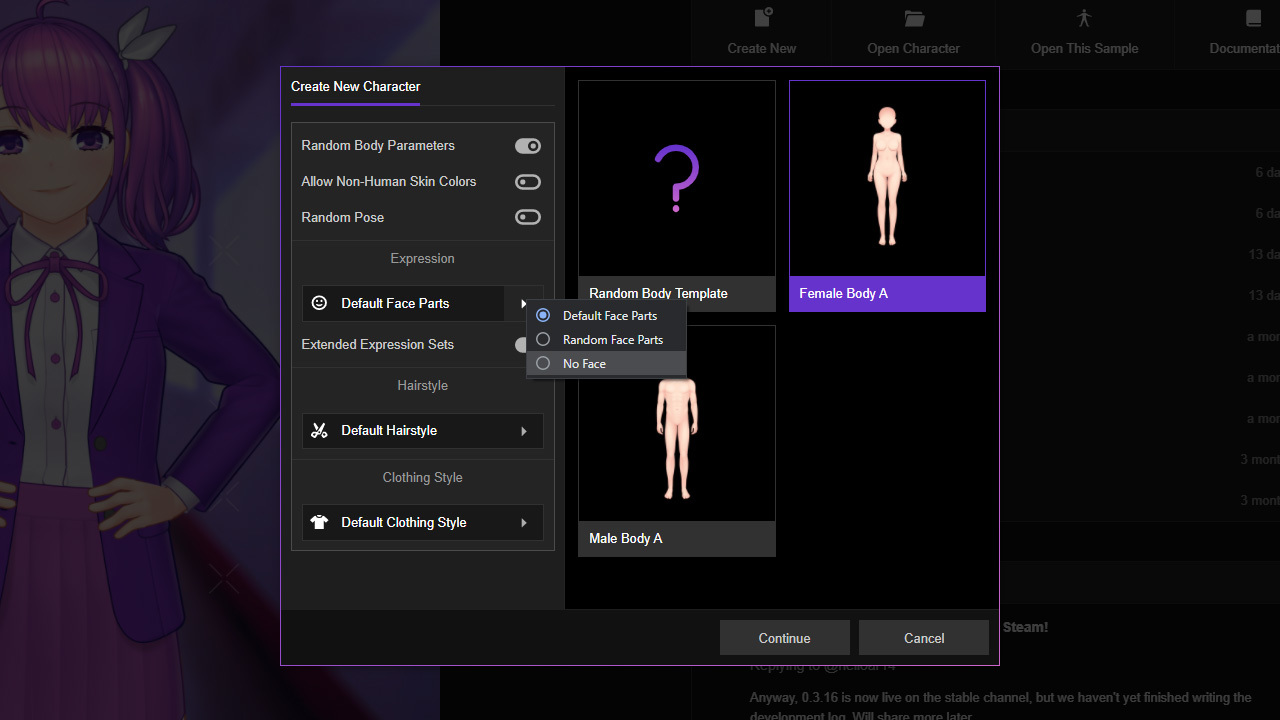
New File Dialog
We now have extra options for new file creation which also brought the long-requested randomizer feature. If you’re not seeing this dialog, head to Preferences -> New File Defaults, and click ‘Always Ask’. You can also choose 'Use Settings Below' and define your preferred settings for new file creation to skip this dialog.
New User Interface Preferences
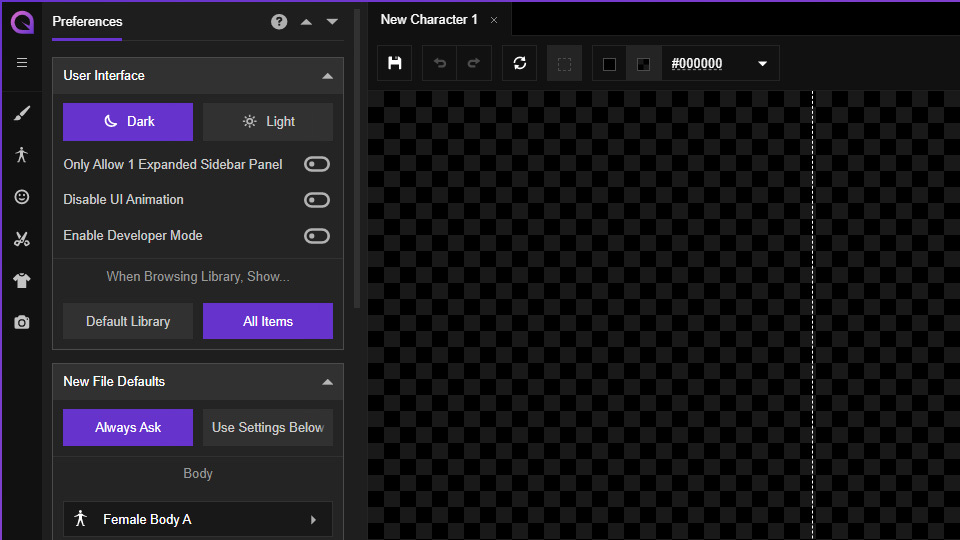
When browsing face parts, hair parts or clothing templates, the library window will always default to showing the ‘Default Library’ which means all the installed DLC/Workshop items are not shown. We can now change this default behavior to use ‘Show All’ instead, which will show the default library alongside all the DLC/Workshop items at once. To enable this, head to Preferences -> User Interface, look for ‘When Browsing Library, Show…’ and choose ‘Show All’. The ‘Default Library’ option still exists in case sometime in the future we can have too many DLC/Workshop items installed which can cause long load times when opening the library window.
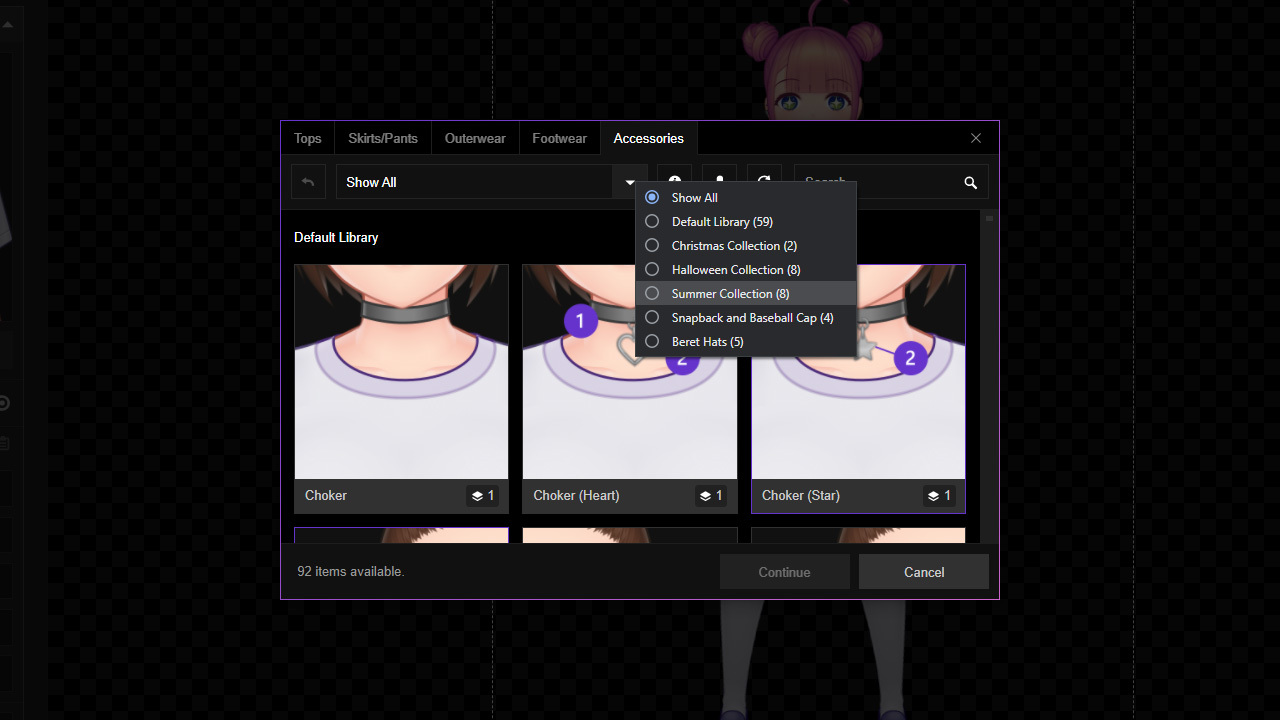
The library selection drop-down menu has also been updated to not show libraries which has no items in the selected category.
Now we can also disable most user interface animations (loading spinners are the exception) by heading to Preferences -> User Interface and enabling the ‘Disable UI Animation’ toggle. We can also switch the sidebar panel behavior to only allow one to be expanded; this might be preferable if you have a smaller display.
What’s Next?
As stated in our previous development logs, 0.3.16 (this update) should bring art polish instead of UI changes, and 0.3.17 will bring more male/masculine templates. We have decided to combine the art polish and male/masculine-focused update into 0.3.17 since the redrawing process affects all templates anyway. Below you can find some previews of the changes that will be coming:
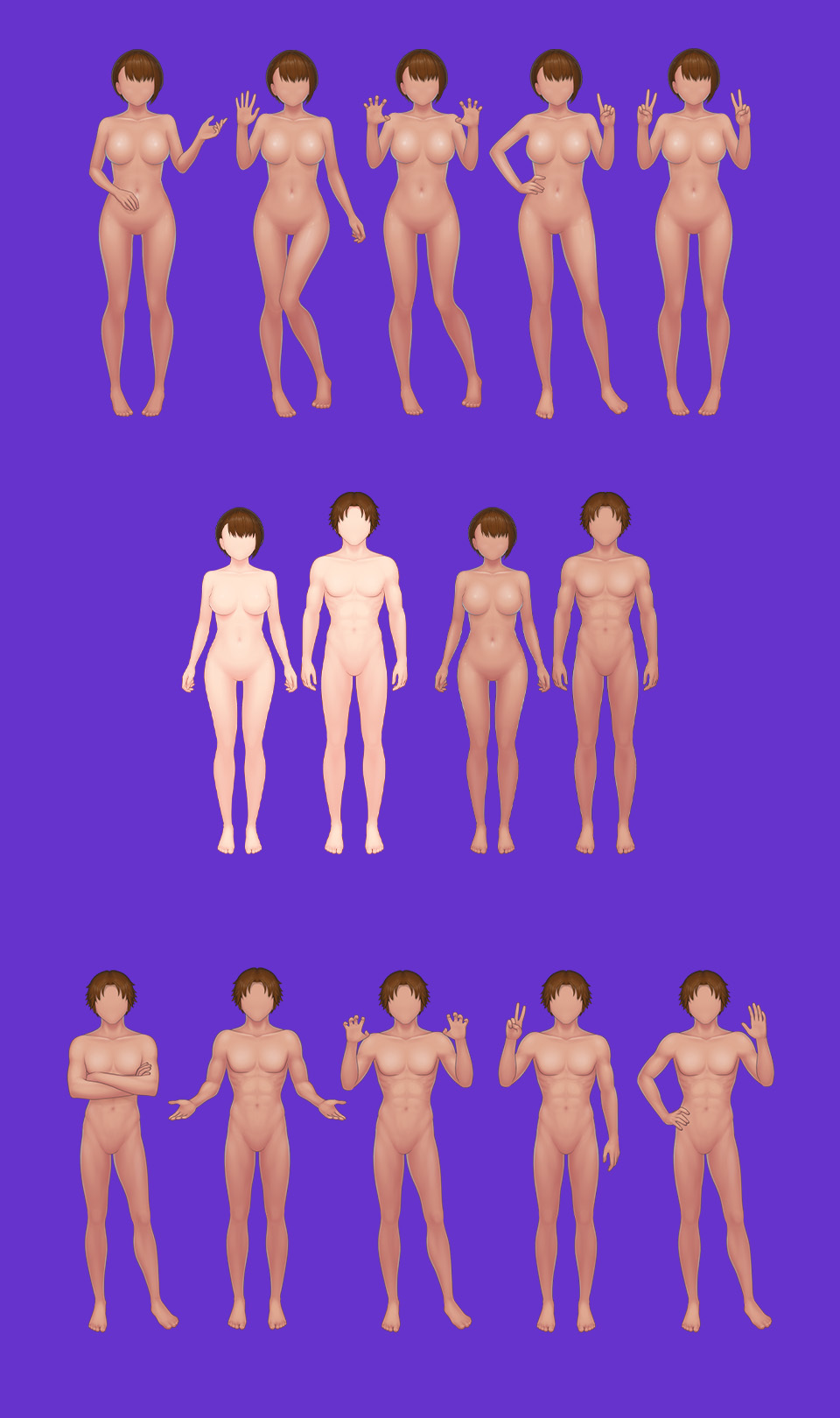
As usual, we regularly share this process via our Twitter (which is also embedded in Mannequin’s welcome page, at the bottom section). The art polish will not be gradually previewed in the nightly builds like other updates because changes to body parts will cause compatibility issues with clothing parts, so releasing the update partially will just cause clippings and such.
We’re also preparing for a new website which includes our product page and documentation page. The current site is not really optimized for documentation; therefore, we are switching to Docusaurus for the new site.
That’s all for now! As always, thank you very much for your continued support, and see you in the next update!