Hello!
The planned big update which will bring a more polished art and additional template options is still in the works, but we have quite a lot of tiny updates on the app side that has been accumulated. Therefore, we have decided to release these updates with this 0.3.7 update. Here are the changes for this version:
Customizable Stroke and Cast Shadow Color
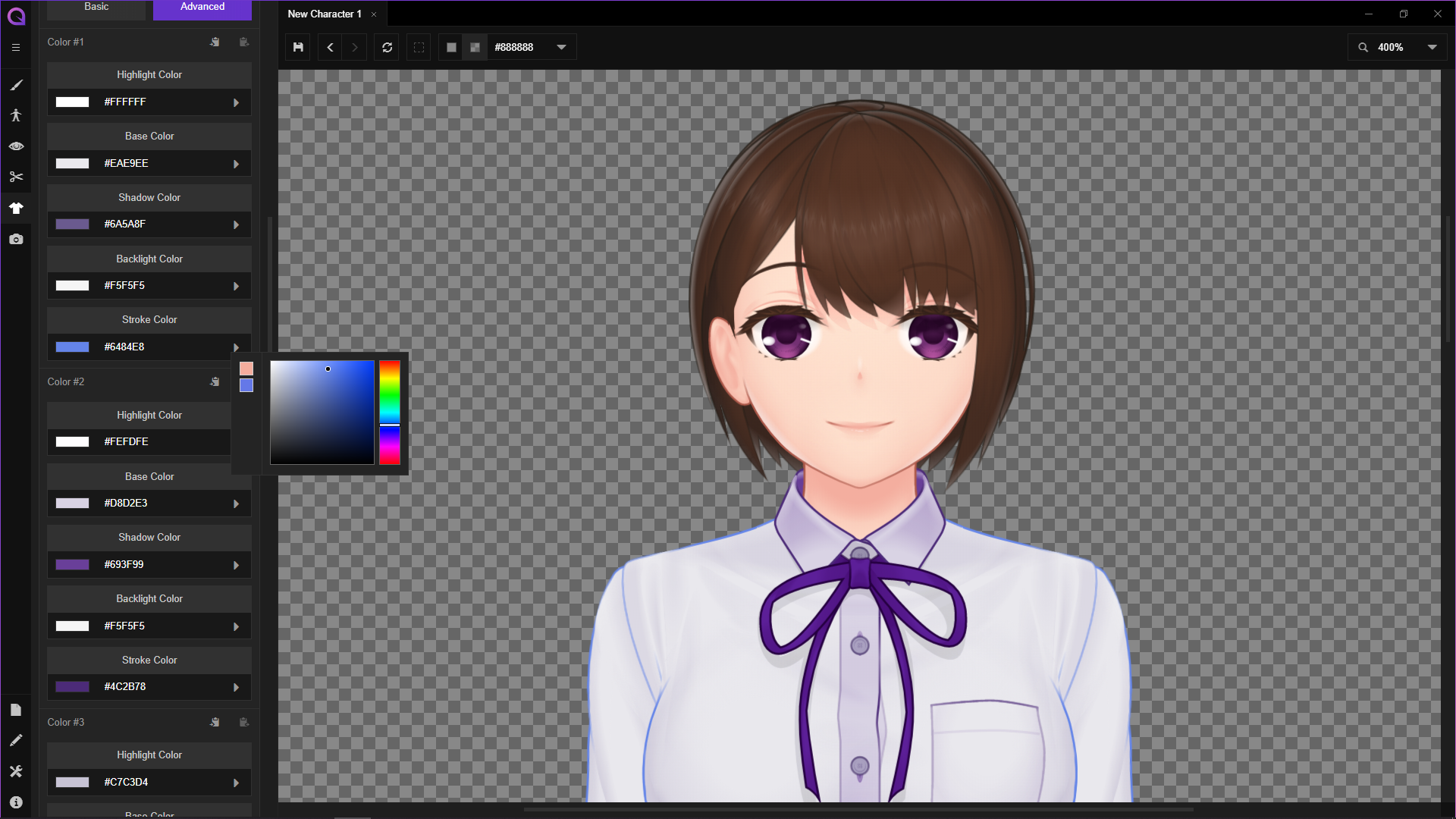
Now you can customize Stroke and Cast Shadow color after choosing 'Advanced' color option. The benefit of customizing stroke color should be self-explanatory, whereas cast shadow color customization is particularly useful if you are unhappy with the grayish look of the shadows that can happen when those are layered on top of darker objects.
Template Size/Proportion Defaults
Newly created character will now come with a pre-adjusted size and proportion scale. The maximum scale value will be calculated based on these defaults. For example, the 'Female A' template now comes with a default head scale of 0.9, and the maximum adjustment value for it should be plus or minus 0.15 (so 1.05 is the largest, and 0.75 is the smallest).
Clothing Layer Indicator
You can now see a layer indicator on the side of each clothing template's name, both in library view and in the sidebar. This value is what determines whether a clothing template is going to replace another when added to your character.
New Default DLC Location
A newly created directory /dlc has been added for easier file management and better support for the Steam platform. This directory also includes a single example DLC, 'Tester Items' which will be updated in the future with various clothing templates that will help custom content creators test things out and seek examples from.
Bugfix: Updated Thumbnails
Updated thumbnails which fixes the wrong representation of 'Upward Curve' brow template and the missing representation of 'Head D' has been added.
Bugfix: Stuck PSD Export Process
Previously, PSD exports will get stuck when Outline is enabled. This issue is now fixed.
Bugfix: Directly Downloaded Mac Version Failed to Start
Previously, Mac versions of the app should always be installed via the itch.io desktop app. Otherwise, an error saying ‘Template file not found’ will show up and the app will get stuck every time a new file is created. This issue is now fixed, and direct download should now work fine (we still highly recommend using the itch.io desktop app for auto-updates).
Other Minor UI/UX Improvements
When a clothing template is going to replace another in your character, if the color scheme is already identical then the prompt asking whether the app should try retaining color scheme will not be shown.
Links for embedded tweets in the welcome screen are now clickable (they will open in your default browser).
Latest from the Nightly Builds
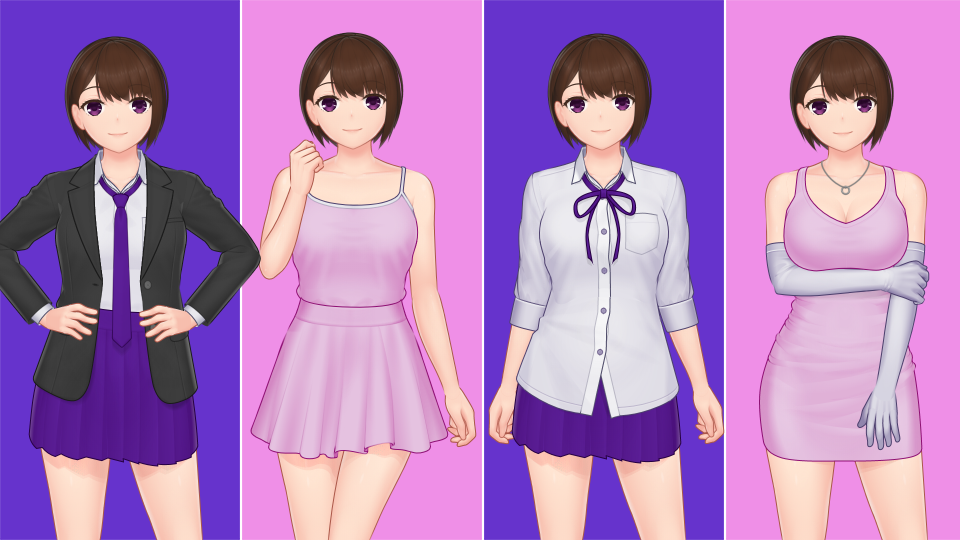
The ongoing process of polishing art style throughout the entire library is still running, with female template almost completed (only a handful of outerwear and footwears remaining). After these are done, we can immediately switch to adding new features that has been planned, such as eye gaze direction, customizable iris, and more detailed hair templates. Hopefully, you will like the refined style as well as the new templates that it will bring.
That’s all for now, and see you later in the next update!