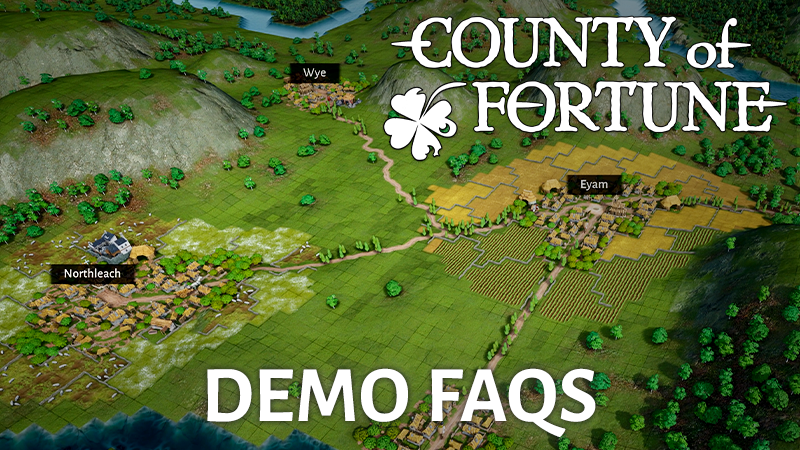
Welcome to County of Fortune’s demo, Stewards – we hope you have fun building the county of your dreams during Steam’s Next Fest!
Whilst you’re starting to build out your regions, we wanted to give you some hints, tips and answer some of your frequently asked questions about County of Fortune!
What’s the game about?
You are a lokator – a medieval colonizer and noble steward – given a blank stretch of kingdom to turn into a living county. It’s your job to create the county of your dreams. And you’ll have plenty of opportunity to do just that in the demo!
How long’s the demo available for?
You’ll be able to play the demo until the end of Steam’s Next Fest. We may even run it for a few days afterwards too!
Is the demo free?
Yes, it’s free!
How do I build settlements
All you need to do to build a settlement is select the ‘Build New Settlement’ on the bottom bar, or use the shortcut ‘C’ on keyboard. If you’re building your first settlement in the tutorial, make sure you place your starting settlement in one of the white circles. Place your settlement in range of whatever resources you want from it – want food, place it somewhere fertile, want wood, near forest.
QUICK TIP: It’s worth taking a moment to see what resources are available and which direction the river’s flowing in whilst building your first settlement.
Find out more on settlements in our latest dev diary here
How do I build roads?
Select ‘Build a road’ on the bottom tab, or use the keyboard shortcut ‘V’. Connect the middle market squares (the squares in the middle of the settlement that are yellow) of each settlement together with a road. Any section of road that’s red will mean the road can’t be built, sometimes this may because it costs too much to build. If it’s over water, you’ll need to build a bridge first.
If you’re finding that products aren’t getting to your settlements, check whether a road is connected or not.
QUICK TIP: Use the ‘Shift’ key to build diagonally
How do I upgrade roads?
When you first build your roads, they’re a dirt road and can only carry a limited amount of vendor traffic at a limited speed. To increase both the speed your vendors can travel and the amount of traffic the road can handle, you’ll need to upgrade your road.
You’ll first need stone from a stone quarry, and a mason’s guild to process the stone into something usable. To upgrade, select the ‘Upgrade road or bridge’ icon on the bottom tab, and click to select the start and then click again to confirm the end point on the road you want upgrading. If you have the resources, this will now be a stone road, capable of holding more traffic at a faster speed.
QUICK TIP: If the road won’t upgrade, check how much stone you have available for your masons to build with.
How do I distribute products through settlements?
After building a road between settlements, all you need to do then to get vendors to start automatically distributing products is set up the settlement to accept a food recipe, or equipment, and watch the deliveries start rolling in.
QUICK TIP: This may not happen instantly, as there has to be enough product to take between settlements.
How do I navigate through the menus?
You can close windows in County of Fortune by right-clicking anywhere on the screen.
How do I elect a mayor?
To elect a mayor, all you need to do is open the settlement window, click on the empty red portrait and then onto the portrait of your selected mayor to appoint them.
QUICK TIP: Take a look at the mayor’s bonus before electing, you may want to appoint somebody different depending on what the settlement’s starting building is. Though it’s perfectly fine to have a mayor that doesn’t have a bonus for the buildings you have - you can always swap them out later on for one that does using the ‘Existing’ tab.
How do I produce additional goods?
The way you produce additional goods in County of Fortune is by creating more settlements, or by building additional buildings in already existing settlements. These will need to specialise in something different, in order for you to bring more goods to the table – almost literally – letting you fulfil more and more of your people’s needs
QUICK TIP: once you’ve fulfilled one equipment slot, you’ll also be able to build another building in your settlement, allowing for you to diversify your goods.
I’ve maxed out the amount of settlements I can build / How do I unlock extra building slots?
If you’ve maxed out the amount of settlements you can build and need more buildings, it is possible to unlock more building slots. All you need to do is supply your settlement with either wooden chests (from a wooden chest workshop) or wool tunics (from a wool tunic workshop) and that second slot will unlock.
How do I respec my settlements?
If you get halfway through and feel you need to respec your settlements, you can do just that. Each building, even if it’s the starter building, can be demolished and a new one built in its place, allowing you to respec your settlements as necessary.
How do I level up my settlement?
All you need to do is build out your region’s economy to the point where you’re fulfilling all consumption needs in both the food and equipment categories for a single settlement.
Click the ‘Level Up’ button on the settlement screen, just to the left of the mayor’s portrait once you’ve fulfilled all your settlement’s needs. In the demo, you can take your settlements up to level 2.
QUICK TIP: You can level a settlement down in order to level another settlement up.
How do I increase the availability of workers in my settlement once I’ve upgraded it to level 2?
This is an easy one - once you’ve upgraded your settlement to level 2, providing more equipment doesn’t just unlock building slots, but also increases the maximum number of workers in those buildings. So all you need to do is provide more equipment to that settlement.
How do I access higher level buildings such as raft ports, taverns and the small market?
You can access higher level buildings (up to commoner level in this demo) by levelling up your settlement. Once your settlement has been levelled up, head to the Buildings tab and select the green person icon labelled ‘Commoners’. Click the plus sign you see in the first slot and select the higher level building you’d like to build in that settlement.
QUICK TIP: You can also see your Commoner needs by heading to the ‘Needs’ tab and selecting the green ‘Commoner’ icon there too.
What are carpentry and masonry points?
Carpentry and masonry points are used to build and maintain your infrastructure. At the start, you’ll get free construction points so you can build, but to generate carpentry points you’ll need to build both a carpenter’s guild and a way of getting wood.
Masonry points are similar, but with stone instead, and to generate them you’ll need both a mason’s guild and a way of getting stone.
Find your points by selecting a settlement with a carpenter’s guild, or mason’s guild and looking at the production tab, and you’ll find them there.
QUICK TIP: Your free construction points will slowly increase as the game goes on.
How do I stop my building maintenance from dropping in my settlements?
Your buildings are maintained by carpenter’s guilds. Provide more recipes to the settlement with the carpenter’s guild in it to increase its efficiency, or unlock extra building slots in other settlements and build another carpenter’s guild to spread the workload.
How do I check the way the river flows?
Heavier goods like stone can’t be traded between regions via road, so you’ll need to move them using rivers, and specifically, you’ll only be able to move them downstream in the demo using raft ports.
You can check the way a river’s flowing by clicking ‘Build a settlement’ and zooming in on the river.
QUICK TIP: Take a look at river direction before building settlements or planning out a new region.
How do I set trade routes?
Once you’ve upgraded a settlement up level 2, you’ll be able to build a market or a raft port to trade with your other regions. Trading can either be on land, with a market in each region and a road connecting them, or by water, with a raft port connecting each region.
Click the open trade button in the top-left corner, or use the shortcut ‘T’, then select the goods you want to trade and click to 'add trade route' and select the regions you'd like the trade between. You can specify how many of that item you want your traders to transport throughout a year, or click the tick box to set it to auto-trade. Selecting auto-trade will automatically adjust the traded amount based on the region's demand.
QUICK TIP: Just remember that rafts can only travel downstream and heavier products such as logs, stone, clay and sand can only be moved via river.
How do I use raft ports for land trade?
Whilst heavier resources such as clay, logs and stone need to be transported via rivers, lighter resources don’t need to be. So long as you have a small market (a commoner building) in the region you’re trading from, raft ports in the receiving region will be able to receive them. Just set up the trade route as normal and the raft port will receive the goods via land.
QUICK TIP: Make sure you have a small market in the region you’re wanting to trade from.
How do I give feedback?
We’d love you to give us your thoughts on the demo - come and join the County of Fortune Discord, or let us know your feedback in the Steam forums!