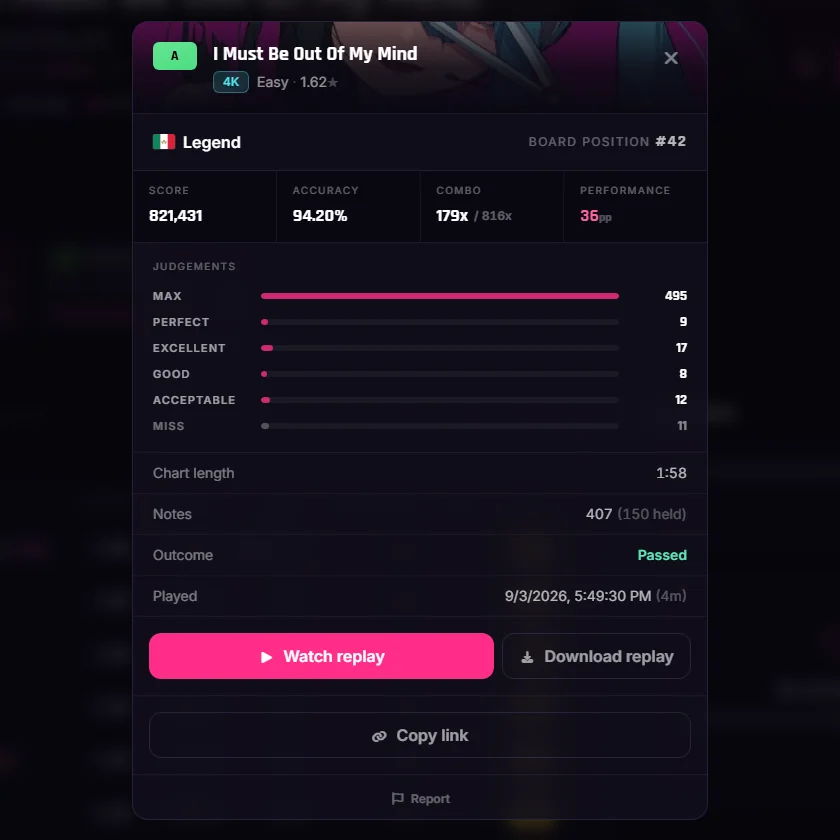
You can watch somebody else play now — live, from the chat, three seconds behind their hands. And every run you finish records itself, so you can rewatch it, hand it to somebody, and leave notes on the exact moment you want to talk about.
WATCH SOMEBODY PLAY
Spectating
Right-click a name in the chat, hit Spectate, and you are in their run.
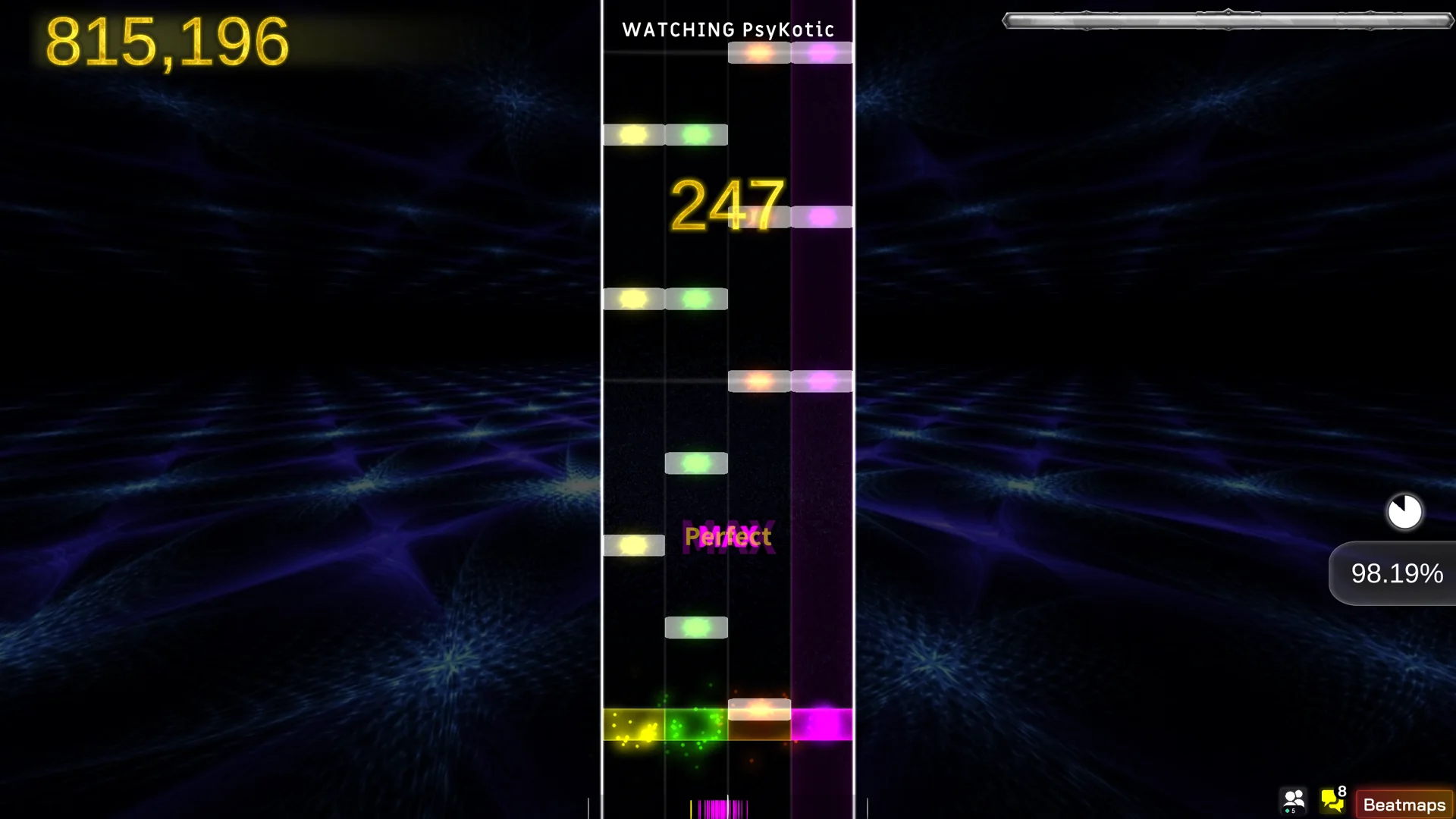
- THE FEED: their playfield, their score, their combo, their accuracy, rebuilt from a snapshot once a second. Your health bar cannot fail — it is not your run.
- JOINING LATE is fine. The session rewinds to where they are and carries on from there.
- THE BEATMAP DOWNLOADS ITSELF if you do not have it, with a progress bar and a Stop button.
- BETWEEN RUNS a card says what they are doing and on which chart. When they finish you get their results screen; when they start again you are already there.
- A CHAT ROOM PER PLAYER, down the left of the field, so everyone watching is in the same conversation.
Who is watching you
An eye in the corner, and the names on the pause screen.
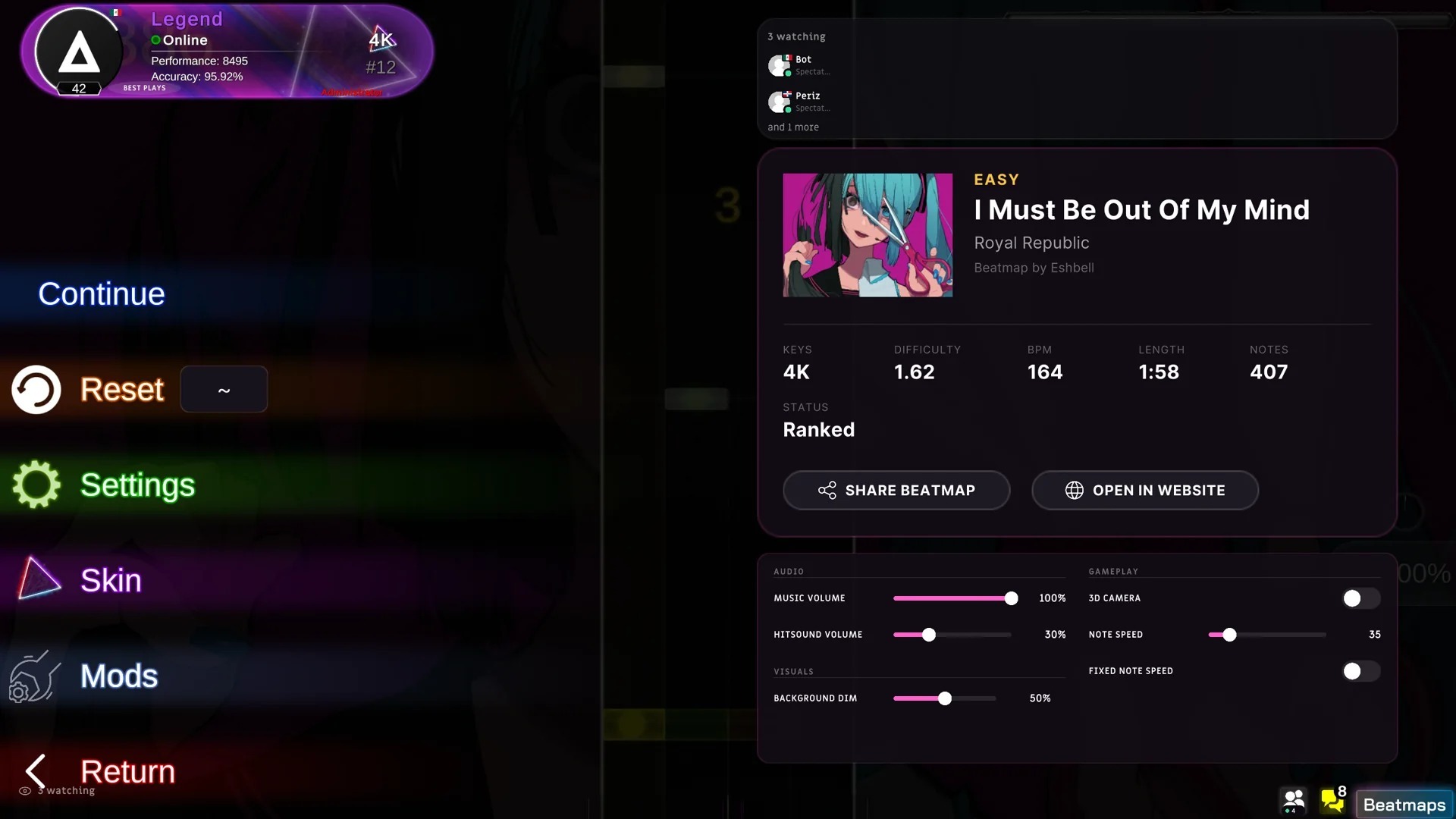
- WHILE YOU PLAY: a quiet N watching badge in the lower left. No sound, no animation.
- ON PAUSE: their names, over the beatmap card. Click one to open the profile.
- ALLOW SPECTATORS is a switch in Settings → Others if you would rather play alone.
EVERY PLAY IS A REPLAY
The replay
Every run records its inputs — about 15 KB, judged at the recorded millisecond and not at the frame it draws on.

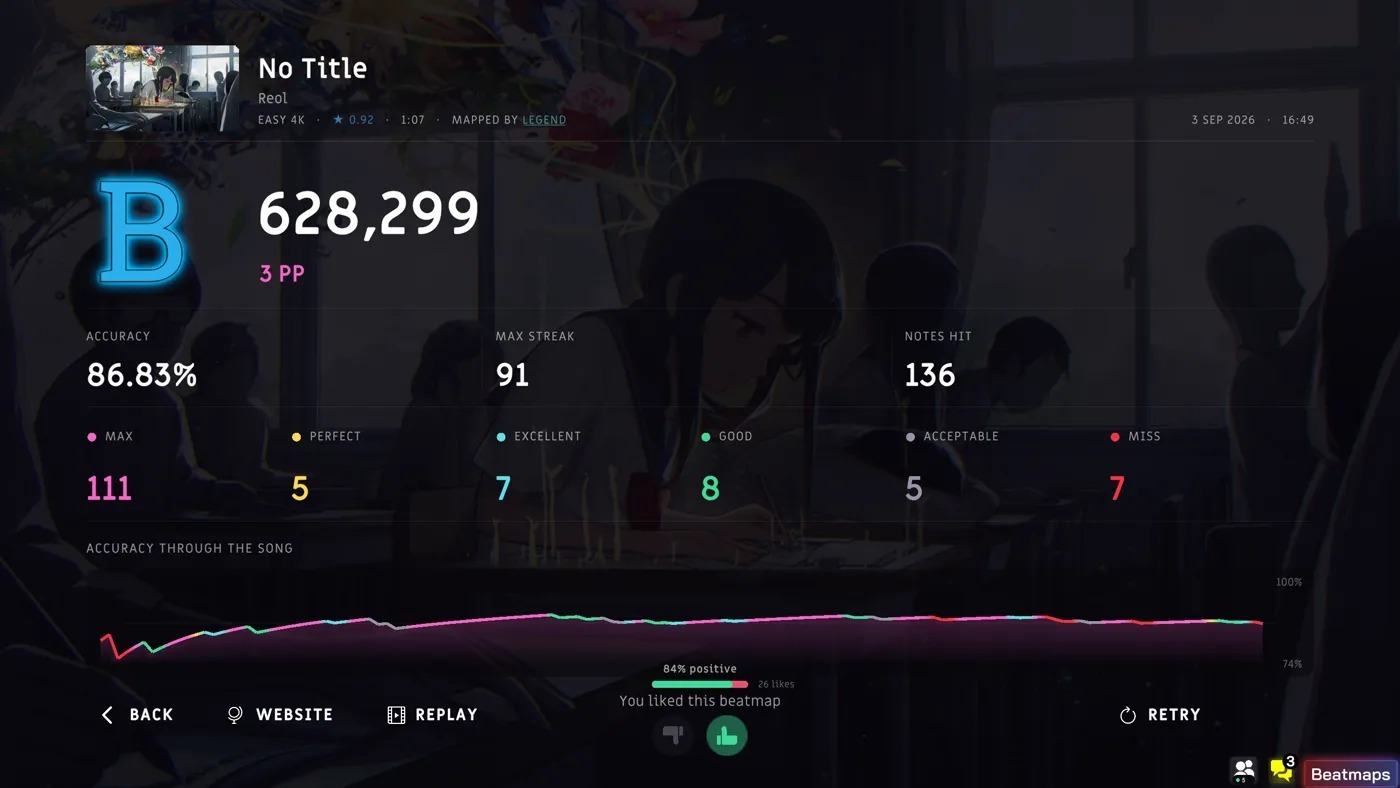
- FROM THE RESULTS SCREEN: a REPLAY button in the footer, whenever a recording exists for that run.
- FROM A LEADERBOARD: a replay icon on any row whose score has one, in the game and on the site.
- THE TRANSPORT BAR: restart, −5s, play/pause, +5s and a timeline you can seek. Notes, score and health rewind with it.
- A replay submits nothing, does not count as a play and does not mark the beatmap as played.
Notes pinned to a moment
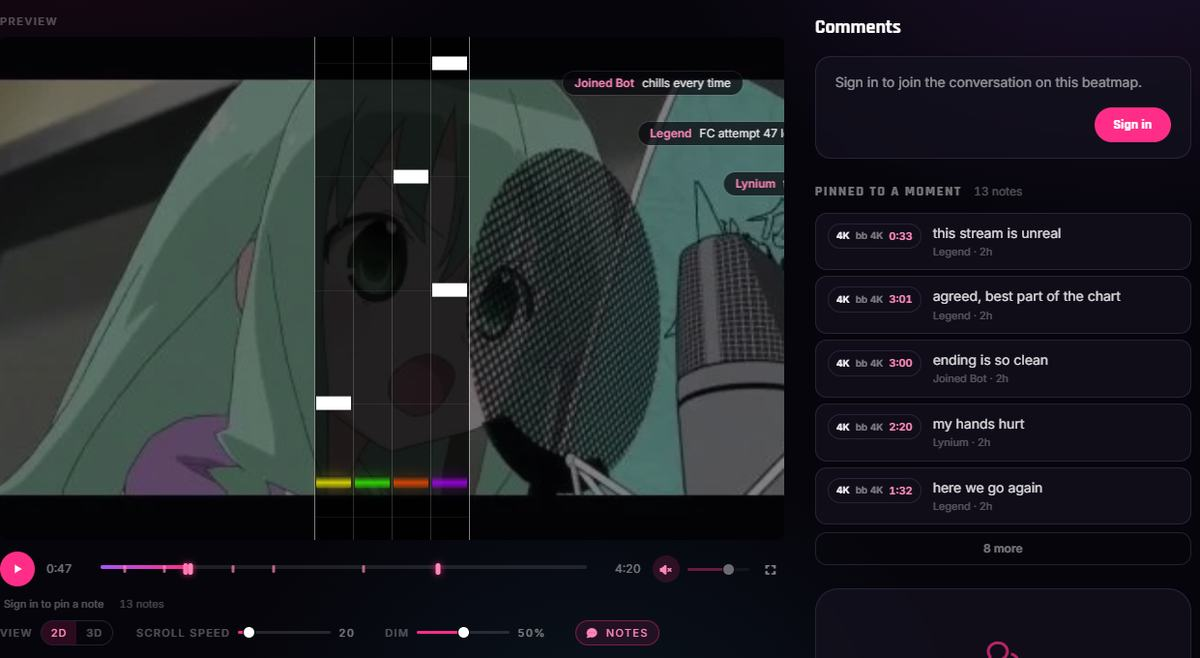
Say something about the drop, and it appears at the drop.
- WRITING ONE pauses the replay; posting it resumes. Two hundred characters, because it is read while a chart scrolls under it.
- THEY CROSS THE FIELD at the moment they are about, up to fourteen at once, and never over the judgement line.
- COMMENTS ON / OFF sits on the HUD if you would rather watch clean.
- The same notes fly across the chart preview on the beatmap page, with a mark on the scrubber for every moment somebody stopped at, and a Pinned to a moment list beside the thread.
EASY AND HARDER
Two mods that rewrite a chart toward the star rating you ask for.
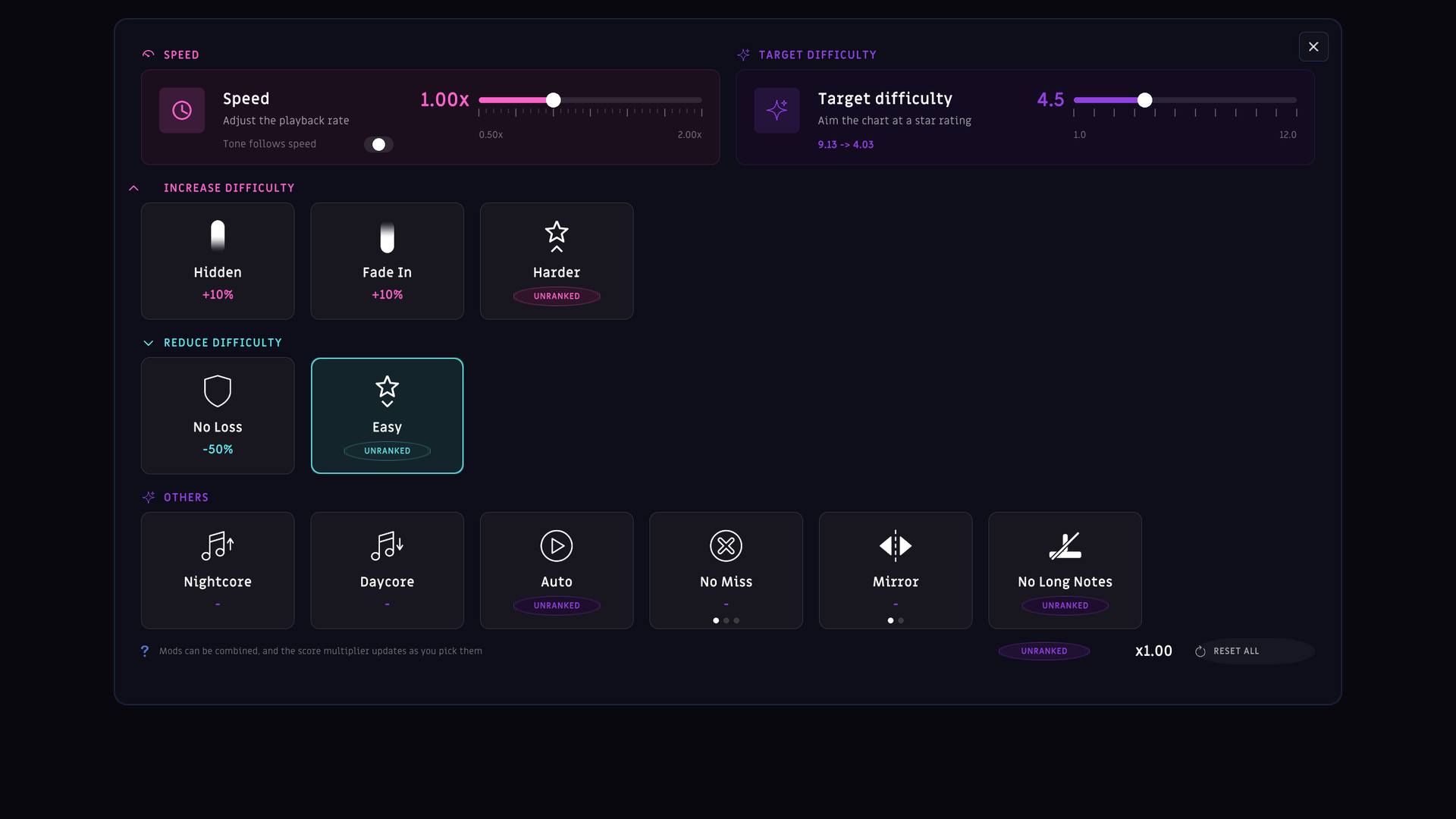
- A TARGET SLIDER shares the top row of the Mods panel with Speed, from 1.0 to 12.0. Turn either mod on and the panel prints the chart's real rating next to the one it reached — measured, not promised.
- EASY only touches the sections above your target: it aligns staggered releases, thins streams keeping their shape, undoes jacks and separates stuck notes.
- HARDER raises the sections below it: chords on accents, notes under long notes, longer streams, subdivisions the chart already uses.
- NOTHING IS INVENTED. Every new note lands on a time the phrase already uses, and never makes a jack faster than the fastest one in the original.
- BOTH ARE UNRANKED for now. The play is stored, but it pays no pp until the server can verify the new rating itself.
- THE RATING YOU PLAY sits next to the published one, struck through, everywhere the two differ.
QUICK SETTINGS ON THE PAUSE SCREEN
Turning the music down used to be a trip into Settings and back.
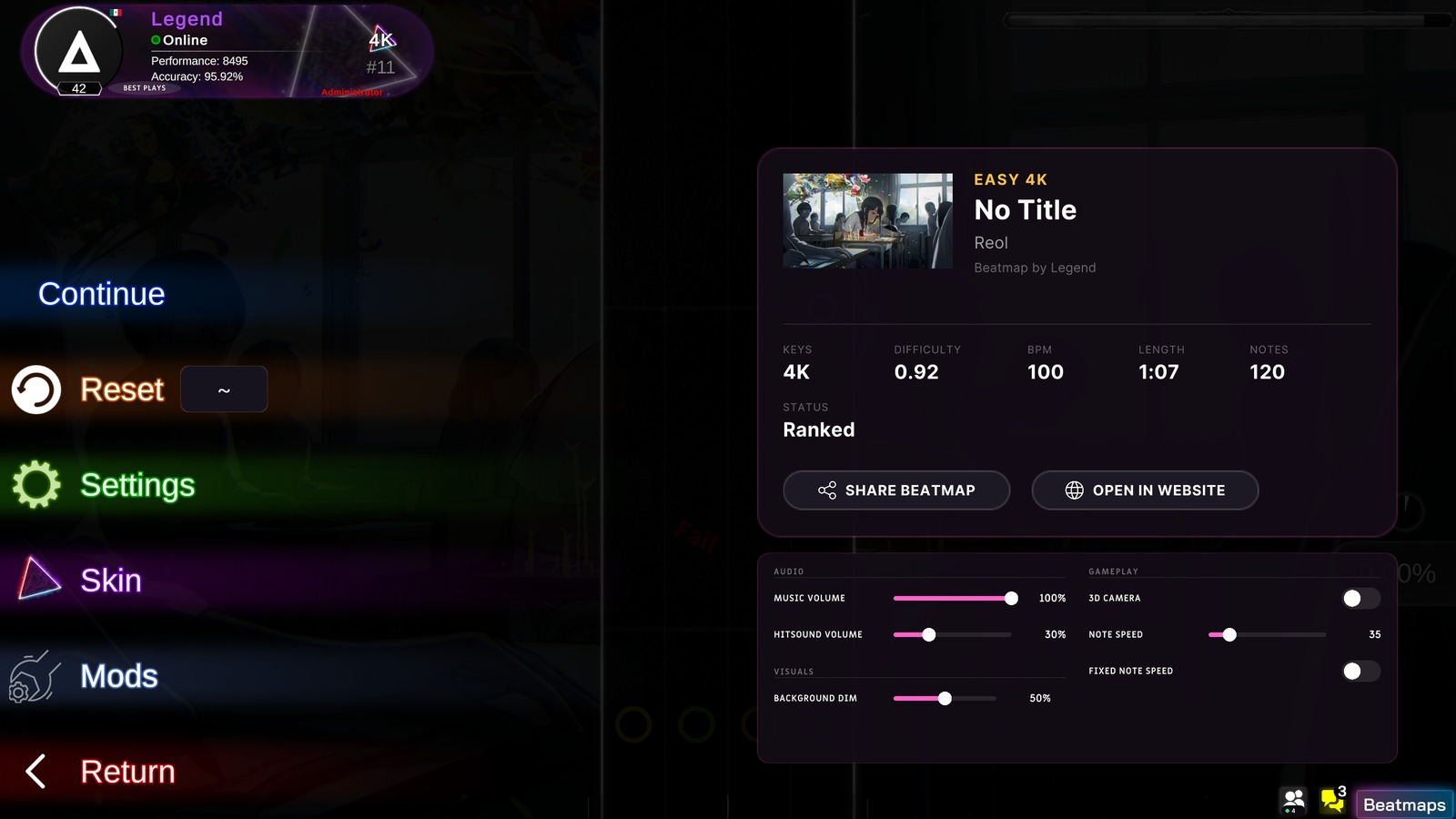
- AUDIO: music volume, hitsound volume.
- VISUALS: background dim, saved per beatmap, with a ↺ beside it whenever it differs from your global.
- GAMEPLAY: 2D/3D camera, note speed, fixed note speed.
- NOTE SPEED:
applied when the beatmap restarted⇒ applied while you watch, paused. - BEATMAP VIDEO: a new switch, remembered per beatmap, that only appears on maps that have one.
- THE MODS BUTTON:
the same magenta as Skin, cloned from its row⇒ the blue of its own panel.
THE CHAT OPENS IN THE PRESENT
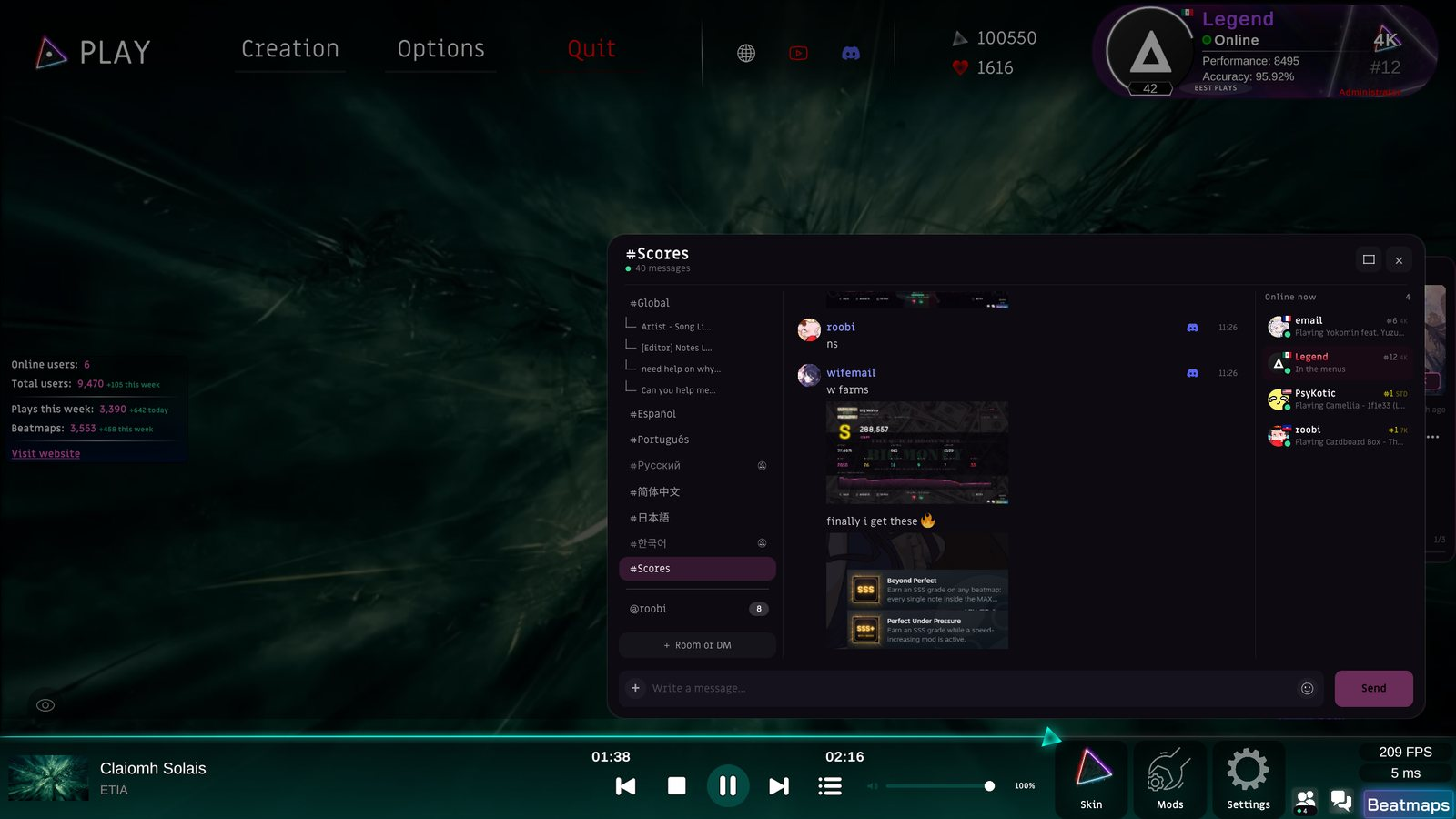
- A COLD OPEN:
the hundred oldest messages still alive, then another hundred every three seconds — the first thing on screen was five days old⇒ the last fifty, and you are already caught up. - #SCORES: a new room, bridged both ways with the Discord score channel. Post in either and it lands in both.
- THE ROOM RAIL SCROLLS, so a new room or DM no longer draws itself on top of the one below.
- THE UNREAD COUNTER:
a 30 px disc that split "99+" across two lines⇒ the same pill the tabs use, on one line. - READ MARKS land where you actually read to, so a room stops coming back unread on every launch.
- NEW: a lime badge behind the name of anybody whose account is under a week old, in the chat and on the site. Rank wins, so a moderator still shows MOD.
A NEW VERSION, WITHOUT INTERRUPTING THE SONG

- A pill in the lower right says a new version is waiting and that a restart applies it. Dismiss it and it stays gone for the session.
- It never appears during a run or inside the editor.
THE INBOX
A bell in the nav, and a page that keeps the history.

- YOU GET TOLD when somebody comments on your beatmap, replies to your comment, mentions you, pins a note on your chart, follows you or likes your map.
- EVERY ROW LANDS ON THE COMMENT, not on the page: the site works out which page holds it, scrolls to it and rings it.
- @MENTIONS: type @ in a beatmap comment and the names come to you. Up to ten per comment.
- The free like the game grants at ten attempts deliberately does not notify. "Liked your map" should mean somebody meant it.
YOUR PROFILE

- THE BOARD PICKER:
one rank, and it was always the 4K one⇒ three pills — 4K, 7K, Standard — each carrying its own global rank. Rank, country rank, pp, accuracy, top plays, grades and both charts follow the one you pick. Play count, ranked score, level and followers stay career totals. - FIVE MORE PLATFORMS: Quaver, Malody, TikTok, SoundCloud and Ko-fi join the link catalogue. Paste the whole address and it gets trimmed for you.
- STEAM: a chip on every profile, taken from the account you already sign in with — nothing to type. There is a switch in Privacy if you would rather it were not there.
- LAST SEEN:
read off the login timestamp, so a profile said "last seen 37m" for somebody who was playing right then⇒ the most recent of your heartbeat, your last score and your login. The ranking boards' green dot got the same fix.
SEE THE CHART, NOT ITS NUMBERS
Stars, BPM and a note count never told you how a chart actually plays.

- A SCROLLING PLAYFIELD on every beatmap page, running with the song and drawn to the game's own geometry — the same lane spacing, the same judgement line, the same truncated scroll speed the client uses. It starts on arrival, muted, with the speaker on the preview.
- 2D OR 3D, whichever you'd rather read. The flat field, or the runway.
- SCROLL SPEED AND DIM are yours to move, and the whole thing goes fullscreen.
- THE COVER SITS BEHIND THE LANES — and the beatmap's video, on the sets that have one.

THE BEATMAP PAGE

- THE DIFFICULTY STRIP:
one flat row sorted by stars, so a 7K chart could sit between two 4K ones⇒ grouped by mode and then by key count, with the star order kept inside each group. - A PIN AND A NUMBER on each difficulty card, wherever somebody has left a note on it.
- FROM THE RESULTS SCREEN: a speech-bubble button that opens that beatmap's comments, at the comments.
BUGFIXES
- Search plays the beatmap it landed on, not the one before it.
- A run that was just played gets its Replay icon without being asked twice.
- Fixed note speed holds still when a rate mod moves the clock.
- A failed download says so, to you and to the server, instead of failing quietly.
- A replay is kept as carefully as the score it belongs to, so the game stops claiming one was saved when it was not.
- Every one of the 15 locale files carries the same 1,507 keys again — the chat, DMs, Easy and Harder and the editor now speak all of them.
- Posting a comment on a beatmap no longer answers with an error after it has already been saved.
- The Website chip on a profile led nowhere for everybody; it opens the address now.
- 377 accounts whose join date rendered blank have it back.
SEE YOU ON THE PLAYFIELD
Spectate somebody, leave a note on the moment that deserved one, and tell us how it went.