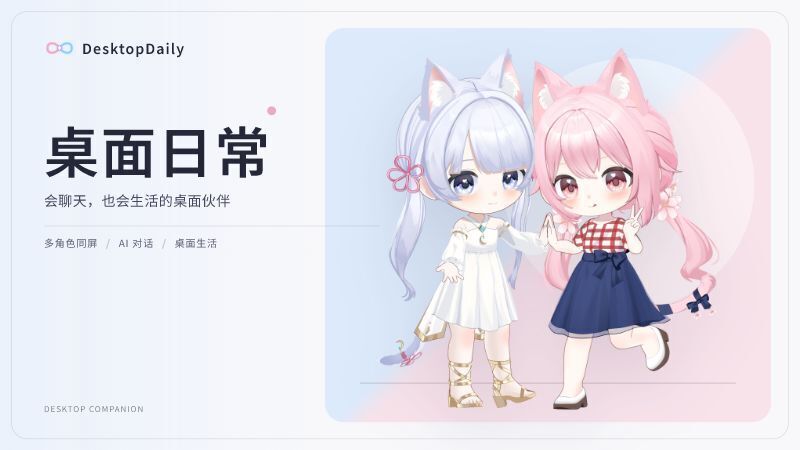
Recently, we have focused on improving Visual Companion, voice interaction, and the overall desktop experience.
Visual Companion Beta
Characters can now watch the application or game you are using and talk with you based on the screen, your conversations, shared memories, and their personality.
Instead of only waiting for you to speak, they can react to changes in a game, express curiosity, make jokes, or share simple thoughts and feelings.
Visual Companion supports:
Capturing a selected application window
Capturing the entire primary display
Talking to the character through text or voice
Keeping text and voice while hiding the character model
Optional local OCR to help read text on the screen
Displaying dialogue in your selected interface language
When you speak, the character prioritizes your message instead of adding unrelated descriptions of the game screen.
Three Companion Styles
Visual Companion offers three speaking styles:
Respond Only: The character does not continuously observe the screen while idle. Observation begins when you speak.
Balanced: The character speaks at appropriate moments while balancing companionship and quiet time.
Frequent: The character reacts more actively to changes on the screen.
Choose Respond Only to reduce visual-model usage, or Balanced and Frequent for a stronger sense of presence.
More Natural Proactive Dialogue
We redesigned how characters understand and use visual information:
Reduced mechanical screen descriptions and progress summaries
Reduced repeated comments about the same subject
Characters respond naturally instead of trying to prove that they understood the screen
If you do not reply, the character will not keep repeating the same topic
Past observations are treated as impressions from that moment, not permanently confirmed facts
When a past observation cannot be confirmed, the character can naturally express uncertainty
Characters leave a short pause after you speak, reducing interruptions
Visual Companion shares the same persona, relationship memories, and recent conversation as regular dialogue
The goal is to make it feel like a character sitting beside you, rather than an assistant assigned to summarize your screen.
Local Voice Input
Local speech recognition is now available in both regular dialogue and Visual Companion.
You can:
Select which microphone to use
Test microphone volume and recognition results
Place recognized text into the input box for review and editing
Send recognized speech directly to the character
Hide the text input box when using direct voice input
Text and voice share the same conversation. Switching between them will not start a separate dialogue.
Visual Companion Controls
A dedicated Visual Companion control bar has been added.
You can:
See whether the character is currently observing
Type a message or use the microphone
Quickly open Visual Companion settings
Move or collapse the control bar
Stop Visual Companion at any time
Press F8 to exit quickly
The regular toolbar automatically collapses while Visual Companion is active, reducing obstruction during games.
Steam and Discord activity statuses can also show that Visual Companion is currently running.
Stability and Usability
This update also fixes several issues that could cause characters to stop speaking, requests to fail, or features to conflict:
Fixed the first message occasionally failing to send
Fixed characters unexpectedly becoming silent
Fixed Visual Companion incorrectly triggering sleep
Fixed time spent with the game closed being counted toward the character’s awake time
Improved visual replies that did not properly follow the current conversation
Prevented characters from reacting to their own dialogue bubbles
Visual observation now pauses during sleep, selfies, and other character activities
After an activity ends, observation resumes from the latest screen instead of outdated content
Capture and connection errors now provide clearer status messages
Visual Companion stops after repeated connection failures to prevent unnecessary usage
Privacy notices have also been added. Please avoid displaying passwords, payment information, or other private content inside the captured area.
Voice Playback and Presentation
Character speech, dialogue bubbles, and expressions now work together more smoothly:
More consistent voice playback
Reduced delay before the first Visual Companion voice line
Dialogue bubble duration follows voice playback more closely
Expressions remain synchronized with the current line
Dialogue text remains visible even if voice generation fails
Desktop Experience
A Start after signing in to Windows option has been added. Visual Companion and the microphone remain disabled until you activate them yourself.
Desktop controls have also been expanded:
Hold or swipe through Tab to open the radial menu
Quickly access dialogue, Visual Companion, character activities, selfies, rest, and other features
Stop Visual Companion or the current activity, wake the character, and open announcements from the system tray
Prevent multiple copies of the game from launching at the same time
We will continue improving model compatibility, character expression, multilingual support, and different styles of companionship.
We hope characters can become more than something displayed on your desktop—seeing what you are experiencing and naturally becoming part of it.