The Always Online Update — Phones, Social Media & Streaming
Hustlin' Every Day · published
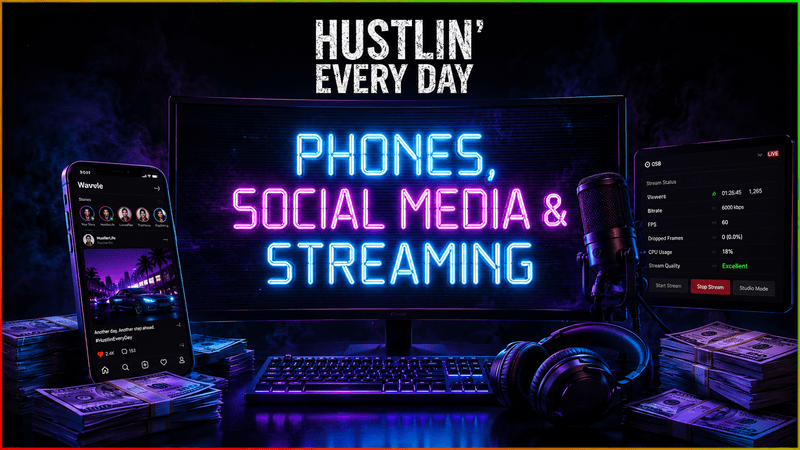
Your life in the city is about to become much more public.
This update introduces a completely new smartphone, social media and live-streaming ecosystem. Take photos, share your progress, build different audiences, promote your businesses, attract sponsors and turn your growing online presence into another way to make money.
Whether you want to flex your lifestyle, build a gaming audience, promote your hustle or become a full-time streamer, there is now an entirely new career path waiting for you.
A Completely New Smartphone
You now have access to a fully functional smartphone that can be opened during gameplay.
The phone includes:
Wavvle social media
Camera
Gallery
Wallet
Notifications and application navigation
The phone has its own interface, status bar and app system. It can switch between portrait and landscape modes on camera, and it automatically stays out of the way when you are using other menus or the in-game PC.
The Wallet app also allows you to quickly check your current cash without returning to your computer.
Take Photos Anywhere
The new Camera app allows you to capture real moments from the game world.
You can:
Take portrait or landscape photos
Switch between the rear camera and selfie mode
Move around while the camera is open
Look around and adjust your shot with shift button.
Save photos directly to your Gallery
Use saved photos in posts, stories, messages and profile pictures
Photos remain connected to the content where they were used. Deleting an image from your Gallery will not break an existing post or message.
Wavvle Social Media
Wavvle is a completely new social media platform available through your phone.
Create your profile, choose a profile picture and start building your online identity.
You can:
Share text and photo posts
Upload stories
Like and comment on posts
Reply to comments
Follow or unfollow other accounts
Browse Discover and daily trends
Receive notifications
View followers and following lists
Send direct messages
Send photos through DMs
Reply directly to stories
View who watched your stories
NPC accounts populate Wavvle with their own posts, stories, comments and messages. Their reactions can vary depending on their basic personality, relationship with you and the type of content you share.
They will not always agree with you, and some content may cause admiration, jealousy, concern, mockery or fear.
Selfies, Flexing and Different Audiences
Selfies are more than simple screenshots.
Your character physically holds the phone while taking a selfie. You can adjust the phone angle, distance and pose while the character’s head and eyes follow the camera.
The social system can also recognize several types of visible content, including:
Expensive furniture and vehicles
Computers and streaming setups
Business products
Weapons and illegal items
Growing equipment
Technology and crypto-related content
Lifestyle and luxury scenes
Different content attracts different audiences.
Wavvle tracks several audience groups, including:
General
Lifestyle
Luxury
Illegal Street
Streaming and Gaming
Business
Technology and Crypto
Posting content that matches an audience can help you gain followers from that group. Posting content they dislike may cause some of them to unfollow you.
Repeatedly sharing the exact same photo will also become less effective, preventing the same image from being used to farm unlimited followers.
Promote Your Hustle
Your social media presence can now support other parts of the game.
Posts can create interest around legal businesses, products, BlackCart and other activities. The effectiveness depends on the content, wording and audience you have built.
This means followers are no longer just a number. The right audience can help support the right business.
Sponsorships
As your profile grows, fictional brands may contact you through Wavvle.
Sponsor offers arrive through direct messages and include their own campaign requirements. A brand may ask you to promote a specific product or topic through a story.
Complete the campaign correctly and on time to receive payment.
Not every sponsor fits every audience, so building a focused profile can help attract better opportunities.
Become a Streamer on PICK
PICK is a completely new streaming platform available through the in-game PC.
You can create your own channel, generate a stream key and start building a streaming career.
PICK includes:
Channel creation
Custom stream titles
Streaming categories
Recommended and live channels
Channel pages
Dashboard and stream key management
Live chat
Viewer statistics
Stream history
Saved VOD information
Affiliate and Partner progression
Available categories include Just Chatting, Gaming, Music and IRL.
Your PICK audience is connected to your wider online presence. Successful streams can bring new Wavvle followers, while your existing following can help your channel grow faster.
Control Your Broadcast with OSB
OSB is the new broadcasting application used to connect your PC to PICK.
Copy your stream key from PICK, paste it into OSB and configure your broadcast.
You can choose:
Resolution
Frame rate
Bitrate
Stream title and category
Scenes and sources
Audio settings
Your settings directly affect stream quality.
A powerful PC can handle higher resolutions and frame rates, but your internet connection must also support the selected bitrate. Pushing your setup too far can reduce quality, create dropped frames or cause the stream to disconnect.
OSB shows your current:
Viewer count
Stream duration
Bitrate
Frame rate
CPU load
Dropped frames
Stream quality
Connection status
Your GearForge PC parts now have a real effect on your ability to stream.
Internet Packages
CityPortal now includes a dedicated Internet section.
Different packages provide different upload speeds and daily costs. Better upload speeds allow you to use higher streaming bitrates with fewer connection problems.
Internet package changes apply immediately, allowing you to upgrade your connection before starting a broadcast.
Live Viewers, Hype and Stream Events
Streams now simulate a changing live audience instead of simply increasing a number over time.
Viewer activity is influenced by:
Stream quality
Category
Existing followers
Stream performance
Hype
Random live events
During a stream, you may receive:
Donations
New subscribers
Raids
Viral clip moments
Chat questions
Emote challenges
Sudden viewer spikes
Connection problems
Keeping the stream active and entertaining increases Hype. Higher Hype can raise your potential viewer count, improve follower growth and increase your final payout.
Ignoring the stream for too long will cause Hype to fall.
Streaming Minigames
Pick.tv now includes 11 minigames that can be played while live.
These include activities based on:
Target shooting
Rhythm
Memory
Quick mathematics
Color recognition
Pattern matching
Snake
Reflexes
Minesweeper
Word speed
Your score, timing and combos affect the stream’s Hype and generate reactions in live chat.
Short live activities such as answering chat questions, capturing clip moments and completing emote challenges can also appear during a broadcast.
Affiliate, Partner and Streaming Income
Growing your channel can unlock new PICK progression tiers.
Reaching Affiliate allows you to begin earning through subscriptions. Reaching Partner improves your earning potential further.
Streaming income can come from:
Viewer activity
Donations
New subscribers
Existing subscribers
Stream performance
Partner bonuses
Broadcast duration now matters. Very short streams cannot be repeatedly opened and closed to collect full subscriber payments.
New Screen Lock Setting on PC
A new Screen Lock option has been added to the in-game PC.
When enabled, it keeps your controls focused on the monitor you are currently using. This makes multi-monitor setups easier to navigate and helps prevent accidental movement between screens while interacting with apps.
The PC taskbar settings have also been expanded with new options for:
Notification sounds
System volume
Cursor sensitivity
Scroll speed
Cursor size
Notification sounds can now be set to All, Important Only or Silent, giving you more control over which alerts you hear.
Classic Movement Returns
Players can now choose between two movement systems in Gameplay Settings:
Motion Matching
Classic 8-Direction Movement
Classic mode returns the more direct movement style used before the Motion Matching update.
Your selected movement style is saved and can be changed without losing compatibility with the camera.
New Shortcut HUD
The large control reminder in the center of the screen has been replaced with a smaller shortcut display in the lower-left corner.
It shows quick access controls for:
Player Inventory
Furniture Inventory
Build Mode
Phone
The old tutorial guide can now be permanently dismissed instead of repeatedly appearing during gameplay.
The tutorial objective display is also automatically hidden while the phone is open, keeping the phone screen clear and readable. Also you can close the tutorial hints on Gameplay Settings.
Additional Fixes and Improvements
Improved head, eye, hand and elbow positioning during selfies.
Improved portrait and landscape camera framing.
Fixed several phone and gameplay input conflicts.
Fixed movement-system switching occasionally removing the gameplay camera.
Improved stream history and live-session cleanup.
Improved notification and tutorial visibility.
Improved social media and streaming state cleanup when starting a New Game.
A New Way to Build Your Career
This update adds an entirely new side to Hustlin’ Every Day.
Your apartment, possessions, businesses, computer setup and lifestyle can now become content. That content can build an audience. That audience can attract sponsors, promote your hustle and create a completely new source of income.
Pick up your phone, create your profile and decide what kind of creator you want to become.