Your Character, Your Style Character Creation, DripBay, Movement & Crew Manager
Hustlin' Every Day · published · build 24267965
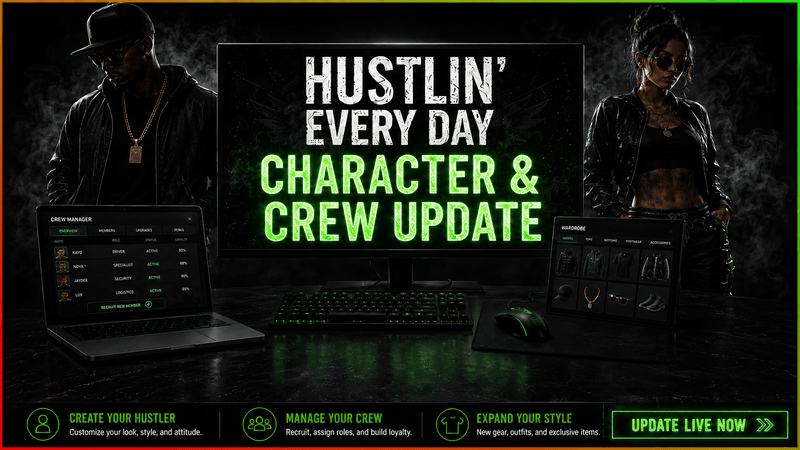
A major new character and business management update is coming to Hustlin’ Every Day.
This update introduces full character creation, the new DripBay clothing website, outfit customization through dressers purchased from Best Furnitures, a completely rebuilt movement system, an expanded inventory, quick slots, visible held items, the new Crew Manager application, automatic bill payments and several economy balance improvements.
Until now, you built your business and shaped your life through the computer screen. Now, you can shape the person behind it—and begin building a team to help run your growing operation.
Create Your Character
Every new game now begins with a full character creation screen.
Choose a male or female character and customize features such as:
Face and hair
Height and body weight
Shoulders, waist and hips
Arms and legs
Additional body proportions
Your choices are saved and carried into gameplay, the inventory preview and the clothing customization system.
Players continuing a save created before this update will be taken through character creation once. After creating their character, they will return to their existing game without losing money, inventory, properties or progression.
Shop for New Clothes on DripBay
A completely new clothing website, DripBay, has been added to the in-game computer.
DripBay allows you to browse and purchase clothing for your character using your available balance.
Purchased clothing is permanently added to your personal clothing collection. Clothing that you have not purchased cannot be equipped, giving you a new collection to build as your character and business progress.
DripBay provides a dedicated place for discovering new outfits and creates room for additional clothing categories, collections and wearable content in future updates.
Customize Your Outfit Using Dressers
Dressers purchased from Best Furnitures now provide access to the clothing customization interface.
Purchase a dresser, place it inside your home and interact with it to browse your clothing collection. From there, you can equip individual pieces, remove them and immediately preview the result on your character.
Your current outfit is saved automatically and remains equipped when you continue your game.
Together, DripBay and the dresser interaction create a complete clothing progression loop:
Purchase new clothing through DripBay
Permanently add it to your collection
Purchase and place a dresser from Best Furnitures
Use the dresser to access your clothing collection
Equip or remove individual clothing pieces
Preview your complete outfit before leaving the interface
This system also creates a foundation for many more clothing items, outfit variations and wearable content in future updates.
A Completely New Movement System
The old character movement system has been replaced with a new motion matching system.
Instead of relying on a small set of rigid animation transitions, motion matching continuously searches through a larger animation database and selects the movement that best fits the character’s current speed, direction and momentum.
This creates more natural transitions when:
Starting and stopping
Turning while moving
Changing direction
Walking and running
Moving diagonally
Rotating from an idle position
The character now reacts more naturally to player input and feels more physically connected to the world.
This new movement foundation also supports visible held items, synchronized footsteps and future character interactions.
Your Character Is Now Part of the Inventory
The inventory has been completely expanded with a full character preview.
Your character now appears beside your items, displaying their current appearance, clothing and body customization.
The preview updates alongside your saved character and currently equipped outfit, allowing you to see your complete appearance without returning to a dresser.
New Quick-Slot System
A new five-slot quick bar has been added to the inventory.
Items can be assigned to slots numbered 1–5, allowing you to quickly equip and switch between them during gameplay.
The quick slots use the same visual style as the inventory cards, making it easy to see which item is selected and how many remain.
Hold Items in Your Hands
Selected quick-slot items now appear directly in your character’s hands.
Weapons, consumables and other supported items use their own hand positions, rotations and sizes so they sit naturally with the character.
Switching between slots includes smooth hand transitions instead of making items instantly appear or disappear.
Combined with the new motion matching system, held items now move naturally alongside the character.
Use Consumables Directly
Consumable items can now be used from the active quick slot.
Select a consumable, hold it in your hand and use it directly during gameplay. Once consumed, the item quantity and quick slot update automatically.
Place Furniture from Quick Slots
Placeable items can now be activated directly from the quick bar.
Select a piece of furniture or another placeable object, enter placement mode and position it inside your property.
Cancelling placement keeps the item in its slot, while successfully placing it removes the used item automatically.
Introducing Crew Manager
A new Crew Manager application has been added to the in-game computer.
Crew Manager allows you to hire remote e-commerce assistants and assign them to Shoporia or SkyCart.
Employees only process incoming orders from listings that you create. They do not create listings, choose products, set prices or purchase stock.
You are still responsible for deciding what to sell, setting up your listings and keeping enough inventory available. Your employees simply help process incoming orders as your business grows.
Crew Manager includes:
Up to four employees
Five randomly generated candidates
A refreshed candidate pool every six in-game hours
Different salaries and order-processing speeds
Shoporia and SkyCart assignments
Independent processing timers for every employee
Site-specific automation switches
Automatic salary payments
Employee hiring and firing
Full save and load support
The fastest employees can complete an order in approximately 8–10 seconds, while cheaper employees take longer.
If an employee does not have any incoming orders to process, they will wait until one arrives. If the required product is unavailable, the order remains pending until enough stock is available.
Manual order completion remains available at all times.
Automatic Salary Payments
Automatic salary payment is enabled by default inside Crew Manager.
When payroll is due, the total daily salary of your team will be deducted automatically if enough money is available.
If you cannot afford payroll:
Employees are not removed
Their site assignments are preserved
Order automation is temporarily suspended
Payment is retried automatically when enough money becomes available
You can also disable automatic salary payments or pay outstanding payroll manually.
Automatic Bill Payments
CityPortal now includes an Auto Payment switch, enabled by default.
When a new bill becomes payable, the system automatically attempts to pay it using your available balance.
Automatic payments continue to work even while the CityPortal website is closed.
If there is not enough money, the bill remains unpaid and the normal overdue consequences continue to apply. The system will try again later when enough money becomes available.
Manual bill payment remains available.
Illegal Economy Balance Improvements
Several illegal economy systems have received small player-friendly balance adjustments.
Card Scamming
The chance of successfully obtaining cards from card-scamming activities has been increased.
The improvement is intentionally moderate, but successful card drops should now feel more consistent and the system should be less likely to repeatedly produce a loss.
HexArms and NightDose
Scam rates on HexArms and NightDose have been slightly reduced.
High-trust sellers are now more reliable:
Sellers with high trust have a lower maximum scam chance
Sellers with exceptional trust are safer than before
Trust now has a more noticeable effect on the final risk
Risk still exists, even when dealing with highly trusted sellers
These markets are still intended to involve risk, but consecutive scams from high-trust sellers should now be less common.
Rent Out Unused Homes
Purchased homes no longer become completely unused after moving to a better property.
Any owned house that is not currently being used as your active residence can now be rented out. Rental properties generate daily cash equal to 4% of the property’s purchase price.
You can start or stop renting an eligible house at any time. Moving back into a rented property automatically ends the rental arrangement.
More Character Feedback
Several additional details have been added to make the character and interfaces feel more present:
Footstep sounds synchronized with movement
Subtle fabric sounds while changing clothes
Smooth transitions between held items
Character previews that remain stable while using the computer
More natural window layering when multiple interfaces are open
Improved loading transitions between the main menu, character creator and gameplay
A New Foundation
This update required rebuilding a large part of the player character, movement, inventory and e-commerce systems.
It is more than a visual change. It creates a new foundation for future clothing collections, wearable items, usable objects, weapons, animations, employee roles and deeper player customization.
Your character is no longer just the person controlling the business.
Now they are part of the world you are building.