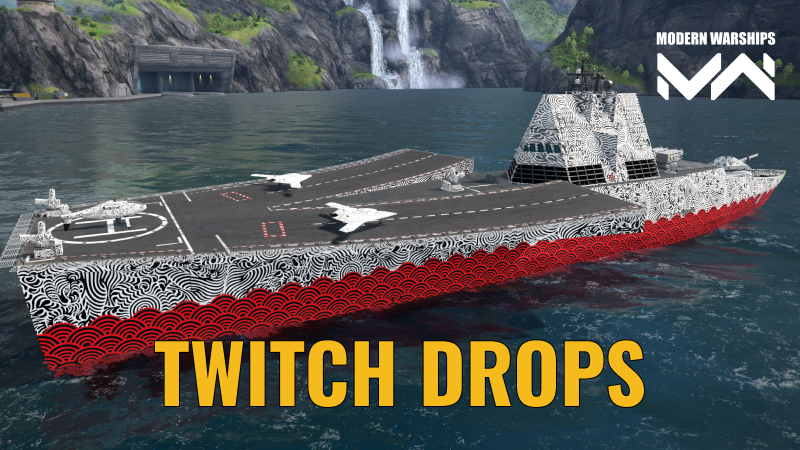
Commanders, from July 9 to July 31, watch selected Modern Warships streams on Twitch and earn rewards during the Depths of Despair event.
Rewards:
1 hour – 2 days of Premium Account
2 hours – Supply of Advanced Consumables
3 hours – 200 Upgrade Points
4 hours – 15 Authorization Keys
5 hours – Charming Ornament Camouflage
FAQ
What are Twitch Drops?
Twitch Drops are rewards you can earn by watching Modern Warships streams on Twitch.
Which streams do I need to watch?
Watch any of the channels listed below streaming Modern Warships on Twitch during the campaign period. Just make sure you’re logged in to Twitch and your accounts are linked.
ibragodytncturnal_gamingkrew256jasongaming_tip_mwimtimetravelert3d_fxmwbee1kpuch1n0DjadjaStepaKiLLaNOagatillin830geecknesgeneralofmwscyther_warshipzz_fabriciomwofficialtylermweptomoonstealthmwgamermr_oroplatwindmill_fTheGhOsTGeneralconfrerie_navale_frle_guepard_perdunoa_mizuchiktgirlgaminggnoddahRizkiramadhan_CHnrnsgamerLeoBluEyeZbulletthekrazygamerremix_primediablobeelzebubgematmanrplayer91alexshikakaby_mitsoiosif_mwhidebestmrproper_mwamw573garry_4pokergrujicicmSpartakusMWvictoreub2
How do I get the rewards?
Log in to your Twitch account.
Make sure your Modern Warships account has an email linked in Settings -> Account.
Go to the Artstorm website, open Shop, log in with your Modern Warships account, and then go to Dashboard.
Link your Twitch account to your Artstorm account and click Allow.
Watch participating Modern Warships streams with Drops enabled during an active campaign.
Wait until you reach the required watch time.
Claim the reward in Twitch Drops Inventory.
Open Modern Warships.
Tap the mail icon in the top menu.
Open the System tab.
Find the message Twitch Drops Rewards.
Tap Claim All.
Where can I track progress and claim rewards?
Progress is shown in the Drops Inventory section on Twitch. You can also claim rewards there using the Claim button.
Sometimes Twitch shows a notification during the stream. In that case, you can claim the reward directly from the notification.
Will I earn rewards faster by watching multiple streams at the same time?
No. Progress only counts from one active stream at a time.
I claimed a reward on Twitch. Where is it in the game?
After claiming the reward on Twitch, it will be sent to your in-game account through the in-game mail system.
Open Modern Warships, tap the mail icon, go to the System tab, find Twitch Drops Rewards, and tap Claim All.
If the message does not appear right away, please wait a little and check again later. You may also need to restart the game.
If the reward still does not appear, check that your accounts are linked correctly and that the reward is marked as claimed in Twitch Drops Inventory.
Which devices support Twitch Drops?
Drops work in web browsers on PC/Mac and in the Twitch mobile app on Android and iOS. Twitch apps on consoles and Smart TVs do not support Drops.
Streaming Modern Warships on Twitch?
Apply to the Creator Support Program to get bonuses, support from the team, and more opportunities for your channel and audience.