https://store.steampowered.com/app/1724140/Craftomation_101_Programming__Craft/
Hello mates!
A new update for Craftomation 101 has arrived — packed with highly requested quality-of-life improvements, interface upgrades, and bug fixes. Thanks a lot for all the feedback and suggestions you've been sending our way. This update contains several features directly inspired by player requests.
Navigation Improvements
One of the most requested changes is finally here!
Now, when switching between robots using the next/previous buttons, robots are selected in the exact order you arranged them inside the navigation menu.
No more mysterious robot roulette. Your carefully organized production empire finally respects your organizational genius.
New Hotkey for Craftomat Speed
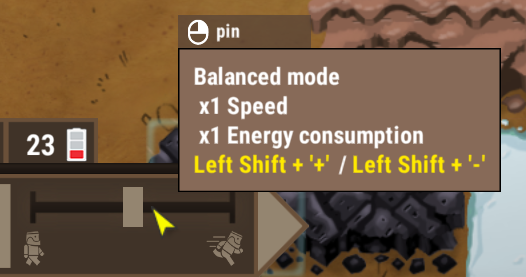
We added a hotkey for switching Craftomat speed settings. Faster automation tweaking, fewer clicks, more science.
Pause / Resume Controls
Added a global pause/resume button for all robots
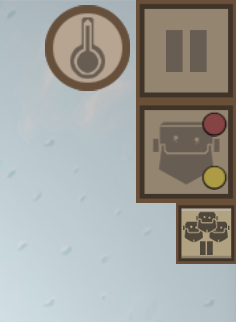
Added separate pause/resume controls for individual robots
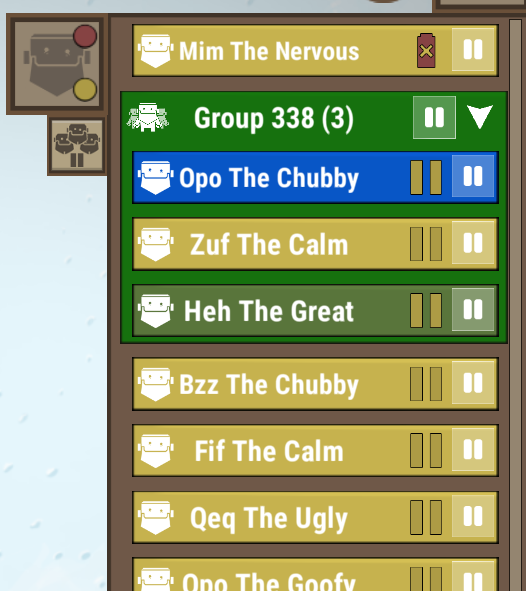
Added controls for entire robot groups in the navigation menu
Perfect for when one tiny robot decides to become "creative" with your factory layout.
New Code Block Connection Setting
We added a separate option to disable automatic code block connections when placing new blocks.
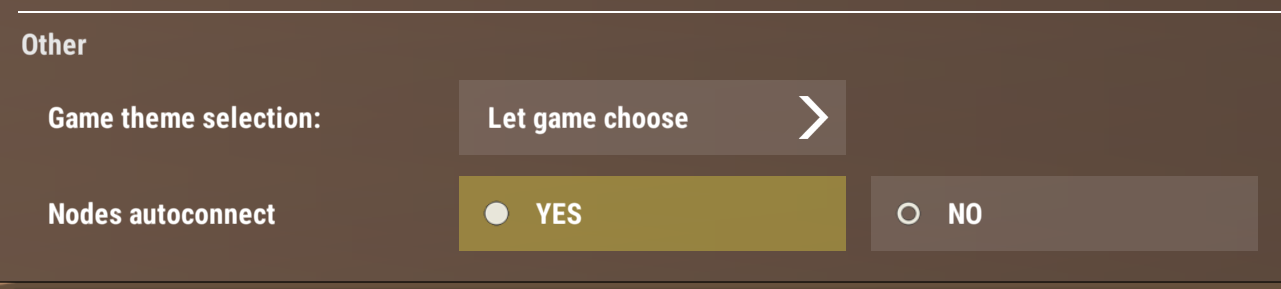
For players who prefer cleaner manual programming control — this one's for you.
Bug Fixes
- Fixed very long loading times for some player save files
- Fixed Get Element behavior for arrays — now works correctly with connected coordinate/type arrays
- Fixed text issues in several menus
Support Craftomation 101 with the Art Pack DLC
If you'd like to support the development of Craftomation 101, please consider checking out the Art Pack DLC!
It includes beautiful concept art, wallpapers, development sketches, experiments, and behind-the-scenes materials from the creation of our cozy automation world.
https://store.steampowered.com/app/2795690/Craftomation_101_Art_Pack/
Stay tuned — more updates are already in development!
How to join the development?
Want some more Craftomation 101? We got you! Here's what you can do:
- Suggest your ideas for the game on our Discord server
- Help us translate the game into your native language
- Subscribe to our YouTube channel, and follow studio news
- Follow Craftomation 101 on Twitter
- Leave a comment under a video of your favorite content maker, to let them know about the game
- Sign up for our Newsletter