Status
SteamPeaks
ChartsSalesUpcomingPatchesEventsCalculator
New on SteamEvery app, DLC and depot the minute Steam creates itAppsEvery app on Steam, newest change firstPackagesSubs and bundles, and what each containsDepotsDepots, manifests and install sizesTagsSteam's user tags and the games under themDevelopers & publishersCompanies and their cataloguesTechnologiesEngines, SDKs and anti-cheat found in the filesChange historyEvery PICS changelist as it lands
SignalsNineteen readings of the whole catalogueCompareAny games side by sideRecordsAll-time peaks and the days they were setReportsWeekly and monthly write-upsAlerts & newsroomWatch a game, get told when it movesSteam statusIs Steam up, right nowWeb API explorerTry the endpoints in the browser
EventsSteam's own events and the sales calendarCalculatorWhat a Steam account is worth, and its pile of shame
/
Sign in
/
SteamPeaks
The ultimate resource for Steam data.
ExploreChartsSalesSales and festsUpcomingPatchesEventsRecordsTrendingSignals
DatabaseAppsPackagesDepotsTagsDevelopersTechnologiesChange history
ToolsCalculatorCompareSearchAlertsSteam statusAPI
SiteMethodologyFAQDiscordSupportSign in via Steam
Not affiliated with Valve or Steam. Game names and artwork belong to their owners. All times UTC.
PrivacyCookiesFair useStatus
Late Night FearsEventsBus Station 8 - Steam Online Coop!
In-game event

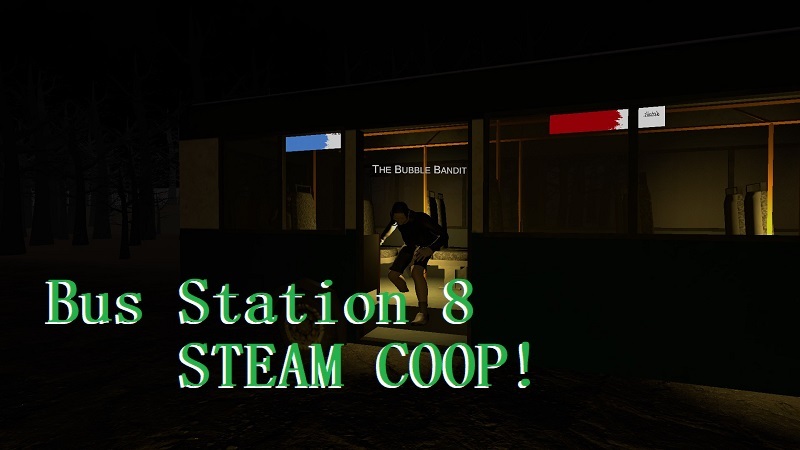
Bus Station 8 - Steam Online Coop!

Late Night Fears · published 7 Aug 2026, 21:45 UTC

All eventsPlayers around this dateRead on Steam

Bus Station 8 - Steam Co-op

Experimental Steam Co-op Update

Steam Co-op is now available for Bus Station 8!

Please note: This is an experimental first version of Steam Co-op. There are still several known bugs, missing features, and unfinished systems. Many of these issues are planned to be fixed throughout the next week.

How to Play

To start a Steam Co-op session:

  1. Start the game through the Main Menu.

  2. Select Play.

  3. Select Bus Station 8 - Steam Co-op.

  4. One player needs to press Host.

  5. The other player can join through a Steam invite, or by right-clicking the host on Steam and selecting Join Game.

  6. Max Players: 3

  7. Also you can chat with pressing [Enter]

The current version is designed specifically around this Steam Co-op flow.


Known Issues

Bus Driver / Skip Bus

The Host currently cannot reliably skip the bus timer using the Bus Driver.

At the moment, this functionality may only work for a Client, and it can also behave randomly depending on the situation.

This will be investigated and fixed in a future update.

Chat & Player Names

Player names and chat names are currently being handled incorrectly.

At the moment, players may see the Host's Steam name instead of their own name.

This will be fixed in an upcoming update.

No Pause Menu / Options

The Co-op version currently has no Options menu or Pause menu.

These systems are still being worked on.

Ending

The current ending is not finished yet.

After reaching the final station, the game currently ends rather abruptly and does not yet provide a proper end screen or return-to-menu button.

For now, the recommended way to close the game after finishing is Alt + F4.

Missing / Broken Sounds

Some sounds currently do not play correctly in Co-op.

This includes certain sounds that work normally in the single-player version.

Anomalies

Some anomalies are currently not working correctly in multiplayer.

Certain anomalies may behave differently, fail to trigger, or otherwise act strangely.

These will be fixed and adjusted over time.

Translations

Translations are not implemented in the experimental Co-op version yet.

Some text may therefore appear in the wrong language or remain untranslated.


Experimental

This first Co-op release is mainly intended to test the Steam multiplayer system and gather feedback.

Because of this, you may encounter bugs that are not present in the normal single-player version.

More fixes and improvements are planned throughout the next week.


Other Maps

At the moment, there are no plans to immediately add Steam Co-op to the other maps, such as:

  • Grandpa's Food Window

  • The Infected Store

The current focus is on getting Bus Station 8 working properly in Steam Co-op first.

If the experimental version goes well, the possibility of bringing Co-op to other maps can be reconsidered in the future.


Thank You for Testing!

This is the first experimental version of Steam Co-op, so thank you for testing it and reporting any bugs you encounter.

More from Late Night Fears

Other announcements

All events
In-game event19 Aug 2026Bus Station 8 - Coop Update [Voice Lines & More]Bus Station 8 - Steam Co-op \ New Features Steam Co-op Button · Added the Voice Lines from the Singleplayer Version. · Added the Note Papes from the Singleplayer Version. · Changed the Ending now to equal ending of the Singleplayer Version. · Added the Flashlight Sound. · Added the Flashlight Button and Chat Button when playing, that everyone knows what to press. Fixes & Improvements · Joining…In-game event15 Aug 2026Bus Station 8 - Online Coop Fix Update!Bus Station 8 - Steam Co-op Steam Co-op Update Steam Co-op has received its first major round of fixes and improvements! This update focuses on improving the overall multiplayer experience, making it easier to join friends, and fixing several issues from the first experimental release. Fixes & Improvements Player Names & Chat Names Fixed an issue where all players could appear with the Host's S…In-game event31 Jul 2026Patch Notes V1.22 / The Infected Store Update!Patch Notes – The Infected Store A new update for The Infected Store in Late Night Fears is here! This update adds new mechanics, more things to watch out for, and some changes to make your decisions matter even more. The Infection Spray & Gas · Infected people entering the store now have a 50% chance of releasing Infection Gas . · Infection Gas instantly kills non-infected humans who come into…