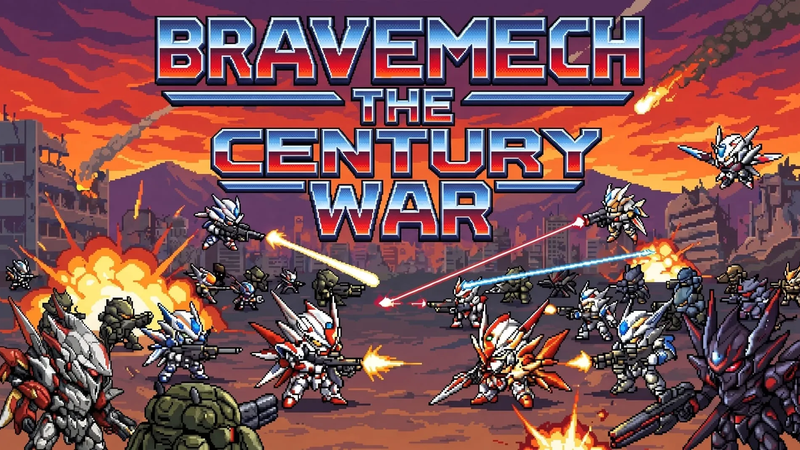
Here is a list of the improvements we've made since our Coming Soon launch! Expect us to keep improving the game!// RELEASE LOG
v0.71.80
2026-07-11
More hit feedback in combat: your lock-on bracket now flashes white the instant one of your own shots lands on the target it's tracking — a hit-confirm right on the reticle, on top of the usual target flash, so a solid connect reads clearly even in a crowded fight. Works for your lock in solo play and for all four players' locks in co-op.
v0.71.79
2026-07-11
The post-battle report now fits a phone. It had been rendering at roughly quarter size — a shrunken card with an 11-pixel CONTINUE button that was almost impossible to tap — because it was getting scaled down twice. It now fills the screen: the summary text is comfortably readable, the stats fit without scrolling, and CONTINUE is a proper finger-sized target.
v0.71.77
2026-07-10
Fixes a controller blocker at the very start of a new game. The opening "THE CENTURY WAR · YEAR ONE" screen couldn't be dismissed with a gamepad — BEGIN THE FIRST YEAR wasn't reachable, so a pad player got stuck before the first mission. The whole cutscene and story-scene layer is now controller- and keyboard-navigable: the war-opening and loading SKIPs, the defeat epilogue, and the dialogue scenes all advance with A or the keyboard, and in-scene decisions can be picked with the pad — the gold highlight follows your cursor. (Scene narration used to advance only by mouse click, which had also left it stuck for keyboard-only players; that's fixed too.)
v0.71.73
2026-07-10
A pass to make menu information work without a mouse — for touch, controllers and especially the Steam Deck. Numbers and details that only showed up in hover tooltips are now readable with a tap or the pad cursor: the pilot skill grid (what RNG / MEL / MOB / DEF / AWR / TEC / CHA each do), the stat effects in the Field Promotion screen, each frame's HP / ARM / MOB / EN in requisition, and every stop's type, date and rival-contact warning on the command-hub route strip — a caption follows whatever your cursor is on. The Steam Deck also gets its controller bindings back: the rebind table and pad diagnostics were being hidden because the Deck reads as a touch device, even though it's the one platform that lives on a gamepad.
If the game ever can't read your save, it no longer quietly swaps in a blank profile and drops you on a zeroed title as though your career vanished. The unreadable save is set aside — not erased — and a notice explains what happened and offers to restore from a backup file, or from the cloud if you're signed in.
v0.71.72
2026-07-10
You can't strand yourself in the controls anymore. Because each key and button can be cleared individually, it was possible to wipe your PAUSE binding — or your whole control scheme — with no way back short of rebinding from memory. Settings › Controls now has a two-step RESTORE DEFAULTS that puts keyboard and pad bindings back to stock for the current pilot.
A round of smaller fixes on top: the feat shop now spells out what ✪ and ✦ actually are — your pilot's citations versus account merits — instead of leaving them as bare symbols; ghost-replay records show the service date and battle phase so two runs from the same pilot are easy to tell apart; the SKIP button in the story intro appears after 2 seconds instead of 8 if generation stalls; the signed-in and cloud-save line on the title screen is legible over any backdrop now; and the feats window no longer tucks its CLOSE button under the edge on short phones.
v0.71.71
2026-07-10
You can now play start to finish on a controller — including typing. Signing in and naming your commander used to need a mouse or keyboard, which broke couch and Steam play; there's now a pad-driven on-screen keyboard. Open a text field with A, move with the stick or D-pad, LB deletes, RB adds a space, a one-shot Shift and a symbols page cover the rest, and B (or DONE) accepts. Mouse and keyboard typing are untouched, and the on-screen keyboard only appears when you're actually on a pad. (Chinese, Japanese and Korean names still want a physical keyboard, and the hint says so.)
A pass to make the big screens actually use a desktop display. The leaderboard fills the width and fits five rows a page at 1080p instead of three in a narrow column, with the shoulder buttons to page through. Doctrine shows all three branches side by side on one screen at 1280px and up — the choice is the comparison. The Memorial Wall lays out three plaques per row on wide displays, centered, instead of hugging one edge. And in Settings the controls no longer sprawl to the far side of an ultra-wide row: the working column is capped and centered so each slider sits next to its readout.
v0.71.70
2026-07-10
Two more phone-fit fixes, closing out this menu polish pass. In the squad screen, a berth card and its ‹ BERTHS › pager now fit on-screen instead of being cut off by the edge of the display. And the co-op lobby — which sits outside the usual phone scaling — no longer overflows: seats lay out four-across on short screens, so the Back and Launch buttons are full-size and reachable rather than clipped to slivers.
v0.71.69
2026-07-10
More controller polish, with one real safety fix: on a gamepad, the pop-up panels — dossier, war chronicle, notifications — didn't fully capture the cursor, so it could still wander onto the menu hidden behind them, and a stray button-press could even land on ABANDON. Those overlays now trap the cursor, and Back closes them cleanly.
The cursor also starts on the obvious choice on far more screens now — RESUME SORTIE on the pause menu, your lead pilot's loadout in the squad, the Memorial Wall, Sign In, the first frame you can afford in the outfit shop and more — instead of landing wherever the layout happened to put it first.
v0.71.68
2026-07-10
A cleanup pass over menus on phones and controllers — a batch of things that were quietly broken. On a gamepad, the selection cursor was invisible on the gold letter-mission cards (PROCEED TO MUSTER and the like): a gold ring on a gold button, so you couldn't tell what was highlighted. It's now a clear cyan ring you can always see.
On phones, a lot of buttons on the newer screens were simply too small to tap reliably — some only a few pixels tall once the screen scaled down. Touch targets across the mission map, the between-battle rail, hangar and squad rows are re-sized to a genuine finger-friendly minimum.
On tablets, the between-battle menu could bury SCENES and ABANDON under the resource bar behind a stray scroll region; it now lays out in two columns so nothing gets hidden. And the fullscreen button no longer overlaps the BACK/CLOSE controls in the top corner.
Chinese, Japanese and Korean labels that were rendering too small to read comfortably are bumped back above the legibility floor, and touch sliders now sit on their track instead of floating above it.
v0.71.67
2026-07-10
Changed your mind at the briefing? There's a way back now. The pre-battle briefing — the screen where you lock in a sortie — has a BACK button, so choosing a mission is no longer a one-way door: look the drop over, then step back to the hangar to re-outfit or pick a different objective without having to launch and then abort the battle.
Controllers can work dropdowns now. Native drop-down (select) menus couldn't be opened with a gamepad at all — they now raise a clean, pad-navigable option picker you drive with the stick or D-pad. And the shoulder buttons earn a job in menus: LB/RB cycle between a screen's tabs, so you can sweep across hangar pages and settings groups without reaching for a mouse.
v0.71.65
2026-07-10
If you play on a controller: you can navigate the menus now. Pad navigation was actually working the whole time — title, faction, mech, outfit, posting — but the cursor was INVISIBLE, so pressing the D-pad looked like it did nothing and menus felt unusable without a mouse. The culprit: the new chamfered buttons and cards clip their own corners, and that clipping was also cutting off the focus outline that shows where you are. The cursor is now a clip-proof inset ring with a brightness pop that paints inside the chamfer, so your selection is always clearly visible. Keyboard menu navigation came along for the ride too — arrow keys move the cursor, Enter selects, Escape backs out.
v0.71.64
2026-07-09
Controller support got a full pass. The gamepad now has a complete, owner-tuned layout — Transform, ship Helm, Scout zoom, Auto-pilot, Vent heat and Dock all have real buttons, and the command wheel is finally pad-driven: hold the wheel button, aim a slice with the right stick, release to issue the order — so all six wingman orders stay reachable without stealing the D-pad. And the on-screen command chips (AUTO / HELM / TRANSFORM / ORDERS) now show YOUR actual binding for whatever you're holding — the pad glyph on a controller, the keyboard key the moment you touch the keys — read live from your bindings, so a rebind updates the hint instantly (and that stale 'Z' hint is gone). Under the hood, the groundwork for Steam achievements and stats also landed.
v0.71.63
2026-07-09
No stage strands your mech at the bottom of the screen anymore. On two stages — the lunar plain and the sky base — your pilot sat down in the bottom fifth with its feet in the HUD gauges: a framing bug that 'got fixed' several times and kept coming back. A full render audit of all 18 stage backdrops found the real culprit — those two 'backdrop-only' vistas were quietly running a much lower camera than every other stage. They now frame exactly like the rest, feet on the standard footing line, and a new automated sweep checks all 18 stages so it can't silently slip back again.
v0.71.62
2026-07-09
Softcore now keeps its promise — your pilot survives. Softcore is the mulligan mode: lose a run and your career reboots into a new life instead of ending. But a gap meant that on a pilot-down defeat, the pilot you actually fly — your squad lead, since 'seat 1 is you' — was still struck from the roster for good. The career rebooted, just onto a different pilot, so your commander was quietly gone: permadeath in all but name. Fixed. In softcore your lead pilot now gets the same second chance the career does — aged a year and back in the cockpit. Hardcore still means what it says, and even in softcore a wingman who goes down stays down; the mulligan is for the pilot you fly.
v0.71.60
2026-07-09
繁體中文 is here — Traditional Chinese joins the game's languages. Set your device to Taiwan, Hong Kong or Macau (or any Traditional-Chinese locale) and the game switches to Traditional automatically. It's derived from the Simplified Chinese with Taiwan-standard word choices (飛彈 over 導彈, 螢幕 over 屏幕, 手把 over 手柄), so it always stays perfectly in step with the rest of the Chinese text — nothing to drift out of sync or contradict.