A new update has been released, you can view the full changes on our blog post.
https://sbox.game/news/update-26-06-24
More Discovery
The menu home page has been updated with a couple of discovery moves. First of all we have a social feed on the right. This will show your friends interactions with the game (if you have any, and if their profile is not set to private in Steam). Then we have a spotlight on the top left, where we can highlight one or two games. We plan to use this to highlight new and under-appreciated games.
I struggled with the games tab, because you'd click on it and you'd see the most popular games, which I feel encourages stagnation. What should we default that to? New games? Trending? There's arguments for and against everything and I don't know if people know how to change the order.
So now when you click on Games it'll show a bunch of different categories that we can control from the backend.
Rust Content
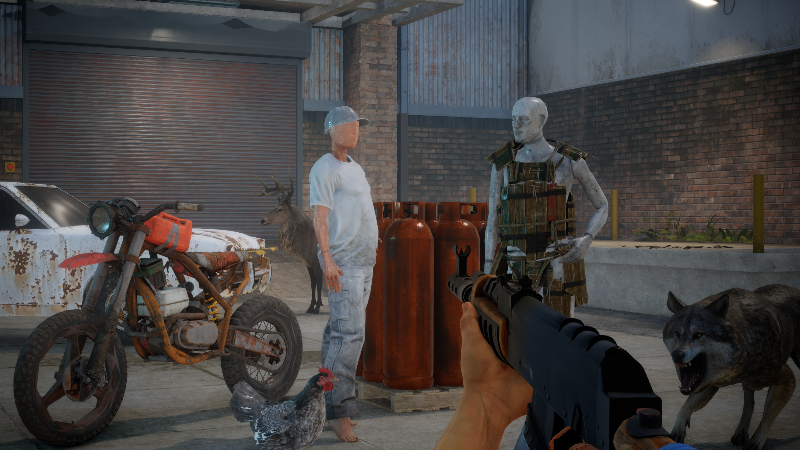
We've added a bunch more Rust content to the rust org. This is an ongoing process in terms of getting the import process correct and making everything work, but there are a lot more models and sounds available now.
You're free to use these assets in your games and addons on the platform, you can enable Play Fund too! I'm really interested to see if anyone can use the Rust assets to create something unexpected, or even try to recreate Rust in s&box. Seems like a fun thing to play around with.
Resource Compiler Fixes
Whilst I was importing Rust into s&box I kept hitting the resource compiler falling over and miscompiling. So I fixed all of it.
- Texture compile crashes when cs_compress_dxt5 wasn't loading
- Missing or unparseable animgraphs would null-deref and crash
- Fixed an NRE in the asset publish widget, and the asset-list context menu occasionally feeding through null and duplicate assets.
- Search paths were fucking materials referencing shaders
- Child resources were being over-marked, making non-generated assets appear as generated
Publishing thousands of things at once revealed a bunch of validation problems too:
- Ident generation now folds accents down to plain ASCII, collapse separators to underscores instead of stripping them (so words stay readable), and append a short path hash when we have to trim
- Invalid stored idents get regenerated rather than shipped broken.
- Titles get cleaned the same way: line breaks and tabs stripped, trimmed to fit on a word boundary. Max title length bumped 32 -> 64.
- The asset inspector and sound-file compile settings now support multi-selection, so you can fix up a whole batch at once instead of one at a time.
CC0 Sounds
I feel like there's a lot of sound packs that everyone wants to use. So I uploaded them to a new org for everyone to use more easily. The new org is called OpenSound.
Here you'll find a ton of great sounds from multiple sources that have been released under the CC0 license, so are totally good to use in your projects. We also have a ton of free music by Kevin MacLeod, which is all licensed CC-BY.Additionally, you can preview sounds on the website now, too.
License References
The recently added Cloud Asset Licenses page has been really helpful for letting people know what cloud assets they're still actively using, but it didn't point you towards where those references WERE.So now you can click into any cloud asset in the list and see all your local files that reference it from one place :)
Auto LOD Materials
Auto LOD can now cull or swap materials as it generates LOD levels. Faces using a specific material can be removed entirely, or swapped out for a different one.This is handy for cutting draw calls at a distance, for example by dropping detail materials that you'll never notice once an object is far enough away.
Allocation Optimizations
We've trimmed down per-frame allocations across the engine.On our benchmark system we now see around 100KB less allocated per frame on average.
In some benchmark scenarios that translates to a 30% frame time improvement. In a regular game expect an improvement from 1-3%.
Lower end hardware could see the bigger wins.
Benchmark Launcher
You can now run our benchmarks straight from ingame, via the Developer settings tab.
Once a run finishes, a modal pops up with a quick overview of the results, plus a link to the full breakdown on the website:
Sprite Loop Points
You can now set start/end loop points to the Sprite Editor so you can have animations with a lead-in section, loop section, and lead-out.
Prefab Stability
We've fixed a handful of issues with complex nested prefab structures, making them more stable to work with.The main culprits were around nested prefab instances losing track of their IDs, when breaking or reparenting an instance, and in an edge case during loading where nested mappings were built too early.If you've run into nested prefabs behaving unpredictably, this should clear a lot of that up.
Terrain Tools Improvements
The terrains tools needed some love, after spending some time using there was a bunch of features I wanted to add so I did so. These should help speed things up for people.
- Reordered brush types with shortcuts
- Clearer current-brush display
- Simple ring brush mode
- Brush rotation
- Size/Opacity shortcuts
- Increased max brush size (2048)
- No longer need the terrain object selected to paint. sbox-dev_nYg3tCy7jZ.mp4 22.96 MB
Video Player Controls
Videos now have player controls, volume, click-to-pause, and remembered volume, with controls that hide until hovered.
Automatic Shadow Receiver Plane Depth Bias
We were experimenting with this in shadows2 but ultimately didn't ship it. Now I've re-added it to reduce shadow acne on cascaded, point and spot lights.
Fucked It
We've started building tooling to attack shader performance through static analysis of our compiled shaders, pulling together tools like the AMD Radeon Developer Suite. The goal is to be able to sweep across our whole shader pipeline and isolate performance problems faster - register pressure, occupancy limits, spilling - without having to profile every pass by hand on real hardware.One of the first big wins it surfaced is quite embarrassing, the unused area-light shading path was drastically hammer our forward lighting shaders. Removing it took a bare PBR cluster loop from 120 VGPR at 75% occupancy (spilling) down to 68 VGPR at 100% (no spill), and a 4K lit pass ran 26% faster (245.5ms → 181.7ms on an RX 9070 XT). The full standard shade dropped from 150 to 116 VGPR with spilling eliminated entirely.The embarrassing thing is we never caught it in a year, a single dead branch was silently taxing every lit shader in the engine, and nothing in our workflow would have flagged it.That's the gap we're closing next.So alongside the analysis tooling, we're wiring this into our CI and PR workflows: per-PR GPU benchmarks, rendering regression tests, and static shader analysis that reports VGPR usage and occupancy as part of review. The aim is to catch this class of regression before it lands..
Changelog
🎁 Added
- Sprite loop points - draggable start/end loop markers in the Sprite Editor, so animations can have a lead-in section, a looping section, and a lead-out.
- AutoLOD material culling & replacements - cull or swap materials on automatically generated LODs to cut draw calls at distance.Closest point on heightfield - query the closest point on a terrain heightfield, matching the other physics shape types.
🧼 Improved
- Menu discovery overhaul - a load of new discovery content on the menu, and the Games page now has you pick a category first.
- Terrain Tool improvements - reordered brush types with shortcuts, a clearer current-brush display, a simple ring brush mode, brush rotation, size/opacity shortcuts, a higher max brush size (2048), and you no longer need the terrain object selected to paint.
- Package video controls - package trailers now have a video player with volume, click-to-pause, and remembered volume, with controls that hide until hovered.
- Publish Wizard - the License page now lists referenced files, and the "Create Sprite" context menu uses the image file generator so textures compile correctly when published.
- Resource Compiler fixes - a batch of fixes uncovered while importing large asset sets.
- TextureInspector - textures without a source file are no longer editable, preventing accidental corruption of compiled assets.
- Asset browser - better handling for missing pins.
- Automatic receiver plane depth bias - re-added to reduce shadow acne on cascaded, point and spot lights.
- Allocation optimizations - a wide pass reducing per-frame allocations across physics traces, particles, network sync, DotRecast navigation, JSON diffing and deserialization, fixed-update interpolation buffer walks, anim param boxing, and clone fast paths.
- Cached reflection property lookups in JSON deserialization for faster object loading. Thank you @PatrickJnr!
🪛 Fixed
- Glass and translucent shaders now render correctly in editor thumbnails and previews.
- `g_flTime` in shaders is now correct when exporting movies.
- Fixed heap corruption caused by bad meshoptimizer usage during AutoLOD face-set simplification.
- Fixed prefab render-options cloning.
- GameObjectSystems and their properties are now serialized in a deterministic order.
- Fixed nested prefab instance GUID stability and break/reparent edge cases.
- Vertex layouts are now freed on hotload.
- UI textures no longer flash a red "missing" texture while streaming in, and animated textures are correctly marked dirty.
- SDL clipboard warning is no longer logged on success.
- `Project.CacheAssemblies` no longer breaks dedicated servers running in local project mode.
- Fixed a potential null-reference exception during resource disposal. Thank you @dimmerly!
- Fixed margin adjustment in fullscreen. Thank you @boxrocket6803!
🚯 Removed
- Area-light (LTC) shading path - removed the unused Linearly Transformed Cosines area-light branch from standard forward+ lighting. It was the peak-register path compiled into every lit shader, so removing it frees a large amount of VGPRs, improves GPU occupancy and eliminates register spilling - up to ~26% faster lit passes even in scenes with no area lights.