Smoother Visuals & Startup Feedback
Previously, Cursor Charm could appear to freeze during startup while visual effects were being prepared in the background. Sorry about that!
The app was still working, but there was no indication that anything was happening, which made it look like Cursor Charm had crashed.
This update makes that process visible and improves how effects are prepared:
Preparing effects on first launch. After this update, the first launch will show a Preparing effects window while Cursor Charm prepares visual effects for your graphics card. It may pause briefly between steps, but the app is still working.
Less stuttering later. Preparing these effects ahead of time should reduce hitches when switching between charms or using an effect for the first time.
New effects are prepared when needed. You may occasionally see Preparing effects... for a moment when switching charms while something new is being set up.
Most of this preparation only needs to happen once.
New Charm
A new charm has been added:
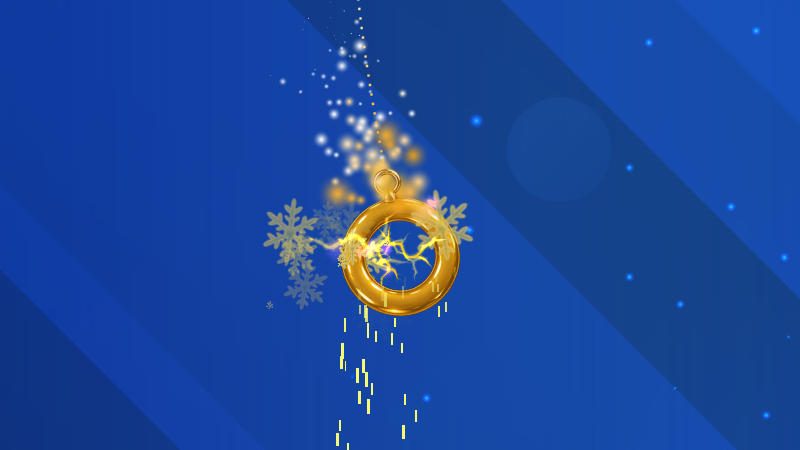
Ring of Twii
Ring of Twii comes with a light sparkle effect by default.
New Pulse Effect
There's a new Pulse special effect!
Pulse makes the charm fade and tint in a heartbeat-style rhythm.
Effect Intensity controls how quickly the charm pulses.
Pulse Color lets you add a color tint to the pulse.
Using white keeps the original charm colors and only changes the brightness.
Pulse can be added to any charm from one of the special effect slots.
More Particles and Effects
You can now stack even more effects on a charm:
Particle slots have been increased from 3 to 5.
Special effect slots have been increased from 3 to 5.
That means a single charm can now have up to five different particle styles and five special effects active at once!
New Trail "Tail" Mode
Trails now have an optional Tail mode.
When enabled, the trail keeps a fixed length behind the charm instead of continuously fading away. The tail pulls back in while the charm is moving, giving it a more connected, tail-like appearance.
Tail mode is off by default.
Updated Default Charms
A few of the built-in charms have received updated default effects:
Heart now uses a soft blue Pulse effect instead of pixel particles.
Traffic Cone now has reddish pixel particles.
1000cc Charm no longer uses sparkle particles by default.
These changes only affect new installations or charms that are restored to their defaults. Your existing saved charm settings will not be changed.
Thanks for hanging a charm on your cursor! ❤️