Status
SteamPeaks
ChartsSalesUpcomingPatchesEventsCalculator
New on SteamEvery app, DLC and depot the minute Steam creates itAppsEvery app on Steam, newest change firstPackagesSubs and bundles, and what each containsDepotsDepots, manifests and install sizesTagsSteam's user tags and the games under themDevelopers & publishersCompanies and their cataloguesTechnologiesEngines, SDKs and anti-cheat found in the filesChange historyEvery PICS changelist as it lands
SignalsNineteen readings of the whole catalogueCompareAny games side by sideRecordsAll-time peaks and the days they were setReportsWeekly and monthly write-upsAlerts & newsroomWatch a game, get told when it movesSteam statusIs Steam up, right nowWeb API explorerTry the endpoints in the browser
EventsSteam's own events and the sales calendarCalculatorWhat a Steam account is worth, and its pile of shame
/
Sign in
/
SteamPeaks
The ultimate resource for Steam data.
ExploreChartsSalesSales and festsUpcomingPatchesEventsRecordsTrendingSignals
DatabaseAppsPackagesDepotsTagsDevelopersTechnologiesChange history
ToolsCalculatorCompareSearchAlertsSteam statusAPI
SiteMethodologyFAQDiscordSupportSign in via Steam
Not affiliated with Valve or Steam. Game names and artwork belong to their owners. All times UTC.
PrivacyCookiesFair useStatus
Scarlet Hollow›Events›Dynamically Scaling Textbox!
In-game event

Dynamically Scaling Textbox!

Scarlet Hollow · published 29 days ago

All eventsPlayers around this dateRead on Steam

Heya Cousins!

Here with a quick (and optional) UX update. The textbox can now change size when the player is presented with a large enough list of dialogue options! (So most menus.)
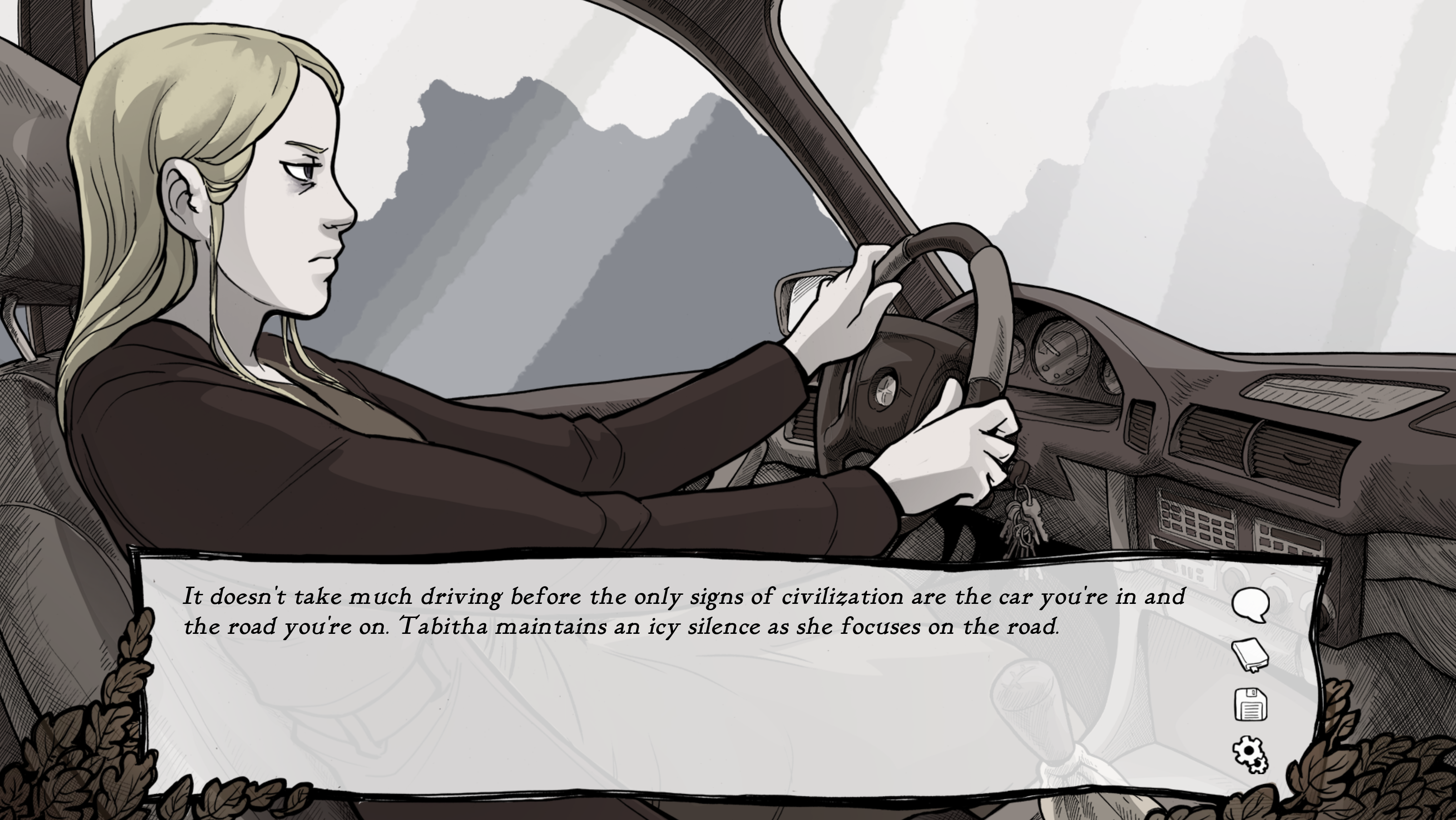

Normal dialogue still plays over this smaller textbox...
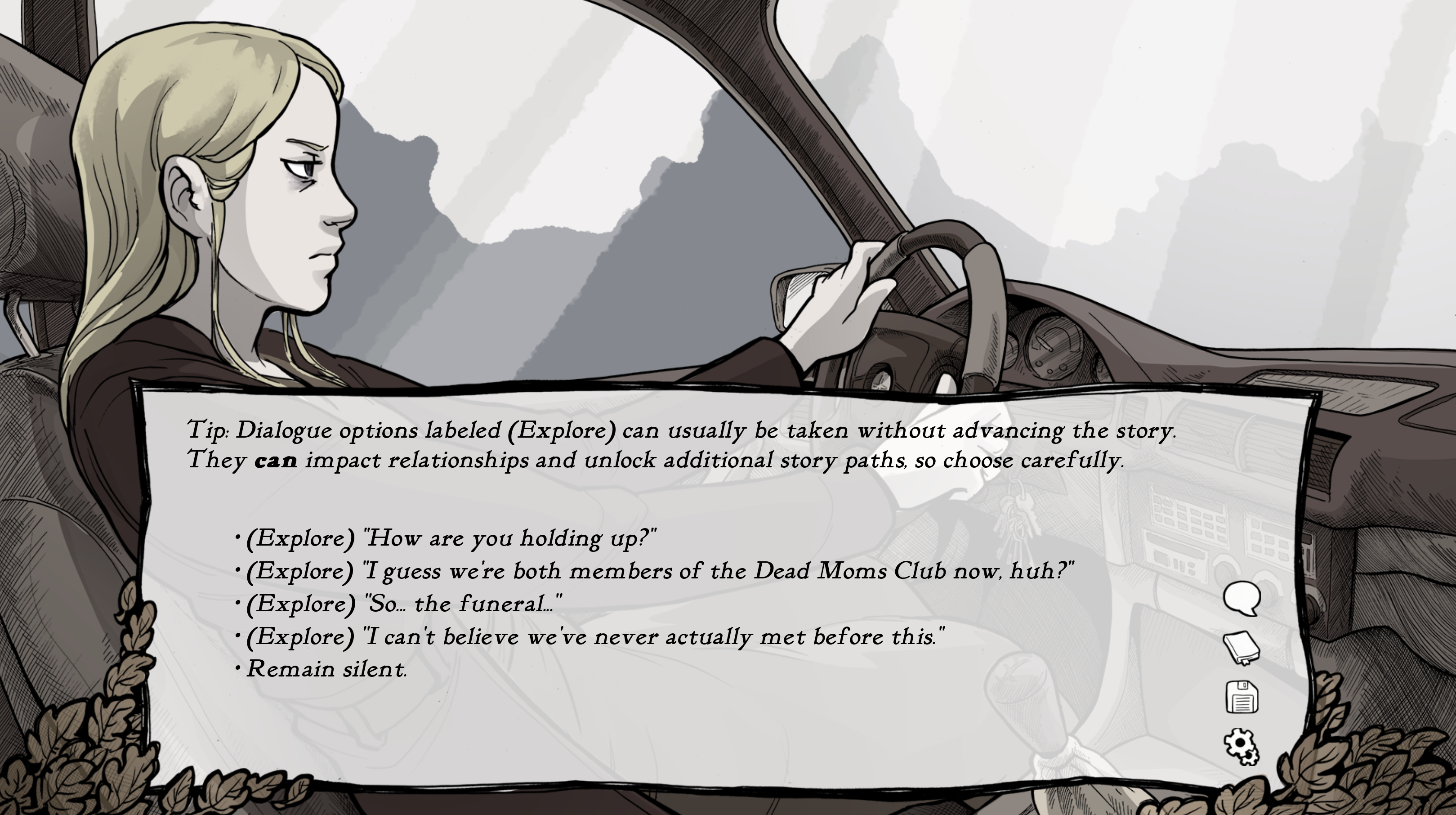

But now, when you're presented with enough options that you need to scroll, the textbox gets bigger for that menu!

This option is now set "on" by default, but you can revert to the single-sized, non-scaling textbox in the settings!
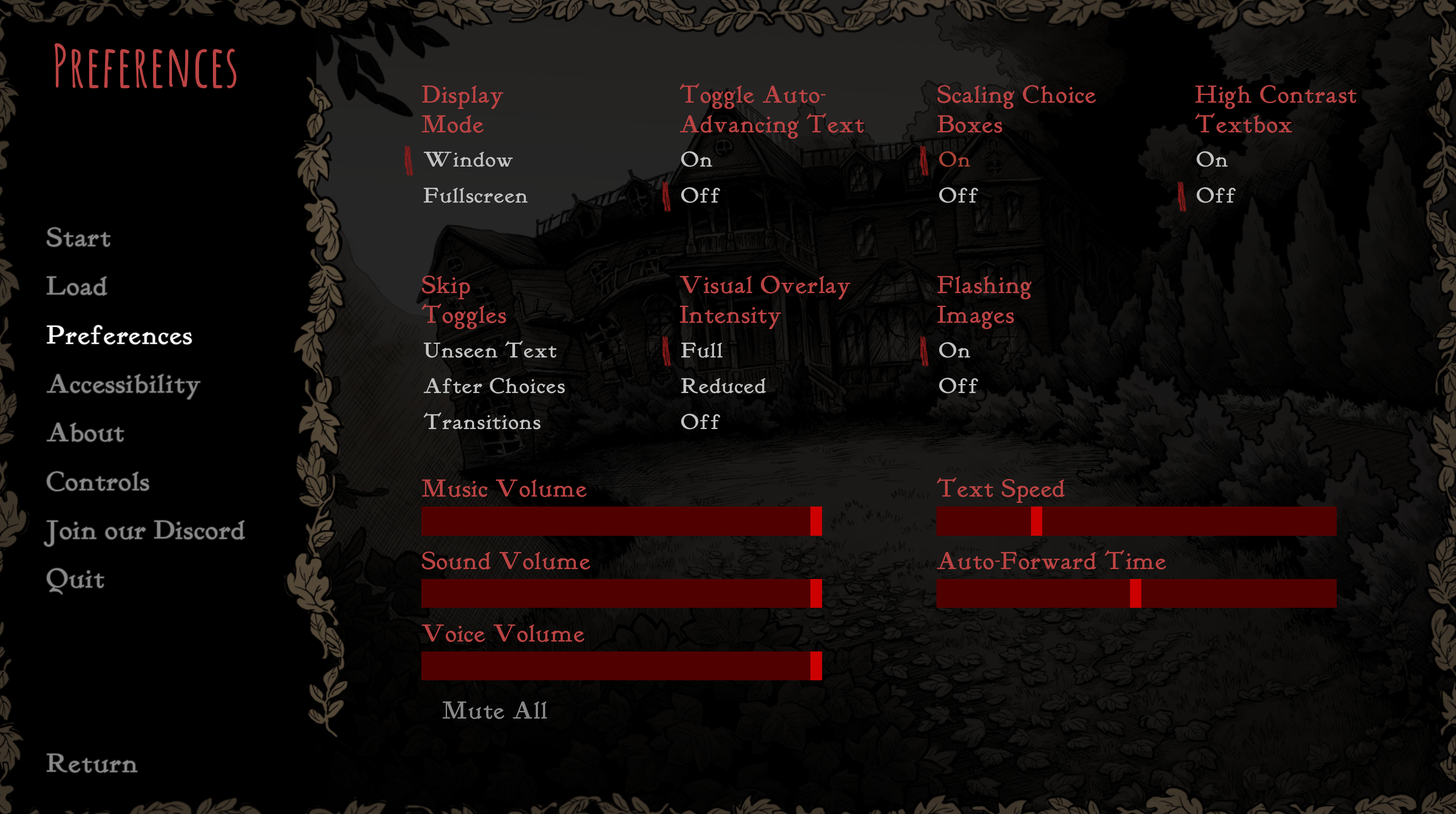

If you don't like it, you can change it right here.

One benefit to this change is that it allowed us to bake in a little bit of extra wiggle-room for these menus, so the game should respond better to players who change either the font or text-size in the accessibility menu. Likewise, displaying many more dialogue options at once should help make controller support feel more responsive.

We've also now made it so that the scrollbar for dialogue only appears when there's actually something to scroll, so the textbox should feel a little cleaner and less cluttered.

Hope this helps your investigation!
Tony and Abby

P.S.: If you've yet to pick up Scarlet Hollow, a reminder that the base price is going up by $5 USD on the 13th!

More from Scarlet Hollow

Other announcements

All events
Scarlet HollowGame update20 Aug 2026Aug 20Fixed an issue where the scaling textbox was not always correctly turning on by default.Scarlet HollowGame update8 Aug 2026Aug 8thMinor bug fixesScarlet HollowGame update5 Aug 2026August 5thFixed an error message linked to the "Back Away" option in the farm basement. Fixed an error where being arrested in certain routes would move the player to a non-arrested story branch.