Hello everyone!
I’m excited to share with you another behind-the-scenes post on my game, Skies of Aevium. This time I’ll be talking about how I add islands and a bunch of levels for my game, but do it all automatically through some tiny pixelart.
To some, those could be some crazy words. Others may have their own theories on how I do it, but I’ll get into it all.
Okay, now what am I talking about?
I hate manual work. Level design takes a lot of time. Especially when it’s tile based (to me, anyway).
I use Unity to make Skies of Aevium, and while it certainly has a bunch of great tools to do make tile based worlds, I still find it way too exhausting to do everything this way. It’s time-consuming in every single way. So, as of this year, I’ve started getting into automating things way more, and that includes designing this game’s world.
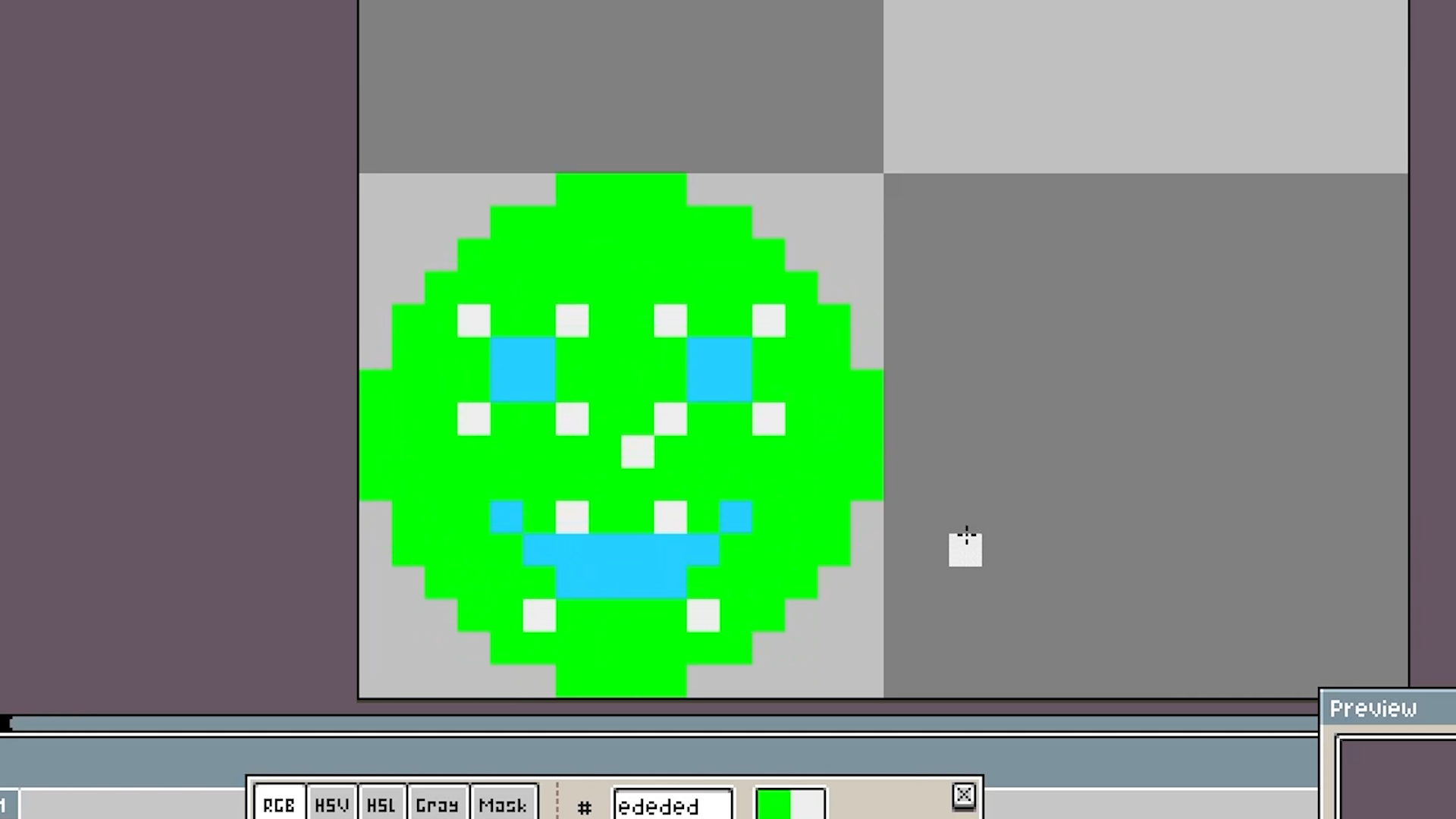
To put it simply: I draw on a canvas of, in this case, 32x32 pixels, inside the software Aseprite.
I use whatever colors I want (which I then neatly organize inside of a Google Sheets file), and then when I’m happy, I save it as a .PNG inside my Unity project. Like in this example I have drawn a green head, with some blue to make it a smiley face, and then some white because I felt like it.
Inside of Unity, I add a new item of a class that I call ColorMapObject (you can learn more about this class in the sourcecode, which you can get by joining as my Patreon a member of tier Supporter or above)
In this class I have a few variables: Color, GameObject, and GridLayer.
It simply translates a color to a game object, and then it knows on what grid layer it should be created.
Through the power of my new-found love, editor scripts, I can simply select my smiley face image, and press a button inside my inspector. It then takes every single pixel in my image, and looks through all my instances of ColorMapObject, and checks if that pixel’s color is among those instances. If so, it instantiates that color’s game object on the desired grid layer.
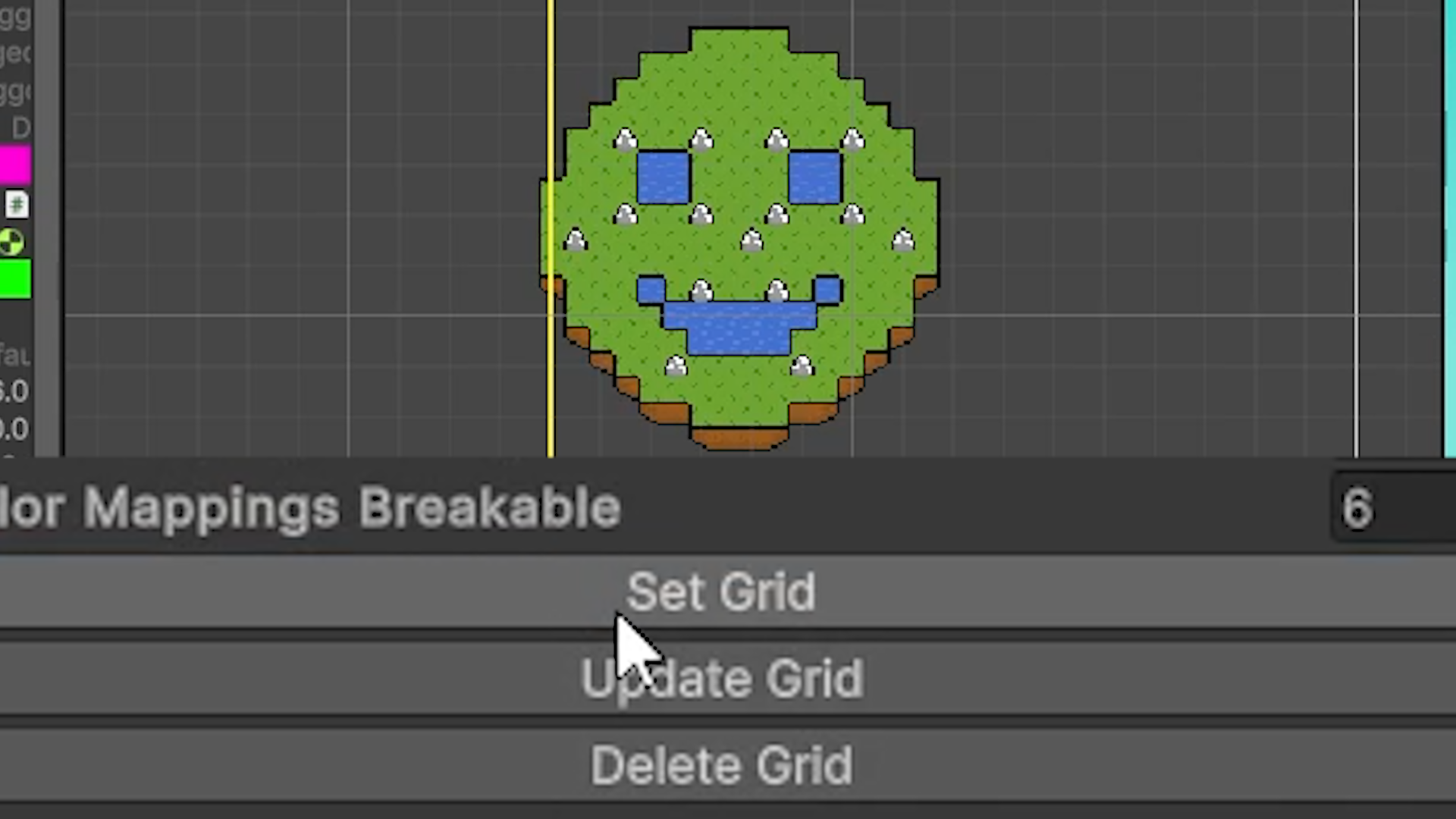
And there you go! A smiley face island!
The theory is actually super simple, and I’m so happy with it because it’ll save me hours in the long run, maybe even more.
But what will I be using it for exactly?
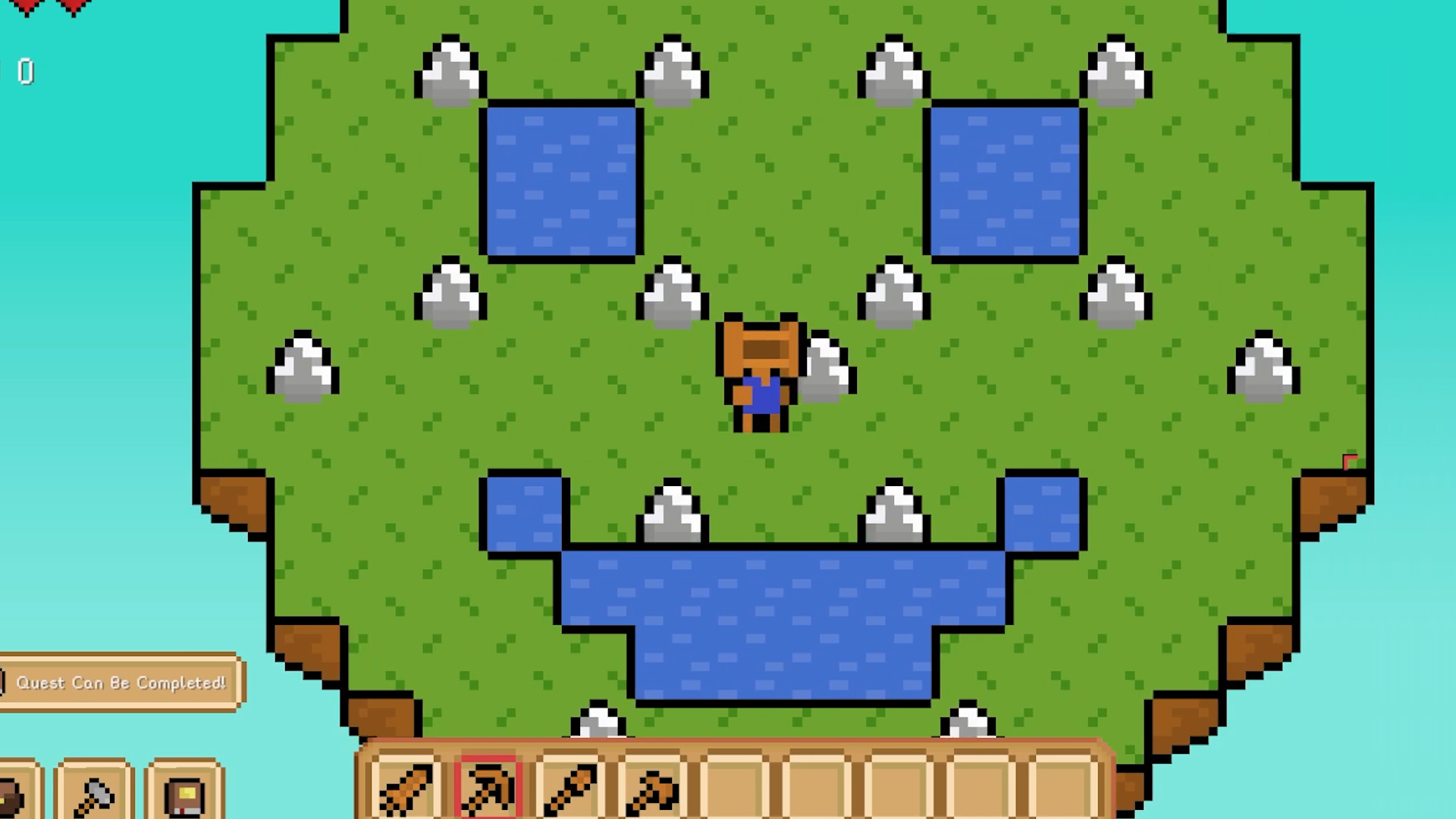
Well. While I still have much to figure out for this game, I do already know that the Underworld will have a lot of levels, much like those in Stardew Valley’s mines. And I don’t want to make those by hand. It would just take way too much time, especially this early in development where nothing is locked in yet.
So creating this tool allows me to very easily iterate on designs. I can do so because I also made it so it requires a position to start creating whatever island you want it to make. And if I then decide I want to change it, I can just press the update button, and it’ll just delete what it had already made in that area, and redo everything in the image. Also, yes, I can now delete everything, too.
Yes, this is incredibly useful. It still isn’t perfect, and I’m sure I’ll optimize it more as I go, but it’s a real life-saver.
One problem I’ll have to deal with later, though, is updating islands or adding islands after someone has already started playing. What if I want to add a cool new island with a bunch of loot…but someone has already built their world there? Do I just delete their world? Something to think about later.
Anyway, thank you all for reading! And thank you for being here with me this year. I’m very excited about next year, and can’t wait to share more with you! See you all in 2025!
Jordi/TheShelfman