Turning Real Footage into Game Animations (and Why I Open-Sourced the Tool)
Infinicity · published
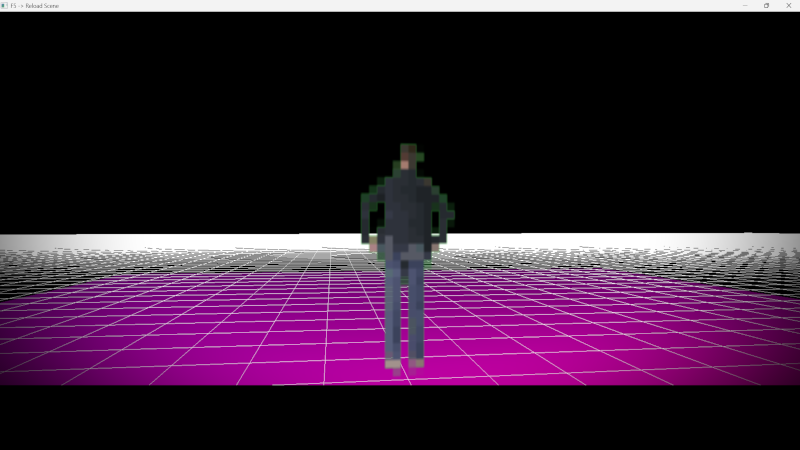
One of the challenges I’ve been thinking about a lot while working on Infinicity is animation.
I wanted characters that feel hand-animated and expressive but without relying on huge animation budgets or locking myself into a very rigid art style. I also wanted a workflow that lets me iterate quickly i.e. change timing, style, or scale without redoing everything from scratch.
That led me down an interesting rabbit hole:
Can I turn real video footage into clean, stylised sprites that actually work in-game?
It turns out: yes (but not without a bit of engineering).
The problem
Traditional sprite animation usually means:
drawing every frame by hand, or
relying on skeletal animation that doesn’t always fit a specific style
Both approaches are valid but they can be slow to iterate on, especially when you want to experiment.
What I wanted instead was:
to capture simple footage (even just me in front of a wall),
extract only the person cleanly,
and then turn that into animation-ready sprites that I could stylise and tweak.
The solution (high level)
I ended up building a two-stage pipeline:
Stage A High-quality person extraction
This stage uses a research model called Robust Video Matting to separate a person from the background across an entire video, producing clean RGBA frames with proper edges (hair, limbs, motion blur, etc.).
This step is slow and compute-heavy, but it only needs to run once per video.
Stage B Game-focused post-processing
This stage is fast and highly tweakable. It:
crops the animation consistently
normalises everything to a fixed sprite size
skips redundant frames automatically
applies pixel-art style quantisation
packs everything into a spritesheet with metadata
The important bit is that Stage B can be rerun endlessly with different parameters, without redoing the expensive extraction step.
That makes experimenting with animation style and timing much more fun.
Why this matters for the game
This pipeline exists for one reason:
to make the animations in Infinicity better and more expressive.
It lets me:
prototype animations quickly
adjust style without re-recording footage
keep animations consistent across different characters
experiment with pixel-art looks without committing too early
The goal isn’t realism it’s control.
Why I open-sourced it
At some point I realised this tooling might be useful to other developers too, especially indie devs who enjoy building their own pipelines.
So I decided to open-source it.
The repository includes:
the full two-stage pipeline
documentation on how it works
command-line controls to tweak output
and clear separation between the heavy ML step and the creative iteration step
If you’re curious about the technical side, you can find it here: video2spritesheet github repo
If you’re curious to see how it all comes together in-game, wishlisting really helps it tells me people are interested and lets Steam know too.
Thanks for reading, and back to building