BETA 0.97 Update: ARRAYS
Craftomation 101: Programming & Craft · published · build 22905614
We’ve added a new feature to the game — Arrays to test IN BETA VERSION.
What is it?
Arrays are containers that can store multiple elements. Think of them as a collection of variables grouped together.
An array can hold:
- Numbers
- Positions (coordinates)
- Object types
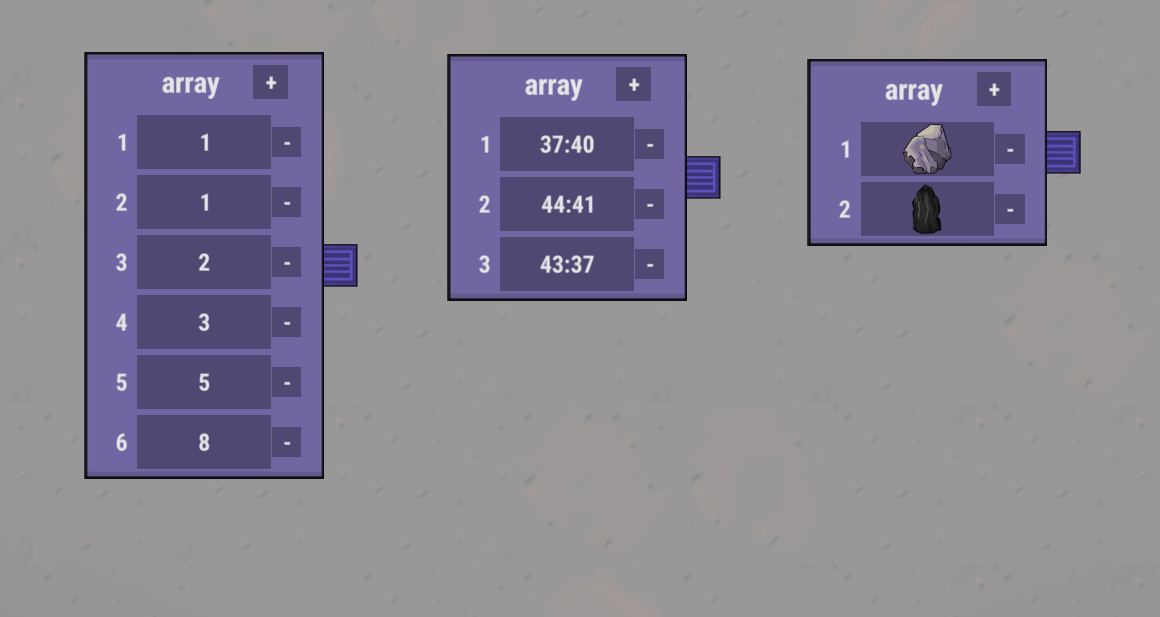
You can add and edit elements directly inside the array node.
How it works:
Each element in the array has its own index number.
In our implementation, indexing starts from 1.
New array-related commands:
Get Element — retrieve an element by its index
Set Element — change the value of an element by its index
Array Length — get the total number of elements in the array
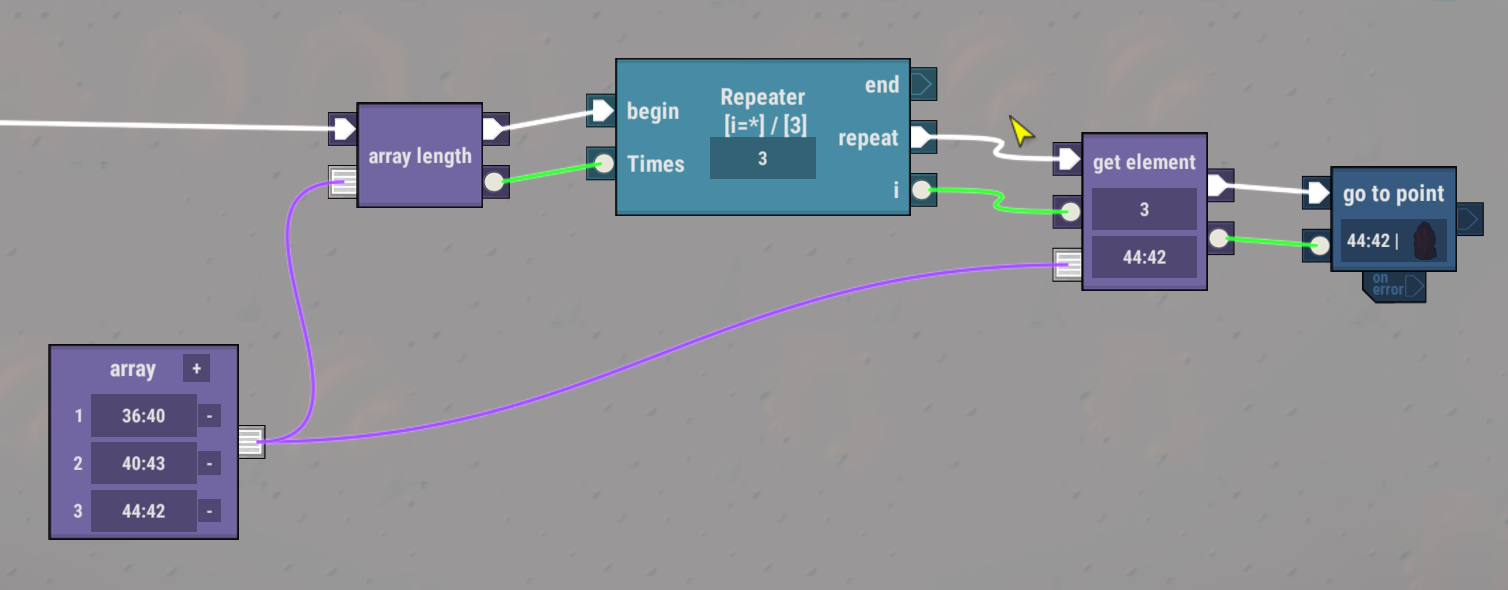
Advanced Tab
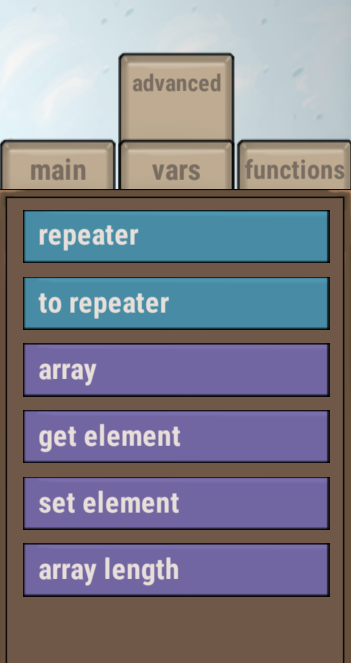
To keep things organized, we’ve moved array-related commands — as well as Repeater commands from the previous update — into a separate Advanced tab.
As always, we’d love to hear what you think!
If you don’t remember how to join the beta, here’s a quick guide:
Step 1
Find the game in your Steam Library, right-click it, and select “Properties.”
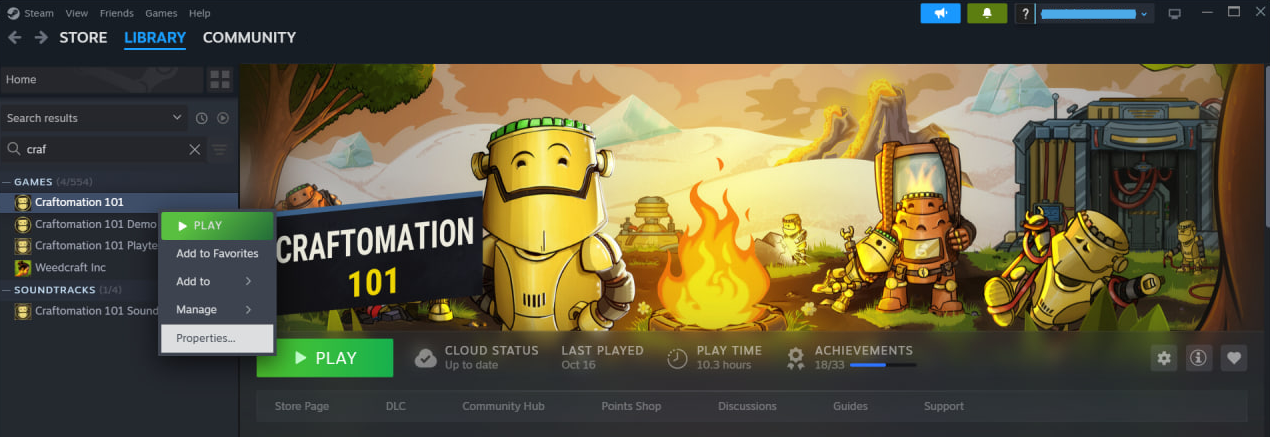
Step 2
In the pop-up window, select the “Game Versions & Betas” tab.
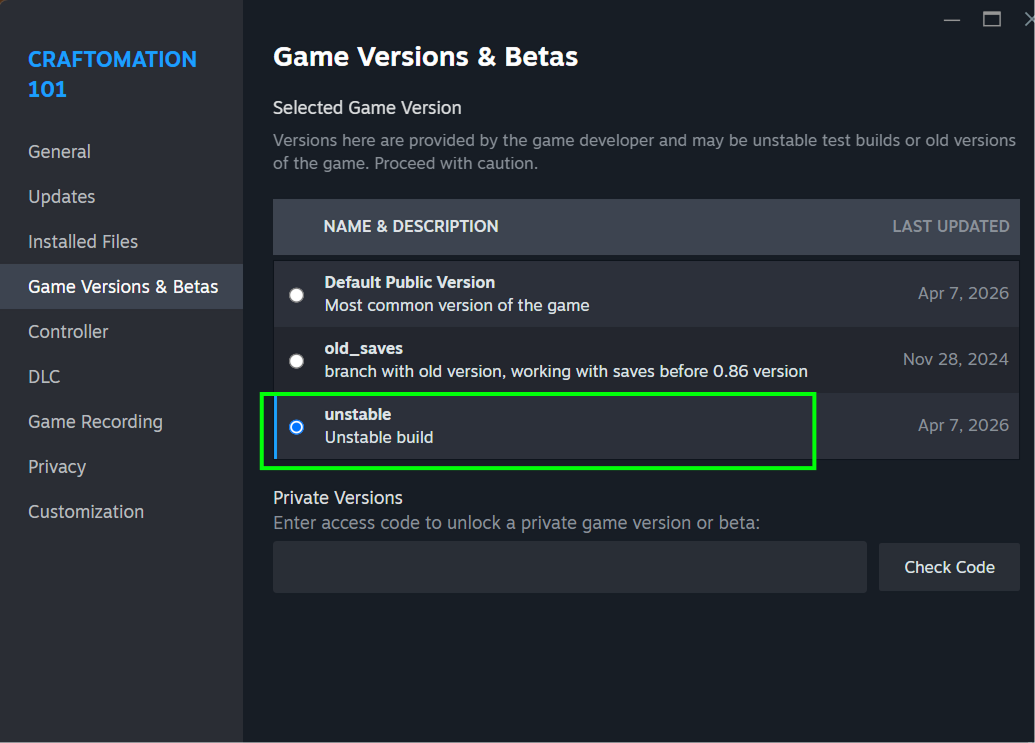
Step 3
Select the branch “unstable” and close the window.
The correct version will automatically start downloading. Enjoy!
Something broke?
We’d be extremely grateful if you report any issues through the in-game feedback form or on our Discord.
Want to return to the default branch?
No problem! Just repeat Step 1, but this time choose “Default public version” instead of “unstable.” When you restart the game, the “Continue” button will be unavailable, along with your beta saves.
By the way!
Don’t forget—we have a cool art pack for Craftomation 101, featuring over 90 images from throughout the entire development process: early sketches, all existing robot designs (including ones never shown before), and a set of unique wallpapers. https://store.steampowered.com/app/2795690/Craftomation_101_Art_Pack/
How to join the development?
Want some more Craftomation 101? We got you! Here's what you can do:
- Suggest your ideas for the game on our Discord server
- Help us translate the game into your native language
- Subscribe to our YouTube channel, and follow studio news
- Follow Craftomation 101 on Twitter
- Leave a comment under a video of your favorite content maker, to let them know about the game
- Sign up for our Newsletter